🛒 Best Price Today on Amazon
Prime members get fast, free shipping on everything above, plus member-only deals. New members get a 30-day free trial — cancel anytime.
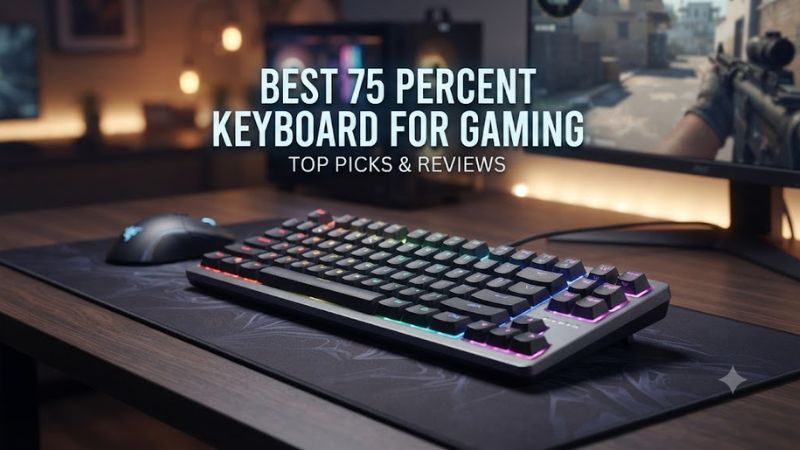
A best 75 percent keyboard for gaming should balance compact desk space, responsive switches, useful navigation keys, and dependable connectivity. Current options range from Hall effect boards with adjustable actuation to low-profile wireless models, so the right choice depends on how you play and what you need beyond gaming.
How to Choose a 75% Gaming Keyboard
The best 75 percent keyboard for gaming depends on four practical factors: switch technology, connection mode, layout compatibility, and physical design. Hall effect or TMR switches suit players who want adjustable actuation and Rapid Trigger, while conventional mechanical switches can make more sense for simpler use. A 2.4GHz connection is useful for wireless gaming, while USB remains the straightforward wired option.
Choose Hall Effect or TMR for Adjustable Inputs
A Hall effect or TMR board can change how far a key travels before registering, which is useful for players who want different settings for movement and typing. The Lemokey P1 HE supports adjustable actuation from 0.2 to 3.8mm and Rapid Trigger, while the MonsGeek M1 V5 TMR combines TMR sensing with mechanical-switch compatibility.
For FPS games, adjustable actuation can be useful when you prefer a shorter trigger point for movement keys. It is not required for ordinary gaming, however, and traditional mechanical switches remain suitable when you prioritize familiar key feel or simpler configuration. The Ducky OK-M, for example, provides a conventional mechanical option within its 75% range.
Check Wireless Modes Before Buying
A wireless 75% keyboard should distinguish between Bluetooth and a faster 2.4GHz connection. The Lemokey P1 HE and Keychron K2 HE both provide 2.4GHz wireless alongside Bluetooth and USB, with 1000Hz polling available through wired and 2.4GHz modes. Bluetooth is better suited to multi-device convenience than latency-sensitive gaming.
Connection requirements also affect compatibility with your setup. The Keychron K2 HE officially supports Windows, macOS, and Linux, while the Lemokey P1 HE supports Windows, macOS, and Linux as well. That makes either model easier to share between different computers than a keyboard whose configuration software is limited to one operating system.
Match the Layout to Your Desk
A 75% layout normally keeps the function row, arrow keys, and a compact navigation cluster while removing the numpad. That arrangement gives gaming desks more lateral space without dropping the dedicated keys that some 60% and 65% keyboards move behind function layers. RTINGS describes the format as particularly useful for gamers who want more mouse room.
Size still varies between products, so check the manufacturer’s dimensions rather than assuming every 75% board occupies identical space. The Lemokey P1 HE measures 322 × 140mm, while the Keychron K2 HE standard version measures 316.4 × 126.7mm. A narrower case can matter if your mousepad and monitor stand leave limited room.
Consider Low-Profile Designs for Long Sessions
A low-profile board can reduce the overall height of the keyboard and change the wrist angle compared with conventional mechanical designs. The NuPhy Air75 V3 uses a low-profile switch system, a 75% ANSI layout, gasket mounting, and a 13.2mm case height, making it substantially slimmer than many aluminum 75% gaming keyboards.
The trade-off is that low-profile switches feel different from conventional full-height mechanical or magnetic switches. The Air75 V3 supports Windows, macOS, Android, and iOS and offers 2.4GHz, USB-C, and Bluetooth connectivity, so it fits mixed-device setups well. Its gaming appeal comes more from its compact, lightweight design than from competitive-focused magnetic features.
Top Picks for Gaming
The best 75 percent keyboard for gaming is not identical for every player because current boards emphasize different priorities. The four selections below cover competitive magnetic input, broader wireless use, mixed switch support, and low-profile portability. Specifications come from manufacturer documentation, while gaming-performance context is cross-checked against independent RTINGS reviews where available.
| Product | Best For | Key Spec | Compatibility | Watch Out For |
| Lemokey P1 HE | Best Overall | 0.2–3.8mm actuation, 1000Hz | Windows/macOS/Linux | Magnetic switch compatibility is limited |
| Keychron K2 HE | Best Value | 0.2–3.8mm actuation, 1000Hz | Windows/macOS/Linux | Magnetic switch choices are restricted |
| MonsGeek M1 V5 TMR | Best For Competitive Gaming | Up to 8K polling, TMR sensing | Windows/macOS | Mac Bluetooth customization has limits |
| NuPhy Air75 V3 | Best For Low-Profile Gaming | 1000Hz wired/2.4GHz | Windows/macOS/Android/iOS | Not designed around Hall effect features |
Lemokey P1 HE: Best Overall
The Lemokey P1 HE is a strong all-round choice for buyers who want a premium 75% layout without giving up wireless gaming. It has a full-metal case, aluminum plate, Gateron double-rail magnetic switches, Rapid Trigger, adjustable 0.2–3.8mm actuation, and 1000Hz polling through wired and 2.4GHz connections.
Its real weakness is switch flexibility: the hot-swap system supports Gateron Double-Rail Magnetic switches rather than ordinary mechanical switches. RTINGS also notes that its analog output does not behave as expected, so buyers specifically seeking reliable controller-style analog input should not choose it for that feature.
Keychron K2 HE: Best Value
The Keychron K2 HE combines a 75% layout, magnetic switches, adjustable actuation, Rapid Trigger, 2.4GHz wireless, Bluetooth, and wired connectivity. Its standard version uses an aluminum body, weighs about 980g, and supports up to three Bluetooth devices, while the current US listing shows a $139.99 price for the standard product configuration.
The main limitation is its restricted magnetic-switch ecosystem. Version 1 supports Gateron Double-Rail Magnetic switches, while Version 2 adds compatibility with Keychron Ultra-fast Lime Magnetic switches, so buyers looking for broad third-party switch experimentation should look elsewhere. It also has a tray-mount structure rather than the gasket construction found on some rivals.
MonsGeek M1 V5 TMR: Best For Competitive Gaming
The MonsGeek M1 V5 TMR targets players who want unusually high polling and configurable magnetic input. Its current 32K versions combine TMR sensing with up to 0.01mm Rapid Trigger precision, while the product line supports an 8K polling rate and includes a 75% aluminum chassis with a programmable knob.
Its weakness is software behavior on macOS rather than the physical keyboard. MonsGeek states that customization through Bluetooth is not supported on Mac systems, while its web driver has browser and feature limitations. The board is therefore less convenient for Mac users who expect every configuration feature to work wirelessly.
NuPhy Air75 V3: Best For Low-Profile Gaming
The NuPhy Air75 V3 is the option for players who prefer a thin, lightweight 75% board instead of a heavy aluminum gaming keyboard. It has 84 keys, low-profile switches, gasket mounting, double-shot PBT keycaps, and 1000Hz polling through both wired and 2.4GHz connections, while Bluetooth runs at 125Hz.
Its main weakness is that it does not target Hall effect gaming features such as adjustable magnetic actuation and Rapid Trigger. The 724g chassis and low-profile design make it easier to move around, but buyers specifically seeking configurable magnetic input should choose one of the HE or TMR models instead.
FAQ
The best 75 percent keyboard for gaming depends on whether your priority is magnetic input, wireless flexibility, competitive polling, or a low-profile design. Current choices differ substantially in switch technology and software, so checking those differences matters more than choosing by layout alone.
Is 75% a Good Keyboard Size for Gaming?
Yes, 75% is a practical gaming layout because it retains the function row and dedicated arrow keys while removing the numpad. RTINGS notes that the smaller footprint can leave more room for mouse movement, which is particularly relevant to players who use wider mousepad areas.
The exact advantage depends on your desk and keyboard habits. A 75% board still occupies more vertical and horizontal space than some 60% designs, but it avoids relying as heavily on function layers for navigation. That makes it a useful middle ground for gaming and general PC use.
Are Hall Effect Switches Worth It for Gaming?
Hall effect switches are useful for gaming when you want adjustable actuation and Rapid Trigger rather than simply a conventional mechanical keypress. Both the Lemokey P1 HE and Keychron K2 HE provide adjustable actuation from 0.2 to 3.8mm alongside Rapid Trigger.
Those features are most relevant to games where repeated movement inputs matter, especially competitive FPS titles. They do not make a conventional mechanical keyboard unsuitable for gaming, so players who prefer traditional switches should consider typing feel, connectivity, and software before paying specifically for magnetic technology.
Is 2.4GHz Wireless Good Enough for Gaming?
Yes, 2.4GHz wireless can provide a 1000Hz polling mode on several current 75% gaming keyboards. The Lemokey P1 HE and Keychron K2 HE both specify 1000Hz operation in wired and 2.4GHz modes, while Bluetooth is limited to 125Hz on these models.
For gaming, use the supplied 2.4GHz receiver or USB connection when the keyboard supports those modes. Bluetooth remains useful for connecting to phones, tablets, or additional computers, but its lower polling rate makes it a different connectivity mode rather than a direct replacement for the gaming-oriented wireless connection.
Should You Buy a Low-Profile 75% Gaming Keyboard?
A low-profile 75% keyboard makes sense if you value a thinner chassis, lower key height, and portability more than magnetic gaming controls. The NuPhy Air75 V3 combines a 13.2mm case, 724g weight, low-profile switches, 2.4GHz connectivity, and compatibility with Windows, macOS, Android, and iOS.
It is less suitable if adjustable actuation and Rapid Trigger are central requirements. In that case, a magnetic 75% model such as the Lemokey P1 HE, Keychron K2 HE, or MonsGeek M1 V5 TMR provides the relevant switch technology instead of relying on conventional low-profile mechanical input.
Final Thoughts
The best 75 percent keyboard for gaming should match your switch preference, connection needs, and desk rather than simply follow a generic specification list. The Lemokey P1 HE, Keychron K2 HE, MonsGeek M1 V5 TMR, and NuPhy Air75 V3 cover distinct priorities, from magnetic gaming controls to compact low-profile wireless use.