🛒 Best Price Today on Amazon
Prime members get fast, free shipping on everything above, plus member-only deals. New members get a 30-day free trial — cancel anytime.
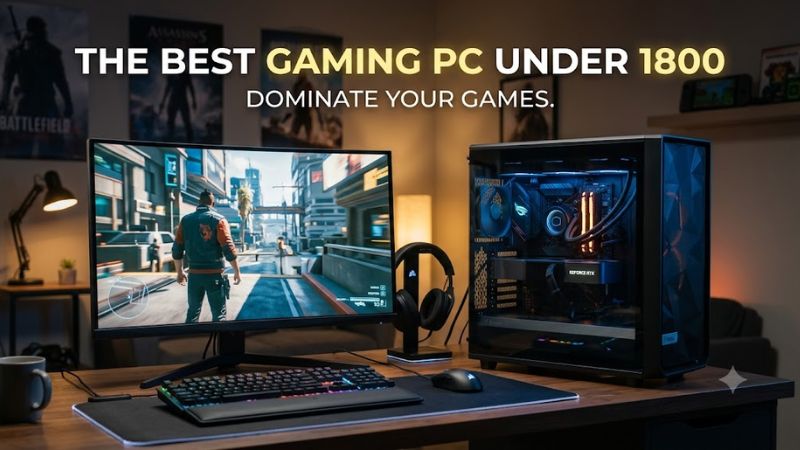
For best gaming pc under 1800, prioritize the GPU, 32GB DDR5, a modern CPU platform, and a PSU suited to the graphics card. Current sub-$1,800 systems can target 1440p gaming with RTX 5070-class hardware, while a discounted RTX 5070 Ti system can add more GPU headroom without requiring a custom build.
How to Choose a Gaming PC Under $1,800
The right configuration depends less on branding than on the graphics card, CPU platform, memory, and power delivery. For this budget, RTX 5070 systems are common, while occasional RTX 5070 Ti deals can fit below $1,800. NVIDIA’s RTX 5070 has 12GB GDDR7, while the 5070 Ti carries 16GB, making VRAM capacity an important distinction for higher resolutions.
Prioritize the GPU
A strong GPU should be the first filter for the best gaming pc under 1800 because graphics settings and resolution usually place the largest load on the graphics card. The RTX 5070 targets 1440p gaming, while independent testing from TechSpot found the RTX 5070 Ti averaged about 7% ahead of the RTX 4070 Ti Super at 1440p across its test suite.
The Skytech King 95 pairs an RTX 5070 with a Ryzen 7 9700X and 32GB DDR5-6000, giving this budget a straightforward 1440p-oriented configuration. Skytech also lists 1440p reference results for several games, but those figures come from its own 3DMark-derived data rather than an independent lab, so they should not be mixed with TechSpot or TechPowerUp results.
Choose 32GB DDR5
For the best gaming pc under 1800, 32GB of DDR5 is a sensible target when the system is expected to remain unchanged for several years. It also avoids starting with a single 16GB module on systems where memory bandwidth and capacity can become limiting factors during gaming alongside browsers, launchers, Discord, or recording software.
The iBUYPOWER Element specification lists 32GB DDR5-5200, a B650 Wi-Fi motherboard, a Ryzen 7 9700F, an RTX 5070, and a 750W 80 Plus Gold PSU. That combination uses AMD’s AM5 platform and DDR5 rather than an older DDR4 configuration, although the exact retail price should be checked before ordering because listings can move above the budget.
Check Platform Compatibility
Compatibility matters because CPU socket, memory type, motherboard expansion, and PSU standards determine what can be upgraded later. AMD Ryzen 7 9700X and 9800X3D systems use AM5 with DDR5, while Core Ultra 7 265F systems use Intel’s newer desktop platform and DDR5. Neither should be treated as a drop-in upgrade for an older DDR4 gaming PC.
The CyberPowerPC Gamer Supreme configuration uses a B850 motherboard, AM5 socket, 32GB DDR5, and a Ryzen 7 9800X3D alongside an RTX 5070. B&H’s current specification also lists an 850W power supply and user-replaceable 16GB memory modules, although its current retail price is above this article’s ceiling.
Match Resolution to the GPU
The best gaming pc under 1800 should be matched to the display rather than judged only by CPU specifications. RTX 5070 systems are better suited to 1440p than to uncompromised 4K, particularly when demanding ray tracing and high-resolution textures are involved. The RTX 5070’s 12GB VRAM can also become a consideration in heavier 4K workloads.
For buyers targeting 4K, an RTX 5070 Ti configuration deserves attention when its price falls below $1,800. TechSpot measured the RTX 5070 Ti at roughly 11% ahead of the RTX 4070 Ti Super at 4K, while also finding it around 13% behind the RTX 5080. Those figures were produced using TechSpot’s standardized 4K testing, not prebuilt-system testing.
Top Picks
The following systems represent different ways to approach the best gaming pc under 1800, with the emphasis on current RTX 50-series graphics and DDR5 platforms. Prices are snapshots from current or recently crawled US listings and can change; configurations, memory capacity, storage, and power supplies should be confirmed on the exact product page before purchase.
| Product | Best For | Key Spec | Compatibility | Watch Out For |
| Skytech King 95 | Best Overall | Ryzen 7 9700X, RTX 5070 12GB | AM5, DDR5 | 16GB version needs a memory upgrade |
| Skytech Azure 3 | Best Value | Ryzen 7 9700X, RTX 5070 12GB | AM5, DDR5 | Configuration varies by seller |
| CyberPowerPC Gamer Supreme | Best For CPU-heavy gaming | Ryzen 7 9800X3D, RTX 5070 12GB | AM5, DDR5 | Current retail pricing can exceed $1,800 |
| Lenovo Legion Tower 7i Gen 10 | Best For GPU headroom | Core Ultra 7 265F, RTX 5070 Ti 16GB | DDR5, PCIe expansion | Availability and configuration vary |
Skytech King 95: Best Overall
For the best gaming pc under 1800, the Skytech King 95 currently has a particularly clear component mix when its $1,699.99 Best Buy listing is available: Ryzen 7 9700X, RTX 5070, 16GB DDR5, and a 1TB NVMe SSD. Its weakness is the 16GB memory configuration, so buyers should budget for a second compatible module or a matched 32GB kit.
This system suits someone who wants a recognizable prebuilt platform for 1440p gaming without paying for a higher-end CPU that cannot change the GPU’s rendering limits in many games. It is less attractive for buyers who expect 4K ultra settings or who do not want to upgrade memory, because 16GB is less comfortable for a new high-end desktop than 32GB.
Skytech Azure 3: Best Value
The Skytech Azure 3 provides another route into the best gaming pc under 1800 category, with current listings showing a Ryzen 7 9700X, RTX 5070 12GB, 16GB DDR5-6000, 1TB Gen4 NVMe storage, and an 850W Gold PSU. Best Buy has listed comparable Skytech RTX 5070 systems around $1,700, although exact memory and storage configurations differ.
The main reason not to buy this configuration is its 16GB memory rather than its CPU or GPU. A buyer who wants 32GB immediately should compare the final configured price against systems that already include it. The AM5 platform and DDR5 memory make later expansion practical, but the motherboard’s exact model should still be confirmed before ordering.
CyberPowerPC Gamer Supreme: Best For CPU-Heavy Gaming
A Ryzen 7 9800X3D can make the best gaming pc under 1800 appealing to players who use high-refresh displays or CPU-limited games. The current Gamer Supreme specification pairs the 9800X3D with an RTX 5070 12GB and 32GB DDR5, while independent CPU testing from TechSpot showed substantial gaming gains over the Ryzen 7 9700X in several CPU-limited titles.
The catch is price: the same CyberPowerPC configuration can appear above $1,800 at major retailers, while a current Best Buy marketplace listing has shown a $1,799.99 price from a third-party seller. That makes this a deal-dependent pick rather than a consistently available $1,800 configuration.
Lenovo Legion Tower 7i Gen 10: Best For GPU Headroom
The Legion Tower 7i Gen 10 is relevant when an RTX 5070 Ti can be found around the $1,700 mark. A current September 2026 market listing identifies a configuration with a Core Ultra 7 265F, RTX 5070 Ti, 32GB DDR5, standard ATX motherboard, and 1200W PSU at $1,709, although availability and exact retailer configuration should be verified before purchase.
Its main limitation is that the attractive price is not consistently reproduced across retailers, and the Core Ultra 7 265F is not the CPU reason to choose the machine. The RTX 5070 Ti’s 16GB GDDR7 is the more important distinction for demanding 1440p and 4K workloads, while the 1200W PSU provides substantial power capacity for the listed configuration.
Frequently Asked Questions
Is $1,800 enough for a 1440p gaming PC?
Yes, $1,800 is enough for a prebuilt 1440p gaming PC with an RTX 5070-class GPU, 16GB or 32GB DDR5, and a modern AMD or Intel CPU. Current listings show RTX 5070 systems around $1,700–$1,800, although exact configurations change frequently.
For most buyers, the important distinction is whether the system includes 32GB from the start and whether the power supply and motherboard are clearly specified. An RTX 5070 is a 12GB card, and independent testing places it as a 1440p-oriented GPU rather than a direct substitute for substantially faster 4K-focused cards.
Is an RTX 5070 Ti possible under $1,800?
Yes, an RTX 5070 Ti system can fall below $1,800 during discounts, although those listings are less consistent than RTX 5070 systems. A September 2026 market listing showed a Lenovo Legion Tower 7i Gen 10 with an RTX 5070 Ti and Core Ultra 7 265F at $1,709.
The RTX 5070 Ti has 16GB of GDDR7 and showed about 7% higher average 1440p performance than the RTX 4070 Ti Super in TechSpot’s review. At 4K, the advantage was about 11% in the same test suite, making it the more capable option when a genuine sub-$1,800 configuration is available.
Is 32GB RAM necessary for a gaming PC?
32GB is not mandatory for every game, but it is a sensible configuration target for a new $1,800 desktop. Current prebuilts in this class can still ship with 16GB, and the Skytech King 95 and Azure 3 examples show why buyers should check whether memory is supplied as one module or as a matched dual-channel configuration.
If a 16GB system is substantially cheaper, upgrading to 32GB can be reasonable when the motherboard has an open slot or the existing modules can be replaced with a matched kit. The exact upgrade path depends on the installed DIMMs, motherboard layout, and memory specification, so those details should be confirmed before purchasing additional RAM.
Should you choose Ryzen 7 9800X3D or Ryzen 7 9700X?
The Ryzen 7 9800X3D is the more gaming-focused CPU of the two, while the Ryzen 7 9700X can leave more of the budget available for the graphics card. TechSpot’s CPU testing found the 9800X3D averaged about 30% higher gaming performance than the 9700X across its tested games, although the difference varies substantially by title and CPU limitation.
For an $1,800 prebuilt, the GPU should remain central to the decision because many 1440p games become graphics-limited before the CPU difference matters. A 9700X plus RTX 5070 can therefore make more sense than paying a large premium for the 9800X3D, while the 9800X3D becomes more relevant for very high refresh rates and CPU-sensitive games.
Final Thoughts
The best gaming pc under 1800 is usually a 32GB DDR5 system with an RTX 5070, while a discounted RTX 5070 Ti can shift the balance toward higher-resolution gaming. Check the exact RAM layout, PSU, motherboard, storage, and final price before ordering, because prebuilt configurations and retailer discounts can change quickly.