🛒 Best Price Today on Amazon
Prime members get fast, free shipping on everything above, plus member-only deals. New members get a 30-day free trial — cancel anytime.
For shoppers seeking the best gaming PC for The Sims 4, balanced hardware matters more than extreme GPU power. EA recommends four-core Core i5/Ryzen 5 processing, 8GB RAM, and GTX 650-class graphics; contemporary prebuilts therefore provide generous headroom for expansions, custom-content libraries, multitasking, and newer releases.
How to Choose Sims 4 Gaming PCs
The best gaming PC for The Sims 4 should exceed EA’s modest requirements without wasting money on flagship components. Favor contemporary midrange processing, 16GB RAM, 1TB SSD storage, and current graphics for newer games. Compatibility, expandability, and appropriate power delivery deserve priority over premium specifications.
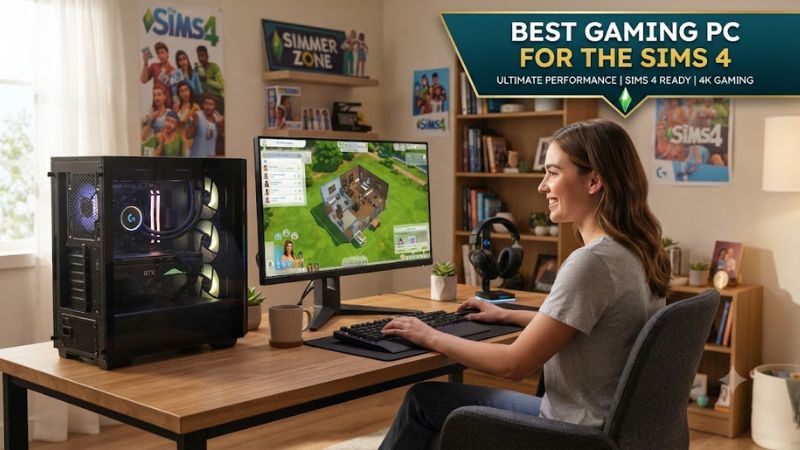
Balance CPU and GPU
Processor balance matters because complex households and simulation activity can stress CPU resources while graphics remain comparatively light. EA recommends four-core Core i5/Ryzen 5 hardware; ASUS’s ROG G700 combines Core Ultra 5 225F processing with RTX 5060 graphics, delivering newer components without flagship-tier excess.
That combination suits players mixing The Sims 4 with contemporary 1080p gaming. RTX 5060 graphics substantially exceed EA’s GTX 650 recommendation, while Core Ultra 5 avoids enthusiast-class processor costs. For Sims-only use, this configuration already supplies considerably more graphical capability than the formal requirement.
Plan RAM and Storage
Memory and storage matter when expansions, modifications, Discord, browsers, or recording utilities stay open together. EA recommends 8GB RAM and 50GB free storage; 16GB RAM plus 1TB NVMe provides a practical contemporary baseline. HP’s OMEN 35L supplies both alongside RTX 5060 graphics and modern expandability.
The OMEN 35L provides four DIMM slots and three M.2 slots, two intended for SSD storage, simplifying future library expansion considerably. Base 16GB DDR5 uses one module, however. Resource-heavy multitaskers can select HP’s dual-module 32GB option instead of planning an immediate post-purchase memory upgrade.
Check Upgrade Compatibility
Check motherboard compatibility when later upgrades matter. Lenovo’s Legion Tower 5i Gen 10 incorporates a B860 mATX board, DDR5 memory, and PCIe M.2 storage. Lenovo specifies up to 128GB RAM and multiple SSDs, giving this prebuilt substantial expansion capacity well beyond ordinary Sims 4 requirements.
That platform accommodates long-term ownership while custom-content libraries expand. The best gaming PC for The Sims 4 never needs 128GB merely for gameplay, but spare slots reduce replacement expenses. Verify the factory configuration because Lenovo offers several graphics and storage combinations.
Check PSU Headroom
Power-supply headroom matters when future graphics upgrades are planned. Dell’s Alienware Aurora ACT1250 can ship with RTX 5060 graphics and a 500W Platinum PSU, appropriate for that configuration. Dell specifies at least 750W for RTX 5070, so later GPU changes may require higher-capacity power delivery.
Choose the Aurora as a finished factory system rather than an easy foundation for major graphics upgrades. Core Ultra 7 265F processing, 16GB dual-channel DDR5, and 1TB NVMe storage already exceed Sims 4 requirements substantially. Frequent rebuilders may prefer simpler power-supply and graphics-card expansion elsewhere.
Top Sims 4 PC Picks
These four picks use current RTX 50-series graphics and Windows-11-era platforms, but their strengths reflect different priorities rather than unsupported frame-rate claims. No standardized current Sims 4 benchmark informed this list; recommendations use verified manufacturer specifications, EA requirements, and documented expansion options.
| Product | Best For | Key Spec | Compatibility | Watch Out For |
| Lenovo Legion Tower 5i Gen 10 | Overall | Ultra 7 265F / RTX 5060 | B860 / DDR5 / M.2 | Sims-only overkill |
| ASUS ROG G700 | Value | Ultra 5 225F / RTX 5060 | DDR5 / PCIe 4.0 M.2 | Single DIMM |
| HP OMEN 35L | Mods | Ryzen 5 8500G / RTX 5060 | B650 / 4 DIMMs / 2 SSD M.2 | Single DIMM |
| Alienware Aurora ACT1250 | Convenience | Ultra 7 265F / RTX 5060 | DDR5 / NVMe / 500W PSU | Upgrade-limited PSU |
Best Overall: Legion 5i Gen 10
Lenovo’s Legion Tower 5i Gen 10 is the Best Overall pick for shoppers wanting considerable longevity beyond The Sims 4. Core Ultra 7 265F processing and RTX 5060 graphics provide substantial headroom, while its B860 motherboard accommodates DDR5 memory and contemporary PCIe-based storage for longer-term expansion.
Choose it when the best gaming PC for The Sims 4 must also handle contemporary games and storage growth. Lenovo supports up to 128GB RAM and multiple M.2 drives. Skip it for Sims-only budgets because its processor and graphics capability considerably exceed the game’s official requirements for long-term play.
Best Value: ROG G700
ASUS’s ROG G700 G700TF-U5F5060 is the Best Value pick, combining Core Ultra 5 225F processing, RTX 5060 8GB graphics, 16GB DDR5, and 1TB PCIe 4.0 storage without enthusiast-tier silicon. This balanced specification comfortably suits Sims players also wanting mainstream 1080p gaming and everyday multitasking.
This configuration uses one 16GB DDR5-5600 UDIMM and provides four memory slots plus capacity for another M.2 SSD. Expansion is straightforward, but the single factory module remains its clearest compromise. Skip it if you require 32GB preinstalled and do not want an immediate memory upgrade afterward.
Best for Mods: OMEN 35L
HP’s OMEN 35L GT16-0000m is the Best For Mods pick because it incorporates 1TB Gen4 NVMe storage and two additional M.2 positions for expansion. Ryzen 5 8500G processing, RTX 5060 8GB graphics, and 16GB DDR5 collectively exceed EA’s recommended specification considerably for contemporary gameplay today.
For expanding libraries, the best gaming PC for The Sims 4 benefits from OMEN’s secondary M.2 options and four B650 DIMM slots. Packaging is weaker: base 16GB memory occupies one module, and keyboard/mouse peripherals are absent. Skip it if you want dual-module memory and bundled peripherals immediately without additional purchases.
Best for Convenience: Alienware ACT1250
Alienware’s Aurora ACT1250 is the Best For Factory Convenience pick, particularly suitable for buyers wanting dual-channel memory immediately. Dell offers Core Ultra 7 265F processing, RTX 5060 8GB graphics, 16GB DDR5 across two 8GB modules, and 1TB PCIe NVMe storage with Windows 11 Home preinstalled.
Its configuration provides generous overhead for The Sims 4, expansions, and background applications, but the 500W PSU restricts straightforward migration to stronger GPUs. Dell specifies at least 750W for RTX 5070. Avoid this system when frequent graphics-card upgrades are central to long-term ownership.
Frequently Asked Questions
These questions address what actually changes a Sims 4 purchase: memory capacity, graphics class, SSD sizing, and operating-system support. EA’s requirements remain far below modern gaming desktops, so purchasing should emphasize everyday responsiveness, library capacity, and broader game use instead of maximum component specifications.
Is 16GB enough for The Sims 4?
Yes, 16GB RAM is enough for most Sims 4 players and doubles EA’s official 8GB recommendation. Additional capacity leaves memory for Windows, the EA app, browsers, voice chat, and moderate mod use. For a contemporary gaming desktop, 16GB remains a sensible baseline despite the game’s lower requirement.
Consider 32GB when large mod collections run alongside streaming, editing, or numerous background applications. The best gaming PC for The Sims 4 doesn’t need 32GB simply to launch, so treat that capacity as multitasking headroom. Prefer two matched modules whenever the manufacturer offers that configuration.
Does The Sims 4 need an RTX 5060?
No, The Sims 4 does not require an RTX 5060. EA’s recommended Windows specification names GTX 650 or Radeon HD 7750 graphics with 1GB video memory, placing RTX 5060 hardware far above the official target. Its primary practical benefit concerns newer games, demanding displays, and broader gaming workloads.
These picks use RTX 5060 graphics as a contemporary prebuilt baseline, not because The Sims 4 requires them. A cheaper desktop can suit Sims-only play at modest settings. Higher graphics spending makes sense only when other games, monitor resolution, or creative workloads use the additional capability.
How much storage does The Sims 4 need?
A 1TB SSD is practical for a new Sims 4 desktop, although EA recommends only 50GB free space plus room for custom content and saves. Greater capacity reduces storage management once expansions, screenshots, modifications, and unrelated games accumulate on the same drive throughout several ownership cycles.
NVMe storage is preferable because current desktops support it natively, but The Sims 4 doesn’t require PCIe Gen5 speeds. The best gaming PC for The Sims 4 should favor capacity over premium sequential throughput. A second M.2 slot becomes increasingly useful as libraries expand across years of ownership.
Can The Sims 4 run on Windows 11?
Yes, these Windows 11 prebuilts are suitable for running The Sims 4 through the EA app. EA’s game requirements name 64-bit Windows 10, while EA separately confirms its desktop app supports 64-bit Windows 10 and Windows 11. Current gaming systems therefore match the supported PC launcher environment.
Keep Windows, graphics drivers, the EA app, and mods current after major game updates. Compatibility requires no special BIOS adjustment for these picks. None needs registry cleaners, RAM-cleaning utilities, or telemetry-disabling scripts for normal Sims 4 performance; those changes shouldn’t be presented as frame-rate fixes.
Final Thoughts
Balanced contemporary hardware defines the best gaming PC for The Sims 4, not maximum specifications. Lenovo’s Legion Tower 5i Gen 10 prioritizes versatility; ASUS, HP, and Alienware address affordability, expandability, or factory convenience. A 16GB/1TB baseline is sensible, with additional spending reserved for broader gaming workloads.