🛒 Best Price Today on Amazon
Prime members get fast, free shipping on everything above, plus member-only deals. New members get a 30-day free trial — cancel anytime.
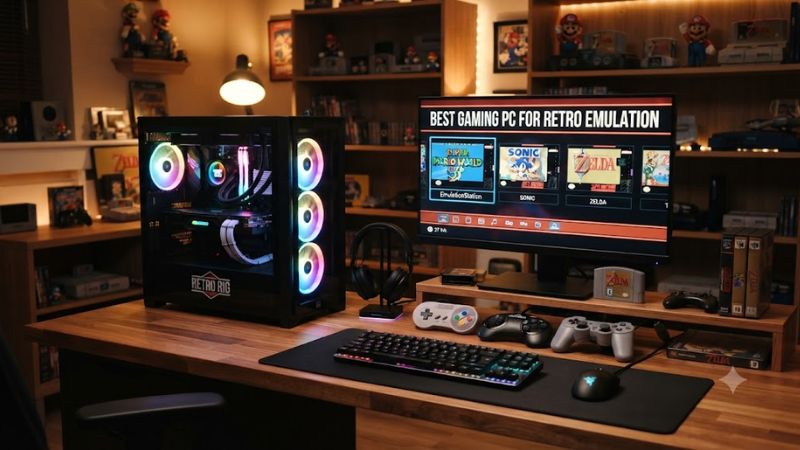
For best gaming pc for retro emulation, the CPU should lead the budget, while the GPU handles higher internal resolutions and shaders. A modern 8-core processor, 32GB dual-channel DDR5, and an RTX 5060-class or faster card give Windows users substantial headroom from classic consoles through demanding PS2, GameCube, and Wii workloads.
How to Choose a Gaming PC for Retro Emulation
The right system comes down to four checks: CPU single-thread performance, GPU headroom, memory configuration, and platform compatibility. PCSX2 currently lists Windows 11, AVX2, four physical cores, and a Vulkan 1.1-capable GPU for its moderate tier, while RetroArch supports Windows 10 and later.
Prioritize CPU performance
Emulators often depend heavily on fast CPU threads rather than simply adding more cores. LanOC’s Dolphin 5.0 Benchmark is a useful reference: its automated completion-time test put the Ryzen 7 9800X3D at 161 seconds. The benchmark uses its own fixed workload rather than a game resolution, so this figure should not be treated as an FPS result.
Give the GPU enough room
A dedicated GPU is useful when you raise internal resolution, apply texture packs, or use demanding shaders. PCSX2’s official guidance places its moderate target around 3x internal resolution, roughly 1080p, while 6x internal resolution, roughly 4K, calls for substantially more GPU performance. That makes an RTX 5060-class card a practical starting point for a desktop.
Use dual-channel DDR5
Memory capacity is not the main emulation bottleneck, but the configuration still matters. A 32GB kit using two modules gives a stronger general-purpose platform than a single 16GB module. This also leaves room for emulator caches, shaders, front-end software, browser tabs, and modern PC games without making RAM the first upgrade.
Check the platform before buying
For a new best gaming pc for retro emulation, DDR5 and current CPU platforms are preferable because they avoid buying into an older memory ecosystem. AMD AM5 systems use DDR5, while Intel’s current desktop platforms also use DDR5. Check the exact motherboard, PSU connector, expansion slot, and chassis before replacing a GPU or adding storage.
Top Picks for Retro Emulation
These four configurations cover different priorities rather than identical performance targets. The table uses current manufacturer configurations available in September 2026; prices can change, so the listed figures are snapshots rather than permanent tiers. Manufacturer specifications also take precedence over reseller descriptions when the two differ.
| Product | Best For | Key Spec | Compatibility | Watch Out For |
| Corsair Vengeance a7500 | Best Overall | Ryzen 7 9800X3D, RTX 5070, 32GB DDR5 | X870, AM5, DDR5, 850W | Higher price |
| CyberPowerPC GeForce Mainstream | Best Value | Ryzen 7 8700F, RTX 5060, 16GB DDR5 | B850, AM5, DDR5 | Single 16GB module |
| HP OMEN 35L GT17-0050m | Best For PS2 and high-resolution emulation | Ryzen 7 9800X3D, RTX 5070 Ti, 32GB DDR5 | B850, DDR5, 850W | Large mid-tower |
| MAINGEAR Zero Champion | Best For maximum headroom | Ryzen 7 9850X3D, RTX 5090, 32GB DDR5 | B850, AM5, DDR5, 1250W | Extreme cost for retro use |
Corsair Vengeance a7500
The Corsair Vengeance a7500 pairs a Ryzen 7 9800X3D with an RTX 5070, 32GB DDR5, 1TB NVMe storage, an X870 motherboard, and an 850W fully modular PSU. Corsair currently lists the configuration at $2,499.99, with Windows 11 Home. The AM5 platform and dual-module memory suit a long-lived desktop.
For best gaming pc for retro emulation, this configuration balances emulator-focused CPU performance with enough GPU power for substantial upscaling. Its weakness is price: much of the hardware is aimed beyond classic systems. It makes less sense if your library stops at SNES, PlayStation, or N64 and you have no interest in modern PC games.
CyberPowerPC GeForce Mainstream
CyberPowerPC’s current GeForce Mainstream configuration uses a Ryzen 7 8700F, RTX 5060 8GB GDDR7, 16GB DDR5-6000, an ASUS PRIME B850-PLUS WiFi motherboard, and a 1TB PCIe 4.0 NVMe SSD. The company lists Windows 11 Home and a current price around $1,500, making it the lower-cost configuration here.
Its main weakness is the single 16GB memory module. The platform is AM5 and DDR5, so moving to a matched 32GB kit is a straightforward direction, but that adds cost. For best gaming pc for retro emulation on a tighter budget, it fits older consoles and provides a discrete GPU for PCSX2 and Dolphin, while leaving less margin for demanding 4K settings.
HP OMEN 35L GT17-0050m
HP’s current OMEN 35L GT17-0050m combines a Ryzen 7 9800X3D, RTX 5070 Ti 16GB, 32GB DDR5-5600, a 1TB PCIe Gen4 NVMe SSD, and an 850W ATX 3.1 fully modular PSU. The B850 platform has four DIMM slots and supports up to 128GB according to HP’s specifications.
That combination is particularly suited to best gaming pc for retro emulation when PS2, GameCube, and Wii are central and high internal resolutions matter. PCSX2’s own guidance distinguishes roughly 1080p-class 3x rendering from heavier 4K-class 6x rendering, so the 5070 Ti provides more graphics headroom than an entry-level configuration.
MAINGEAR Zero Champion
The MAINGEAR Zero Champion combines AMD’s Ryzen 7 9850X3D with an RTX 5090, 32GB DDR5-6000, a 2TB Gen4 NVMe SSD, an MSI B850M motherboard, and a 1250W ATX 3.1 PSU with a 16-pin 12V-2×6 connector. MAINGEAR lists the configuration at $6,499 with Windows 11 Home.
This is the best gaming pc for retro emulation only in the narrow sense of maximum available hardware headroom, not value. The 9850X3D is an especially fast emulator-oriented CPU class, while the RTX 5090 provides far more GPU capability than classic emulators normally require. Most retro-focused buyers should not pay for hardware at this level.
Frequently Asked Questions
The most common questions are about how much hardware emulation really needs, which Windows version to use, whether 4K changes the GPU requirement, and whether a dedicated graphics card is necessary. The answers depend on the emulator and target console, so PCSX2’s documented tiers are more useful than a single universal hardware rule.
What PC specs do I need for retro emulation?
For best gaming pc for retro emulation, a modern CPU, 16GB or more of RAM, and a graphics processor supporting the emulator’s required API are sufficient for many systems. PCSX2’s moderate tier specifies four physical cores with AVX2 and a Vulkan 1.1 GPU, while RetroArch itself has substantially lighter published Windows requirements.
The target console changes the answer substantially. SNES, Genesis, PlayStation, and many earlier platforms do not require a powerful gaming desktop, while PS2, GameCube, and Wii benefit from faster CPU performance and a stronger GPU when internal resolution rises. Switch and PS3 workloads are more variable and should not be treated as simple extensions of classic-console requirements.
Is Windows 11 good for PC emulation?
Yes, Windows 11 is a suitable platform for current PCSX2 and RetroArch setups. PCSX2 lists Windows 11 for its moderate and heavy tiers, while RetroArch provides a current Windows build. That combination also gives users broad driver support for NVIDIA and AMD graphics hardware.
Compatibility still depends on the emulator, graphics API, game, and driver. PCSX2 supports multiple rendering APIs, and individual games can have their own rendering quirks. A Windows 11 PC therefore provides the platform, but it does not make every game behave identically under every renderer or enhancement setting.
Do I need an RTX 5070 or faster for emulation?
No, an RTX 5070 or faster GPU is not required for retro emulation. PCSX2’s published requirements are much lower, with its recommended GPU guidance aimed around 3x internal resolution, approximately 1080p, while higher 6x or roughly 4K rendering needs substantially more GPU capability.
The reason to buy a stronger GPU is headroom rather than basic compatibility. Higher internal resolution, texture replacement, post-processing, and demanding shaders can move more work onto the graphics processor. For ordinary 1080p-style emulation, an RTX 5060-class card can make more sense than spending heavily on a flagship GPU.
Is a Ryzen X3D CPU useful for emulation?
Yes, X3D CPUs can be useful for emulation because many emulator workloads emphasize fast CPU threads rather than high total core counts. LanOC’s Dolphin 5.0 Benchmark specifically notes that Dolphin uses two cores in that test, and its Ryzen 7 9800X3D result was 161 seconds. That is CPU benchmark evidence, not a universal emulator FPS guarantee.
You should still match the CPU to the target systems. A Ryzen 7 9800X3D or 9850X3D is unnecessary for a PC dedicated to 8-bit and 16-bit consoles, but it provides substantial CPU headroom for heavier emulators alongside normal PC gaming. The graphics card can then be selected around your desired internal resolution.
Final Thoughts
The best gaming pc for retro emulation is usually a balanced modern desktop rather than the most expensive gaming machine. A Ryzen 7-class CPU, 32GB dual-channel DDR5, and an RTX 5060-class GPU cover a broad range, while stronger RTX cards mainly add higher-resolution and shader headroom. Match spending to the consoles you actually plan to emulate.