🛒 Best Price Today on Amazon
Prime members get fast, free shipping on everything above, plus member-only deals. New members get a 30-day free trial — cancel anytime.

Lenovo Yoga Slim 7X Laptop 14" WUXGA OLED Touch (100% DCI-P3, 400nits) 6-core Snapdragon X2 Plus (Up to 80 Tops) 16GB RAM 1TB SSD Backlit for Creator Designer Business Professional Win11Pro ICP Acc
Included for 'AI PC Buying Guide: Essential Advice for Top AI Hardware' as a relevant option in this category; details come from the product listing.
View on Amazon
Lenovo Yoga Slim 7X 14.5'' 3K OLED Copilot+ PC Touch Laptop, Snapdragon X Elite, 16GB LPDDR5X, 1.5TB Storage(512GB SSD+1TB Docking Station), Adreno Graphics, Wi‑Fi 7, Backlit Keyboard, Win11 Pro, Blue
Included for 'AI PC Buying Guide: Essential Advice for Top AI Hardware' because the listing specifies Snapdragon X Elite and 16GB LPDDR5X, details this guide uses to compare options.
View on AmazonModern personal computers now feature specialized hardware for artificial intelligence workloads. Consulting an ai pc buying guide helps you evaluate key components like neural processing units and dedicated graphics cards. Selecting the correct system balance ensures smooth performance across local language models and generative software.
How to Choose an AI PC
Evaluating hardware requirements for artificial intelligence demands understanding how different processors handle distinct math operations. Neural processing units handle background tasks efficiently, while dedicated graphics processors manage heavy parallel calculations. Comparing memory bandwidth and platform compatibility ensures long-term system stability.
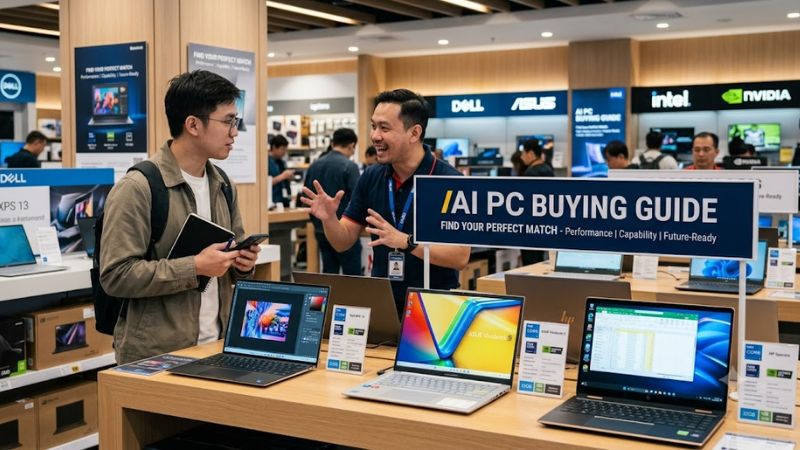
Neural Processing Units and TOPS Output
Neural processing units execute lightweight inferencing tasks without draining laptop battery life or clogging central processor cores. Microsoft Copilot+ features mandate at least 40 trillion operations per second from the integrated NPU. Reviewing an AI PC buying guide helps identify energy-efficient laptops like the ASUS Zenbook 14 OLED AI.
Evaluating NPU capabilities allows buyers to run real-time audio transcription and background camera effects locally without cloud latency. Integrated NPUs offload low-level matrix math from the primary graphics card, saving dedicated rendering headroom. Lightweight ultraportables rely heavily on this dedicated silicon for daily tasks.
Dedicated GPU Acceleration and VRAM
Generative image creation and large language models require high-throughput parallel compute found in discrete graphics hardware. Tensor cores on NVIDIA GeForce RTX GPUs deliver hundreds of TOPS for demanding creative applications. Systems like the Lenovo Legion Pro 7i combine powerful graphics with ample video memory for local workloads.
Video memory capacity dictates the size of AI models that fit directly into hardware cache for fast execution. A minimum of 12GB VRAM allows smooth execution of quantized models without spilling over into slower system memory. Desktop graphics cards provide expandable thermal room for sustained high-wattage image generation tasks.
System Memory Capacity and Bandwidth
Local artificial intelligence processing loads entire neural network parameters directly into system RAM during execution. Any comprehensive AI PC buying guide emphasizes that running medium-scale language models locally requires 32GB or 64GB of memory. Workstations like the HP ZBook Ultra G1a supply unified memory capacity.
Memory bandwidth determines how quickly data transfers between memory modules and computing cores. Dual-channel DDR5 or LPDDR5X configurations deliver the necessary transfer speeds for responsive real-time responses. Choosing expandable desktop slots allows cost-effective upgrades as software requirements scale over coming years.
Platform Compatibility and Power Delivery
Building or buying a capable desktop setup demands reviewing motherboard sockets, expansion slots, and power supply standards. Modern socket platforms like Intel LGA1851 support PCIe 5.0 lanes and high-wattage power supplies needed for multi-GPU setups. Prebuilt options like the CyberPowerPC Gamer Xtreme offer clear upgrade paths.
Power supplies must feature native ATX 3.0 connectors to deliver stable power to modern graphics acceleration cards. Proper motherboard VRM cooling prevents thermal throttling during long artificial intelligence processing sessions. Checking total system power consumption ensures your desktop operates cleanly under full synthetic loads.
Top AI PC Picks
Selecting the ideal desktop or laptop depends on whether your priority is raw GPU performance or portable battery efficiency. The following comparison table outlines key specifications, target user groups, and hardware compatibility across current market options. Reviewing these metrics helps match your hardware budget to real workloads.
| Product | Best For | Key Spec | Compatibility | Watch Out For |
| Lenovo Legion Pro 7i | Best Overall | Intel Core Ultra 9 185H, RTX 4080 | PCIe 4.0 NVMe, 300W Adapter | Heavy 5.7 lb chassis |
| CyberPowerPC Gamer Xtreme | Best Value | Intel Core Ultra 7 265K, RTX 4070 Super | LGA1851, 750W ATX 3.0 PSU | No Wi-Fi 7 module |
| HP ZBook Ultra G1a | Best Local LLMs | AMD Ryzen AI Max+ Pro 395, 64GB RAM | LPDDR5X soldered, PCIe 4.0 | High retail price |
| ASUS Zenbook 14 OLED AI | Best Portable AI | Intel Core Ultra 7 258V, 47 TOPS NPU | LPDDR5X soldered, Thunderbolt 4 | Integrated graphics only |
Lenovo Legion Pro 7i
Content creators and gamers who require exceptional GPU acceleration should choose the Lenovo Legion Pro 7i laptop. This system features an Intel Core Ultra 9 185H processor paired with an NVIDIA GeForce RTX 4080 graphics card. However, its heavy chassis and large 300W power adapter make it less suitable for frequent travel.
Users who only need basic office automation should avoid this high-powered laptop due to higher fan noise and power consumption. The discrete GPU provides substantial VRAM and compute speed for local generative tasks. Utilizing our ai pc buying guide highlights why this machine excels as a mobile desktop replacement unit.
CyberPowerPC Gamer Xtreme
Budget-conscious desktop buyers seeking modular upgrade options will find great value in the CyberPowerPC Gamer Xtreme setup. It incorporates an Intel Core Ultra 7 265K CPU alongside an NVIDIA GeForce RTX 4070 Super GPU. A minor downside is the lack of a built-in Wi-Fi 7 wireless module on the installed motherboard platform.
Shoppers who need a compact laptop for travel should skip this mid-tower desktop configuration due to its stationary size. The standard LGA1851 motherboard and 750W ATX 3.0 power supply allow easy future component swaps. Following an ai pc buying guide ensures you pick a desktop chassis with excellent cooling headroom.
HP ZBook Ultra G1a
Data scientists and developers running heavy local language models benefit immensely from the HP ZBook Ultra G1a workstation. It packs an AMD Ryzen AI Max+ Pro 395 processor with 50 TOPS NPU output and 64GB LPDDR5X system memory. Its main drawback is a premium price tag that places it beyond mainstream consumer budgets.
Casual gamers looking for maximum frame rates per dollar should avoid this workstation due to its professional pricing tier. The unified high-speed memory allows loading large neural datasets without encountering system bottlenecks. Reading this ai pc buying guide confirms how specialized workstations handle complex local inference.
ASUS Zenbook 14 OLED AI
Mobile professionals needing all-day battery life alongside Copilot+ features should select the ASUS Zenbook 14 OLED AI notebook. Powered by an Intel Core Ultra 7 258V processor, its integrated NPU yields 47 TOPS of local acceleration. The key limitation is the integrated Intel Arc graphics, which restricts heavy 3D rendering.
3D artists and hard-core gamers should not purchase this ultraportable because it lacks a dedicated graphics card for high-wattage compute tasks. The thin enclosure and fast Thunderbolt 4 ports offer outstanding portability for document processing. Consulting an ai pc buying guide assists in identifying lightweight productivity designs.
Frequently Asked Questions
Understanding hardware requirements helps clear up confusion surrounding neural processing units, dedicated graphics cards, and software support. The following section addresses primary queries regarding system specifications, upgrade paths, and real-world performance expectations. These answers offer practical clarity for your next purchase.
What Is the Minimum NPU TOPS Rating Required for Copilot+ PCs?
Microsoft Copilot+ features require a minimum neural processing unit rating of 40 TOPS to run local AI processes. Systems equipped with lower NPU ratings cannot process advanced Windows studio effects or real-time file searching locally. Checking processor specifications ensures your laptop meets official software mandates.
Higher TOPS ratings enable multiple background inferencing tasks without impacting central processor performance or reducing battery runtime. Processors like the Intel Core Ultra 200V and AMD Ryzen AI 300 series natively support these baseline requirements. Purchasing compliant hardware guarantees full feature access in Windows 11.
Do You Need a Dedicated GPU for Running Local AI Models?
A dedicated GPU is essential if you plan to run generative image models or complex local language models smoothly. While integrated NPUs handle light background tasks, discrete graphics cards deliver superior parallel math processing. High VRAM capacities allow loading uncompressed neural weights directly onto the graphics card.
Users focusing strictly on document summarization and video call framing can operate effectively using an NPU alone. However, serious creative workflows demand the raw compute throughput provided by NVIDIA GeForce RTX series GPUs. Evaluating your daily software application needs helps prevent overspending on unnecessary hardware.
How Much System RAM Is Recommended for an AI PC in 2026?
A minimum of 32GB of system RAM is strongly recommended for any PC executing local artificial intelligence applications. While 16GB handles basic operating system needs, running local language models quickly consumes available memory space. Adequate RAM capacity prevents severe system slowdowns during multi-tasking sessions.
Professional developers and researchers working with large datasets should consider configuring 64GB of fast DDR5 memory. Fast memory speed directly impacts how quickly prompt responses generate during active software inferencing. Using an AI PC buying guide helps balance memory capacity with processor selection choices.
Can You Upgrade an Older Desktop PC to Handle AI Tasks?
Upgrading an older desktop PC is possible by adding a modern dedicated graphics card with sufficient video memory. Installing an NVIDIA GeForce RTX card provides immediate tensor core acceleration for existing systems. However, older motherboard platforms will miss integrated NPU acceleration present on modern CPUs.
Upgrading system RAM to at least 32GB and installing a fast PCIe 4.0 NVMe SSD also improves local model loading speeds. Ensure your power supply unit offers adequate wattage and proper cable connectors before installing a new graphics card. Checking component dimensions prevents physical clearance issues inside older desktop cases.
Final Thoughts
Selecting the ideal machine requires balancing neural processing units, graphics hardware, and system memory to match your actual daily applications. Following this ai pc buying guide ensures you invest in hardware that handles both current features and future local software tools. Choose a system that fits your budget and enjoy fast processing.