🛒 Best Price Today on Amazon
Prime members get fast, free shipping on everything above, plus member-only deals. New members get a 30-day free trial — cancel anytime.
- Why Gifts for Someone Just Starting to Stream Go Wrong
- Gifts for a New Streamer, Ranked by Impact per Dollar
- 1. The Microphone: Buy USB, Not XLR
- 2. A Boom Arm and Shock Mount
- 3. A Key Light or Softbox — Before a Camera
- 4. A Webcam That Suits Their Lighting
- 5. A Capture Card — Only If They Stream Console
- 6. A Stream Deck-Style Controller
- 7. Acoustic Treatment That Is Not Foam Theatre
- 8. A Second Monitor
- 9. A Chair That Survives Long Sessions
- Which Gifts Only Pay Off Later
- Buying Notes for Gift Season
- Frequently Asked Questions
Buy audio before video. For a beginner streamer, a solid USB microphone, a boom arm and a key light will improve their stream more than any camera or capture card. Expect to spend in the entry-to-mid band on the mic, and skip XLR interfaces, capture cards and stream controllers until they know they will keep going.
Why Gifts for Someone Just Starting to Stream Go Wrong
The instinct is to buy the thing that looks like streaming: a big camera, an RGB wall, a mixer with a dozen faders. But a viewer will watch a slightly soft webcam image for an hour without complaining, and will not watch thirty seconds of hollow, echoing audio. The second trap is hidden cost — an XLR mic needs an interface and cables, a 4K camera needs encoding headroom, a capture card is useless to someone streaming from the PC they play on. A gift that generates a shopping list is not a gift.
Gifts for a New Streamer, Ranked by Impact per Dollar
If you read one thing here, read this table. It is the honest ranking of what their audience notices, and how soon.
| Priority | Gift | What it fixes | Budget band | Pays off |
|---|---|---|---|---|
| 1 | USB microphone | Thin, distant, unlistenable audio | Entry to mid | First stream |
| 2 | Boom arm + shock mount | Desk thumps, keyboard noise, bad mic distance | Entry | First stream |
| 3 | Key light or softbox | Grainy, orange, shadowed face | Entry to mid | First stream |
| 4 | Webcam | Soft image, poor low-light performance | Entry to mid | Once lighting exists |
| 5 | Closed-back headphones | Monitoring, no speaker bleed into the mic | Entry | First stream |
| 6 | Acoustic treatment | Room echo the mic cannot fix | Entry to mid | Weeks in |
| 7 | Second monitor | Chat and dashboard without alt-tabbing | Mid | Weeks in |
| 8 | Stream controller | Fumbled scene switches | Mid | Months in |
| 9 | Capture card | Console or dual-PC capture only | Mid | Only if console |
| 10 | Chair | Back pain on long sessions | Mid to high | Months in |
1. The Microphone: Buy USB, Not XLR
This is the gift; everything else is an accessory to it. A dedicated microphone placed close to the mouth is the largest jump in production quality a new streamer will ever make, and it happens the moment they plug it in.
Buy USB. A beginner handed an XLR microphone has not been given a microphone — they have been given the first link in a chain that also needs an interface with clean preamps, a balanced cable, sometimes a gain booster, and an afternoon of gain-staging they cannot yet do. Plenty of people open an XLR mic on a birthday and stream with headset audio for six more months because the rest never arrived.
Prefer a dynamic over a condenser for anyone in a bedroom, a shared flat or a room with a mechanical keyboard. Condensers such as the Blue Yeti sound gorgeous in a treated space and merciless in an untreated one, picking up the fridge, the road and the roommate. Dynamics like the Shure MV7+ hear mostly what is in front of them, so if you do not know their room, a dynamic is safer — our notes on choosing a USB microphone go deeper on polar patterns.
| Mic type | Needs extra gear? | Room tolerance | Best for | Skip if |
|---|---|---|---|---|
| USB dynamic | No | High — rejects room noise | Untreated bedrooms, loud keyboards, shared space | They want an airy podcast tone in a treated room |
| USB condenser | No | Low — hears everything | Quiet, soft-furnished rooms; vocal-led content | There is traffic, a fan or a roommate |
| Hybrid USB/XLR | Optional later | Depends on capsule | Someone likely to upgrade within a year | Budget is tight — you pay for a port they may never use |
| XLR dynamic | Yes — interface + cable | High | Streamers already running an interface | They are starting out (wrong gift) |
| Gaming headset mic | No | Medium | Nothing, once a real mic exists | Always, as a gift — it is what they are upgrading from |
One quiet extra: closed-back headphones. Speakers bleed into the mic and echo back to viewers, and a new streamer cannot hear their own problems without monitoring.
2. A Boom Arm and Shock Mount
A great microphone on its bundled desk stand is a mediocre microphone: too far away, pointed at the ceiling, sending every keystroke into the capsule as a thud. A boom arm puts it just off-camera, a hand’s width from the mouth, where the voice is loud and the room is quiet by comparison. A shock mount kills the thud.
Check the desk: clamp arms need a lip to grip, so rear cable channels and thick glass can rule them out. And heavier dynamic mics sag on flimsy arms, so match a sturdier arm — the Rode PSA1+ class — to a heavy mic.
3. A Key Light or Softbox — Before a Camera
If you buy one of a light and a camera, buy the light. A mid-range webcam in good light beats a flagship camera in a dark room: a small sensor starved of light raises gain and produces the grainy, colour-shifted image everyone calls a “cheap webcam”. Give it bright, soft, front-facing light and it cleans up dramatically.
An LED panel with a diffuser — the Elgato Key Light Mini and Key Light Air sit at the accessible end — is the easy gift: adjustable brightness and colour temperature, desk-mounted. A softbox on a stand from a brand like Neewer gives softer light for less money, at the cost of floor space. Either beats the overhead room light. Place it slightly off to one side and above eye level, and if a window is in shot it has to compete or they become a silhouette. Our guide to lighting a streaming space covers placement.
4. A Webcam That Suits Their Lighting
Only now does the camera matter. In a lit room an entry-level 1080p webcam such as the Logitech C920 family is genuinely fine. In a room you cannot light well, spending up on a larger-sensor camera like the Elgato Facecam MK.2 buys back real low-light performance — that is what the extra money is for, not the resolution number.
Resist 4K. Platforms cap the outgoing stream well below it, the webcam is cropped into a corner box anyway, and encoding 4K costs headroom a starter PC may not have. If their machine already struggles, the useful gift is not a camera — see what a streaming PC actually needs.
5. A Capture Card — Only If They Stream Console
The most commonly wasted gift here. A capture card does one job: bring video from a device that is not the streaming computer into that computer. If they play and broadcast on the same PC it does nothing, because OBS captures the game directly. Buy it only for PlayStation, Xbox or Switch streaming. If console is the answer, an external USB card in the Elgato HD60 X class is the sane pick: no case to open, and pass-through so the TV picture is not degraded — our capture card walkthrough covers cabling.
6. A Stream Deck-Style Controller
Lovely gift, wrong time. A Stream Deck MK.2, Stream Deck Neo or Loupedeck Live S is a joy for someone who already has scenes, alerts and sound effects to automate. Someone on stream number three has one scene and nothing to bind. Gifted early it sits in the box. If you want the gesture now, the smaller six-key models are the honest choice.
7. Acoustic Treatment That Is Not Foam Theatre
Thin foam squares glued to a wall are the most photographed and least effective purchase in this hobby: they absorb highs and leave the low-mid boxiness that makes a room sound like a room. What works is mass and softness in quantity — a thick rug, heavy curtains, a full bookshelf, or a few mineral-wool panels beside the mic. See our room echo fixes for a cheap first pass.
8. A Second Monitor
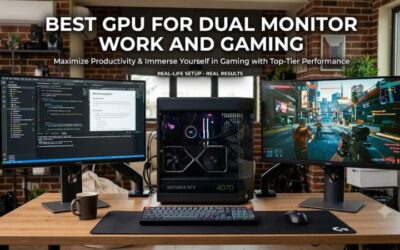
A streamer on one display alt-tabs away from the game to read chat and check the encoder — on camera, mid-sentence. A second screen ends that, and it need not be impressive: a modest 1080p panel is enough for chat, OBS and the dashboard. Check for a spare video output and desk width. We cover placement in our dual-monitor setup notes.
9. A Chair That Survives Long Sessions
Streaming is sitting, and four-hour sessions in a chair built for forty-minute homework stints is how people end up with back pain and shorter streams. This is a high-band, personal gift: fit depends on height, build and whether they want a racing bucket or a mesh task chair. If unsure, a gift card toward a chair they sit in first beats guessing. Our chair buying guide goes through sizing.
Which Gifts Only Pay Off Later
Be honest about timing. The capture card pays off only if they stream console — otherwise never. The controller pays off once there are scenes worth automating, months in. The chair pays off as session length grows, not on day one. Acoustic panels pay off after the microphone exists, because treating a room for a headset mic is wasted effort. The XLR chain pays off only for someone who has decided this is long-term — their call, not a gift’s. Everything in the top three pays off on the first stream.
Buying Notes for Gift Season
Streaming peripherals discount heavily in the late-year sales window and again in summer, so a mic-plus-arm bundle often lands in the price band of the mic alone. For someone who has not started yet, a bundle beats one flashy item: mic, boom arm and a small key light is a complete working upgrade. When in doubt, ask what they use for audio now — if the answer is a headset, you know what to buy. If they are still assembling the machine, our budget streaming build notes are the better start.
Frequently Asked Questions
What is the single best gift for someone starting to stream?
A USB dynamic microphone with a boom arm. Audio is the first thing an audience judges and the first thing that makes them leave, and a dedicated microphone placed close to the mouth is the biggest single improvement available. It works the moment it is plugged in, requires no extra interface or cabling, and it remains useful even if they later upgrade their camera, computer or capture setup.
Should I buy an XLR microphone for a beginner?
No. An XLR microphone on its own cannot record anything; it needs an audio interface with clean preamps, a balanced cable and sometimes an inline gain booster, plus the knowledge to set levels properly. That turns your gift into a shopping list and a learning curve. Buy a USB dynamic instead, or a hybrid USB/XLR model if you expect them to grow into an interface within a year.
Is a webcam or a light more important for a new streamer?
The light, clearly. Webcam sensors are small, and in dim rooms they raise gain, which produces grain, smearing and colour shifts. A mid-range camera under a good key light looks better than an expensive camera in a dark room. Buy the light first, then judge whether the camera still needs replacing — quite often, once the lighting is fixed, it does not.
Does a beginner streamer need a capture card?
Only if they stream from a console such as a PlayStation, Xbox or Switch, or run a genuine two-PC setup. If they play and broadcast on the same computer, OBS captures the game directly and the card does nothing whatsoever. Confirm how they actually play before buying one, because it is the most frequently wasted gift in this whole category.
Is a Stream Deck worth gifting to someone on their first streams?
Usually not yet. A stream controller automates scene switches, alerts, sound effects and camera toggles, and a beginner with one scene has almost nothing to bind to the keys. It tends to become genuinely useful around the three-month mark. If you want to buy one anyway, choose a smaller six-key model — it costs less and a new streamer will not outgrow the key count quickly.