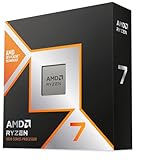
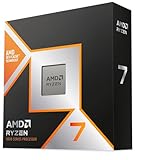
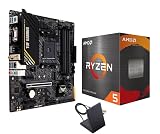
On paper, the AMD Ryzen 7 9800X3D and the Ryzen 7 9700X look like siblings: both are Zen 5, both are 8-core/16-thread parts, both drop into the same AM5 socket, and both run the same DDR5 memory and 600/800-series chipsets. In practice they behave like processors from two different classes. The difference comes down to one thing — AMD’s second-generation 3D V-Cache, which stacks an extra 64MB of L3 onto the 9800X3D for a total of 96MB versus the 9700X’s 32MB.
That single design choice reshapes the value equation in 2026. GPUs have outrun CPUs at 1080p and 1440p, high-refresh monitors are mainstream, and the sim, strategy, and open-world titles that punish small caches are more popular than ever. Meanwhile AM5 remains a long-life platform, so whichever chip you pick, the motherboard around it should carry you through at least one more upgrade. Here’s how the two actually compare.
As an Amazon Associate we earn from qualifying purchases at no extra cost to you.



⚡ Save on Your Next PC — Amazon Prime
Prime members get fast free shipping on the systems above, plus early access to Prime Day & Black Friday PC deals. New members get a 30-day free trial.
Watch: Ryzen 7 9800X3D vs 9700X: 2026 Gaming CPU — Video Review
Quick Verdict
Buy the Ryzen 7 9800X3D if gaming is your priority and you’re pairing it with a mid-range or better GPU — it is still the fastest mainstream gaming CPU you can reasonably buy, and the gap widens the more CPU-bound your games are. Buy the Ryzen 7 9700X if you’re building to a budget, gaming at 4K where the GPU does the heavy lifting, or want a cool, quiet, low-power system that still handles content creation and everyday multitasking without complaint.
Key Differences
- L3 cache: 96MB on the 9800X3D versus 32MB on the 9700X — the root cause of nearly every performance difference below.
- Gaming performance: Expect roughly 15–20% higher average frame rates for the 9800X3D at 1080p and 1440p, with far larger gaps (30%+) in cache-hungry titles like flight sims, factory builders, MMOs, and grand strategy.
- Clock speeds: The 9700X boosts slightly higher (up to 5.5GHz) than the 9800X3D (5.2GHz), which is why the two trade blows in lightly threaded, cache-insensitive work.
- Power and thermals: 65W default TDP on the 9700X (with a 105W mode available) against 120W on the 9800X3D — a real difference in cooler cost and case airflow demands.
- Overclocking: Because AMD moved the cache beneath the compute die on this generation, the 9800X3D is fully unlocked and overclocks like a normal chip — a first for X3D parts. The 9700X supports PBO and Curve Optimizer as usual.
- Price: The 9800X3D carries a significant premium. Bundles pairing it with a B850 or X870/X870E board often soften that gap considerably.
AMD Ryzen 7 9800X3D: The Gaming Flagship
The 9800X3D is the chip most enthusiasts default to, and for good reason. Its enormous L3 pool keeps game data close to the cores, which slashes memory latency stalls in exactly the workloads that bottleneck frame rates. If you run a high-end GPU at 1440p, chase 240Hz in competitive shooters, or play simulation and strategy games where the CPU is doing constant world updates, this is where your money goes furthest. It also holds up better in 1% lows, which is what actually makes gameplay feel smooth.
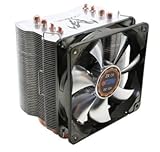
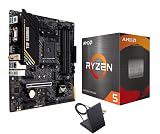
The second-generation packaging fixed the old X3D compromises too: clocks are no longer heavily restricted, the chip is unlocked for overclocking, and thermals are more manageable than earlier V-Cache designs. It’s a 120W part, so plan on a quality 240mm AIO or a large dual-tower air cooler. If you’d rather not source parts separately, the 9800X3D with MSI B850 Gaming Plus WiFi bundle is a sensible mainstream pairing, while the TUF Gaming X870-PLUS WiFi and MSI MAG X870E Tomahawk bundles add more USB4, better VRMs, and extra PCIe lanes for heavy storage or expansion builds.
AMD Ryzen 7 9700X: The Efficient All-Rounder
The 9700X is easy to underrate. It’s the same Zen 5 core architecture with strong IPC, high boost clocks, and genuinely excellent efficiency — at its 65W default it sips power, runs cool on modest coolers, and pairs happily with a budget B650 or B850 board. For productivity, content creation, code compilation, and general desktop work, it lands within a few percent of the 9800X3D, and enabling the 105W mode closes most of what remains.
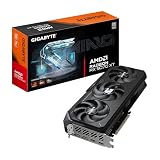
Where it loses is precisely where enthusiasts look: CPU-bound gaming. If you play at 4K with a demanding GPU, or your library is mostly single-player titles capped at 60–120fps, you may never notice the difference and can put the savings toward a better graphics card — historically the smarter allocation. If you routinely play cache-sensitive genres or want maximum frame rates at lower resolutions, you’ll feel the gap immediately.
Which Should You Buy?
- For high-refresh 1080p/1440p gaming: pick the 9800X3D — it’s the clearest win in the entire CPU market.
- For 4K gaming with a strong GPU: pick the 9700X and spend the difference on graphics or faster storage.
- For sims, MMOs, and strategy games: pick the 9800X3D; the cache advantage is largest here.
- For mixed work and play on a budget: pick the 9700X — near-identical productivity output for less money and less heat.
- For a hassle-free complete build: pick a 9800X3D CPU-and-motherboard bundle, which usually undercuts buying both separately.
Frequently Asked Questions
Is the 9800X3D worth the extra money over the 9700X?
If you game below 4K with a capable GPU, yes — the frame rate and frame-time improvements justify the premium. If you’re GPU-limited at 4K or building to a strict budget, the 9700X delivers most of the experience for meaningfully less.
What cooler and memory should I use?
The 9800X3D wants a high-end air cooler or 240mm-plus