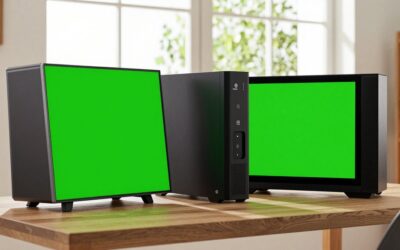
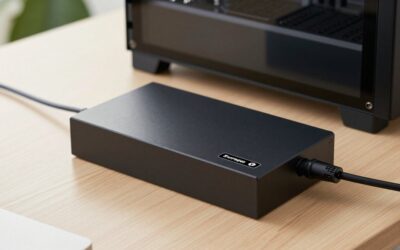
A docking station transforms a MacBook into a full desktop workstation with a single cable, adding the ports Apple’s slim laptops sacrifice for thinness. From dual 4K monitors to extra USB, Ethernet, and card readers, the right dock ends the daily dongle juggle and keeps your desk tidy.
This review looks at what a Mac docking station should deliver, how single-cable convenience and display support vary, and how leading options from Anker and TobenONE compare for different setups.
As an Amazon Associate we earn from qualifying purchases at no extra cost to you.


🎮 Get More From Your Setup — Free
Prime Gaming gives you free PC games every month, in-game loot, and a free Twitch channel sub — plus fast free shipping on all the gear above. New members get a 30-day free trial.
Watch: Mac Dock Station — Video Review
Design & Build
Mac docks range from compact hubs to full desktop stations. Anker’s lineup spans the 5-in-1 USB-C Hub for basics up to the 13-in-1 and 14-in-1 Prime docks with triple-display support and detachable modules. The TobenONE 16-in-2 is built specifically for MacBooks with dual 4K60Hz output and a generous port array. Construction is typically aluminum for heat dissipation and a premium feel that matches Apple’s design, with the larger stations sitting flat on the desk and the smaller hubs hanging off the cable.
Performance
The key differentiators are display support and port count. The TobenONE 16-in-2 drives dual 4K monitors at 60Hz, ideal for productivity, while the Anker 13-in-1 Triple Display dock adds a third screen for power users. Data transfer, charging passthrough, and Ethernet stability are strong across Anker’s range. Note that on Apple Silicon MacBook Air and base MacBook Pro models, native multi-monitor support can be limited, so dual-display docks rely on DisplayLink or specific Mac compatibility, which is worth confirming.
Pros & Cons
- Single-cable desktop setup ends dongle clutter.
- Dual and triple 4K display options.
- Charging passthrough powers the MacBook while docked.
- Aluminum builds that match Apple aesthetics.
- Multi-monitor support varies by MacBook model.
- Larger docks cost more than simple hubs.
Alternatives to Consider
If you only need a few extra ports, the Anker 5-in-1 USB-C Hub with 4K HDMI is a compact, affordable choice. For dual monitors on a MacBook, the TobenONE 16-in-2 and Anker 8-in-1 Dual Monitor dock are purpose-built. Power users wanting maximum expansion and triple displays should look at the Anker Prime 14-in-1 or 13-in-1 Triple Display stations, which cover nearly every peripheral need at once.
Related Guides
- Thunderbolt Dock For MacBook Air (2026)
- USB Hub For Mac Mini (2026)
- Belkin Connect 11 In 1 Universal USB C Pro Dock (2026)
Frequently Asked Questions
Will a dock let me use two monitors with my MacBook?
It depends on your model. Some Apple Silicon Macs limit native multi-display, so choose a dock with DisplayLink or confirmed dual-monitor Mac support.
Can a dock charge my MacBook?
Yes. Most docks offer USB-C power passthrough, charging your laptop through the same cable that carries data and video.
What is the difference between a hub and a dock?
A hub is a compact, cable-hung port expander; a dock is a larger desktop unit with more ports, displays, and often higher power delivery.
Do these work with Windows laptops too?
Many are cross-compatible, though display behavior differs. Check the listing if you plan to use it with both Mac and Windows machines.
Verdict
A Mac docking station is one of the best desk upgrades for MacBook users. The TobenONE 16-in-2 excels at dual 4K displays, the Anker Prime 14-in-1 is the expansion champion, and the Anker 5-in-1 hub covers simple needs affordably. Just verify multi-monitor compatibility with your specific MacBook before buying a dual-display model.