Affiliate disclosure: As an Amazon Associate we earn from qualifying purchases. This post contains affiliate links — we may earn a small commission at no extra cost to you. This never affects our picks.
- Top 5 Am4 Cpu Picks Compared
- The Five Criteria That Actually Matter
- The Six-Step Buying Checklist
- Mistakes Most Buyers Make
- Spec Primer: What the Numbers Actually Mean
- AM4 Decision Table: Cores, Cache and Cooling at a Glance
- Motherboard and BIOS Compatibility Checklist
- Match the Upgrade to Your Current CPU and Graphics Card
- Setup, Cooling and Care After the Swap
- Who Should Skip an AM4 Upgrade
- Common AM4 Upgrade Mistakes
- Buyer Questions AM4 Owners Actually Ask
- More Picks Worth Considering
- Frequently Asked Questions
- Final Take
- Related Articles
As an Amazon Associate we earn from qualifying purchases at no extra cost to you.




Quick answer: The best am4 cpu for you in 2026 is the one that matches your actual workload, your budget, and the rest of your setup — not whichever option wins the loudest spec-sheet headline. Use the six-step checklist below to land the right pick on the first try.
Buying a am4 cpu should not be hard, but the 2026 market is louder than ever. New launches every quarter, marketing copy that flattens real differences, and shopper reviews drowned in noise all conspire to make the choice harder than it deserves to be. This guide cuts through the fog with a simple, repeatable framework you can apply to any am4 cpu shortlist — and the same framework we use on the review desk every week.
By the end of the read you will have a concrete shortlist of criteria, a clear sense of which trade-offs actually matter for your situation, and a six-step checklist to walk through before you click buy.
🛒 Best Price Today on Amazon
Prime members get fast, free shipping on everything above, plus member-only deals. New members get a 30-day free trial — cancel anytime.
Top 5 Am4 Cpu Picks Compared
| Rank | Product | Price | Reviews | Buy |
|---|---|---|---|---|
| 1 | CoolerMaster MasterLiquid ML240L RGB V2, Close-Loop AIO CPU Liquid Coo… | $89.99 | 11,967 | View on Amazon |
| 2 | Vetroo V5 CPU Air Cooler with 5 Heat Pipes 120mm FDB PWM Processor Coo… | $25.99 | 6,150 | View on Amazon |
| 3 | ARCTIC MX-4 (4 g) – Premium Performance Thermal Paste for All Processo… | $5.49 | 103,393 | View on Amazon |
| 4 | ARCTIC MX-4 (incl. Spatula, 4 g) – Premium Performance Thermal Paste f… | $5.49 | 71,601 | View on Amazon |
| 5 | MSI MAG B550 Tomahawk Gaming Motherboard (AMD Ryzen 5000 Series, AM4, … | $109.41 | 6,197 | View on Amazon |
The Five Criteria That Actually Matter
Whatever am4 cpu you end up with, it has to clear five hurdles. Skip one and you almost always regret it within the ownership window.
- Documented performance. Independent benchmarks first, manufacturer datasheets second. If a unit only shines in first-party tests, treat that as a yellow flag.
- Value at street price. The launch price is rarely the price you pay — track the discount cadence over a few weeks before pulling the trigger.
- Build quality and longevity. Anecdotes from shopper feedback are gold here. A product with thousands of reviews spanning 12+ months has been stress-tested in ways no datasheet can replicate.
- Warranty and return policy. Two-plus year warranty and 30-day returns are the floor for anything above $150. Anything less is fine for cheap accessories, not for centrepieces.
- Compatibility with the rest of your setup. Even the best am4 cpu flops if it does not pair cleanly with your existing kit. Check ports, standards, and supporting software before checkout.
The Six-Step Buying Checklist
This is the exact process we run on review-desk buying decisions. It takes about 20 minutes per shortlist and saves hours of return-shipping later.
- Define your honest workload. What will this am4 cpu actually be doing 80% of the time? Be ruthless — aspirational use cases burn money.
- Set a hard budget ceiling. Include the platform cost (cables, mounts, software). Decide before you start shopping, not mid-spec-sheet.
- Pull a 5-item shortlist. Cross-reference our latest round-ups with shopper feedback for products that clear all five hurdles above.
- Verify availability and price. Confirm at least two reputable sellers stock the unit at a price you can defend.
- Read the bottom-third reviews. Top-rated reviews sell you the dream. The low-rated ones expose the gotchas. Both matter.
- Commit and document. Save the warranty start date, the return window deadline, and the configuration you bought so you can troubleshoot or upgrade later without guesswork.
Mistakes Most Buyers Make
If you walk away with nothing else, walk away with awareness of these three traps — they account for the vast majority of “I regret this purchase” posts we see on the am4 cpu forums each year.
- Chasing flagship specs you will never use. A mid-tier am4 cpu from a strong brand outperforms a flagship from a weaker one in every metric that matters for typical use. Pay for features you will reach.
- Ignoring the platform cost. The accessories, software licences, and supporting hardware can easily add 20-40% to the headline price. Budget for the whole stack from day one.
- Buying at launch without waiting for reviews. First-batch units sometimes ship with firmware quirks that get patched within weeks. Waiting 30-60 days after launch is almost always a good deal.
Spec Primer: What the Numbers Actually Mean
Marketing teams have a knack for turning meaningful specs into meaningless badges. The list below decodes the headline numbers you will see on every am4 cpu product page and tells you what each one actually changes in real use.
- Generation/series tier. Determines feature set, driver support window, and second-hand value. Newer is usually better within the same tier — across tiers, the picture is less clear.
- Headline performance number. Useful for comparing within a single generation; almost useless across generations or brands. Lean on independent benchmark suites instead.
- Connectivity and standards. Future-proofing lives and dies here. A am4 cpu that lacks the latest standard today may be obsolete in 24 months even if its raw spec still looks fine.
- Warranty terms. Two-year minimum, transferable preferred. Some brands honour a longer warranty in practice than their box says — check community feedback.
AM4 Decision Table: Cores, Cache and Cooling at a Glance
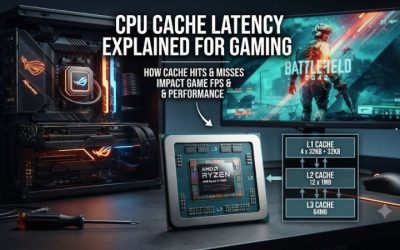
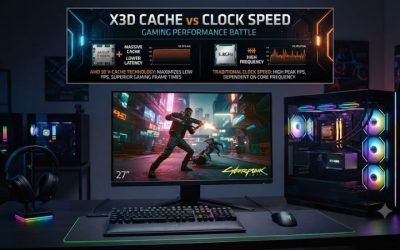
The fastest way to narrow an AM4 shortlist is to compare the three numbers that actually change how a system feels: core count for multitasking and production work, total L3 cache for gaming consistency, and whether a cooler is included. Clock speed alone is a poor guide on this socket, because a lower-clocked chip with stacked cache will hold steadier frame times in simulation games, MMOs and large multiplayer matches than a higher-clocked chip with a standard cache layout. Use the table below as a first filter, then check board support before spending anything.
| Buying priority | What to prioritise | Cooler note | Best-fit starting point |
|---|---|---|---|
| Smooth gaming on an existing board | Large L3 cache, eight Zen 3 cores | Plan on a capable tower cooler | An X3D model |
| Gaming plus streaming or editing | Eight to sixteen cores, strong boost clock | Tower air or liquid cooling | A Ryzen 7 or Ryzen 9 non-X3D model |
| Keeping an older board alive | Six Zen 3 cores, modest power draw | Bundled cooler can be enough | A Ryzen 5 5000-series model |
| A PC with no graphics card yet | Integrated Radeon graphics, six cores | Bundled cooler usually included | A G-series APU model |
| Heavy rendering and compiling | Sixteen cores and thirty-two threads | Strong cooling and board power delivery required | A Ryzen 9 flagship model |
Two cautions belong with any table like this. First, a flagship-class chip on a weak entry-level board can throttle under sustained load, so core count is only useful if the motherboard can feed it. Second, cache helps most when the processor is the limit; at high resolutions with a mid-range graphics card, the card sets the frame rate and a cheaper chip often delivers the same visible result.
Motherboard and BIOS Compatibility Checklist
Every AM4 processor fits every AM4 socket physically, but fitting and booting are different things. Work through this checklist in order before ordering, because most failed AM4 upgrades fail on firmware, not on hardware.
- Find the exact motherboard model, including its revision, printed on the board or shown in system information.
- Open that exact model’s CPU support list and confirm the specific chip, not just the family, appears on it.
- Note the minimum BIOS version listed beside that chip and compare it with the version currently installed.
- Update the BIOS while the old processor is still installed, unless the board offers a flashback feature that works without a processor.
- Check whether the update removes support for very old processors; on some early boards, adding newer support meant dropping the oldest chips, which matters if you plan to swap back.
- Confirm the board chipset tier: 500-series boards are the straightforward case, 400-series boards usually need an update, and the earliest 300-series boards vary model by model.
- Check power delivery honestly: a board bought for a modest 65-watt-class chip is a risky home for a sustained sixteen-core workload.
- Plan memory as a pair: two matched DDR4 sticks in the correct slots will outperform a single stick, and mismatched kits are a common source of instability after an upgrade.
Match the Upgrade to Your Current CPU and Graphics Card
The right AM4 purchase depends heavily on what is being replaced. Owners of first and second generation Ryzen chips gain the most, because moving to Zen 3 improves both single-threaded speed and frame-time consistency in almost every game. For that group, even a six-core Zen 3 chip is a transformative step, and there is little reason to buy an older generation new.
Owners of a Ryzen 3000 chip are in a narrower position. A same-tier Zen 3 swap is noticeable but evolutionary, so the upgrade that changes the experience is either a move to a stacked-cache gaming chip or a clear jump in core count for work. Owners already running a Ryzen 5000 chip should be the most selective of all: sideways moves between closely related models rarely show up in a game, and the sensible options are a gaming-focused cache upgrade, a genuine core-count jump, or keeping the current chip and putting the budget toward the graphics card instead.
Graphics card pairing matters just as much. At 1080p and 1440p with a fast card, the processor frequently sets the ceiling in competitive and simulation titles, which is where cache earns its keep. At 4K, or with a mid-range card at high settings, the graphics card is usually the limit, and spending heavily on the processor buys headroom rather than frames today. That headroom can still be worth having if a faster card is planned within the life of the build, but it should be bought deliberately, not by default.
Setup, Cooling and Care After the Swap
Install in the right order: update the BIOS first, shut down fully, ground yourself, and only then remove the old chip. Lift the old processor straight out, check the new chip’s corner marker against the socket marker, and lower it in without force; bent pins are almost always the result of rushing this step. Apply a small pea-sized amount of fresh thermal paste unless the cooler comes with a pre-applied layer or a thermal pad, and mount the cooler with even, alternating pressure.
Cooling deserves real attention on this platform. Chips without a bundled cooler need a tower air cooler or liquid cooler sized for sustained boost behaviour, and the stacked-cache gaming models run warmer than their clock speeds suggest. After the first boot, load the optimised defaults in the BIOS, then enable the memory profile so the DDR4 kit runs at its rated speed, and confirm both memory sticks are recognised. Finally, watch temperatures during a long gaming session rather than a short benchmark, keep the case intake filters clean, and replace thermal paste if the cooler is removed for any reason.
Who Should Skip an AM4 Upgrade
Skip the upgrade if you are building a completely new PC from zero parts and want the longest possible future upgrade path; a current platform with newer memory support is the cleaner starting point there. Skip it if your current Ryzen 5000 chip already matches your graphics card at your resolution, because the gain will sit in headroom you never use. Skip the sixteen-core models if gaming is the only heavy workload, since the extra cores add cost, heat and board demands without improving frame rates. Skip any G-series APU as a gaming upgrade if a discrete graphics card is already installed, because you would be paying for integrated graphics you will not use while accepting a smaller cache. And skip a bargain listing that cannot confirm whether the part is a boxed retail chip, a tray unit or a used pull, because warranty and cooler inclusion differ between them.
Common AM4 Upgrade Mistakes
The most common mistake is swapping the chip before updating the BIOS, which can leave a perfectly good system showing a black screen. The second is assuming a socket match guarantees support, when the board’s own support list is the document that decides. Buyers also overbuy cores for gaming while underbuying cooling, then blame the processor for thermal throttling that a modest tower cooler would have prevented. Another frequent error is running a single memory stick or leaving the memory profile disabled after the swap, quietly giving away performance the new chip was bought for. Finally, many buyers judge an upgrade by average frame rate alone; on AM4, the real improvement from a cache-heavy chip shows up in the lowest frame rates and in how smooth a busy scene feels, which averages can hide.
Buyer Questions AM4 Owners Actually Ask
Will a Ryzen 5000 chip work on a B450 board? In most cases yes, provided the exact model appears on that board’s support list and the BIOS is updated first. Check the specific board rather than relying on the chipset name alone.
Do I need new memory for an AM4 upgrade? No. A drop-in AM4 swap keeps your existing DDR4, which is the central economic argument for staying on the platform. Just make sure the kit runs as a matched pair at its rated speed.
Is more cache or more cores better for gaming? For gaming on this socket, cache usually matters more once you have six to eight modern cores. Cores matter more for rendering, encoding, compiling and streaming alongside a game.
Does an AM4 chip support newer graphics cards? Yes, the graphics card interface is backward and forward compatible in practice, and boards with the newer interface generation can use it fully where supported. The processor choice affects how well a fast card is fed, not whether it works.
Should I replace the cooler when I replace the CPU? If the new chip has a higher power class than the old one, or ships without a cooler, treat a capable cooler as part of the purchase rather than an optional extra.
More Picks Worth Considering
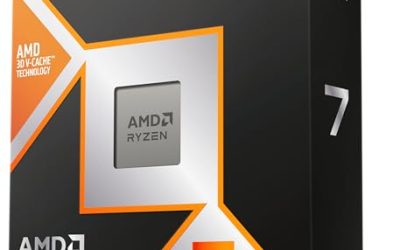
AMD Ryzen 7 5700X3D

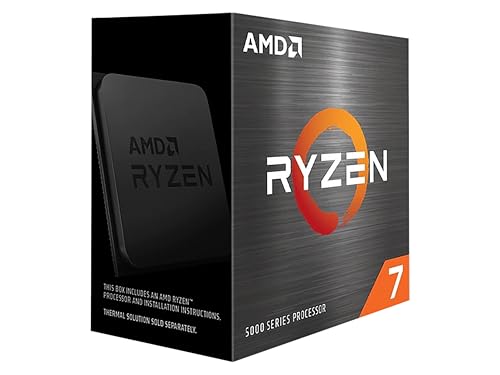
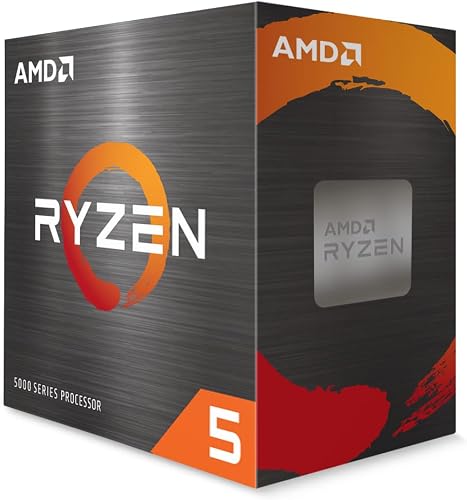
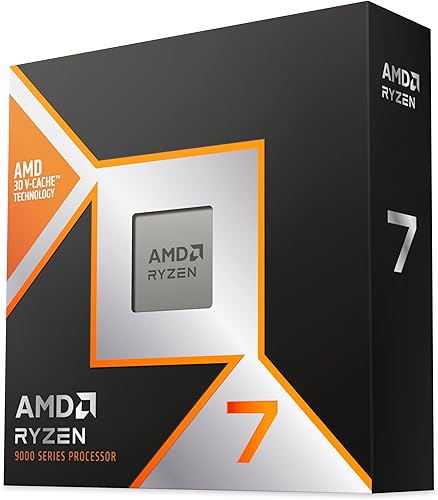
This is the value route into stacked-cache gaming on AM4: eight Zen 3 cores and a large L3 cache built for steadier frame times in simulation titles, MMOs, strategy games and busy multiplayer servers. It suits an owner of a Ryzen 1000, 2000 or 3000 chip who wants the gaming character of the flagship X3D model while keeping the same board and DDR4 memory. It also suits players at 1080p and 1440p whose fast graphics card is currently waiting on the processor. It does not suit buyers focused on rendering or compiling, where its cache adds little and its core count is ordinary, nor builders starting from scratch who want a longer platform runway. No cooler is included, so budget for a solid tower cooler, and confirm BIOS support first.
AMD Ryzen 9 5950X
The sixteen-core flagship is the AM4 answer for a PC that works as hard as it plays: rendering, video editing, software compiling, virtual machines and streaming all benefit from its thirty-two threads in a way games alone never will. It suits a creator or developer on a good 500-series or high-end 400-series board who wants workstation behaviour without replacing the motherboard and memory. It also suits heavy multitaskers who keep many demanding applications open at once. It does not suit a pure gaming build, where a cache-focused chip is the stronger choice, and it is a poor match for entry-level boards with weak power delivery or for small cases with limited cooling. It ships without a cooler and needs a strong one, ideally liquid cooling for sustained all-core work.
AMD Ryzen 7 5700X
This eight-core model is the balanced all-rounder of the late AM4 range, with an efficient power rating that makes it easy to cool quietly and easy for older boards to support. It suits mixed-use owners who game, stream lightly, edit photos and video, and run office or development work on the same machine, and it is a particularly sensible step up from a six-core or older eight-core chip. Its modest power draw also makes it a good fit for compact builds. It does not suit players chasing the highest possible frame-time consistency in cache-sensitive games, where an X3D model is clearly ahead, and it offers little to anyone already running a closely related eight-core Ryzen 5000 chip. No cooler is included, but a mid-range tower cooler is more than sufficient.
AMD Ryzen 5 5600G
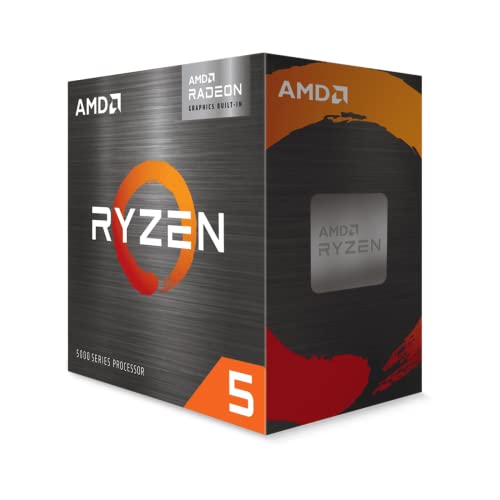
The G-series option exists for one clear job: building or reviving a PC that has no discrete graphics card. Its integrated Radeon graphics handle everyday computing, media playback, light esports and older games at modest settings, which makes it a practical choice for a family PC, a home theatre system, a student build, or a temporary system while saving for a graphics card. It suits buyers who value a working display output above raw gaming speed. It does not suit anyone who already owns a capable graphics card, because its processor cache is smaller than the non-G equivalents and gaming performance with a discrete card suffers for it. It is also the wrong pick for heavy production work. A bundled cooler is commonly included, keeping the total build simple.
Frequently Asked Questions
How much should I spend on a am4 cpu in 2026?
Match the spend to your honest workload — most shoppers do well in the mid-tier where strong picks land. Going premium pays off only when the workload reliably rewards the extra capability.
When is the best time of year to buy a am4 cpu?
Late spring and early autumn historically deliver the strongest discount cadence outside of the big holiday sales. Track prices for two weeks before pulling the trigger if you can.
Is it worth waiting for the next generation?
Only if your current setup is still serviceable. Waiting for the next-gen launch usually means three more months of compromised performance plus a launch-day premium. Mid-cycle is often the sweet spot.
What do I do if my am4 cpu arrives faulty?
Document the issue with photos or video, contact the seller within the return window, and request RMA. Reputable sellers resolve these within a week. Keep packaging until you are sure the unit is a keeper.
Final Take
Choosing a am4 cpu in 2026 is about discipline, not specs. Walk through the five criteria, run the six-step checklist, and the right pick will almost always reveal itself. Skip the steps and you risk paying the regret tax — which is usually higher than the price difference between the right and wrong pick in the first place.
For shortlists of specific picks worth considering, browse our latest reviews and round-ups — each one applies the same framework you just read.