🛒 Best Price Today on Amazon
Prime members get fast, free shipping on everything above, plus member-only deals. New members get a 30-day free trial — cancel anytime.
The best cpu for streaming on a single pc depends on whether OBS uses GPU hardware encoding or x264, how demanding the game is, how much multitasking you do, and which platform you are building around; current choices span six-core value chips, gaming-focused X3D models, and higher-core CPUs for CPU encoding.
How to Choose a CPU for Single-PC Streaming
The main decision is not core count alone: identify the encoder first, then balance gaming performance, CPU headroom, and platform requirements. Hardware encoding reduces the CPU workload, while x264 uses substantially more processor resources, making core count and sustained multi-core throughput more important for a single-PC stream.
Choose the encoder before the processor
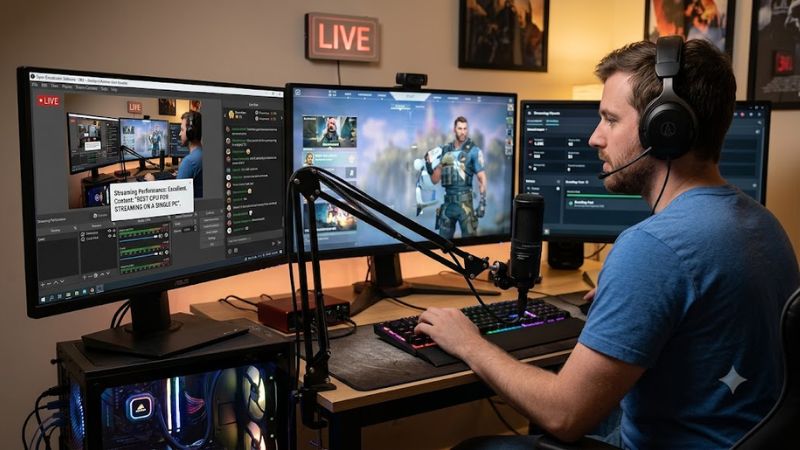
For most single-PC streams, GPU hardware encoding should be part of the decision because NVENC, AMF, or Quick Sync can handle video compression away from the main game workload. If your workflow specifically calls for x264, prioritize processors with more cores and stronger multi-core throughput. This distinction can change which best cpu for streaming on a single pc fits your setup.
Match CPU headroom to the game
A competitive game running at high frame rates can place more pressure on CPU scheduling than a visually demanding title running at a lower frame rate. OBS browser sources, alerts, recording, filters, voice processing, and avatar software add more concurrent work, so an eight-core CPU gives more headroom than a six-core model when the stream setup becomes complex.
Check platform compatibility
AMD’s current Ryzen desktop options use AM5 and DDR5, while the Core Ultra 7 270K Plus uses LGA1851 and DDR5. The Ryzen 9 9950X3D, Ryzen 7 9850X3D, and Ryzen 5 9600X support PCIe 5.0; Intel’s 270K Plus also supports PCIe 5.0.
Budget for cooling and the rest of the PC
The processor is only one part of a streaming system. The Ryzen 9 9950X3D and Ryzen 7 9850X3D do not include a thermal solution and AMD recommends liquid cooling for optimal performance; the Ryzen 5 9600X also lacks a bundled cooler. Intel lists a 125W processor base power and 250W maximum turbo power for the 270K Plus, so cooler and motherboard selection matter too.
Top Picks for Single-PC Streaming
These four current-generation processors cover different workloads rather than one universal use case. The x264 figures below come from Tweakers’ StaxRip x264 video-conversion benchmark, not an OBS game-stream test, so they indicate CPU encoding throughput rather than guaranteed streaming frame rates.
| Product | Best For | Key Spec | Compatibility | Watch Out For |
| AMD Ryzen 9 9950X3D | Best Overall | 16C/32T, up to 5.7 GHz | AM5, DDR5, PCIe 5.0 | High cooling demand |
| AMD Ryzen 5 9600X | Best Value | 6C/12T, up to 5.4 GHz | AM5, DDR5, PCIe 5.0 | Less x264 headroom |
| AMD Ryzen 7 9850X3D | Best For Gaming-First Streaming | 8C/16T, up to 5.6 GHz | AM5, DDR5, PCIe 5.0 | Fewer cores than 9950X3D |
| Intel Core Ultra 7 270K Plus | Best For CPU Encoding | 24C/24T, up to 5.5 GHz | LGA1851, DDR5, PCIe 5.0 | High maximum turbo power |
AMD Ryzen 9 9950X3D — Best Overall
The Ryzen 9 9950X3D suits streamers who want one PC for demanding games, x264 encoding, recording, and creator applications. It has 16 cores, 32 threads, up to 5.7 GHz boost, 128MB L3 cache, AM5 support, and a 170W default TDP. In Tweakers’ StaxRip x264 test, it reached 154.37 fps.
Its weakness is platform cost and cooling demand rather than a lack of CPU resources. AMD recommends liquid cooling and does not include a thermal solution. This is appropriate for buyers who will actually use the extra cores; someone streaming through a GPU encoder with a relatively simple OBS scene may not need this level of CPU capacity.
AMD Ryzen 5 9600X — Best Value
The Ryzen 5 9600X is aimed at a new AM5 system where the GPU handles streaming duties. Its six Zen 5 cores, 12 threads, up to 5.4 GHz boost, 65W default TDP, integrated Radeon graphics, DDR5 support, and PCIe 5.0 interface make it a compact starting point for gaming plus hardware-encoded streaming.
The limitation is CPU encoding capacity: Tweakers recorded 39.18 fps in its StaxRip x264 test, far below the higher-core CPUs in the same benchmark. That does not make it unsuitable for GPU-encoded streaming, but buyers planning sustained x264 workloads, heavy recording, or numerous production effects should consider a processor with more cores.
AMD Ryzen 7 9850X3D — Best For Gaming-First Streaming
The Ryzen 7 9850X3D targets gaming-first systems that also stream through hardware encoding. It provides eight cores, 16 threads, up to 5.6 GHz boost, 96MB L3 cache, a 120W default TDP, AM5 compatibility, DDR5 support, and PCIe 5.0. AMD launched it in January 2026 as the newest Ryzen 9000 X3D gaming processor.
Its real weakness for streamers is the smaller core count compared with the 9950X3D. In the same StaxRip x264 benchmark, the 9850X3D reached 142.46 fps versus 154.37 fps for the 9950X3D. Choose it when gaming performance is central and GPU encoding handles the stream; heavy x264 users should look at higher-core alternatives.
Intel Core Ultra 7 270K Plus — Best For CPU Encoding
The Core Ultra 7 270K Plus is a current LGA1851 option with 24 total cores comprising eight Performance-cores and 16 Efficient-cores, 24 threads, up to 5.5 GHz turbo, 36MB Smart Cache, DDR5 support, and integrated graphics with AV1 encoding plus Quick Sync Video. Intel lists 125W processor base power and 250W maximum turbo power.
Its strongest documented advantage here is CPU video encoding throughput: Tweakers measured 200.43 fps in the same StaxRip x264 test, ahead of the three AMD CPUs listed above. That benchmark is not an OBS stream, however, and the 250W maximum turbo figure means buyers should plan motherboard and cooling capacity accordingly.
FAQ About Single-PC Streaming CPUs
The short answers are: no, 16 cores are not required for GPU-encoded 1080p60 streaming; eight cores provide a useful mainstream tier; x264 changes the CPU requirement; and hardware encoding can matter more than moving between nearby CPU models. The exact workload remains decisive because game engines, OBS scenes, filters, recording, and background applications vary.
Do I need 16 cores to stream and game?
No, 16 cores are not necessary when a discrete GPU’s hardware encoder handles the stream and the OBS workload is moderate. Current guidance places six cores as an entry point and eight cores as a stronger mainstream target for 1080p60 hardware-encoded streaming, while heavier x264 or creator workloads benefit from additional cores.
The Ryzen 5 9600X therefore has a legitimate role in a hardware-encoded system, while the Ryzen 9 9950X3D is aimed at substantially heavier concurrent work. Core count should follow the encoder and workload rather than serving as a standalone requirement for streaming.
Is X3D useful for streaming?
X3D mainly targets gaming performance through large cache capacity, so its relevance to streaming depends on where the encoding work happens. The Ryzen 7 9850X3D combines eight cores and 16 threads with 96MB of L3 cache, while the Ryzen 9 9950X3D adds 16 cores and 32 threads for heavier concurrent workloads.
For GPU-encoded streaming, an X3D processor can make sense when gaming performance is the priority. For CPU-based x264 encoding, the larger core count of the 9950X3D or the multi-core throughput of the 270K Plus becomes more relevant than choosing an X3D chip solely for its cache.
Does Quick Sync matter on Intel?
Yes, Quick Sync matters when the streaming or production software can use Intel’s integrated media engine. The Core Ultra 7 270K Plus includes Intel Quick Sync Video and hardware encode/decode support for H.264, HEVC, and AV1, providing another media-processing path alongside a discrete GPU.
That does not mean every Intel system should use Quick Sync, because OBS configuration, GPU hardware encoding, platform layout, and the streaming service’s supported codecs all affect the practical choice. The 270K Plus can therefore suit users who specifically value Intel’s media features as well as high CPU encoding throughput.
Which CPU fits a new streaming PC?
The Ryzen 5 9600X fits a hardware-encoded, gaming-focused build with moderate OBS complexity, the Ryzen 7 9850X3D fits a gaming-first system with more CPU headroom, and the Ryzen 9 9950X3D targets simultaneous gaming, x264, recording, and creator workloads. The Core Ultra 7 270K Plus is another option when CPU encoding and Quick Sync are priorities.
Platform choice is also important: AMD’s three processors require an AM5 motherboard and DDR5 memory, while Intel’s 270K Plus requires an LGA1851 motherboard and DDR5. None of these comparisons establishes a universal streaming result because the encoder, game, OBS scene, resolution, and graphics card can materially change CPU utilization.
Final Thoughts
The best cpu for streaming on a single pc is workload-dependent: the Ryzen 9 9950X3D targets demanding all-in-one systems, the Ryzen 5 9600X suits GPU-encoded builds, the Ryzen 7 9850X3D emphasizes gaming, and the Core Ultra 7 270K Plus offers strong CPU encoding and Quick Sync capabilities.