- Top Pick: CORSAIR Vengeance LPX DDR4 RAM 32GB (2x16GB) Up to 3200MHz CL16-20-20-38 1.35V Intel XMP AMD EXPO Computer Memory – Black (CMK32GX4M2E3200C16)
- Best Value: JEYI RAM Heatsink Cooler with Thermal Pads for DDR3 DDR4 DDR5, White 2-Pack
- Premium Choice: Desktop Memory RAM Cooler Heat Sink Pure Copper for DIY PC Game Over Clocking MOD DDR DDR2 DDR3 DDR4 – Pack of 2
Overclocking your RAM is one of the cheapest ways to squeeze extra frames out of a gaming PC, especially on AMD Ryzen where memory speed feeds directly into performance. The process sounds intimidating, but in 2026 it mostly comes down to loading a profile, nudging a few values, and testing for stability. Done carefully, it is safe and reversible.
This guide explains how to overclock DDR4 and DDR5 memory step by step, what timings and voltages to watch, and how to keep temperatures in check. Whether you are running a Corsair Vengeance kit or another set of sticks, the same principles apply.
As an Amazon Associate we earn from qualifying purchases at no extra cost to you.


⚡ Save on Your Next PC — Amazon Prime
Prime members get fast free shipping on the systems above, plus early access to Prime Day & Black Friday PC deals. New members get a 30-day free trial.
Watch: How to Overclock Your RAM Safely — Video Review
Start With XMP or EXPO
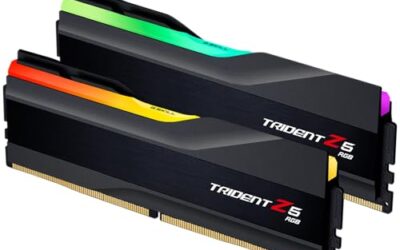
Before touching a single manual value, enable your kit’s rated profile. XMP on Intel and EXPO on AMD load the speed and timings the memory was sold to run, such as 3200MHz CL16 on a Corsair Vengeance LPX DDR4 kit or 6000MHz CL30 on a DDR5 set. This single step often unlocks most of the performance without any risk.
Reboot, confirm the speed in your BIOS or a monitoring app, and run a quick stability check. For many users this is all the overclocking they ever need, and it is the foundation for any manual tuning that follows.
Tune Speed and Timings Manually
To push further, raise the memory frequency one step at a time and retest. On Ryzen, aim to keep the memory clock and Infinity Fabric in a 1:1 ratio, which for DDR5 usually means the 6000MHz sweet spot. Beyond that the controller often drops to a slower ratio that erases the gains.
- Increase frequency in small increments and boot-test after each change.
- Tighten primary timings such as CL, tRCD, and tRP gradually once the frequency is stable.
- Loosen a timing if the system fails to post, then try again.
- Record every stable setting so you can return to it.
Set Voltage Safely
Higher speeds and tighter timings usually need a small voltage bump. For DDR4, staying at or below about 1.4V keeps things safe for daily use; for DDR5, VDD and VDDQ around 1.35V to 1.4V is typical for a 6000MHz tune. Raise voltage in tiny steps and never chase big overclocks with big voltage on a daily driver.
More voltage means more heat, so watch DIMM temperatures. A RAM heatsink or an active memory cooler like a small ARGB fan module keeps sticks in a safe range during long sessions, which matters most for tightly tuned or high-voltage kits.
Test for Stability
An overclock is only good if it is stable. Run a dedicated memory tester for at least a couple of hours, or overnight for a daily config, to catch errors that a short test misses. Even a single error means you should loosen a timing or lower the frequency.
Also run a real workload, since games and rendering stress memory differently than synthetic tests. If everything passes clean, you have a stable overclock you can trust.
Tips
- Enable XMP or EXPO first; it delivers most of the benefit with zero manual work.
- On Ryzen, keep memory and Infinity Fabric at 1:1 for the best real-world gains.
- Add a RAM cooler if you push voltage or tighten timings aggressively.
- Test for hours, not minutes, before calling an overclock stable.
Frequently Asked Questions
Is overclocking RAM safe?
Yes, within sensible voltage limits. Enabling XMP or EXPO is essentially risk-free, and manual tuning is safe as long as you keep voltage moderate and temperatures in check.
How much performance will I gain?
It varies by game and platform, but Ryzen systems often see meaningful gains from faster memory, especially moving from stock speeds to a tuned 6000MHz DDR5 profile.
Do I need a RAM cooler?
Only if you push voltage or run tight timings for long sessions. Stock heatspreaders handle XMP and EXPO fine; a cooler helps for aggressive overclocks.
What if my PC will not boot after a change?
Clear CMOS to reset memory settings, then re-enter BIOS and use a less aggressive frequency or looser timing. Nothing is damaged by a failed boot attempt.
Conclusion
Overclocking RAM is a low-cost, high-reward tweak that starts with a single XMP or EXPO toggle and scales as far as your patience allows. Raise frequency and tighten timings in small steps, keep voltage and temperatures reasonable with a cooler if needed, and test thoroughly for stability. Follow that path and you will unlock free performance your memory already had in it.