🛒 Best Price Today on Amazon
Prime members get fast, free shipping on everything above, plus member-only deals. New members get a 30-day free trial — cancel anytime.
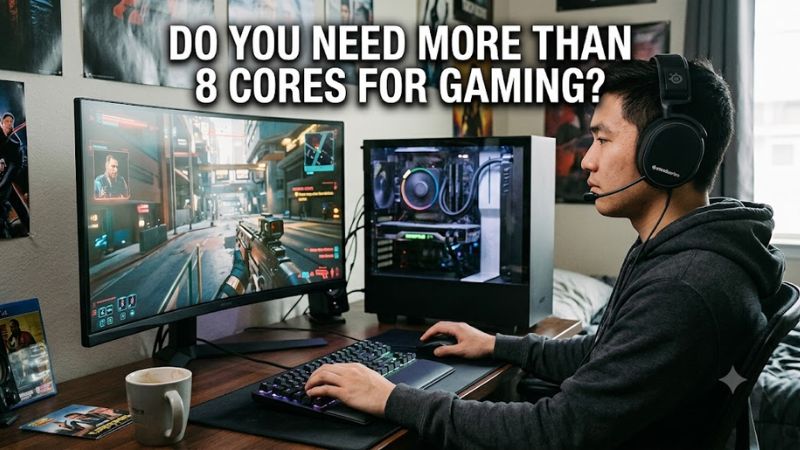
Do you need more than 8 cores for gaming depends on the game, frame-rate target, background workload, and CPU design. For most gaming-focused PCs, eight modern cores can already deliver very high gaming performance, while 12–16 cores become more relevant when gaming is combined with streaming, recording, compiling, rendering, or other sustained CPU workloads.
Quick answer: For most people in 2026, the best do you need more than 8 cores for gaming is the Scenario — our #1 rated choice. See the full ranked comparison, alternatives and buying advice below.
What More Than 8 Cores Really Comes Down To
For current desktop gaming, core count is only one part of CPU performance. A modern 8-core processor such as AMD Ryzen 7 9850X3D has 8 cores and 16 threads, while Ryzen 9 9950X3D2 has 16 cores and 32 threads. Independent benchmarks show that the larger CPU can be close to an 8-core X3D model in several games, so extra cores do not automatically translate into higher frame rates.
Game engines do not scale equally
Game engines divide work among rendering, simulation, asset streaming, audio, networking, AI, and other tasks, but those workloads do not always scale linearly across every available core. This is why asking do you need more than 8 cores for gaming cannot be answered by counting processor cores alone. Clock speed, architecture, cache, scheduling, and the workload itself can change the result.
A CPU with eight fast cores can therefore outperform a processor with more cores in a game that does not create enough parallel work. GamersNexus found the 9850X3D and higher-core Ryzen models often clustered closely in CPU-limited gaming tests, although individual games differed. In Outer Worlds 2 at 1080p, for example, the 9850X3D reached 143 FPS average while the 9950X3D was only marginally different.
Resolution changes the CPU picture
At lower resolutions such as 1080p, a fast GPU can leave more work for the CPU, making processor differences easier to measure. At 1440p and 4K, graphics load commonly becomes more important, so additional CPU cores may have less visible effect on average frame rates when the GPU is already limiting performance.
GamersNexus demonstrated this behavior with Kingdom Come: Deliverance II: at 1080p, the 9850X3D averaged 328 FPS, while at 1440p its result was 303 FPS and the 9800X3D was around 300–301 FPS. The 1440p results were described as increasingly constrained by GPU limitations, even with an RTX 5090.
Background workloads change the answer
Gaming alongside Discord, a browser, music, downloads, or ordinary Windows services does not automatically require 12 or 16 cores. Those tasks vary greatly in CPU demand, and a modern 8-core processor has multiple threads available for concurrent work. The more relevant question is whether another sustained workload competes with the game for CPU resources.
Streaming, video encoding, compiling software, rendering, virtual machines, and large simulations can create a stronger case for additional cores. AMD positions the 16-core Ryzen 9 9950X3D2 for gaming alongside demanding creator and developer workloads, including complex compilation and large simulations, illustrating why higher core counts can have value beyond frame-rate gains.
More cores can extend workload headroom
The main reason to choose more than eight cores is usually workload headroom rather than a guaranteed gaming uplift. If gaming is the only substantial CPU task, an 8-core gaming CPU may leave enough capacity for normal background activity. If gaming regularly shares the processor with sustained heavy work, 12 or 16 cores can provide more parallel resources.
That distinction matters when comparing CPUs with different designs. Intel Core Ultra 9 285K has 24 total cores, consisting of 8 Performance-cores and 16 Efficient-cores, while AMD’s 9850X3D uses eight Zen 5 cores. The raw core totals therefore describe different architectures and should not be treated as directly equivalent gaming-performance measurements.
How to Decide If You Need More Than 8 Cores
For a gaming-only system, start with the games, GPU, resolution, refresh rate, and CPU utilization you actually target. Do you need more than 8 cores for gaming becomes a different question for a 1080p high-refresh esports system than for a 4K single-player PC. Modern 8-core X3D processors also show that gaming performance can depend heavily on cache and architecture rather than core count alone.
| Scenario | Core-count direction | What to check | Platform consideration |
| Gaming only | 8 modern cores can be sufficient | CPU and GPU utilization during target games | Match CPU socket and motherboard |
| Gaming + light background apps | 8 cores may remain sufficient | CPU usage while gaming with normal apps open | Check memory capacity and platform support |
| Gaming + streaming/recording | 8–12+ can make sense | Encoder choice and CPU utilization | Check software, GPU encoder, and CPU support |
| Gaming + heavy creation | 12–16+ may be useful | Rendering, compiling, encoding workload | Check cooler, board power delivery, and memory |
| Mixed workstation and gaming | 12–16+ may fit better | Which applications scale across cores | Confirm socket, RAM type, BIOS support, and cooling |
Start with your actual frame-rate target
If your goal is high-refresh 1080p gaming, CPU limitations can become visible sooner than at higher resolutions. In that situation, prioritize a CPU architecture and cache configuration that performs well in your games instead of assuming a higher core count will raise FPS. Benchmark conditions should match your intended resolution and settings before drawing conclusions.
For example, GamersNexus measured the 9850X3D at 369 FPS average in F1 25 at 1080p, about 3.3% ahead of the 9800X3D in that test. The result illustrates how a newer 8-core design can improve gaming performance without adding cores. It also shows why a core-count comparison alone cannot predict the difference between two CPUs.
Check whether the GPU is limiting you
GPU utilization provides useful context when deciding whether additional CPU resources can matter. If the graphics processor is already close to full utilization during your target games, replacing an 8-core CPU with a higher-core model may produce little change at the same settings. If GPU utilization falls while one or more CPU threads remain heavily loaded, CPU performance deserves closer inspection.
This is especially important at 1440p and 4K. GamersNexus found that the 9850X3D and 9800X3D were separated by only a small amount in Kingdom Come: Deliverance II at 1440p, despite a larger difference at 1080p. The test used an RTX 5090, so the result also demonstrates how quickly GPU limits can compress CPU differences.
Measure the whole workload
Windows Task Manager can show overall CPU utilization, but total CPU usage alone can hide a thread-level bottleneck. HWiNFO and MSI Afterburner can help monitor per-core activity, CPU clocks, GPU utilization, temperatures, and frame-time behavior while a game is running. Compare those readings with the exact resolution and settings you normally use.
A CPU showing 50% total utilization can still have individual cores under heavier load, especially when the game engine has uneven thread distribution. Conversely, high total CPU utilization does not automatically mean more cores will improve FPS. The useful evidence is whether the processor is limiting the frame rate or frame-time consistency in the workload you care about.
Consider the platform before upgrading
A higher-core CPU also means checking the motherboard, BIOS support, memory platform, power delivery, and cooling requirements. AMD’s current 9850X3D and 9950X3D2 both use AM5 and DDR5, while Intel’s Core Ultra 9 285K uses a different platform and supports DDR5. A CPU upgrade therefore cannot be planned from core count alone.
For AMD’s current X3D examples, the 9850X3D is an 8-core, 16-thread AM5 processor with a 120W default TDP, while the 9950X3D2 is a 16-core, 32-thread AM5 processor with a 200W default TDP. Both require a compatible AM5 motherboard and DDR5 memory, but the higher-power chip places greater demands on the cooling and power-delivery setup.
FAQ: Core Count Questions for Gaming
The practical answer to do you need more than 8 cores for gaming is usually no for a gaming-focused workload, but the answer changes when sustained CPU-heavy applications run alongside games. The following questions separate gaming performance from productivity capacity so that core count is treated as a workload decision rather than a universal requirement.
Do games use more than 8 CPU cores?
Yes, some games can use more than eight logical processors, but that does not mean a 12- or 16-core CPU will always produce higher FPS. Game-engine workloads vary, and the benefit from additional cores depends on how effectively the engine distributes work and whether other CPU resources become limiting first.
A useful current comparison comes from GamersNexus: in Cyberpunk 2077 at 1080p/Medium, the 8-core 9850X3D reached 230 FPS average, while the 16-core 9950X3D and 8-core 9800X3D were close together behind it. That result shows that more cores can coexist with similar gaming performance rather than automatically leading it.
Is 12 cores better than 8 cores for gaming?
Not necessarily, because a 12-core processor can be faster, similar, or slower in a particular game depending on architecture, cache, frequency, and scheduling. Core count becomes more meaningful when the workload can keep those additional cores busy, rather than when the game simply has access to them.
This is why a comparison between AMD’s 8-core 9850X3D and a higher-core CPU should include actual gaming benchmarks at the same resolution and settings. GamersNexus’ 9950X3D testing found it comparable with the 9800X3D in many gaming scenarios, while individual games such as Dragon’s Dogma 2 showed a measurable difference.
Will 8 cores be enough for future gaming?
An 8-core CPU provides a substantial amount of parallel processing for a gaming system, but no fixed core count can guarantee suitability for every future game. Engine requirements, background services, simulation complexity, and frame-rate targets can change, so future demand should be treated as uncertain rather than assigned to a specific number.
Current hardware also shows that manufacturers continue to offer high-end gaming processors with eight cores. AMD’s 9850X3D launched in January 2026 with eight Zen 5 cores, 16 threads, and up to 5.6 GHz boost, while AMD separately offers 16-core X3D models for mixed gaming and demanding workloads.
When should a gamer choose 16 cores?
Choose 16 cores when the PC regularly performs substantial parallel workloads in addition to gaming, such as CPU rendering, compiling, simulation, virtual machines, or sustained encoding. For gaming alone, the additional cores should be justified by measured game performance or another workload rather than assumed to provide a proportional FPS increase.
The Ryzen 9 9950X3D2 illustrates this distinction: AMD specifies 16 cores and 32 threads, 192MB of L3 cache, a 200W default TDP, and AM5 compatibility, while its positioning emphasizes developers and creators as well as gaming. Those specifications describe substantial compute capacity, but they do not establish that every game needs 16 cores.
Final Thoughts
do you need more than 8 cores for gaming? Usually, not if gaming is the main workload and the 8-core CPU has strong per-core performance, cache, and platform support. Move toward 12 or 16 cores when sustained multitasking or professional workloads justify them, and use matching benchmark data rather than core count alone when comparing gaming CPUs.
Ready to decide? Our #1 pick for 2026 is the Scenario.
Live price & availability on Amazon.