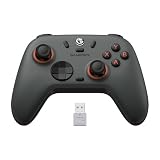
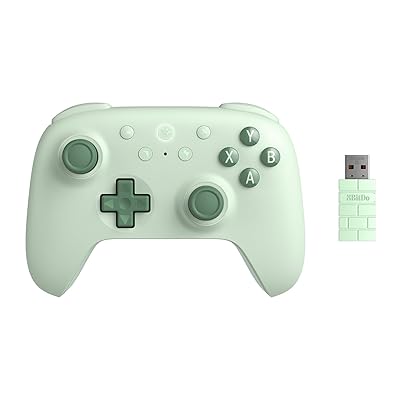
- Top Pick: 8Bitdo Ultimate 2C Wireless Controller for Windows PC and Android, with 1000 Hz Polling Rate, Hall Effect Joysticks and Triggers, and Remappable L4/R4 Bumpers (Green)
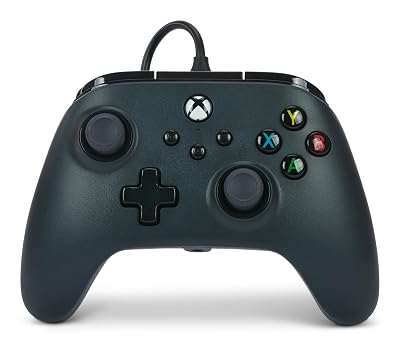
- Best Value: Logitech G F310 Wired Gamepad Controller Console – Blue/Black
- Premium Choice: ECHTPower PC Gaming Controller–Wireless for PC with Hall-Effect Joysticks, 1000Hz Polling Rate, No Drift, Turbo & Vibration, Compatible with Windows/Switch/iOS/Android/Steam –Place & Charge Dock
Making the jump from console to PC gaming, or just wanting an alternative to keyboard and mouse, means picking your first PC controller, and the good news is that it has never been simpler. Modern controllers pair in seconds, work across thousands of games through Steam, and cover every budget. This beginner-friendly guide explains what to look for in your first PC controller, which models are the most reliable and hassle-free, and how to get set up so your games recognize your pad instantly.
As an Amazon Associate I earn from qualifying purchases.
As an Amazon Associate we earn from qualifying purchases at no extra cost to you.






🛒 Best Price Today on Amazon
Prime members get fast, free shipping on everything above, plus member-only deals. New members get a 30-day free trial — cancel anytime.
What Beginners Should Look for in a PC Controller
For your first PC controller, prioritize compatibility and ease of setup over fancy extras you may never use. A pad with broad, native support in Steam means most games just work the moment you plug in. Decide between wired simplicity and wireless freedom, consider whether you want the familiar Xbox or PlayStation layout, and think about comfort, since you will hold this thing for hours. Beginners are usually best served by a mainstream controller with strong software support rather than an obscure model that needs fiddly configuration to function.
| Product | Best For | Standout Feature | Rating |
|---|---|---|---|
| Xbox Wireless Controller | Easiest all-round pick | Seamless Windows support | |
| 8BitDo Ultimate 2 Wireless | Best beginner value | Charging dock included | |
| Sony DualSense | PlayStation-style feel | Comfortable ergonomics | |
| GameSir Nova Lite | Budget first controller | Low cost, wide support | |
| Xbox Elite Series 2 Core | Room to grow | Adjustable paddles |
The Best Beginner PC Controller Picks
These controllers are chosen for how effortlessly they work on PC and how comfortable they are for long sessions. Start with the top picks for the smoothest first-time experience.
Easiest Beginner PC Controller: Xbox Wireless Controller
The Xbox Wireless Controller is the most foolproof choice for a first PC controller because Windows and nearly every game recognize it instantly with no setup. The layout is comfortable and universally supported in on-screen button prompts. It uses AA batteries out of the box unless you add a rechargeable pack, which is a minor annoyance. For pure plug-and-play simplicity it is the top pick, as noted in our PC gaming starter guide.
Best Value Beginner PC Controller: 8BitDo Ultimate 2 Wireless
8BitDo’s Ultimate 2 bundles drift-resistant sticks, a charging dock, and excellent PC support at a wallet-friendly price. The included dock means it is always charged and easy to find. Its button prompts occasionally need Steam’s help to display correctly. For beginners who want features without overspending it is superb, and pairs well with the setups in our budget gaming gear roundup.
Best PlayStation-Style Beginner Controller: Sony DualSense
If you prefer the PlayStation grip, the DualSense is comfortable, well-built, and works well on PC, especially through Steam. It even offers haptics and adaptive triggers in supported games. Some advanced features only appear in wired mode or specific titles, which can confuse newcomers. For fans of the symmetrical-stick layout it is a great first pad, as we discuss in our controller comparison guide.
Best Budget Beginner PC Controller: GameSir Nova Lite
The Nova Lite delivers reliable wired and wireless play at a very low price, making it a low-risk way to try controller gaming on PC. It supports the popular layouts and connects easily. Build quality is basic compared to premium pads, so heavy-handed players may want something sturdier. As an inexpensive entry point it holds up well, and fits the philosophy of our affordable accessories guide.
Best Controller to Grow Into: Xbox Elite Series 2 Core
If you suspect you will get serious, the Elite Series 2 Core offers back paddles, adjustable triggers, and premium build quality that rewards you as your skills improve. It works as effortlessly on PC as a standard Xbox pad. It is a bigger investment than a beginner strictly needs, and the extra features take time to appreciate. For players who want longevity it is a smart buy, per our pro controller guide.
Best Wired-Only Option: Simple USB Controller
For the absolute simplest experience, a plain wired USB controller removes batteries, pairing, and connection drops from the equation entirely. You plug in and play with the lowest possible latency. The cable limits how far you can sit from your screen, which matters for couch setups. As a no-fuss first controller it is dependable, and our living room gaming guide covers cable-length tips.
Setting Up Your First PC Controller
Getting your PC controller working is refreshingly easy in 2026. For wired pads, simply plug into a USB port and most games detect it immediately. For wireless, either use the included USB dongle for the lowest latency or pair over Bluetooth for cable-free play. If you game on Steam, open the controller settings to enable support for your pad type, which fixes button prompts and unlocks handy features like gyro aiming and custom layouts. If a game shows the wrong button icons, Steam Input usually corrects them automatically. Set your stick deadzones to taste, test each button, and you are ready to play. Do not overthink your first PC controller, since a mainstream model with good support will feel great and let you focus on the games rather than the configuration.
Frequently Asked Questions
What is the best PC controller for a complete beginner?
The Xbox Wireless Controller is the easiest first pick because Windows and nearly every game recognize it instantly with no setup required. Its comfortable layout is also the default for on-screen button prompts in most games, so beginners avoid the confusion of mismatched icons or fiddly configuration entirely.
Do PC controllers work with all games?
Most modern games support controllers, especially through Steam, which adds compatibility for thousands of titles even when a game lacks native support. A few competitive shooters and strategy games are designed around keyboard and mouse, so controller support varies, but the vast majority of single-player and action games play beautifully with a pad.
Should my first controller be wired or wireless?
Wired controllers are the simplest, offering the lowest latency and no batteries or pairing to worry about, which suits players sitting close to their screen. Wireless pads add freedom of movement for couch setups at a tiny latency cost, so choose based on how you sit relative to your display and your preference for convenience.
Do I need extra software to use a controller on PC?
Usually not, because Steam and Windows handle most controllers automatically once you plug in or pair them. Enabling controller support in Steam’s settings fixes button prompts and unlocks extras like gyro aiming, while manufacturer apps only become necessary if you want to remap paddles or save custom profiles.
Top picks from this guide
 FLYDIGIFLYDIGI VADER 5S Wired Controller for XBOX Series X|S, XBOX…$60 \xc2\xb7 99/100
 8Bitdo8Bitdo Ultimate 2C Wireless Controller for Windows PC and Android,…$30 \xc2\xb7 99/100
 EasySMXEasySMX X05Pro Wireless Gaming Controller for PC, Switch, Android/iOS |…$30 \xc2\xb7 97/100
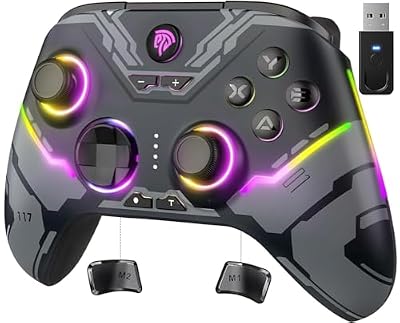 EasySMXEasySMX X15 Wireless PC & Steam Gaming Controller, Hall Effect,…$36 \xc2\xb7 96/100