- Top Pick: PlayStation DualSense™ Wireless Controller – Midnight Black – For PS5, PC, MAC & Mobile
- Best Value: SCUF OMEGA PS5 Wireless Performance Controller – Officially Licensed, 11 Custom Inputs, Instant Triggers, Low Latency, TMR Durable Thumbsticks – Windows PC Compatible – Light Gray
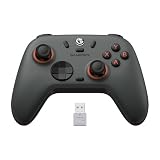
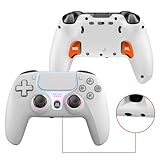
- Premium Choice: Gamrombo LED Wireless Controller for PS5, Compatible with PS5 Pro/Slim/PC, Dual Vibration, Macro/Turbo Function, 3.5mm Audio Jack, 6-Axis Motion Control Gamepad with Speaker
The controller in your hands shapes every moment of PS5 play, from the tension of a headshot to the flow of an open-world sprint. While Sony’s DualSense sets the standard, a growing field of licensed and third-party pads now offer Hall Effect sticks, back paddles, and custom triggers that appeal to competitive players.
- Watch: Best PS5 Gaming Controller — Video Review
- How to Choose a PS5 Controller
- The Best PS5 Controllers Reviewed
- What to Look For in a PS5 Controller
- Which One Should You Buy?
- Common Mistakes When Buying a PS5 Controller
- Fitting a Grip or Skin Step by Step
- Keeping a Controller Working Longer
- Related Guides
- Related Guides
- Frequently Asked Questions
- Final Thoughts
- Related Articles
- Related Guides
Whether you want first-party polish or feature-packed value, these pads deliver the responsiveness and comfort that serious gaming demands.



As an Amazon Associate we earn from qualifying purchases at no extra cost to you.




🎮 Get More From Your Setup — Free
Prime Gaming gives you free PC games every month, in-game loot, and a free Twitch channel sub — plus fast free shipping on all the gear above. New members get a 30-day free trial.
Watch: Best PS5 Gaming Controller — Video Review
How to Choose a PS5 Controller
- Stick technology: Hall Effect and TMR joysticks resist drift, a common failure point on standard controllers.
- Back paddles: Rear buttons let you jump or slide without lifting your thumbs, offering a real competitive edge.
- Connectivity: Confirm low-latency wireless and check for a wired mode for tournament-level consistency.
- Extras: Turbo, macro functions, and a 3.5mm audio jack add convenience for different play styles.
- Compatibility: Verify support across PS5, PS5 Pro/Slim, and PC if you game on multiple platforms.
The Best PS5 Controllers Reviewed
PlayStation DualSense (Midnight Black)
Sony’s official DualSense remains the gold standard with haptic feedback and adaptive triggers. Its immaculate build and native feature support make it the default choice for most players.
SCUF OMEGA Wireless
Officially licensed, the SCUF OMEGA adds 11 custom inputs, instant triggers, and durable TMR thumbsticks. It’s the premium pick for competitive players who want pro-level customization.
Gamrombo LED Wireless
The Gamrombo brings LED flair, dual vibration, macro and turbo functions, plus a built-in speaker. It’s a feature-rich third-party pad that undercuts the competition on price.
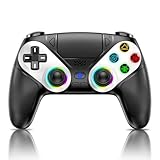
Wireless Controller with Hall Effect Joysticks
This drift-resistant pad packs Hall Effect sticks, back paddles, a 6-axis gyro, and an RGB ring. It’s a superb value for gamers who want premium features without the premium cost.
BETMI Wireless with Hall Joysticks
The BETMI offers reliable Hall Effect sticks and broad PS5/PC compatibility in a comfortable shell. It’s a budget-friendly option for players prioritizing drift-free longevity.
What to Look For in a PS5 Controller
Licensing and Compatibility
The PS5 console accepts the DualSense, licensed third-party pads, and the older DualShock 4 for PS4 games only. A controller built for a different console or for PC, such as an Xbox-style pad, is not designed to work as a PS5 gamepad, even if it connects to a PC or phone. Before buying any pad for the console, look for explicit PS5 support in the description and confirm whether it needs a wired connection.
DualSense Features That Third-Party Pads May Skip
Sony’s DualSense includes haptic feedback, adaptive triggers, a built-in speaker and microphone, and a 3.5 mm headphone jack. Many alternative controllers drop some of these to add paddles or swappable parts. If a game’s features depend on adaptive triggers or detailed haptics, a pad without them will feel plainer, so decide which trade-off matters most.
Stick Sensors and Drift
Standard analog sticks use a contact sensor that can wear, which leads to drift, where the cursor or camera moves on its own. Hall Effect sticks use magnets and a sensor that never touches the moving part, so owners commonly report a longer lifespan. This is the main selling point behind the Hall Effect controller in this guide, though the actual durability depends on the build quality overall.
Paddles, Grips, and Ergonomics
Rear paddles let you keep your thumbs on the sticks while pressing face-button actions. Hand size matters here: a wider body can feel more stable for large hands and tiring for small ones. A textured grip or skin adds friction for sweaty sessions but changes the thickness of the controller, which affects how it fits in a charging stand.
Which One Should You Buy?
| If you… | Choose… |
|---|---|
| Want the standard experience with full adaptive trigger and haptic support | PlayStation DualSense in Cosmic Red or Midnight Black |
| Want back paddles and competitive customization | SCUF OMEGA Wireless |
| Want a lighted wireless alternative to the first-party pad | Gamrombo LED Wireless |
| Want a stick sensor that avoids contact wear | The Wireless Controller with Hall Effect Joysticks |
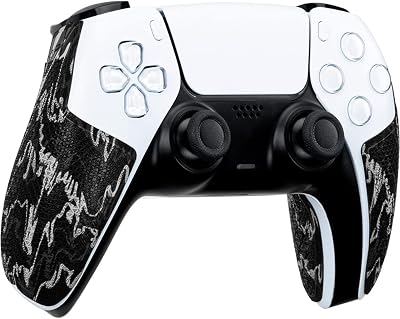
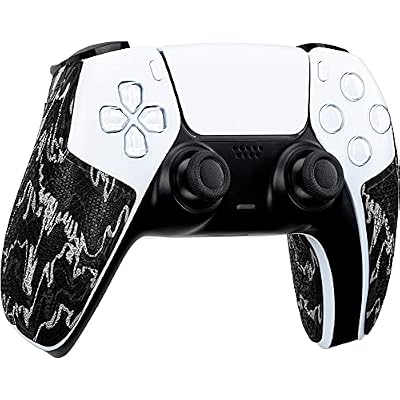
| Want to improve grip on a controller you already own | Lizard Skins PS5 Controller Grip or SIKEMAY Anti-Slip Skin |
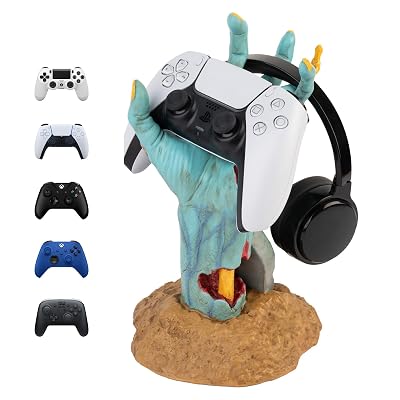
| Want a stand to keep your pad tidy between sessions | Grupo Erik Gaming Controller Holder |
The Xbox Wireless Controller is listed for console, PC, and cloud devices from Microsoft, so treat it as a pick for an Xbox or PC setup rather than a PS5 console controller.
Common Mistakes When Buying a PS5 Controller
- Buying a controller for the wrong platform. Confirm PS5 console compatibility, not just wireless connection.
- Mixing up accessories and controllers. Grips, skins, and holders improve a pad you already own but do not replace it.
- Overlooking battery life. The DualSense has a rechargeable battery that many owners report lasts roughly a long evening of play, and heavy haptics reduce that. Third-party pads vary, so check the stated hours.
- Applying grips carelessly. Cover only the intended area, and avoid blocking the light bar, the touchpad, or the vents on the trigger edge.
- Assuming wireless is always fast. A wired connection removes wireless interference for competitive games, so look for a long USB-C cable.
- Ignoring return terms. Hand size and button feel are personal, so confirm that the seller accepts returns.
Fitting a Grip or Skin Step by Step
- Switch the controller off and wipe the surface with a lint-free cloth.
- Dry-fit the grip or skin first to check the alignment around the sticks and triggers.
- Peel and apply slowly from one edge, pressing out air bubbles as you go.
- For silicone skins, stretch gently over the body and seat each corner before the thumbstick caps.
- Wait before heavy use if the product uses an adhesive layer.
Keeping a Controller Working Longer
Controllers last longer when small habits are in place. Moisture and skin oils are the main enemies of the sticks and rubber surfaces, so wiping the body after long sessions helps. Avoid soaking it with liquid cleaners, and never spray anything directly into the stick gaps.
- Charging: use a stand or cable from a reputable source, and avoid leaving the pad at a very low charge for weeks.
- Updates: check for controller firmware updates through the console settings, because they can improve connection stability.
- Storage: a holder keeps the triggers and sticks free from pressure and stops the pad from falling.
- Drift signs: if the cursor wanders in menus with no input, review the dead zone options in the controller settings before assuming the sticks have failed, since a small adjustment can sometimes remove minor drift.
Related Guides
- Best PC Controller with Paddles (2026)
- Best PC Controller PS5 Style (2026)
- Best PC Controller for Beginners (2026)
Frequently Asked Questions
Are third-party PS5 controllers reliable?
Many are excellent, especially those with Hall Effect sticks. Just verify licensing and compatibility for full feature support on PS5.
What are Hall Effect joysticks?
They use magnetic sensors instead of physical contacts, virtually eliminating the stick drift that plagues traditional controllers over time.
Do back paddles really help?
Yes. Remapping actions like jump or crouch to rear paddles keeps your thumbs on the sticks for faster, more precise play.
Is the DualSense worth the premium?
For its haptics and adaptive triggers with native game support, yes, though value-focused players may prefer a featured third-party pad.
Final Thoughts
The PlayStation DualSense is our top all-round pick, while the SCUF OMEGA wins for competitive customization and the Hall Effect wireless pad is the best value. Choose the controller that matches your playstyle and grip.
Top picks from this guide
 PowerAPowerA Twin Charging Station for Dualsense Wireless Controllers, Dualsense Controller…
 SIKEMAYSIKEMAY Anti-Slip PS5 Controller Skin, Soft Thicken Non-Slip Studded Silicone…
 Lizard SkinsLizard Skins PS5 Controller Grip – 0.5mm DSP PlayStation 5…
 PlayStationPlayStation DualSense™ Wireless Controller – Midnight Black - For PS5,…