🛒 Best Price Today on Amazon
Prime members get fast, free shipping on everything above, plus member-only deals. New members get a 30-day free trial — cancel anytime.
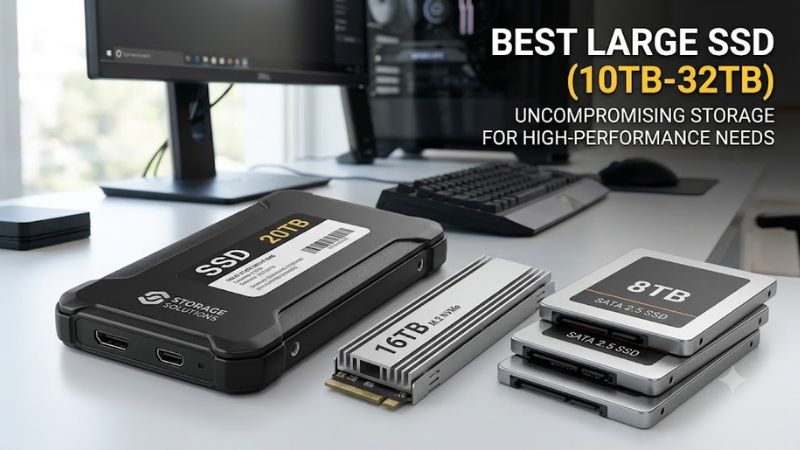
Choosing the best large ssd (10tb-32tb) means balancing capacity, interface compatibility, sustained performance, and cost. This category differs from ordinary gaming SSDs because drives above 10TB often target enterprise servers or specialized workstations. Understanding those distinctions helps you avoid buying storage that your PC cannot connect or use efficiently.
How to Choose a Large-Capacity SSD
Capacity alone does not determine the right drive. For a desktop gaming PC, an external workstation enclosure or a compatible enterprise SSD may be more practical than a conventional consumer M.2 drive, since mainstream consumer models generally stop well below this capacity range. Choose the interface and installation method before comparing performance claims.
Check the Interface and Physical Fit
An internal NVMe SSD requires a compatible M.2 or enterprise drive bay, the correct PCIe connection, and firmware support. Enterprise models may use U.2, E3.S, or E1.L form factors instead of desktop M.2. Check the motherboard manual, available lanes, and drive dimensions before purchasing, especially if you intend to install the drive directly in a gaming PC.
Separate Gaming Storage From Workstation Storage
Game libraries benefit from low latency and responsive random reads, but large media archives, scientific datasets, and local AI files may prioritize capacity and sustained throughput. An external RAID enclosure can offer substantial storage, although its speed depends on the interface and RAID configuration. A high-capacity enterprise SSD is better suited to a compatible workstation or server.
Consider Endurance and Data Protection
QLC NAND enables high capacities, but write endurance and sustained write behavior vary by model and workload. Check the manufacturer’s endurance rating and warranty instead of assuming every enterprise drive is suitable for constant rewriting. For valuable game captures, projects, or backups, maintain a separate copy because RAID redundancy and SSD endurance do not replace an independent backup.
Confirm Operating System and Enclosure Compatibility
Windows can use supported SSDs after initialization and formatting, but the drive must be recognized by the storage controller and firmware. External enclosures may require their own power supplies or Thunderbolt connections. Verify the product’s supported interface, operating-system format, and any RAID software requirements before treating a high-capacity drive as a plug-and-play upgrade.
Top Picks for 10TB–32TB SSD Storage
The following options cover specialized workstation storage and enterprise hardware. These are recommendations based on published specifications and intended workloads, not detailed research by PC Gaming Universe. Availability and pricing can vary significantly, and some enterprise models require a system integrator or specialist reseller.
| Product | Best For | Key Spec | Compatibility | Watch Out For |
| OWC ThunderBlade X8 | Best Overall: creative workstations | Up to 32TB; Thunderbolt 3; RAID | Compatible Thunderbolt host; Windows and macOS support | Expensive, enclosure-based storage |
| Glyph Blackbox Plus U.2 | Best External Option | Up to 30.72TB; up to 1,050 MB/s | USB-C 10Gbps; external power; Windows reformat may be needed | Large enclosure and limited interface speed |
| Solidigm D5-P5336 | Best for Read-Heavy Enterprise Workloads | Capacities up to 122.88TB across the range | PCIe 4.0 NVMe; compatible enterprise form factor | Server-oriented hardware and procurement |
| Solidigm D5-P5316 | Best for High-Capacity Server Storage | Up to 30.72TB in supported configurations | PCIe 4.0 NVMe; compatible U.2 or E1.L platform | Older enterprise generation and workload-specific design |
Best Overall: OWC ThunderBlade X8
The OWC ThunderBlade X8 is a compelling option for users who need large external SSD storage without assembling an enterprise storage system. OWC lists configurations up to 32TB, dual Thunderbolt 3 connections, and RAID support. Its enclosure combines multiple NVMe drives, so the complete device is a storage system rather than a single internal SSD.
Buy it if you regularly move large video projects, work with high-resolution media, or need a portable workstation library. The main drawback is cost, and the Thunderbolt interface limits compatibility with ordinary USB-C ports that do not support Thunderbolt. It is not the sensible choice if you only need extra room for games or inexpensive archival storage.
Best External Option: Glyph Blackbox Plus U.2
The Glyph Blackbox Plus U.2 is aimed at production environments that need high capacity in a powered external enclosure. Glyph lists 15.36TB and 30.72TB options, sustained transfer speeds up to 1,050 MB/s, a USB-C 10Gbps interface, and an included power supply. Its manufacturer also lists a three-year hardware warranty.
Choose this model when predictable external connectivity and large project storage matter more than top-tier transfer speeds. The enclosure works with Windows after reformatting, according to Glyph, but it is not bus-powered and therefore needs an external outlet. Its USB interface also makes it less attractive for buyers seeking the throughput of a direct PCIe 4.0 NVMe connection.
Best for Read-Heavy Enterprise Workloads: Solidigm D5-P5336
The Solidigm D5-P5336 is designed for data-center and read-intensive workloads, including large datasets, content delivery, and AI infrastructure. Its product range extends from lower-capacity configurations to 122.88TB, with PCIe 4.0 NVMe connectivity and enterprise-oriented form factors. Buyers interested in the 10TB–32TB range should confirm the specific capacity and form factor available from their supplier.
This drive is worth considering when a workstation or server needs dense storage for frequently accessed data. It is not a straightforward upgrade for most gaming desktops: the exact U.2, E3.S, or E1.L variant must match the host, and enterprise cooling, firmware, and power requirements deserve attention. A consumer M.2 SSD is usually easier to install for ordinary gaming.
Best for High-Capacity Server Storage: Solidigm D5-P5316
The Solidigm D5-P5316 is another enterprise NVMe option, with supported configurations reaching 30.72TB. It uses PCIe 4.0 and targets read-intensive infrastructure where capacity per drive and efficient data access matter. Unlike a typical retail M.2 drive, it is intended for qualified server platforms and should be purchased against the exact part number and interface specification.
Consider it when you are expanding a compatible server or storage array and can verify platform support before ordering. Its enterprise focus is also its main limitation: retail availability, pricing, warranty handling, and installation can be less convenient than consumer SSDs. For a gaming-only machine, the additional capacity may not justify the expense and compatibility work.
Frequently Asked Questions
Is a 10TB–32TB SSD worth it for gaming?
A 10TB–32TB SSD is worth considering for gaming when you maintain an exceptionally large game library alongside recordings or creative projects, but most players can spend less on multiple smaller SSDs. High-capacity enterprise models may require specialized hardware, so compare the total system cost before choosing one.
Can I install a 30TB SSD in a normal gaming PC?
You can install a 30TB SSD in a gaming PC only if the drive’s interface, form factor, firmware support, and operating-system compatibility match the system. An external USB or Thunderbolt enclosure may be easier than fitting an enterprise U.2 or E1.L drive internally.
Are external SSDs as fast as internal NVMe drives?
External SSDs are not necessarily as fast as internal NVMe drives because the connection, enclosure controller, and thermal limits affect throughput. For example, Glyph lists up to 1,050 MB/s for its Blackbox Plus U.2, while PCIe 4.0 enterprise drives can offer substantially higher interface bandwidth in compatible systems.
Should I choose an SSD or an HDD for 20TB of backups?
An HDD is usually the more economical choice for storing 20TB of backups when transfer speed and shock resistance are less important than cost per terabyte. An SSD makes more sense when frequent access, lower latency, or moving large files quickly matters enough to justify its higher purchase price.
Final Thoughts
The best large ssd (10tb-32tb) depends on whether you need portable production storage, an external workstation array, or an enterprise drive for a compatible server. OWC and Glyph offer complete external solutions, while Solidigm targets data-center workloads. Verify the exact configuration and total system cost before buying.