🛒 Best Price Today on Amazon
Prime members get fast, free shipping on everything above, plus member-only deals. New members get a 30-day free trial — cancel anytime.
Choosing the best gigabyte gaming laptop depends on your games, graphics requirements, budget, and portability needs. GIGABYTE’s current lineup includes mainstream GAMING systems, creator-focused AERO machines, and premium AORUS models. Comparing their actual configurations matters because GPU, display, cooling, and memory can differ significantly between versions.
How to Choose a GIGABYTE Gaming Laptop
Start with the graphics processor, then compare the display, cooling design, and upgrade options. A laptop with a faster GPU can handle demanding games more comfortably, but its performance also depends on GPU power limits, cooling, and resolution. Choose a complete configuration rather than judging a machine by its processor name alone.
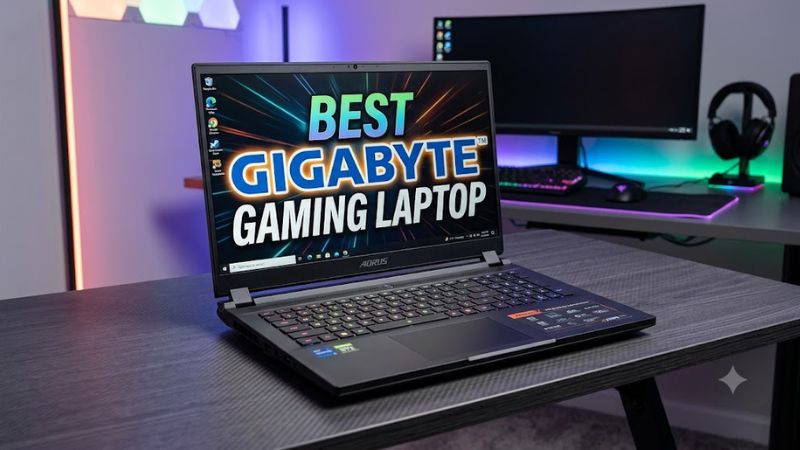
Choose the GPU for Your Games
For esports games, a mainstream laptop GPU can provide a sensible balance between cost and high-refresh-rate gaming. More demanding games, particularly those using ray tracing, benefit from stronger graphics hardware and technologies such as DLSS when supported. The best gigabyte gaming laptop for you should match your target resolution rather than simply offer the largest GPU number.
Match the Display to Your Priorities
A 16-inch WUXGA display uses 1920 × 1200 resolution, while WQXGA uses 2560 × 1600. Higher resolution offers more image detail but increases the graphics workload. A 165Hz panel suits fast-paced games, while an OLED panel can deliver stronger contrast. Check brightness, color coverage, response time, and the exact panel fitted to your chosen SKU.
Check Memory and Storage
A configuration with 16GB of RAM can suit many current games, while 32GB gives more room for demanding titles, multitasking, and content creation. Storage capacity matters if your library contains large modern games. Check whether the selected laptop uses upgradeable memory or soldered components, how many M.2 SSD slots it provides, and whether upgrading affects the warranty.
Confirm Compatibility and Portability
Laptop components cannot be upgraded as freely as desktop parts. The processor and GPU are generally integrated into the system, so select adequate graphics performance at purchase. Confirm the exact model number, operating system, wireless connectivity, ports, power adapter, and regional warranty. Weight should include consideration of the charger, especially if you regularly carry the system to school or work.
Top Picks: Best GIGABYTE Gaming Laptops
The strongest choice depends on how much graphics performance you need and how much you are willing to spend. GIGABYTE’s official lineup includes the GAMING A16 for mainstream gaming, AERO X16 for mixed gaming and creative work, and AORUS MASTER 16 for premium performance. The configurations below are recommendations based on published specifications, not PC Gaming Universe testing.
| Product | Best For | Key Spec | Compatibility | Watch Out For |
| GIGABYTE AORUS MASTER 16 Gen 2 | Best Overall | Ryzen 9 9955HX3D, RTX 5090 24GB | Laptop DDR5; Windows 11 configurations | High cost, loud fans |
| GIGABYTE GAMING A16 | Best Value | Core i5/i7 options; RTX 5050 or 5060 options | Laptop DDR5; Windows 11 configurations | Specs vary by SKU |
| GIGABYTE AERO X16 | Best for Gaming and Creative Work | Ryzen AI processor; RTX 5060 or 5070 options | Laptop DDR5; Windows 11 configurations | Display quality varies |
| GIGABYTE GAMING A16 with RTX 5070 | Best for Mainstream High-Performance Gaming | Core i7-13620H; RTX 5070 configuration | Laptop DDR5; Windows 11 configurations | Confirm exact regional model |
Best Overall: GIGABYTE AORUS MASTER 16 Gen 2
The AORUS MASTER 16 Gen 2 is the premium option for players who want high-end graphics performance in a 16-inch chassis. Its reviewed RTX 5090 configuration combines an AMD Ryzen 9 9955HX3D processor, 32GB DDR5 memory, a 1TB SSD, and a 2560 × 1600 OLED display running at 240Hz.
Buy it if you play demanding AAA games, use ray tracing, or create GPU-intensive content. Its main weaknesses are the price, short battery life, and loud cooling fans under heavy load. Players who mainly enjoy lightweight esports games or need quiet, unplugged operation should consider a less expensive configuration.
Best Value: GIGABYTE GAMING A16
The GAMING A16 is a practical starting point for buyers who want a dedicated NVIDIA GPU without paying flagship prices. Available configurations include Intel Core i5 and Core i7 processors, RTX 5050 or RTX 5060 graphics, DDR5 memory, and a 16-inch display. Regional configurations differ, so compare the complete model number before ordering.
Choose a version with sufficient memory and SSD capacity for your game library, and prioritize the GPU over decorative features. The trade-off is that entry-level configurations offer less graphics headroom for demanding games at high resolutions. Buyers targeting intensive ray tracing or premium OLED visuals should compare higher-tier models before committing.
Best for Gaming and Creative Work: GIGABYTE AERO X16
The AERO X16 combines a relatively restrained design with gaming hardware and features suited to creative workloads. Published configurations include AMD Ryzen AI processors, NVIDIA RTX 5060 or RTX 5070 graphics, and a 16-inch display. Some versions offer WQXGA resolution and a 165Hz refresh rate, making the series suitable for mixed productivity and gaming.
It makes sense for users who edit video, work with graphics, and play games on the same machine. However, Tom’s Hardware criticized the reviewed AERO X16’s display quality and connectivity relative to its price. Buyers should compare the exact panel, ports, GPU configuration, and local pricing rather than assume every AERO model delivers identical results.
Best for Mainstream High-Performance Gaming: GAMING A16 RTX 5070
A GAMING A16 configuration with an Intel Core i7-13620H and RTX 5070 is worth considering if you want more graphics capability than an entry-level laptop offers. GIGABYTE’s published lineup identifies this combination, alongside a 16-inch WQXGA 165Hz display in the advertised configuration. Confirm the precise specifications of the unit sold in your region.
This configuration suits players who want to run demanding games at higher settings while keeping the machine useful for everyday work. Its main limitation is that the GAMING branding alone does not establish the exact GPU power limit, panel quality, or cooling performance. Compare those details with the AERO X16 before buying, particularly if portability and creative applications matter as much as gaming.
FAQ
Is GIGABYTE a good brand for gaming laptops?
Yes, GIGABYTE offers gaming laptops across mainstream and premium price tiers, with dedicated NVIDIA graphics and high-refresh-rate display options. The value of an individual machine depends on its exact configuration, cooling, display, warranty, and price, so compare specifications rather than choosing by brand alone.
Which GIGABYTE laptop is best for AAA gaming?
The AORUS MASTER 16 Gen 2 with RTX 5090 graphics is the premium choice among these recommendations for demanding AAA gaming. Its 2560 × 1600, 240Hz OLED panel suits high-end play, but the machine is expensive and its fans can be loud under load.
Is the GIGABYTE GAMING A16 suitable for students?
Yes, the GAMING A16 can suit students who want one laptop for coursework and gaming, especially when the chosen configuration has enough RAM and SSD capacity. Its weight, charger size, battery life, and exact GPU should be checked before purchase if you expect to carry it around campus every day.
Should you buy an AERO X16 or an AORUS MASTER 16?
Choose the AERO X16 if you need a balance of gaming, creative applications, and everyday portability; choose the AORUS MASTER 16 if maximum gaming performance is your priority. Compare the price, exact GPU, display, cooling noise, and battery results for the specific configurations available in your region.
Final Thoughts
The best gigabyte gaming laptop is the one that fits your games, budget, and daily routine. The GAMING A16 is a sensible mainstream starting point, the AERO X16 suits mixed creative and gaming workloads, and the AORUS MASTER 16 targets premium performance. Compare exact configurations and local warranty terms before purchasing.