Our Short List of 3
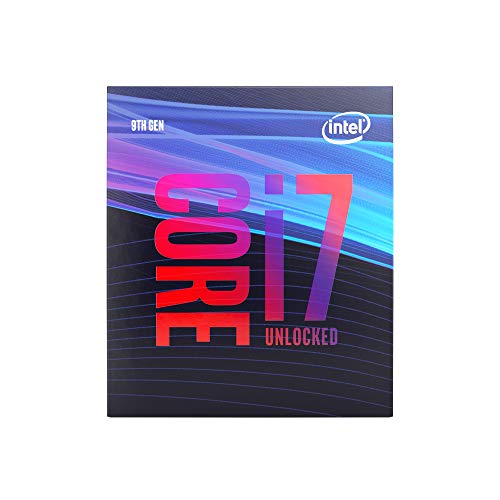
- Tier: Premium
- Cores and threads: 8 cores, 16 threads
- Base clock: 3.6 GHz
- Max turbo frequency: 5.0 GHz
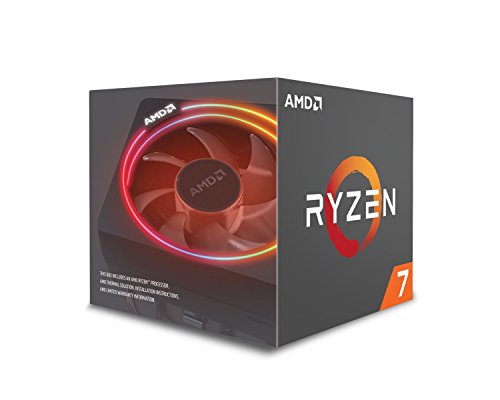
- Tier: Mid-range
- Cores and threads: 8 cores, 16 threads
- Base clock: 3.7 GHz
- Max boost clock: 4.3 GHz
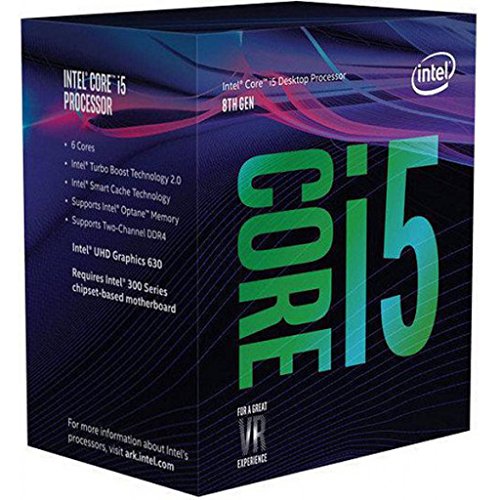
- Tier: Budget
- Cores and threads: 6 cores, 6 threads
- Base clock: 3.6 GHz
- Max turbo frequency: 4.3 GHz
All 4 Picks at a Glance
| Product | Specs | Action |
|---|---|---|
| 1. Intel Core i9-9900K |
| Check price on Amazon |
| 2. AMD Ryzen 7 2700X |
| Check price on Amazon |
| 4. Intel Core i5-8600K |
| Check price on Amazon |
 5. Intel Core i5-8400 |
| Check price on Amazon |
The year 2018 was a turning point for desktop processors. Intel answered the Ryzen challenge with its Coffee Lake Refresh lineup, AMD consolidated its comeback with second-generation Ryzen chips, and core counts that once belonged to workstation parts became ordinary in gaming rigs. Eight cores and sixteen threads stopped being exotic, six cores became the mainstream baseline, and the rivalry between the two chipmakers finally gave builders real choice at every tier.
That is why a look back at 2018 still matters. Many of those processors remain on sale through Amazon marketplace sellers, and they can anchor a retro build, revive an older motherboard, or serve as a low-cost upgrade for a machine that still has life in it. This retrospective sorts the 2018 field into the five chips that are still worth buying, explains what each one does well, and flags the compatibility details that trip up buyers of older hardware.
As an Amazon Associate, we earn from qualifying purchases.
Table of Contents
- Quick Answer
- Our Top Picks
- How to Choose
- Who Should Skip
- Frequently Asked Questions
- Final Verdict
- Product and ASIN Reference
Quick Answer
In 2018, the CPU market split between Intel Coffee Lake Refresh chips and AMD second-generation Ryzen processors, with core counts climbing across every tier. Five chips from that year still make sense for a retro build or a budget upgrade: the Core i9-9900K, Ryzen 7 2700X, Core i7-8700K, Core i5-8600K, and Core i5-8400. Each one below is still listed on Amazon, with specs to check before buying.
Our Top Picks
The five processors below cover the full 2018 range, from the flagship eight-core Intel chip to the locked six-core value pick. All five are desktop processors that were current during 2018: the Core i9-9900K and Ryzen 7 2700X launched that year, while the three Coffee Lake chips launched in late 2017 and defined the 2018 market. Each entry lists the tier, the key specifications, and the buyer it suits best.
1. Intel Core i9-9900K
- Tier: Premium
- Cores and threads: 8 cores, 16 threads
- Base clock: 3.6 GHz
- Max turbo frequency: 5.0 GHz
The Core i9-9900K was the headline processor of late 2018, the first mainstream Intel desktop chip to pair eight cores with sixteen threads. It arrived in October 2018 as the flagship of the Coffee Lake Refresh family, and it set the pace for high-end gaming builds for the next two years. Its boost clock reaches 5.0 GHz, which kept it ahead of its AMD rivals in single-threaded work and in games that reward high clock speed.
For a retrospective build, the 9900K is the premium choice. It drops into LGA 1151 boards based on Intel 300-series chipsets, so it can breathe new life into a Z370 or Z390 system without a platform change. Note that it ships without a cooler in the box, so a capable aftermarket cooler is part of the plan, and its 95-watt thermal design power rating means the board and cooling need to be up to the job. It also carries integrated Intel UHD Graphics 630, which is handy for troubleshooting or for a build that will add a graphics card later.
Buy the 9900K if you want the fastest 2018-era Intel chip and you already own a compatible 300-series board. It remains the strongest single-socket upgrade path for that platform, and it handles modern games, streaming, and content creation work without feeling dated.
2. AMD Ryzen 7 2700X
- Tier: Mid-range
- Cores and threads: 8 cores, 16 threads
- Base clock: 3.7 GHz
- Max boost clock: 4.3 GHz
The Ryzen 7 2700X was AMD’s flagship mainstream processor of spring 2018, and it was the chip that made eight cores affordable. Built on the 12-nanometer Zen Plus architecture, it pairs eight cores with sixteen threads and a max boost clock of 4.3 GHz. It was voted a best overall gaming CPU of 2018 by major hardware press, and it remains one of the most balanced chips of its generation.
What sets the 2700X apart in a retrospective is the bundle. It ships with the Wraith Prism cooler, a capable RGB-lit stock cooler that many buyers never needed to replace, which makes it a genuinely complete out-of-box purchase. It fits Socket AM4 motherboards, and it supports DDR4 memory in dual-channel mode. Its 105-watt thermal design power rating is higher than the locked Intel chips in this guide, but the included cooler is designed for it.
The 2700X suits builders who want strong multi-threaded performance for streaming, rendering, and heavy multitasking alongside gaming. It also suits anyone building on the AM4 platform, where a 300-series or 400-series board may need a BIOS update before it recognizes a second-generation Ryzen chip, so check the board revision before ordering.
3. Intel Core i7-8700K
The Core i7-8700K was the gaming sweet spot of 2018. Launched in October 2017 as the flagship of the first Coffee Lake wave, it spent all of 2018 as the processor most gaming builds were measured against. Six cores and twelve threads, a base clock of 3.7 GHz, and a max turbo frequency of 4.7 GHz gave it a blend of single-threaded speed and multi-threaded headroom that few chips of its era could match.
In a retrospective, the 8700K is the balanced pick. It is unlocked, so enthusiasts can tune it on a Z370 or Z390 board, and it carries integrated Intel UHD Graphics 630 for display output without a graphics card. It ships without a cooler, which is standard for unlocked Intel chips of this generation, so budget for cooling. Its 95-watt thermal design power rating matches the 9900K, and it uses the same LGA 1151 socket and 300-series chipset family.
Choose the 8700K if you want near-flagship 2018 gaming performance without the flagship tier, or if you are upgrading an existing Coffee Lake system and want the strongest six-core chip the platform offers. It remains a capable partner for mid-range to high-end graphics cards.
Specs
- Tier: Mid-range
- Cores and threads: 6 cores, 12 threads
- Base clock: 3.7 GHz
- Max turbo frequency: 4.7 GHz
- Cache: 12 MB Intel Smart Cache
- Socket: LGA 1151
- Chipset support: Intel 300-series
- TDP: 95 W
- Memory support: DDR4-2666, up to 64 GB
- Integrated graphics: Intel UHD Graphics 630
- Cooler included: No
- Launch: October 2017
- ASIN: B07598VZR8
4. Intel Core i5-8600K
- Tier: Budget
- Cores and threads: 6 cores, 6 threads
- Base clock: 3.6 GHz
- Max turbo frequency: 4.3 GHz
The Core i5-8600K was the overclocker’s value pick of 2018. It brought six unlocked cores to the mid-range, with a base clock of 3.6 GHz and a max turbo frequency of 4.3 GHz, at a tier below the Core i7. For builders who wanted to tune their chip and spend the savings on a better graphics card, it was one of the most popular choices of the year.
The 8600K has six threads rather than twelve, since it lacks Hyper-Threading, so it trails the 8700K in heavily threaded work. In gaming, though, the gap is smaller than the spec sheet suggests, because most games of the era leaned on a handful of fast cores. It uses the same LGA 1151 socket and 300-series chipsets as its Coffee Lake siblings, carries integrated Intel UHD Graphics 630, and ships without a cooler. Its 95-watt thermal design power rating calls for a solid aftermarket cooler if you plan to push it.
Pick the 8600K for a budget-minded 2018 gaming build, especially if you already own a Z370 board and a cooler. It delivers the unlocked Coffee Lake experience at the lowest tier in this guide, and it pairs well with mid-range graphics cards.
5. Intel Core i5-8400
- Tier: Budget
- Cores and threads: 6 cores, 6 threads
- Base clock: 2.8 GHz
- Max turbo frequency: 4.0 GHz
The Core i5-8400 was the quiet workhorse of 2018. It was the locked six-core chip that made Coffee Lake affordable for builders who had no interest in overclocking, and it sold in large numbers through the whole year. Six cores and six threads, a base clock of 2.8 GHz, and a max turbo frequency of 4.0 GHz gave it enough muscle for gaming and everyday computing, while its 65-watt thermal design power rating kept it cool and easy to feed.
The 8400 is the most approachable chip in this retrospective. Unlike the unlocked Intel chips here, it includes a stock cooler in the box, so it is a complete drop-in upgrade for a compatible board. It fits the same LGA 1151 socket and 300-series chipsets as the rest of the Coffee Lake family, and it carries integrated Intel UHD Graphics 630. Its locked multiplier means no tuning, but it also means no tuning headaches: install it, and it runs at its rated speeds.
Choose the 8400 if you want the lowest-cost path into a six-core 2018 build, or if you are reviving an office machine or a family PC with a compatible board. It is the simplest upgrade in this guide, and it still handles modern games at modest settings when paired with a sensible graphics card.
How to Choose
Start with the motherboard you own or plan to buy, because the socket decides everything. The four Intel chips in this guide all use the LGA 1151 socket and require a board based on an Intel 300-series chipset, such as Z370, Z390, H370, B360, or H310. They do not fit older 100-series or 200-series boards, even though the socket name looks the same, and that is the most common compatibility mistake with Coffee Lake hardware. The Ryzen 7 2700X uses Socket AM4 instead, and it needs a 300-series or 400-series AMD board, sometimes with a BIOS update on the earliest boards.
Next, weigh cores against clock speed. The eight-core chips, the 9900K and the 2700X, are the better choice for streaming, video work, and heavy multitasking, because their extra threads keep background tasks from stealing gaming performance. The six-core chips are fine for gaming-first builds, and the unlocked ones reward tuning with extra speed. If your main use is gaming with a mid-range graphics card, a six-core chip is enough, and the money saved can go toward the graphics card or memory.
Cooling is the third decision. The 9900K, 8700K, and 8600K ship without a cooler, so an aftermarket cooler is a required purchase rather than an option. The 2700X includes the Wraith Prism cooler, and the 8400 includes a stock cooler, so those two are ready to install. Check the thermal design power rating of your pick against your cooler and your case airflow: the 105-watt Ryzen and the 95-watt unlocked Intel chips need more cooling headroom than the 65-watt 8400.
Memory matters too. All five chips use DDR4 memory in dual-channel mode, so a two-stick kit is the right call for any build around them. The Intel chips officially support DDR4-2666, while the Ryzen chip benefits from faster DDR4 memory, so check your board’s memory support list before buying. Finally, think about the graphics card. The four Intel chips include integrated graphics, which is useful for troubleshooting, while the Ryzen 7 2700X has no integrated graphics at all and requires a discrete graphics card from the start.
Who Should Skip
Skip this whole class of hardware if you are building a brand-new machine from scratch and want a warranty, current platform features, and a long upgrade path. These are 2018-era chips sold through marketplace sellers, and a modern platform will give you faster memory support, newer connectivity, and a simpler buying experience. A retrospective guide is for retro builds and upgrades, not for a first build where a current-generation chip fits the same budget.
Skip the unlocked Intel chips if you do not want to buy a cooler and a Z-series board. The 9900K, 8700K, and 8600K only make sense with proper cooling and a board that supports tuning; pairing one with a basic board and a stock cooler wastes the unlocked multiplier and risks thermal throttling. If you want a simple drop-in upgrade, the locked 8400 or the bundled 2700X are the better fit.
Skip the Ryzen 7 2700X if you do not have a graphics card, since it has no integrated graphics and will not display anything on its own. Skip any of the Intel chips if your board is a 100-series or 200-series model, because Coffee Lake chips are electrically incompatible with those boards despite sharing the LGA 1151 name. And skip the 9900K if your board has weak power delivery or your case has poor airflow: it is the most demanding chip in this guide, and it needs a board and a cooler that can keep up with it.
Frequently Asked Questions
Are 2018 CPUs still good for gaming?
Yes, for most games at mainstream settings. The eight-core and six-core chips in this guide still clear the minimum and recommended requirements of the large majority of current titles when paired with a capable graphics card. They fall behind modern chips in the most demanding simulation and strategy games, and in high-refresh competitive play, but for a retro build or a budget rig they remain solid.
Do I need a new motherboard for a 2018 CPU?
It depends on what you own. The Intel chips here need an Intel 300-series board with the LGA 1151 socket, and they will not work in older 100-series or 200-series boards. The Ryzen 7 2700X needs a Socket AM4 board, usually a 300-series or 400-series model, and early boards may need a BIOS update first.
Which 2018 CPU is best for streaming?
The eight-core chips are the strongest choices. The Ryzen 7 2700X offers sixteen threads and a bundled cooler at a mid-range tier, which makes it a natural fit for streaming and multitasking. The Core i9-9900K is the faster chip overall, with higher boost clocks and stronger single-threaded performance, so it suits streamers who also want maximum gaming frame rates.
Should I buy a used or new 2018 CPU?
Listings for these chips vary, and condition matters more than age. Check whether the listing is for a boxed retail chip with its cooler where one is included, confirm the exact model name and socket, and confirm the seller’s return terms before ordering. A boxed chip with its original cooler is the safest buy; a bare tray chip needs a cooler and a careful compatibility check.
Final Verdict
The 2018 CPU landscape rewarded buyers who paid attention to core counts, and the five chips in this retrospective are the ones that still earn their place. The Core i9-9900K is the premium pick and the fastest chip of the group, the Ryzen 7 2700X is the best all-rounder with its bundled cooler and sixteen threads, and the Core i7-8700K remains the balanced gaming choice. The Core i5-8600K is the budget tuner’s chip, and the Core i5-8400 is the simplest, coolest-running upgrade of the five.
If you own a compatible 300-series Intel board or a Socket AM4 board, one of these five is very likely the best upgrade that platform will ever get. Check the socket, check the chipset, check the cooler situation, and then pick the tier that matches your build. A careful 2018 upgrade can keep an older machine gaming for years, and that is the whole point of looking back.
Product and ASIN Reference
| Product | ASIN |
|---|---|
| Intel Core i9-9900K | B07HHN6KBZ |
| AMD Ryzen 7 2700X | B07B428M7F |
| Intel Core i7-8700K | B07598VZR8 |
| Intel Core i5-8600K | B0759FKH8K |
| Intel Core i5-8400 | B0759FGJ3Q |