A gaming mouse earns its keep when the sensor tracks cleanly, the shape fits the hand holding it, and the weight suits the games being played. Spending more buys fancier extras, not better aim: flagship polling rates and sky-high DPI ceilings look impressive on a listing, yet almost no player uses them in a real match. The smart buy is a mouse whose listing states a proven sensor, a sensible weight, and the connection the setup actually needs, without paying for features that never get touched.
The five mice below cover the buyers who ask this question most: wired-first players who want a dependable starter, wireless players who want long battery wording, fast-shooter players who want the lightest shell they can get, and players who want a charging dock with extra display wording on the desk. Every pick is described only from what its listing title states, and anything a title does not state is flagged rather than filled in from guesswork.
Quick Picks
As an Amazon Associate we earn from qualifying purchases.
| Product | Best for | Key spec from title |
|---|---|---|
| Redragon M612 | A wired starter with remappable keys | Wired RGB optical, 8000 DPI, remapping keys |
| Logitech G305, Blue | Wireless play with long battery wording | LIGHTSPEED wireless, HERO sensor, 12,000 DPI, 250h battery |
| ATTACK SHARK X3, White | The lightest shell in this group | 49 g ultra-lightweight wireless |
| Razer Viper V3 HyperSpeed, Black | A simple wireless shape from a major brand | 82 g wireless mouse |
| EPOMAKER NEX Lite, Black | A wireless pick with a charging dock and screens | 65 g, PAW3311 sensor, 1K polling, 12K DPI, RGB charging dock |
How to Choose
Match the shape to your grip before the sensor
Shape decides comfort long before the sensor decides anything. A palm grip wants a longer body with a hump that fills the hand, a claw grip wants a medium hump the fingers can arch over, and a fingertip grip wants a flat, compact shell that only the fingertips touch. Every sensor in this group tracks cleanly at the sensitivities most players actually use, so a mouse that fights the hand will lose to a comfortable mouse no matter what sensor it carries. Check the listing title for right-hand or ambidextrous wording, then match the length and hump to the grip used most. Comfort over a long session is the value that matters.
Treat weight as a feel decision, not a spec race
Lighter mice make fast swipes and small corrections easier, which suits low-sensitivity shooter players who move the mouse a lot. Heavier mice give steadier tracking for players who aim with the wrist and like resistance under the hand. Neither is better in the abstract: the right weight is the one that stops feeling noticeable after an hour of play. The mice below run from 49 g to 82 g in the titles that state a weight, and that spread covers both ends of the preference range. Pick the weight that matches the games played, not the lightest number on the page.
Choose wired or wireless by how the setup is actually used
Wired mice never need charging and never drop a connection, which makes them the low-fuss pick for a fixed desk where the cable can be managed. Wireless mice free the desk and travel better, and modern low-latency wireless from the major brands matches wired responsiveness in practice. The trade is charging: check the listing title for battery wording, and be honest about whether charging will actually happen before a session. A wireless mouse that dies mid-match is worse value than a wired mouse that simply works. Match the connection to the desk, not to the trend.
Read the title wording literally and stop there
A listing title is a contract: it states the sensor, the DPI ceiling, the polling rate, the button count, and the battery wording the maker is willing to stand behind. Anything beyond the title is a claim from a roundup, not from the listing, and this guide does not repeat it. A high DPI ceiling is not a performance promise, since almost no player plays above 3,200 DPI, and a polling figure only matters when the monitor and the system can keep up with it. Compare the five titles side by side, note what each one leaves out, and treat a missing spec as unconfirmed rather than as a weakness.
The 5 Best Options
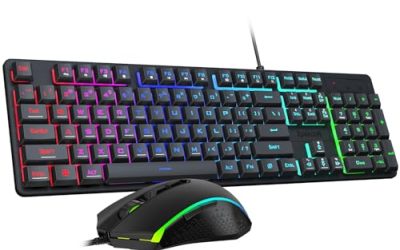
1. Redragon M612 Wired RGB Optical Gaming Mouse

The Redragon M612 is the straightforward wired pick in this group: a corded mouse with RGB lighting, an optical sensor, and keys the buyer can remap. The title states 8000 DPI, a stable lag-free connection, macro keybinding, and an ergonomic grip body built for comfort, which covers the whole starter checklist in one listing. Wired play means no battery to manage and no dongle to lose, and the remapping wording suits players who want extra controls for abilities, push-to-talk, or profile switching without leaving the game.
Specs
- Wired RGB optical gaming mouse
- 8000 DPI
- Remapping keys with macro keybinding wording
- Stable lag-free connection wording
- Ergonomic grip body for comfort
Best for: wired-first players who want remappable keys and RGB lighting in a starter mouse.
Watch out for: the title states no weight, polling rate, or switch wording, so confirm those details on the full listing before ordering.
- ASIN: ⚠ B08SJ5Z8JL
2. Logitech G305 LIGHTSPEED Wireless Gaming Mouse, Blue

The Logitech G305 is the wireless value pick with the fullest title in this group. It states the HERO sensor, 12,000 DPI, six programmable buttons, a 250-hour battery, on-board memory, and compatibility with PC and Mac, all over a LIGHTSPEED wireless connection. That combination covers the practical worries of wireless play: the battery wording is generous, the on-board memory wording means settings can travel with the mouse, and the lightweight wording suits fast play. The Blue colourway is the listing this pick refers to, and other colours are separate listings.
Specs
- LIGHTSPEED wireless gaming mouse
- HERO sensor, 12,000 DPI
- 6 programmable buttons
- 250h battery
- On-board memory
- Compatible with PC and Mac
- Blue colourway
Best for: wireless players who want long battery wording and a proven sensor in a light shell.
Watch out for: the title states no weight figure or polling rate, so confirm those details on the full listing; the Black and White colourways are separate listings with their own ASINs.
- ASIN: ⚠ B086PDW7BB
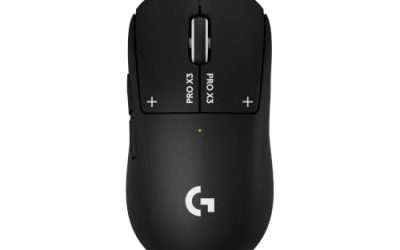
3. ATTACK SHARK X3 Ultra-Lightweight Wireless Gaming Mouse, White

The ATTACK SHARK X3 is the lightest mouse in this group by a wide margin, with a title that states 49 g and an ultra-lightweight wireless form in White. For fast-shooter players who flick and reset constantly, that weight is the whole argument: less mass to move means quicker stops and easier micro-adjustments, and the wireless form keeps the desk clear. The trade for the short title is a thin record: it states no sensor model, no DPI ceiling, and no polling rate, so this pick is chosen on weight and form alone, and the buyer should confirm the sensor wording on the full listing.
Specs
- 49 g ultra-lightweight wireless gaming mouse
- White colourway
Best for: fast-shooter players who want the lightest wireless shell in this group.
Watch out for: the title states no sensor, DPI, polling, button, or battery wording, so confirm every one of those details on the full listing before ordering.
- ASIN: ⚠ B0CCF6J2Q6
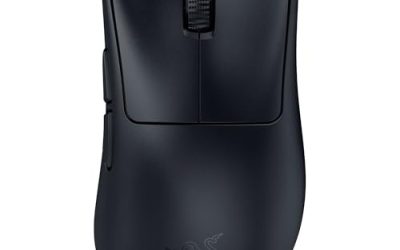
4. Razer Viper V3 HyperSpeed Wireless PC Gaming Mouse, Black

The Razer Viper V3 HyperSpeed is the simple major-brand wireless pick: an 82 g wireless mouse for PC in Black, with no extra wording to decode. That simplicity is the point for buyers who trust the brand’s shape and sensor history and do not want a dock, a screen, or a long feature list. At 82 g it sits at the heavier end of this group, which suits players who like a steadier feel under the hand rather than the lightest possible shell. The short title keeps the record thin, so sensor, DPI, polling, and battery details all need confirming on the full listing.
Specs
- Wireless PC gaming mouse
- 82 g
- Black colourway
Best for: players who want a plain wireless Razer shape without dock or display extras.
Watch out for: the title states no sensor, DPI, polling, button, or battery wording, so confirm every one of those details on the full listing before ordering.
- ASIN: ⚠ B0CF4DJM7F
5. EPOMAKER NEX Lite Wireless Gaming Mouse, Black

The EPOMAKER NEX Lite is the feature pick: a 65 g right-hand wireless mouse with screens and an RGB charging dock, built around the PAW3311 sensor with 1K polling and 12K DPI. The title also states Bluetooth 5.0, 2.4 GHz, and USB-C connections, plus gaming and office wording, which makes it the most flexible pick here for a desk shared between play and work. The dock answers the wireless charging worry directly, since the mouse returns to a powered cradle between sessions instead of hunting for a cable. Confirm the screen functions on the full listing, since the title names the screens without describing them.
Specs
- Wireless gaming mouse with screens and RGB charging dock
- 65 g, right-hand shape
- PAW3311 sensor, 1K polling, 12K DPI
- Bluetooth 5.0, 2.4 GHz, and USB-C connections
- Gaming and office wording
- Black colourway
Best for: players who want a charging dock, extra display wording, and three connection modes in one mouse.
Watch out for: the title names the screens without describing what they show, and states no button count or battery wording, so confirm both on the full listing.
- ASIN: ⚠ B0H4MN3WKZ
Which One Fits Your Situation
You want the lowest-risk first gaming mouse
Start wired and simple. A corded mouse removes charging and connection worries entirely, and remappable keys give room to grow into macros and ability bindings without buying again. The wired pick here states its DPI, its macro wording, and its ergonomic grip in the title, which is enough to judge it fairly. Skip dock and display extras until grip and sensitivity are settled, since shape and weight matter more than any feature that sits on the desk.
You play wireless and hate thinking about charging
Battery wording is the deciding spec, followed by on-board memory so settings survive a move between machines. The wireless pick with the longest battery wording here states 250 hours, the most forgiving figure in this group for players who charge rarely. Keep the dongle in a front port or on a short extender so the signal has a clear path, and charge after long sessions rather than waiting for a low-battery warning mid-match.
You play fast shooters and want the lightest shell available
Weight comes first, and the gap between 49 g and 82 g is large enough to feel at once. The lightest pick here suits flick-heavy play, while the heavier picks suit steadier tracking. Try the lightest shell when sensitivity is low and the arm does the aiming; stay with a mid-weight shell when the wrist does the work and control matters more than speed. Confirm the sensor wording on the listing, since the lightest title states no sensor.
You share one desk between gaming and office work
Flexibility beats specialization. A mouse with three connection modes can game over the low-latency wireless link and switch to Bluetooth for a laptop, while the charging dock keeps it powered between sessions without cable hunting. The dock-and-screen pick here is built for that split, with gaming and office wording in its title. Check that the right-hand shape suits workdays too, since a gaming shape that tires the hand during office hours is a poor trade.
Common Mistakes
- Buying on the DPI ceiling alone: almost no player uses more than 3,200 DPI in a real game, and a bigger number is not more accuracy.
- Paying for a high polling rate the monitor cannot show: extra reports only matter when the display and the system keep up.
- Ordering the wrong colourway: Blue, Black, and White listings are separate, so match the colour with the ASIN before ordering.
- Choosing the lightest mouse for a wrist-aiming style, then fighting a shell that feels twitchy instead of controlled.
- Trusting roundup prose over the listing title: if a spec is not in the title, treat it as unconfirmed until the full listing is checked.
Frequently Asked Questions
Is a budget gaming mouse accurate enough for competitive play?
Yes, for most players. The sensors here track cleanly at the sensitivities competitive players use, and shape, weight, and connection matter more than the sensor brand once tracking is solid. The gap between a value mouse and a flagship shows up in extras such as higher polling rates, lighter shells, and battery wording, not in accuracy. Match the shape to the grip, and the value pick will hold up.
Should I choose a wired or wireless mouse for the best value?
Wired gives less fuss: no charging, no dongle, and no dropouts, which suits a fixed desk. Wireless gives a clear desk and easier travel, and low-latency wireless matches wired responsiveness, but it adds charging to the routine. The best value is the connection that fits the setup: wired for a desk that never moves, wireless for one that travels or shares space. Check the battery wording on wireless titles.
How much DPI should I actually use?
Most players settle between 400 and 3,200 DPI, with 800 and 1,600 the choices for shooters. Higher DPI is not more precision; it only makes the cursor move further per inch of hand movement, which most players then cancel out with lower in-game sensitivity. Set the DPI to a value that feels natural, tune sensitivity inside each game, and ignore ceilings far above what is used.
Do I need software to remap buttons and save profiles?
It depends on the mouse. Titles that state programmable buttons and on-board memory wording need the maker’s software once, to set the bindings and save them to the mouse, then it can be closed. Titles with no button or memory wording may offer no remapping at all. Check the title for button and memory wording, confirm software support on the listing, and remember that some features are system-specific.