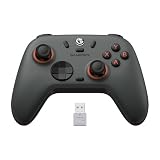
Choosing the best budget hall effect controller means finding reliable magnetic thumbsticks without paying premium-controller prices. Affordable options now include wireless connectivity, programmable buttons, and Hall Effect triggers. This guide compares four worthwhile controllers, highlighting compatibility, useful features, limitations, and the type of player each one suits.
How to Choose a Budget Hall Effect Controller
Before buying a controller, consider more than its magnetic thumbsticks. Connectivity, platform support, trigger technology, button layout, and software can make a significant difference to everyday gaming. The right choice depends on whether you prioritize competitive PC gaming, wireless convenience, console compatibility, or the lowest possible purchase cost.
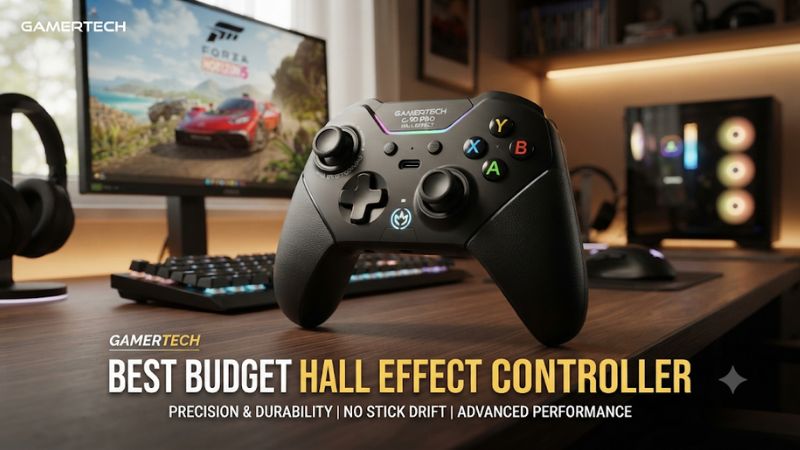
1. Understand Hall Effect Thumbsticks and Triggers
Hall Effect thumbsticks use magnetic sensors to detect stick movement without relying on the physical contact mechanism found in traditional potentiometer sticks. This reduces the mechanical wear associated with stick drift, making them an attractive feature for players who regularly use their controllers.
However, Hall Effect technology does not make a controller completely immune to input problems. Calibration, firmware, mechanical tolerances, and sensor quality still matter. When comparing the best budget hall effect controller options, check whether both thumbsticks and triggers use magnetic sensors rather than assuming every magnetic controller has upgraded triggers.
2. Check Wired and Wireless Connectivity
Wired controllers are generally straightforward to configure on a desktop PC and do not require battery charging. They can also be attractive for competitive gaming because they avoid wireless interference and pairing problems. The 8BitDo Ultimate 2C Wired is a particularly interesting option for players who prefer a simple USB connection.
Wireless controllers offer more freedom, especially for couch gaming and multi-device setups. Look for 2.4GHz receivers, Bluetooth support, and USB connectivity. Remember that these connection methods may have different compatibility requirements, so a controller supporting Bluetooth does not necessarily mean every platform supports every wireless mode.
3. Verify Platform Compatibility
Compatibility should be one of your first considerations. Some inexpensive controllers work with Windows PCs and Android devices but cannot connect to Xbox consoles. Others support Nintendo Switch, Steam, and mobile devices through different connection modes.
For PC gaming, XInput support is particularly useful because many Windows games recognize Xbox-style controllers automatically. Steam Input can also help configure supported gamepads, although individual games and launchers may behave differently. Check the manufacturer’s supported-platform list before purchasing rather than relying on a generic PC-compatible label.
4. Consider Buttons, Ergonomics, and Customization
Extra programmable buttons can be useful in competitive shooters, action games, and titles with complicated control schemes. Rear buttons and additional bumpers allow players to perform certain actions without moving their thumbs away from the analog sticks.
Physical comfort matters just as much. Controller weight, grip texture, D-pad design, trigger resistance, and button feedback all influence the experience during extended sessions. A cheaper controller with excellent sensors might still be uncomfortable for larger hands or players who prefer heavier, more substantial gamepads.
Top Budget Hall Effect Controller Picks
The following recommendations cover different buying priorities instead of treating every inexpensive controller as interchangeable. The selection includes wired and wireless models, a dedicated Xbox-compatible option, and affordable multi-platform alternatives. Manufacturer specifications provide the basis for the feature comparisons, while pricing and regional availability should be checked before purchasing.
| Product | Best For | Key Spec | Compatibility | Watch Out For |
| 8BitDo Ultimate 2C Wired | Best Overall Value | Hall sticks and triggers, 1000Hz polling | Windows, Android | Wired only |
| GameSir Nova Lite | Best Budget Wireless | Hall sticks, 600mAh battery | PC, Steam, Switch, Android, iOS | Conventional analog triggers |
| 8BitDo Ultimate 2C Wireless | Best Wireless Value | Hall sticks and triggers, 1000Hz polling | Windows, Android | Limited platform support |
| GameSir G7 SE | Best for Xbox | Hall sticks and triggers, two back buttons | Xbox One, Xbox Series X|S, Windows 10/11 | Wired only |
1. 8BitDo Ultimate 2C Wired – Best Overall Value
Best Overall Value
The 8BitDo Ultimate 2C Wired is an excellent starting point for players who want magnetic thumbsticks without spending much. It combines Hall Effect joysticks with Hall Effect linear triggers, a detachable USB connection, and additional L4/R4 bumpers. Its 1,000Hz polling-rate specification also makes it an interesting option for players who prioritize wired input.
Another useful feature is its custom button mapping without requiring software. The controller also includes a refined D-pad, turbo functionality, vibration, and wear-resistant metal joystick rings. Its official specifications list Windows 10 and later, along with Android 9.0 and later, as supported platforms.
The biggest compromise is its wired-only design. Players who regularly switch between a desktop computer and a television may prefer a wireless model. It also lacks the more extensive rear paddle and software customization options available on higher-tier controllers.
Who should buy it: PC gamers who want Hall Effect sticks and triggers, additional bumpers, and straightforward USB connectivity at an entry-level price.
2. GameSir Nova Lite – Best Budget Wireless
Best Budget Wireless
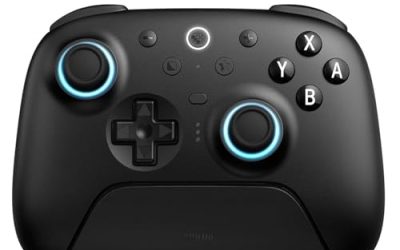
The GameSir Nova Lite offers a different approach to affordable magnetic controllers. Its Hall Effect thumbsticks are combined with Bluetooth, wireless dongle, and wired connectivity. It supports PC, Steam, Android, iOS, and Nintendo Switch, making it a flexible option for people who use several gaming devices.
Its lightweight construction weighs approximately 205g, and the controller includes two grip-mounted vibration motors. The 600mAh battery provides rechargeable wireless operation, while the analog triggers offer conventional variable input for racing and other games that benefit from gradual trigger control.
There are some important compromises. Unlike the Ultimate 2C models, the Nova Lite does not advertise Hall Effect triggers. It also uses membrane ABXY buttons, lacks additional programmable buttons, and does not include dedicated customization software. Players seeking more advanced controls should consider a more feature-rich model.
Who should buy it: Budget-conscious gamers who prioritize wireless flexibility and want Hall Effect thumbsticks for PC, Switch, and mobile gaming.
3. 8BitDo Ultimate 2C Wireless – Best Wireless Value
The 8BitDo Ultimate 2C Wireless takes many of the features of the wired version and adds wireless connectivity. It combines Hall Effect thumbsticks and triggers with a 2.4GHz wireless adapter, making it a practical choice for PC players who want to avoid a permanently connected cable.
One of its strongest features is its stated 1,000Hz polling rate over 2.4GHz and wired connections. It also includes additional L4/R4 bumpers, turbo functionality, vibration, and custom button mapping. Its 480mAh rechargeable battery is rated for up to 19 hours of play over 2.4GHz and up to 32 hours over Bluetooth, according to 8BitDo’s specifications.
However, its wireless compatibility is more limited than some multi-platform competitors. The manufacturer lists 2.4GHz and wired connectivity for Windows, while Bluetooth is intended for Android. It is not the right choice if you need one controller for Xbox and PlayStation consoles.
Who should buy it: PC gamers who want the convenience of wireless play while retaining Hall Effect sticks, Hall Effect triggers, and additional control buttons.
4. GameSir G7 SE – Best for Xbox Compatibility
The GameSir G7 SE stands out because it combines magnetic thumbsticks and analog triggers with official Xbox compatibility. Unlike several inexpensive third-party controllers designed primarily for PC and mobile gaming, this model supports Xbox Series X|S, Xbox One, and Windows 10/11 through a wired USB-C connection.
Its hardware includes two lockable rear buttons, four vibration motors, and a detachable 3-meter USB-C cable. Players can also use GameSir Nexus software for controller customization. The Hall Effect analog triggers are particularly useful for racing games, where gradual trigger input can be more important than simple on/off activation.
The main limitation is its wired-only connection. Players who prefer gaming from a couch without a cable running to their console may find this inconvenient. Its Xbox-focused compatibility also makes it less versatile than multi-platform wireless alternatives.
Who should buy it: Xbox and PC players who want Hall Effect sticks, magnetic analog triggers, and additional rear buttons without moving into premium controller pricing.
FAQ: Budget Hall Effect Controllers
1. Are Budget Hall Effect Controllers Worth Buying?
Yes, budget Hall Effect controllers are worth considering because they offer magnetic thumbstick technology at a much lower price than many premium gamepads. They can reduce the mechanical wear associated with traditional potentiometer sticks.
However, sensor technology is only one part of controller quality. Build materials, calibration, firmware support, connectivity, and button durability also affect long-term satisfaction. Compare these factors rather than choosing a controller based exclusively on its Hall Effect label.
2. Do Hall Effect Controllers Work With Every PC Game?
No, Hall Effect controllers do not automatically work with every PC game. Compatibility depends on the controller’s input mode, operating system, game support, and connection method.
For Windows gaming, XInput support is particularly useful because many PC games recognize Xbox-style controllers. Steam Input can provide additional configuration options for supported controllers. Before buying, check whether the manufacturer explicitly lists Windows compatibility and whether the required wireless receiver is included.
3. Are Hall Effect Sticks Better Than Traditional Analog Sticks?
Hall Effect sticks have an advantage in reducing contact-related wear because they use magnetic sensing instead of conventional physical contact mechanisms. This makes them attractive for players concerned about traditional stick drift.
Nevertheless, they are not automatically more accurate in every situation. Dead zones, calibration, firmware, and sensor implementation influence actual input quality. A well-configured controller with traditional analog sticks can still provide a satisfying gaming experience.
4. Can You Use a Budget Hall Effect Controller on PS5?
Most inexpensive Hall Effect controllers designed for PC, Android, or Nintendo Switch do not offer native PS5 compatibility. The GameSir G7 SE, for example, officially supports Xbox consoles and Windows rather than PlayStation 5.
PS5 players should specifically look for controllers licensed or designed for PS5 compatibility. Do not assume that a USB connection or Bluetooth pairing will provide full compatibility with PlayStation games.
Final Thoughts
The best budget hall effect controller depends on your platform and preferred connection. The 8BitDo Ultimate 2C Wired offers excellent entry-level features, while the Nova Lite provides wireless flexibility. Xbox players should consider the G7 SE. Compare official compatibility and current pricing before making your final decision.