🛒 Best Price Today on Amazon
Prime members get fast, free shipping on everything above, plus member-only deals. New members get a 30-day free trial — cancel anytime.
Choosing the best 512gb ssd means balancing interface compatibility, everyday performance, capacity, and long-term value. A compact SSD can refresh an older PC or provide an affordable Windows drive, but the right choice depends on whether your system supports SATA or NVMe. Check your hardware before comparing advertised speeds or prices.
How to Choose a 512GB SSD
The right drive depends on your computer’s storage interface, physical space, workload, and budget. Before buying, confirm the manufacturer’s specifications for your exact model and capacity. Advertised maximum transfer rates are not guaranteed real-world speeds, and a faster SSD will not automatically increase gaming frame rates.
NVMe or SATA Compatibility
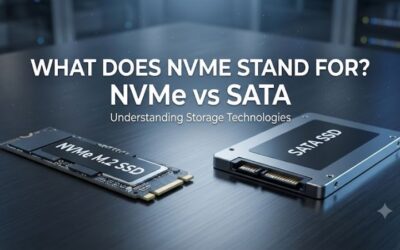
NVMe drives connect through PCIe, commonly using an M.2 slot, while SATA SSDs use a different storage interface. An M.2 connector alone does not establish NVMe compatibility, so check your motherboard or laptop manual before ordering.
For a modern gaming desktop with a compatible M.2 PCIe slot, the Kingston NV3 500GB is a practical starting point. Older computers with a 2.5-inch SATA bay may be better suited to the Crucial MX500 or TEAMGROUP T-Force Vulcan Z. These models serve different systems rather than competing as interchangeable drives.
Sequential and Random Performance
Sequential read and write speeds describe transfers involving large blocks of data. They are useful when copying large files, installing games, or moving media projects, but random access performance also matters when Windows opens many small files and applications.
The Kingston NV3 500GB is rated for sequential reads up to 5,000 MB/s and writes up to 3,000 MB/s. The TEAMGROUP Vulcan Z 512GB, by comparison, is rated for up to 540 MB/s reads and 470 MB/s writes. These manufacturer figures use different interfaces and should not be treated as independent benchmark results.
Capacity and Endurance
A drive marketed as 512GB will provide less space for files after formatting and operating-system requirements. Windows, applications, updates, and game installations all compete for that space, so a small SSD can become restrictive if it holds an entire gaming library.
Endurance ratings also help distinguish products. Kingston specifies 160TB of total bytes written for the 500GB NV3, while TEAMGROUP specifies 120TBW for the 512GB Vulcan Z. These are manufacturer endurance ratings, not predictions of an individual drive’s lifespan. Keep backups of important files regardless of the SSD you select.
Form Factor and Installation
Physical dimensions matter just as much as interface support. A standard M.2 2280 drive measures 22 by 80 mm, while M.2 2230 models are shorter and may suit compatible compact devices. A 2.5-inch SATA SSD instead requires an appropriate mounting location and SATA data and power connections.
For small gaming handhelds, Kingston’s NV3 is available in an M.2 2230 version, including a 500GB option. Desktop buyers should confirm the slot supports the drive’s protocol, length, and boot requirements. Laptop owners should also check whether storage is replaceable and whether the original drive can be accessed without specialized service.
Top Picks: Best 512GB SSD Options
These recommendations cover different installation needs rather than claiming that one drive wins every workload. The table uses manufacturer specifications, not PC Gaming Universe lab results. Prices and stock change by retailer, so compare the actual cost of the exact capacity and form factor before purchasing.
| Product | Best For | Key Spec | Compatibility | Watch Out For |
| Kingston NV3 500GB | Best Overall NVMe option | Up to 5,000/3,000 MB/s read/write | PCIe 4.0 x4 NVMe, M.2 2280 | Requires a compatible M.2 slot |
| Crucial MX500 500GB | Best Value SATA option | Up to 560/510 MB/s read/write | 2.5-inch SATA 6Gb/s | SATA limits sequential speeds |
| TEAMGROUP T-Force Vulcan Z 512GB | Best for SATA desktop upgrades | Up to 540/470 MB/s read/write | 2.5-inch SATA 6Gb/s | No DRAM cache |
| Kingston NV3 500GB M.2 2230 | Best for compatible handhelds | Up to 5,000/3,000 MB/s read/write | PCIe 4.0 x4 NVMe, M.2 2230 | Short size does not ensure device compatibility |
Kingston NV3 500GB: Best Overall
The Kingston NV3 500GB is a sensible choice for a compatible modern PC that needs a compact NVMe boot or game drive. Kingston lists PCIe 4.0 x4 connectivity, a standard M.2 2280 version, sequential performance up to 5,000 MB/s read and 3,000 MB/s write, and a 160TBW endurance rating. It also has a limited five-year warranty.
Buy this model if your motherboard supports NVMe and you want a responsive system drive without needing premium flagship specifications. Its weakness is capacity: 500GB can fill quickly with Windows and large games. It is not suitable for a SATA-only M.2 slot, and buyers who frequently write very large files should compare sustained-write reviews before choosing it.
Crucial MX500 500GB: Best Value SATA Option
The Crucial MX500 500GB suits desktops and laptops that accept a standard 2.5-inch SATA drive. Crucial lists sequential speeds of up to 560 MB/s read and 510 MB/s write, plus random read and write performance ratings of 95,000 and 90,000 IOPS. Its familiar SATA connection makes it useful when an NVMe upgrade is not supported.
Choose it for an older computer, a SATA-based Windows installation, or additional game storage in a compatible enclosure. The main limitation is interface bandwidth: it cannot match the advertised sequential speeds of modern PCIe NVMe drives. Check the laptop’s drive thickness and connector requirements, and compare current retail availability before committing to this older product family.
TEAMGROUP T-Force Vulcan Z 512GB: Best for SATA Upgrades
The TEAMGROUP T-Force Vulcan Z is a 2.5-inch SATA SSD available in a true 512GB capacity. Its published specifications list up to 540 MB/s sequential reads, 470 MB/s sequential writes, 120TBW endurance, and a three-year limited warranty. TEAMGROUP also states that this model has no DRAM cache.
This drive makes sense for buyers who need a conventional SATA replacement and find it at an attractive price. Its weakness is the lack of DRAM, which may affect performance under some sustained or mixed workloads. It is not an M.2 drive, so avoid it if your system has only an M.2 storage slot and no suitable SATA bay.
Kingston NV3 500GB M.2 2230: Best for Compatible Handhelds
The compact Kingston NV3 500GB is offered in M.2 2230 format as well as M.2 2280. Kingston specifies PCIe 4.0 x4 NVMe connectivity and sequential read/write speeds of up to 5,000/3,000 MB/s for the 500GB version. Its short circuit-board length makes it an option for compatible compact PCs and gaming handhelds.
Choose this variant when a device specifically requires a 2230 NVMe drive and its manufacturer permits storage replacement. The limitation is physical and electrical compatibility: not every handheld accepts an upgrade, and some systems have device-specific restrictions. Check the service manual, available clearance, and warranty implications before opening your device.
FAQ
Is a 512GB SSD enough for PC gaming?
Yes, a 512GB SSD can be enough for Windows and a modest gaming library, but storage needs depend on installed games and applications. Large modern games can occupy substantial space, and operating-system updates need room too. If you regularly keep many large titles installed, a 1TB drive will generally offer more flexibility. A 512GB drive remains useful as a secondary game drive or budget system disk.
Is NVMe faster than SATA?
Yes, NVMe SSDs can deliver much higher sequential transfer rates than SATA SSDs when connected to a compatible PCIe interface. For example, Kingston rates its 500GB NV3 at up to 5,000 MB/s for reading, while Crucial rates the 500GB MX500 at up to 560 MB/s. Actual performance varies by workload and system, and a faster drive does not guarantee higher in-game frame rates.
Will a 512GB SSD work with Windows 11?
A compatible 512GB SSD can serve as a Windows 11 system drive, provided the computer meets Microsoft’s broader hardware requirements. The drive itself must use an interface supported by the motherboard or laptop, and sufficient free space must remain for updates, applications, and personal files. Confirm the system’s boot support and installation requirements before migrating Windows or performing a clean installation.
Should I buy a 512GB SSD or a 1TB SSD?
A 512GB model is reasonable when the purchase price is attractive and you mainly need a boot drive or a small selection of games. A 1TB SSD is usually more convenient for a primary gaming library because it offers substantially more room before you need to uninstall titles. Compare current prices per usable capacity, interface compatibility, warranty, and endurance rather than choosing solely by advertised transfer speed.
Final Thoughts
The best 512gb ssd depends on the system you own. The Kingston NV3 is a strong starting point for compatible NVMe computers, while the Crucial MX500 and TEAMGROUP Vulcan Z suit SATA upgrades. Compact-device owners should check the NV3 2230 variant carefully. Confirm compatibility and current pricing before buying.