Choosing between air cooling vs custom water cooling for high end gpu builds comes down to more than temperature. Both approaches can handle demanding graphics cards, but they differ in noise, cooling capacity, installation complexity, maintenance, and total cost. Understanding these trade-offs helps you choose a setup that matches your GPU, case, workload, and upgrade plans.
What Air Cooling vs Custom Water Cooling Really Comes Down To
Air cooling is usually the simpler and more economical choice for a high-end graphics card, while custom water cooling offers greater control over heat removal and system acoustics. Neither automatically produces higher gaming performance. The right option depends on sustained GPU power, cooler design, case airflow, and how much maintenance you accept.
1. Cooling Capacity and Temperature Control
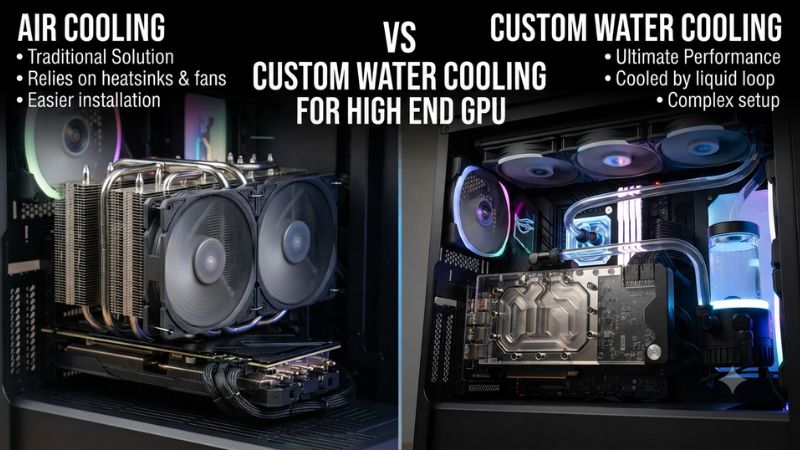
Air-cooled graphics cards use a heatsink, heat pipes or a vapor chamber, and fans to transfer heat away from the GPU. The heatsink absorbs energy from the GPU package, while airflow carries that heat into the surrounding case. Larger coolers generally provide more surface area for heat dissipation.
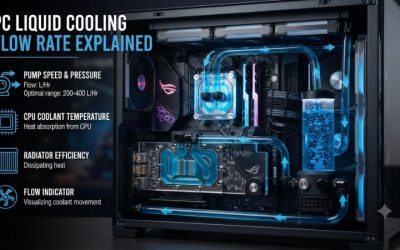
Custom water cooling replaces the GPU’s stock cooling assembly with a compatible water block. Coolant absorbs heat through the block and transports it to one or more radiators, where fans release that heat into the air. This arrangement can provide substantial thermal capacity for high-power GPUs.
The difference becomes particularly relevant during sustained gaming, rendering, and other GPU-intensive workloads. However, actual temperatures depend on radiator capacity, ambient temperature, pump speed, fan configuration, and water-block contact quality.
2. Noise Levels and Acoustic Performance
Air cooling produces noise primarily through GPU fans and the additional case fans required to maintain airflow. When GPU temperatures rise, automatic fan curves can increase fan speed, creating noticeable noise during demanding games.
A custom loop distributes heat across radiators, potentially allowing larger fans to operate at lower speeds. This can reduce the prominence of GPU fan noise, especially in systems designed around low-speed radiator airflow.
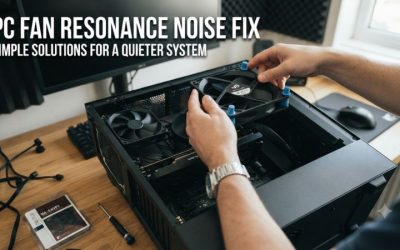
However, water cooling does not mean silent operation. Pumps generate mechanical noise, radiator fans remain necessary, and poorly configured loops can introduce vibration or turbulence. A quiet system requires appropriate pump placement, fan selection, and acoustic tuning.
3. Gaming Performance and GPU Boost Behavior
Cooling affects gaming performance indirectly through GPU operating temperature and boost behavior. NVIDIA GPU Boost adjusts operating frequency according to available thermal, power, voltage, and reliability limits. AMD graphics cards also use dynamic operating controls that respond to operating conditions.
If an air-cooled GPU regularly encounters its thermal limit, improved cooling may provide more thermal headroom. A custom loop can help maintain lower temperatures under sustained workloads, potentially supporting more consistent boost behavior.
However, lower temperatures do not automatically translate into a meaningful FPS increase. A graphics card already operating within its thermal limits may gain little from a water block. Power limits, voltage limits, game-engine behavior, and workload characteristics can remain the dominant constraints.
4. Compatibility, Installation, and Upgrade Flexibility
Air cooling requires a compatible graphics card, sufficient case clearance, and adequate airflow. Most users can install a factory-cooled graphics card without modifying its cooling assembly.
Custom water cooling requires considerably more planning. The GPU needs a water block designed for its exact PCB layout, not merely its GPU generation or marketing name. Different manufacturers can use different circuit-board designs even when their cards share the same GPU.
You also need compatible fittings, tubing, a pump, reservoir, radiator, coolant, and suitable mounting space. This makes custom loops less convenient when replacing graphics cards because a new GPU may require a different water block and loop modifications.
How to Choose Between Air Cooling and Custom Water Cooling
The practical decision starts with your current graphics card and the conditions inside your case. Before purchasing cooling hardware, establish whether the GPU is actually limited by temperature, whether the existing cooler is adequate, and whether your chassis can accommodate a radiator and the rest of the loop.
1. Evaluate Your GPU’s Power and Thermal Characteristics
Start by identifying the exact graphics card model, its manufacturer, and its cooling configuration. A high-end GPU can consume substantial power, but the thermal requirements vary between reference designs and aftermarket models.
For example, NVIDIA specifies a Total Graphics Power of 575W for the GeForce RTX 5090 Founders Edition. That makes cooling capacity and case airflow important considerations, although the card’s factory cooler is already designed around its power and thermal requirements.
Do not assume every RTX 5090 requires a custom loop. Board-partner models have different cooling assemblies, and their dimensions, power configurations, and operating characteristics can differ. Check the actual manufacturer’s specifications before planning an upgrade.
2. Check Whether Air Cooling Is Actually the Limitation
Monitor GPU temperature, hotspot temperature when available, fan speed, clock frequency, and power consumption during a representative gaming session. Tools such as HWiNFO and MSI Afterburner can help establish whether thermal behavior is affecting the graphics card.
Pay attention to sustained behavior rather than a single temperature reading. A GPU reaching a high temperature does not automatically indicate a cooling problem because manufacturer-defined operating limits vary between models.
Also distinguish GPU temperature from hotspot temperature and memory temperature. A graphics card can have acceptable core temperatures while another component experiences different thermal conditions. If case airflow is restricted, improving intake and exhaust ventilation may solve the problem without changing the GPU cooler.
3. Compare Total Cost and Maintenance Requirements
Air cooling generally has a lower ownership cost because the cooling hardware is included with the graphics card. Routine maintenance mainly involves cleaning dust from heatsinks, fans, filters, and the surrounding case.
Custom water cooling adds several components that must be purchased and maintained separately. The total cost includes the GPU water block, radiator, pump, reservoir, tubing, fittings, coolant, and potentially additional fans or mounting hardware.
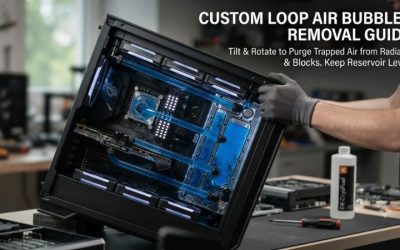
Maintenance also involves checking coolant condition, inspecting fittings, monitoring pump operation, and periodically draining and cleaning the loop according to component and coolant manufacturers’ guidance. These responsibilities matter when calculating the long-term value of water cooling.
4. Match the Cooling System to Your Build
A large air-cooled GPU may require substantial expansion-slot clearance and sufficient space for its cooler. Check graphics-card length, thickness, power-cable clearance, and the available space around the motherboard.
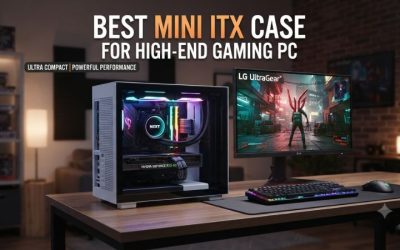
A custom loop introduces different restrictions. Radiator thickness, fan placement, tubing bends, reservoir dimensions, and pump mounting all influence whether the system fits. A case that accommodates a large graphics card may not necessarily support a suitable radiator arrangement.
Use the following comparison to narrow down your decision.
| Setting or Step | Where | Effect | Risk |
| Check GPU temperatures | HWiNFO or MSI Afterburner | Identifies thermal behavior and possible limitations | Misreading isolated temperature values |
| Inspect case airflow | Front, bottom, and rear fan positions | Identifies airflow restrictions | Poor fan placement can increase temperatures |
| Verify GPU compatibility | Manufacturer specifications | Confirms cooler and PCB compatibility | Incorrect water-block selection |
| Calculate radiator clearance | Case specifications and internal layout | Establishes custom-loop feasibility | Insufficient mounting or tubing space |
| Estimate maintenance needs | Cooling component documentation | Clarifies long-term ownership requirements | Neglecting coolant and pump maintenance |
FAQ: Air Cooling vs Custom Water Cooling for High-End GPUs
The best cooling choice depends on your graphics card’s operating conditions, your budget, and your willingness to maintain additional hardware. These answers address common questions before committing to either cooling approach.
Is custom water cooling better than air cooling for a high-end GPU?
Custom water cooling can provide greater thermal capacity and more flexibility for acoustic tuning, but it is not automatically better for every high-end GPU. A well-designed factory air cooler can already keep a graphics card within its intended operating range.
The difference is most relevant when sustained workloads, noise preferences, or a broader custom-loop design justify the additional hardware. For ordinary gaming builds, factory air cooling is often sufficient.
Does custom water cooling increase GPU FPS?
Custom water cooling does not directly increase a GPU’s processing capability or guarantee higher FPS. It can help maintain thermal headroom when the original cooler is limiting sustained boost behavior.
If the graphics card is already operating below its thermal limit, changing to water cooling may produce little measurable gaming improvement. Power limits, GPU utilization, and game settings remain important performance factors.
How often does a custom GPU water-cooling loop need maintenance?
A custom loop requires periodic inspection and maintenance, with the schedule depending on coolant type and component manufacturers’ recommendations. Maintenance can include checking coolant condition, inspecting fittings, cleaning radiators, and verifying pump operation.
Thermaltake recommends draining and cleaning its custom loops at least annually. That recommendation should not automatically be applied to every coolant or component combination, so consult the documentation for your specific equipment.
Can you convert an air-cooled GPU to custom water cooling?
Yes, but only when a compatible water block exists for the exact graphics-card PCB and component layout. The process involves removing the original cooler and installing the replacement block according to its manufacturer’s instructions.
This modification carries risks involving PCB damage, incorrect thermal-pad placement, poor contact, and leaks. It may also affect warranty coverage depending on the manufacturer and applicable consumer-protection rules. Check warranty terms before disassembling the graphics card.
Final Thoughts
Choosing between air cooling vs custom water cooling for high end gpu builds depends on thermal requirements, noise preferences, budget, and maintenance expectations. Air cooling is the sensible starting point for most gamers, while custom loops suit enthusiasts seeking greater cooling control. Check your GPU temperatures and case compatibility before investing.