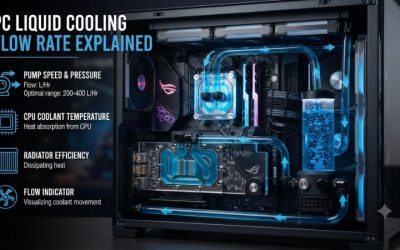
A custom water-cooling loop reports two different thermal measurements, and they serve different purposes. Coolant temperature vs cpu temperature custom loop comparisons help explain why the CPU can run hot while the liquid remains relatively cool. Understanding both readings makes fan control, pump tuning, and thermal troubleshooting more reliable.
What Coolant Temperature vs CPU Temperature Really Means
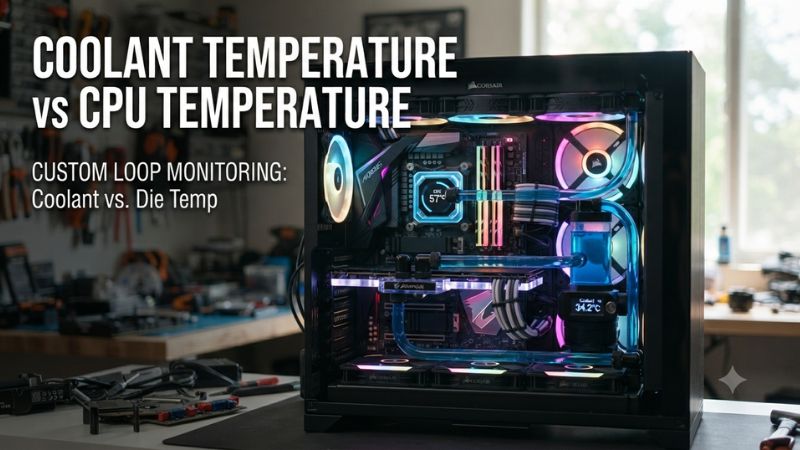
Coolant temperature measures the liquid circulating through the loop, while CPU temperature measures heat at or near the processor’s internal sensors. Neither reading replaces the other. Coolant temperature is particularly useful for understanding radiator performance and setting radiator fan curves; CPU temperature shows how effectively heat transfers from the processor into the cooling system.
1. What Coolant Temperature Measures
Coolant temperature is the temperature of the liquid moving through the custom loop. A dedicated temperature probe installed in a compatible fitting or reservoir can measure this directly. Depending on sensor placement, the reading represents the liquid at that particular point rather than every section of the loop.
This measurement changes more gradually than CPU temperature because the liquid, radiators, tubing, and reservoir collectively absorb and release heat. During a gaming session, coolant temperature may continue rising after the processor reaches its initial operating temperature. It therefore provides useful information about sustained thermal conditions.
2. What CPU Temperature Measures
CPU temperature describes the processor’s thermal condition, commonly reported through on-die digital sensors. Monitoring applications may show CPU Package, CPU Die, Core Temperatures, or individual core readings. These values are not necessarily interchangeable because they represent different sensor groupings or reporting methods.
Processor temperature can change quickly when a game loads, a shader compilation task begins, or a background process increases CPU utilization. Modern processors also adjust frequency and voltage according to workload, power limits, and thermal conditions. Consequently, a brief CPU temperature spike does not automatically indicate that the coolant or radiator system is overheating.
3. Why the Two Readings Are Different
The CPU generates heat internally, which travels through the processor’s integrated heat spreader, thermal interface material, water block cold plate, and finally into the coolant. Each stage introduces thermal resistance. This means the processor normally operates hotter than the circulating liquid while it is generating heat.
The difference between CPU and coolant temperature is often called the temperature delta, although its interpretation depends on the workload and measurement method. A large difference under sustained load can point toward CPU power, block contact, mounting pressure, flow, or heat-transfer limitations. It cannot identify the cause by itself.
4. What Doesn’t Help
Comparing one instantaneous CPU reading with one coolant reading is not a reliable way to judge an entire custom loop. A CPU may briefly reach a high temperature while the liquid remains comparatively cool because the coolant has not yet absorbed the additional heat.
Likewise, increasing every fan to maximum speed whenever CPU temperature spikes can create unnecessary noise without meaningfully improving sustained cooling. The better approach is to monitor both sensors over time, distinguish short bursts from sustained workloads, and use each measurement for the appropriate control decision.
How to Compare Coolant and CPU Temperatures in a Custom Loop
The most useful comparison comes from observing both temperatures during the same workload rather than judging isolated readings. Record the CPU temperature, coolant temperature, CPU power, and pump speed at idle and under sustained gaming or rendering. This helps distinguish normal processor heat from limitations in the cooling loop.
1. Understand the CPU-to-Coolant Temperature Delta
The CPU-to-coolant delta is the difference between the processor’s reported temperature and the liquid temperature. For example, if the CPU reports 70°C and the coolant sensor reports 35°C, the difference is 35°C. This is an illustrative calculation, not a recommended operating target.
A rising delta under similar CPU power conditions can indicate changes in heat transfer, block contact, coolant flow, or processor behavior. However, CPU voltage, boost frequency, workload intensity, and sensor reporting also influence the result. Compare readings under repeatable conditions before deciding that a component needs attention.
2. Use Coolant Temperature for Radiator Fan Control
Coolant temperature is generally the more useful control variable for radiator fans in a custom loop. Radiator fans remove heat from the liquid, so responding to liquid temperature produces a smoother reaction to sustained system heat rather than chasing every brief CPU temperature spike.
A coolant-based fan curve also makes gaming sessions more predictable. The fans can increase speed as the liquid gradually warms and reduce speed after the system cools down. CORSAIR’s Hydro X documentation describes its integrated temperature sensor as a way to control system fans according to coolant temperature.
3. Use CPU Temperature to Monitor Processor Behavior
CPU temperature remains essential because coolant temperature cannot tell you whether the processor is approaching its thermal limit. A processor can experience high internal temperatures even when the coolant is relatively cool, particularly during demanding workloads or when heat transfer between the CPU and water block is restricted.
Monitor CPU Package and individual core temperatures when investigating thermal throttling or unexpectedly high processor temperatures. Also observe CPU utilization, power consumption, clock speeds, and thermal-throttling indicators. These additional measurements help distinguish normal high-power operation from a potential cooling problem.
4. Choose the Right Sensor for Each Control
Using one temperature sensor for every cooling decision is not always appropriate. Coolant temperature works well for radiator fans because it reflects accumulated heat in the loop. CPU temperature can be more useful for pump response when a processor workload changes quickly and coolant-based control reacts too slowly.
CORSAIR specifically discusses this distinction in its custom cooling guidance: coolant-based control is suitable for fans, while a more responsive CPU-temperature-based pump curve can help high-performance processors receive increased coolant flow during sudden workloads. The best configuration depends on pump characteristics, loop resistance, noise preferences, and controller capabilities.
| Comparison factor | Coolant temperature | CPU temperature |
| What it measures | Liquid temperature at the sensor location | Processor internal thermal readings |
| Response to workload | Generally gradual | Often rapid |
| Best monitoring purpose | Sustained loop heat | Processor thermal behavior |
| Radiator fan control | Usually preferred | Can cause unnecessary speed changes |
| Pump control | Suitable for gradual adjustment | Useful for faster workload response |
| Troubleshooting | Identifies rising loop temperature | Helps identify CPU thermal problems |
| Main limitation | Does not reveal CPU hotspot temperature | Does not directly measure coolant heat |
How to Monitor and Configure Both Temperatures
A useful monitoring setup should show both readings simultaneously and preserve enough information to compare them under similar conditions. You do not need to rebuild the loop or purchase additional hardware if your existing controller already exposes a working coolant sensor. Start with available telemetry and add a dedicated probe only if the current measurement is missing or unreliable.
1. Identify the Correct Temperature Sensors
Open your motherboard monitoring software, cooling controller application, or hardware monitoring utility. Look for CPU Package, Core Temperatures, and a coolant or water temperature reading. The exact labels depend on the processor, motherboard, controller, and connected sensors.
Check where the coolant measurement originates. A dedicated inline temperature probe measures liquid directly, while some cooling products report temperatures from sensors integrated into their hardware. Do not automatically assume that a sensor labeled with a block or pump name measures liquid rather than the surrounding component.
2. Record Temperatures Under Repeatable Loads
Start by recording idle readings after the system has settled. Then run a consistent gaming workload or CPU-intensive application and observe how both temperatures change. Avoid comparing an idle reading from one session with a peak reading from another because ambient conditions and workload differences can distort the comparison.
For a more useful record, include CPU package power, pump RPM, fan RPM, and CPU clock behavior. HWiNFO can help collect available hardware sensor information, while controller software may provide coolant readings and sensor logging. Not every motherboard exposes every measurement through every application.
3. Configure a Coolant-Based Fan Curve
In your cooling controller, select the actual coolant sensor as the temperature source for radiator fans. Create a gradual fan curve that increases airflow as coolant temperature rises. Avoid copying another builder’s exact temperature and RPM points because radiator capacity, fan models, case airflow, and coolant specifications differ.
Check the maximum operating temperature specified by the manufacturers of your loop components and coolant. These limits are not universal across water blocks, pump-reservoir combinations, tubing, and fittings. Set appropriate monitoring alerts and verify that the controller continues operating correctly after restarting Windows.
4. Adjust Pump Behavior Carefully
A pump curve can use coolant temperature for gradual adjustment or CPU temperature for faster response, provided the pump controller supports the selected sensor. A fixed, manufacturer-supported operating setting may also be appropriate. Avoid assuming that maximum pump speed always produces meaningfully better cooling.
Make one adjustment at a time and observe the resulting temperatures, noise, and pump behavior. Maintain sufficient flow for the loop and follow the pump manufacturer’s operating instructions. If a change produces unexpected noise, unstable operation, or a loss of flow, restore the previous configuration before investigating further.
FAQ: Coolant Temperature vs CPU Temperature
1. Should Coolant Temperature Always Be Lower Than CPU Temperature?
Yes, during normal CPU operation, coolant temperature is generally lower than the processor’s internal temperature. Heat must pass through the CPU package, thermal interface, and water block before entering the liquid. The difference depends on processor power, cooling performance, and heat-transfer efficiency.
2. What Is a Good Coolant Temperature for a Custom Loop?
There is no universal ideal coolant temperature because ambient temperature, radiator capacity, coolant formulation, and component specifications vary. Monitor the temperature relative to room temperature and follow the operating limits of every loop component. Avoid treating a temperature suitable for one pump or tube material as a universal safety threshold.
3. Why Is My CPU Temperature High When Coolant Temperature Is Low?
A high CPU temperature alongside relatively cool coolant can indicate that heat is not transferring efficiently into the liquid. Possible causes include high CPU voltage, aggressive boost behavior, poor water block contact, incorrect mounting pressure, or insufficient flow. Check CPU power, clock speeds, thermal throttling, and pump operation before changing hardware.
4. Can I Control Radiator Fans Using CPU Temperature Instead?
Yes, if your motherboard or cooling controller supports CPU-temperature-based fan control. However, rapid processor temperature changes can cause unnecessary fan speed fluctuations. Coolant-based control is generally preferable for radiator fans, while CPU temperature remains valuable for processor monitoring and faster pump-response strategies.
Final Thoughts
Understanding coolant temperature vs cpu temperature custom loop readings makes it easier to distinguish processor heat from overall loop performance. Use coolant temperature to manage radiator fans and CPU temperature to monitor processor behavior. Record both under sustained gaming loads before adjusting pump speeds, fan curves, or water block installation.