Competitive gaming punishes every small delay between your hand and the screen, so the mouse you choose is really a decision about weight, sensor, and connection stability. A heavy mouse with a slow report rate forces your wrist to work harder on every flick, while an ultra-light mouse with a high polling rate keeps crosshair movement feeling direct and repeatable across long matches.
The five mice below are all wireless esports models built for tournament-style play: two Logitech G PRO models for players who want a proven pro shape, two Razer Viper models for players who want the lightest frames, and one Razer Basilisk for players who want a customizable wireless mouse. Each one is described only from what its listing title states, so you can compare weight, sensor, polling rate, and switch wording directly.
Quick Picks
As an Amazon Associate we earn from qualifying purchases.
| Product | Best for | Key spec from title |
|---|---|---|
| Logitech G PRO X3 SUPERSTRIKE Gaming Mouse | A proven pro shape with wireless freedom | LIGHTSPEED wireless, ultra-lightweight |
| Logitech G PRO X2 SUPERSTRIKE Wireless Gaming Mouse | Tunable clicks in a 61g frame | 61g, rapid trigger magnetic switches, 8K polling wording |
| Razer Viper V4 Pro Wireless Esports Gaming Mouse | The lightest pick with top-end sensor specs | 49g, 50K DPI optical sensor, 8K polling |
| Razer Viper V3 Pro Wireless Esports Gaming Mouse | Balanced weight, sensor, and battery life | 54g, 35K DPI optical sensor, 8000 Hz polling |
| Razer Basilisk V3 X HyperSpeed Customizable Wireless Gaming Mouse | One customizable wireless mouse for play and everyday use | Customizable, HyperSpeed wireless, Black |
How to Choose
Start with weight, because it shapes every flick
Weight is the first spec to settle, because it changes how the mouse feels on every fast movement rather than only on paper. Ultra-light mice in the 49g to 61g range suit players who flick constantly and want the mouse to stop exactly where the hand stops, with less wrist effort over a long session. Heavier models suit players who prefer a planted, steady feel and who anchor their aim with arm movement. The right choice is the weight you can move precisely for an entire match, not simply the lowest number. If your aim feels late or your wrist feels tired late in games, weight is usually the first thing to change.
Match the sensor and polling rate to your game speed
The sensor decides how faithfully the mouse tracks fast swipes, and the polling rate decides how often it reports its position to the PC. The sensor figures stated in this group reach 35K and 50K DPI, which track far beyond what most competitive players actually set, so the practical difference is headroom and consistency at high swipe speeds rather than a single DPI number. A polling rate of 8000 Hz or 8K wording means the mouse reports far more often than a standard rate, which suits fast-paced shooters where small timing differences matter. Check both figures together, and treat them as a pair rather than chasing one headline number.
Choose switches for click feel, not just click speed
Switches decide how each click feels and how consistently it registers, which matters in games where firing, peeking, and ability use all run through the same buttons. Optical switches in the Viper models avoid physical contact wear in the click mechanism, while the magnetic analog switches in the G PRO X2 add adjustable click haptics you can tune to your preference. Think about whether you want a crisp, light click for rapid firing or a firmer click that resists accidental presses, and pick the switch wording that matches that preference.
Check battery wording against how you actually play
Battery life decides whether the mouse survives a tournament day, a long ranked session, or a week of evening games without a charging break. Models in this group state 95 hours or 180 hours, and those figures describe different routines: the lower figure still covers many sessions, while the higher figure suits players who rarely want to think about charging. Rechargeable models here charge over USB-C. Match the battery wording to how often you are willing to charge, and to whether a dead battery mid-match would be a minor pause or a lost round.
The 5 Best Options
1. Logitech G PRO X3 SUPERSTRIKE Gaming Mouse

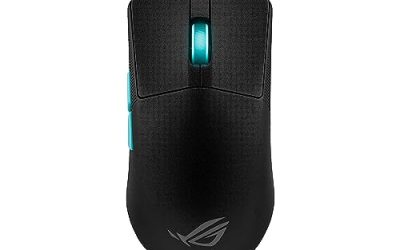
The G PRO X3 SUPERSTRIKE is the current shape in Logitech’s pro line, and its listing title keeps the focus on the essentials: LIGHTSPEED wireless, programmable buttons, and an ultra-lightweight build for PC and Mac. For competitive players, that combination means a cable-free setup with the freedom to remap buttons to the actions you reach for most, in a frame meant to stay out of the way of fast aim. The title states no weight, sensor, or polling figure, so treat this pick as a shape-and-wireless choice and confirm the detailed figures on the full listing before buying.
Specs
- LIGHTSPEED wireless connection
- Programmable buttons
- Ultra-lightweight build
- For PC and Mac
Best for: players who want the current G PRO shape with wireless freedom.
Watch out for: the listing title states no weight, sensor, or polling figure, so confirm those details on the full listing.
- ASIN: ⚠ B0H8BR7BCW
2. Logitech G PRO X2 SUPERSTRIKE Wireless Gaming Mouse

The G PRO X2 SUPERSTRIKE gives competitive players something the other picks do not: switches you can tune. Its title states customizable rapid trigger magnetic analog switches with adjustable click haptics, so you can shape how each click feels instead of accepting one fixed break. At 61g it sits in the light class without chasing the extreme end, and the USB-C connection plus 8K polling wording round out a spec set aimed squarely at fast, consistent input. The Black/White colour wording means the finish you receive depends on the listing variant, so check the colour choice when you order.
Specs
- Customizable rapid trigger magnetic analog switches
- Adjustable click haptics
- 61g lightweight frame
- USB-C connection
- 8K polling wording
- For PC and Mac
Best for: players who want to tune click feel in a light, proven shape.
Watch out for: the title lists a Black/White colour wording, so confirm the colour variant on the listing before ordering.
- ASIN: ⚠ B0G12HGHGM
3. Razer Viper V4 Pro Wireless Esports Gaming Mouse

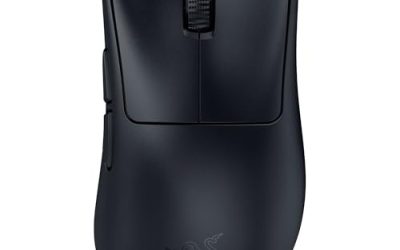
The Viper V4 Pro is the lightest mouse in this group at 49g, and its title pairs that weight with the strongest sensor and polling figures here: a 50K DPI optical sensor and 8K polling, plus Gen-4 optical switches. For competitive players, that means the least mass to move on every flick together with the most reporting headroom, and a stated 180-hour battery that covers long stretches between charges. USB-C charging keeps top-ups simple. If your priority is the lightest possible frame with top-end tracking specs, this is the pick that leads on both counts at once.
Specs
- 49g ultra-lightweight frame
- 50K DPI optical sensor
- 8K polling
- Gen-4 optical switches
- 180 hr battery
- USB-C charging
- Scroll wheel
- For PC and Mac
Best for: players who want the lightest frame with the strongest sensor and polling specs.
Watch out for: at 49g the mouse feels very light, so players used to heavier mice may need time to adjust their aim.
- ASIN: ⚠ B0GMLBSSTD
4. Razer Viper V3 Pro Wireless Esports Gaming Mouse

The Viper V3 Pro balances the three things competitive players trade off most: weight, sensor, and battery. At 54g it is only slightly heavier than the V4 Pro, its 35K DPI optical sensor still tracks far beyond typical competitive settings, and its 8000 Hz polling rate matches the fastest reporting in this group. Gen3 optical switches and eight programmable controls give you a consistent click and room to map extra actions, while the 95-hour battery covers plenty of sessions between charges. It is the middle-ground pick for players who want strong specs everywhere without pushing any single figure to the extreme.
Specs
- 54g lightweight frame
- 35K DPI optical sensor
- Gen3 optical switches
- 8 programmable controls
- 95 hr battery
- 8000 Hz polling rate
- For PC and Mac
Best for: players who want balanced weight, sensor, polling, and battery in one mouse.
Watch out for: the 95-hour battery is the shortest stated figure here, so heavy daily players will charge more often.
- ASIN: ⚠ B0CVRGCGWJ
5. Razer Basilisk V3 X HyperSpeed Customizable Wireless Gaming Mouse
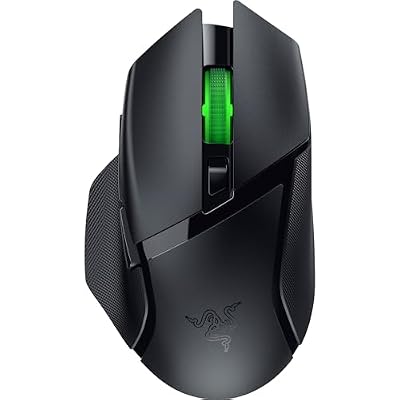
The Razer Basilisk V3 X HyperSpeed is the customizable wireless pick in this group. Its listing title states a customizable HyperSpeed wireless gaming mouse in Black, without stating weight, sensor, polling, or button wording, so it trades headline figures for flexibility: one wireless mouse that adapts across competitive play, other genres, and everyday use. For competitive players, that means a single device that covers ranked matches and everything else on the desk, rather than a pure esports shape tuned for one job. Confirm the weight and sensor wording on the full listing before buying, since the title leaves those details unstated.
Specs
- Customizable wireless gaming mouse
- HyperSpeed wireless
- Black finish
Best for: players who want one customizable wireless mouse for competitive play and other uses.
Watch out for: the listing title states no weight, sensor, polling, or button wording, so confirm those details on the full listing.
- ASIN: ⚠ B0BXBC26X8
Which One Fits Your Situation
You play fast shooters and flick constantly
Pick the lightest mouse you can control, because every flick starts and stops with the mass your hand moves. The 49g Viper V4 Pro leads here, with the 54g Viper V3 Pro close behind, and both pair low weight with 8K-class polling so fast swipes stay tracked and reported. If ultra-light mice are hard to stop precisely, step up to the 61g G PRO X2, which keeps the light class while adding more presence under the hand.
You want to tune how your clicks feel
Pick the G PRO X2 SUPERSTRIKE, the only mouse here whose title states customizable rapid trigger magnetic analog switches with adjustable click haptics. That wording means you can shape the click break to your preference instead of adapting to a fixed switch. The other picks use fixed optical or mechanical switches, which are consistent and fast but offer no equivalent tuning. If click feel matters as much as aim to you, the tunable switch set is the deciding feature.
You want one mouse for play and everyday use
Pick the Basilisk V3 X HyperSpeed, the customizable wireless pick in this group. A pure esports shape is tuned for one job, while a customizable mouse adapts to other genres and everyday work without a second device on the desk. Confirm the weight and sensor wording on the full listing, since the title states the customizable wireless form but not the finer details. If battery life is your priority instead, the Viper V4 Pro states 180 hours over USB-C charging.
You want a proven pro shape above all else
Pick the G PRO X3 SUPERSTRIKE or the G PRO X2 SUPERSTRIKE, the two Logitech pro-line shapes in this group. The X3 is the current shape with LIGHTSPEED wireless and programmable buttons, while the X2 adds tunable switches and a stated 61g weight. Both are built around the shape competitive players have used for years, so if you already know the G PRO fit, either one keeps your grip and aim habits intact.
Common Mistakes
- Chasing the highest DPI number instead of checking weight, polling rate, and switch feel together.
- Buying an ultra-light mouse without considering whether you can stop it precisely at the end of a flick.
- Ignoring battery wording and discovering mid-session that the mouse needs charging.
- Assuming every colour or pack variant of a model carries the same listing, when variants are separate listings.
- Picking a mouse for its shape alone without confirming the sensor, polling, and switch wording on the full listing.
Frequently Asked Questions
What weight is best for a competitive gaming mouse?
There is no single best weight, because it depends on how you aim. Ultra-light mice from 49g to 61g suit players who flick constantly and want fast stops with less wrist effort. Heavier mice suit players who prefer a planted feel and aim with more arm movement. Try the lightest frame you can stop precisely, and treat weight as a feel decision, not a spec race.
Does an 8000 Hz polling rate matter for competitive play?
A polling rate of 8000 Hz means the mouse reports its position far more often than a standard rate, which can make fast movement feel more direct in quick shooters. The benefit shows most at high swipe speeds and on high-refresh displays. It matters less in slower games, so weigh it alongside weight and sensor quality rather than treating it as the only figure that counts.
Are wireless mice reliable enough for competitive gaming?
The wireless mice in this group use dedicated low-latency wireless connections stated in their listing titles, and wireless play is now standard in competitive settings. Reliability depends on keeping the receiver close with a clear path and keeping the battery charged, since a low battery can end a session early. A wired connection removes the battery question entirely, but none of the five picks here is a wired model.
Should I choose optical or mechanical switches?
Optical switches avoid contact in the click mechanism and feel consistent over long use, while mechanical switches give a traditional click with a defined break. The Viper models here use optical switches, and the G PRO X2 uses tunable magnetic analog switches. The Basilisk V3 X title states no switch wording, so confirm that detail on the listing. Choose optical for consistency, or tunable switches to shape the click feel.