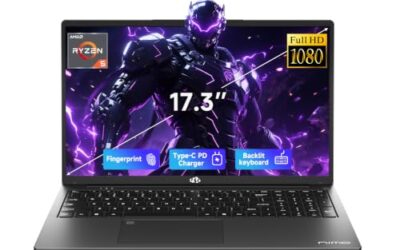
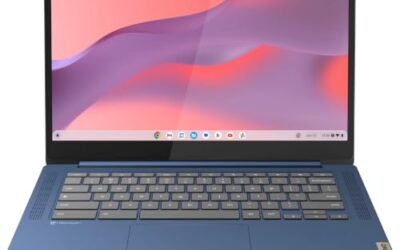
The best gaming laptop for Twitch streaming is one that can play a game and encode the broadcast at the same time without dropping frames in either. That means a current NVIDIA RTX graphics card for NVENC encoding, a many-core processor for OBS, chat tools and background apps, and enough memory that the game never fights the stream for resources. A wired Ethernet port, a usable webcam and quiet-enough cooling all matter more here than for gaming alone.
As an Amazon Associate, we earn from qualifying purchases.
Quick Answer
For most Twitch streamers, the ASUS ROG Strix G16 (2024) is the sweet spot: a 24-core Core i9, a full-power RTX 4070 for NVENC encoding, upgradeable memory and 2.5Gb Ethernet. The Lenovo Legion Pro 5i Gen 9 suits heavy multitaskers, the Razer Blade 16 (2025) is the premium portable pick, and the MSI Katana 15 HX covers the budget tier.
Table of Contents
- Quick Answer
- ASUS ROG Strix G16 (2024)
- Lenovo Legion Pro 5i Gen 9
- Acer Predator Helios Neo 16 AI
- Razer Blade 16 (2025)
- MSI Katana 15 HX
- How to Choose
- Who Should Skip
- FAQ
- Final Verdict
- Product and ASIN Reference
ASUS ROG Strix G16 (2024)

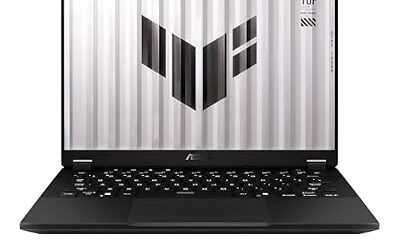
The Strix G16 is the balanced streaming pick because nothing in its spec sheet forces a compromise. The Core i9-14900HX brings 24 cores to the job, so OBS Studio, a browser full of dashboard tabs, Discord and the game itself can all run at once, while the GeForce RTX 4070 runs at its full 140W ceiling and hands the broadcast to the NVENC hardware encoder instead of the CPU. That split is what keeps gameplay frame rates steady while the stream stays smooth.
The 16-inch QHD+ display runs at 2560 x 1600 and 240Hz with full DCI-P3 coverage, sharp enough to double as your stream-monitoring screen. It ships with 16GB of DDR5-5600 memory, but both SO-DIMM slots accept up to 64GB, and a second M.2 slot waits for a recordings drive. Wired networking is a genuine streaming asset: 2.5Gb Ethernet removes Wi-Fi jitter from the upload entirely. At about 5.5 pounds with a 90Wh battery, it is a desk-first machine that still moves between rooms.
Specs
- CPU: Intel Core i9-14900HX, 24 cores
- GPU: NVIDIA GeForce RTX 4070, 8GB GDDR6, 140W, NVENC encoder
- RAM: 16GB DDR5-5600, two SO-DIMM slots, up to 64GB
- Storage: 1TB PCIe Gen 4 NVMe SSD, second M.2 slot
- Display: 16-inch QHD+ 2560 x 1600 IPS, 240Hz, 3ms, full DCI-P3 coverage
- Networking: Wi-Fi 6E, 2.5Gb Ethernet
- Battery: 90Wh
- Weight: about 5.5 pounds
- Tier: Mid-range
Lenovo Legion Pro 5i Gen 9

The Legion Pro 5i Gen 9 is built for streamers who keep everything open at once. The Amazon listing configuration pairs the same 24-core Core i9-14900HX and full-power RTX 4070 as the Strix with 64GB of DDR5 memory and a 2TB SSD, so a game, OBS with multiple scenes, a VOD recording and a dozen browser tabs can coexist without slowdowns. Because this configuration is seller-upgraded from the factory model, confirm the memory and storage figures on the listing before ordering.
The 16-inch WQXGA IPS panel runs at 240Hz with 500 nits of brightness, full sRGB coverage and G-SYNC support, which suits the sRGB world of Twitch playback. Legion’s Coldfront cooling is designed for sustained loads, which is exactly what a multi-hour stream at full GPU power is, and both memory and storage stay expandable for later upgrades. An 80Wh battery and a weight of about 5.5 pounds mark it as another desk-anchored machine, which is the right trade for this workload.
Specs
- CPU: Intel Core i9-14900HX, 24 cores
- GPU: NVIDIA GeForce RTX 4070, 8GB GDDR6, 140W, NVENC encoder
- RAM: 64GB DDR5 in this listing configuration
- Storage: 2TB PCIe NVMe SSD in this listing configuration
- Display: 16-inch WQXGA 2560 x 1600 IPS, 240Hz, 500 nits, full sRGB coverage, G-SYNC
- Networking: Wi-Fi 6E, Bluetooth
- Battery: 80Wh
- Weight: about 5.5 pounds
- Tier: Mid-range
Acer Predator Helios Neo 16 AI

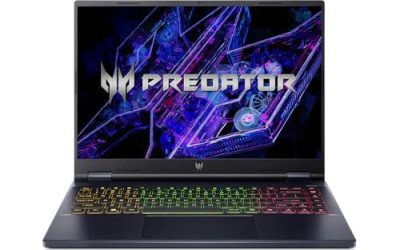
The Helios Neo 16 AI moves the streaming hardware a generation forward. Its Intel Core Ultra 9 275HX is a 24-core processor built for exactly the mixed workload streaming creates, and the GeForce RTX 5070 Ti carries 12GB of GDDR7 memory plus the newest NVENC encoder, which adds AV1 encoding support for platforms and recording workflows that use it. The extra video memory also leaves more headroom for high-resolution textures while the encoder runs.
Memory is 32GB of DDR5 from the factory, which is the practical sweet spot for a game plus OBS plus a browser, and the 1TB PCIe Gen 4 SSD covers a working game library with room for recent VOD files. The 16-inch WQXGA display runs at 240Hz, matching the fast panels on the Strix and Legion, so nothing about the play experience steps down. This is the pick for streamers who plan to keep the same laptop through several years of heavier games and higher stream settings.
Specs
- CPU: Intel Core Ultra 9 275HX, 24 cores
- GPU: NVIDIA GeForce RTX 5070 Ti, 12GB GDDR7, NVENC encoder with AV1 support
- RAM: 32GB DDR5
- Storage: 1TB PCIe Gen 4 SSD
- Display: 16-inch WQXGA 2560 x 1600, 240Hz
- Model: PHN16-73 series
- Tier: Premium
Razer Blade 16 (2025)

The Blade 16 is the premium pick for streamers whose laptop also has to leave the house. It is milled from a single block of aluminum, measures just 14.9 mm thick and weighs about 4.7 pounds, yet this configuration pairs an AMD Ryzen AI 9 365 processor with a GeForce RTX 5080 running at up to 160W, 64GB of LPDDR5X memory and a 2TB SSD. That is more than enough headroom to game and encode simultaneously, and the RTX 5080’s encoder handles high-bitrate recording alongside the live broadcast.
Its camera setup is the most streamer-friendly here: a 1080p infrared webcam with a physical privacy shutter and Windows Hello sign-in, sharp enough for a facecam overlay without an external camera for starting out. The 16-inch QHD+ OLED display runs at 240Hz, Wi-Fi 7 and Thunderbolt cover networking and docks, and an SD card reader helps creators who also shoot video. The trade-off is that the memory is soldered, so the 64GB fitted here is what the machine keeps for life.
Specs
- CPU: AMD Ryzen AI 9 365, 10 cores
- GPU: NVIDIA GeForce RTX 5080, up to 160W, NVENC encoder
- RAM: 64GB LPDDR5X-8000, soldered
- Storage: 2TB PCIe NVMe SSD
- Display: 16-inch QHD+ OLED, 2560 x 1600, 240Hz
- Webcam: 1080p infrared camera with privacy shutter, Windows Hello
- Networking: Wi-Fi 7, Thunderbolt, HDMI 2.1, SD card reader
- Battery: 90Wh
- Weight: about 4.7 pounds
- Tier: Premium
MSI Katana 15 HX

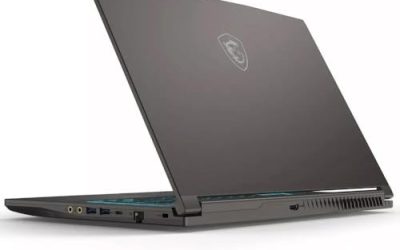
The Katana 15 HX is the budget-tier way into laptop streaming, and it keeps the feature that matters most: an RTX graphics card with a hardware NVENC encoder. The GeForce RTX 5060 encodes the stream on a dedicated block, so the 16-core Core i7-14650HX is free for the game and OBS, and DLSS 4 frame generation helps hold high frame rates at native resolution.
That panel is a standout at this tier: a 15.6-inch QHD screen at 2560 x 1440 and 165Hz with full DCI-P3 coverage, sharper than most mid-range rivals. The limits are 16GB of memory, which is workable for one game plus a lean OBS setup but leaves less room for heavy multitasking, and a smaller 53.5Wh battery, so plan to stream plugged in. The 1TB SSD is generous at this level, and at 2.4 kg the Katana is easy to move between a desk and a couch setup.
Specs
- CPU: Intel Core i7-14650HX, 16 cores, up to 5.2 GHz
- GPU: NVIDIA GeForce RTX 5060, 8GB GDDR7, NVENC encoder
- RAM: 16GB DDR5
- Storage: 1TB PCIe Gen 4 NVMe SSD
- Display: 15.6-inch QHD 2560 x 1440, 165Hz, full DCI-P3 coverage
- Networking: Wi-Fi 6E, HDMI 2.1, USB-C with DisplayPort
- Battery: 53.5Wh
- Weight: 2.4 kg
- Tier: Budget
How to Choose
Start with the encoder. Every laptop here uses an NVIDIA RTX GPU, which means NVENC hardware encoding: OBS can hand the stream to the encoder block instead of the CPU, so gameplay stays smooth while you broadcast. RTX 50-series cards add AV1 encoding, which matters if you record for platforms that accept it.
Next, count cores and memory. Streaming is a multitasking workload — the game, OBS, a browser, chat and voice apps all run together — so a many-core HX processor and 32GB of memory are the comfortable target. Sixteen gigabytes works for a single game and a lean scene setup, and upgradeable SO-DIMM slots, like the Strix offers, let a 16GB machine grow later.
Then check the unglamorous details. A wired Ethernet port is the cheapest stream-quality upgrade there is, because upload stability matters more than raw speed. A 1080p webcam saves buying an external camera on day one, and sustained cooling matters more than peak boost clocks during a four-hour session. Finally, match the display to your games: 240Hz panels suit competitive titles, while a sharp 165Hz QHD screen is plenty for story-driven streams.
Who Should Skip
Skip a gaming laptop entirely if you already own a capable gaming desktop — a capture card and your existing PC will stream better for less, and a dual-PC setup separates gaming and encoding completely. Skip these machines if you only stream console games, since a capture card and a modest laptop will do that job. Skip the budget Katana if your stream runs heavy scenes, multiple sources and several apps at once, because its 16GB of memory will feel tight. And skip the soldered-memory Blade 16 if you prefer to upgrade RAM yourself later; the Strix and Legion keep their slots open.
FAQ
Can one laptop really game and stream at the same time?
Yes, with the right hardware split. The RTX GPUs in these laptops encode the broadcast on the NVENC hardware block, which leaves the processor and the rest of the GPU free for the game. Many-core HX processors and 32GB of memory keep OBS, chat and browsers from competing with gameplay.
How much RAM does a Twitch streaming laptop need?
Sixteen gigabytes is the workable floor for one game plus a simple OBS setup. Thirty-two gigabytes is the comfortable target once you add a browser, Discord, recording and multiple scenes, and the 64GB configurations here remove memory management from your worries entirely.
Is Wi-Fi good enough for streaming, or do I need Ethernet?
A wired Ethernet connection is strongly recommended. Twitch uploads need a stable, consistent connection more than a fast one, and Wi-Fi can introduce the jitter that shows up as dropped frames. The Strix G16’s 2.5Gb Ethernet port is the simplest fix; if a laptop lacks a port, a USB Ethernet adapter works.
Do I need a separate webcam to start streaming?
Not with the better cameras here. The Razer Blade 16’s 1080p infrared webcam is sharp enough for a facecam overlay, and most viewers watch the gameplay window far more than the camera. An external webcam is an upgrade you can add later once your channel settles on a layout.
Final Verdict
For a single-PC Twitch setup, the ASUS ROG Strix G16 (2024) is the default recommendation: full-power RTX 4070 encoding, a 24-core processor, wired 2.5Gb Ethernet and upgradeable memory. Choose the Legion Pro 5i Gen 9 if you multitask heavily, the Helios Neo 16 AI for the newest RTX 5070 Ti platform, the Razer Blade 16 (2025) if the laptop must travel, and the MSI Katana 15 HX if you are starting out on the budget tier and still want proper hardware encoding.
Product and ASIN Reference
| Product | ASIN |
|---|---|
| ASUS ROG Strix G16 (2024) | B0CRCVJFQM |
| Lenovo Legion Pro 5i Gen 9 | B0F48Q521R |
| Acer Predator Helios Neo 16 AI | B0FNRL4C4Y |
| Razer Blade 16 (2025) | B0DYLTKRNR |
| MSI Katana 15 HX | B0FRVZ7CLY |