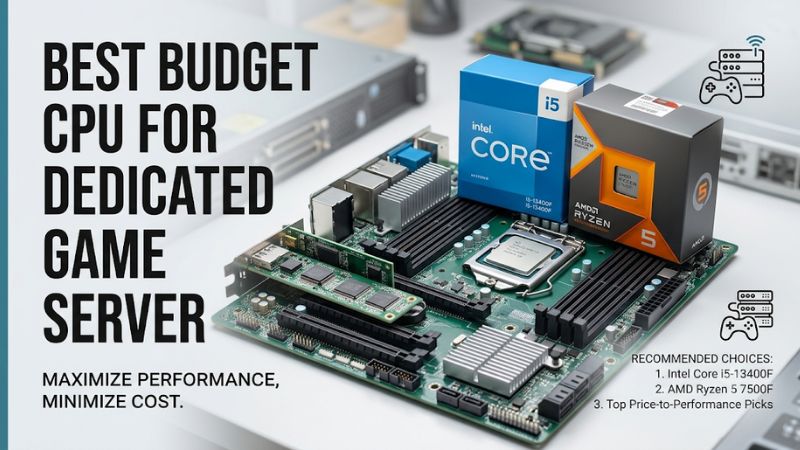
A dedicated game server needs more than a high core count. The best budget cpu for dedicated game server hosting balances fast individual cores, enough threads for concurrent tasks, affordable motherboard compatibility, and reliable memory capacity. This guide compares practical AMD and Intel options for Minecraft, survival games, and multiplayer hosting.
How to Choose a Budget CPU for a Dedicated Game Server
The right processor depends on the game server software, player count, world complexity, and whether you plan to host multiple instances. Some servers benefit more from strong single-thread performance than additional cores, while others can distribute background tasks across several threads. Start with the workload rather than the processor’s advertised core count.
1. Prioritize Single-Core Performance
Single-core performance matters particularly for Minecraft Java servers, where important world operations, including ticking, depend heavily on a primary thread. A processor with strong per-core performance can be a better choice than an older CPU with many slower cores.
This does not mean additional cores are useless. Plugins, networking, operating-system services, backups, and other server instances can create parallel workloads. Look for a balanced processor rather than choosing solely by maximum clock speed.
2. Match Core Count to Your Hosting Workload
A six-core, twelve-thread processor is a sensible starting point for a small dedicated server. It provides resources for the main server workload while leaving capacity for operating-system activity and supporting processes.
If you intend to run several game servers simultaneously, consider an eight-core processor. More cores can help separate workloads, but they cannot automatically improve a game server whose main simulation thread is already the limiting factor.
3. Consider Motherboard and Memory Costs
The cheapest processor is not necessarily the cheapest complete server. An older AM4 processor can reuse an existing DDR4 motherboard and memory, whereas an AM5 processor requires an AM5 motherboard and DDR5 memory.
Intel’s LGA1700 platform also offers DDR4 and DDR5 motherboard options, depending on the specific board. Check the motherboard’s CPU support list and BIOS requirements before purchasing. Budget for adequate RAM, an SSD, and dependable cooling instead of spending the entire budget on the CPU.
4. Account for Power, Cooling, and Reliability
A dedicated server may operate continuously, so power consumption and cooling affect long-term ownership costs. A processor with a 65W default TDP is a reasonable starting point for a modest home server, although actual power consumption varies with motherboard settings and workload.
Choose a compatible cooler, provide adequate case airflow, and use a motherboard with appropriate power delivery. If uptime is important, also consider a reliable power supply, automatic backups, and a UPS. These supporting components can matter more to server availability than a small CPU upgrade.
Top Budget CPUs for Dedicated Game Server Hosting
These processors cover different budgets and server configurations rather than representing a universal performance ranking. The strongest choice depends on whether you are reusing an existing platform, building a new AM5 system, or running several server instances. The specifications below come from manufacturer documentation, not PC Gaming Universe benchmark testing.
| Product | Best For | Key Spec | Compatibility | Watch Out For |
|---|---|---|---|---|
| AMD Ryzen 5 5600 | Best Overall Budget | 6 cores, 12 threads, 4.4 GHz boost | AM4, DDR4 | Older upgrade platform |
| AMD Ryzen 5 7600 | Best Value for New Builds | 6 cores, 12 threads, 5.1 GHz boost | AM5, DDR5 | Higher platform cost |
| AMD Ryzen 7 5700X | Best for Multiple Servers | 8 cores, 16 threads, 4.6 GHz boost | AM4, DDR4 | Cooler purchased separately |
| Intel Core i5-14400 | Best Intel Option | 10 cores, 16 threads, 4.7 GHz boost | LGA1700, DDR4 or DDR5 | Higher maximum turbo power |
1. AMD Ryzen 5 5600 – Best Overall Budget
6 cores / 12 threads · AM4 · 65W default TDP
The Ryzen 5 5600 is a sensible starting point for an affordable dedicated server, particularly when you already own an AM4 motherboard and DDR4 memory. Its six Zen 3 cores, twelve threads, and boost frequency up to 4.4 GHz provide a balanced foundation for smaller multiplayer environments.
Latest Version
Its 32MB L3 cache is another useful specification to consider when comparing processors in this price segment. It is suitable for a home Minecraft server, a small survival-game community, or a modest hosting setup that does not require several demanding instances simultaneously.
The main limitation is its older AM4 platform. It does not provide the same forward upgrade path as AM5, and buying a new motherboard and memory can reduce its cost advantage. Consider the Ryzen 5 7600 if you are building a completely new system.
2. AMD Ryzen 5 7600 – Best Value for New Builds
6 cores / 12 threads · AM5 · 65W default TDP
The Ryzen 5 7600 is a strong candidate when single-core capability and a newer platform are priorities. It features six Zen 4 cores, twelve threads, a maximum boost clock of 5.1 GHz, and 32MB of L3 cache. Its 65W default TDP also makes it practical for a relatively compact server build.
AMD
Unlike the Ryzen 5 5600, this processor uses AM5 and DDR5 memory. It supports several AM5 chipset families, including A620, B650, B850, and X870 boards. AMD also specifies ECC memory support when the motherboard supports it.
The drawback is the additional cost of the platform. DDR5 memory and an AM5 motherboard can make the complete build more expensive than an AM4 alternative. Choose it when you want a newer foundation and expect to upgrade the processor later.
3. AMD Ryzen 7 5700X – Best for Multiple Server Instances
8 cores / 16 threads · AM4 · 65W default TDP
The Ryzen 7 5700X makes sense when your server workload extends beyond one game instance. Its eight Zen 3 cores, sixteen threads, boost frequency up to 4.6 GHz, and 32MB L3 cache provide additional processing resources compared with six-core AM4 alternatives.
Latest Version
This configuration is useful for administrators who want to host separate Minecraft worlds, run plugins, perform scheduled backups, or operate additional services on the same machine. The extra cores provide more room for parallel tasks without requiring an entirely new platform.
However, additional cores do not automatically improve the main simulation thread of every game server. The 5700X also does not include a bundled stock cooler, so account for a compatible cooling solution. Existing AM4 owners should compare its total upgrade cost with the Ryzen 5 5600 before purchasing.
4. Intel Core i5-14400 – Best Intel Option
10 cores / 16 threads · LGA1700 · 65W processor base power
The Core i5-14400 offers a hybrid architecture with six Performance-cores and four Efficient-cores. It supports sixteen threads and reaches a maximum turbo frequency of 4.7 GHz. Its 20MB Intel Smart Cache makes it a versatile option for a server that also handles background applications.
Intel
One advantage is memory flexibility. Depending on the motherboard, the processor supports either DDR4 or DDR5, with official memory specifications listing DDR4-3200 and DDR5-4800 support. Its integrated Intel UHD Graphics 730 also provides basic display output without requiring a separate graphics card.
The limitation is its 148W maximum turbo power specification, which makes cooling and motherboard power settings worth considering. It also uses the older LGA1700 platform. Choose this CPU if its total motherboard and memory cost is competitive with an AM5 build, rather than paying extra simply for its core count.
FAQ: Choosing a Budget CPU for a Dedicated Game Server
1. How many CPU cores does a dedicated game server need?
Six cores are sufficient for many small dedicated game servers, while eight cores provide additional room for multiple instances and background services. The actual requirement depends on server software, player activity, plugins, and world complexity.
For example, PaperMC explains that Minecraft’s tick loop relies heavily on a single thread, so high single-thread performance matters even when the processor has many cores.
PaperMC Docs
2. Is AMD or Intel better for dedicated game servers?
Neither manufacturer is universally better for dedicated game servers. AMD offers attractive AM4 and AM5 options, while Intel provides hybrid processors with Performance-cores and Efficient-cores that can accommodate mixed workloads.
Compare individual CPU specifications, platform costs, power requirements, and performance in your specific server software. Avoid choosing exclusively by advertised thread count.
3. Is 16GB RAM enough for a dedicated game server?
Yes, 16GB can be sufficient for a small dedicated server, particularly when hosting one game instance with a lightweight operating system. However, larger Minecraft worlds, modpacks, plugins, and multiple simultaneous instances can require considerably more memory.
Remember that RAM must also accommodate the operating system, background services, and file caching. For a growing home server, 32GB provides more room for expansion.
4. Do dedicated game servers need a graphics card?
No, most dedicated game servers do not require a powerful discrete graphics card. Their primary workloads involve CPU processing, memory, storage, and network communication rather than rendering game graphics.
An integrated GPU can simplify initial setup and troubleshooting. However, a headless server running remotely through SSH or another management interface may not need a graphics card for normal operation.
Final Thoughts
The best budget cpu for dedicated game server hosting depends on your existing hardware and workload. Choose the Ryzen 5 5600 for an affordable AM4 build, the Ryzen 5 7600 for a newer platform, or the Ryzen 7 5700X for multiple instances. Compare complete system costs before buying.