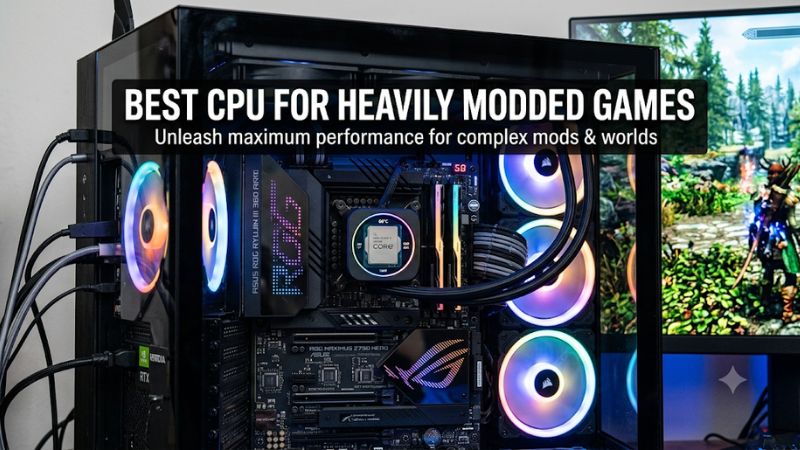
Choosing the best CPU for heavily modded games requires more than looking at core counts or advertised clock speeds. Large Minecraft modpacks, heavily customized Skyrim installations, and complex simulation games can stress processors in different ways. This guide compares four AMD options and explains which specifications matter for smooth gameplay and long-term upgrades.
How to Choose a CPU for Heavily Modded Games
The right processor depends on the type of modifications you use, how demanding your game becomes during extended sessions, and whether you run other applications simultaneously. Cache, per-core performance, core count, memory capacity, and platform compatibility all influence the buying decision.
1. Prioritize Gaming Performance and Cache
Many games rely heavily on a primary simulation or rendering thread. Adding more CPU cores does not automatically make that thread execute faster. This is particularly relevant to games with complex scripts, numerous active entities, extensive world simulation, and large numbers of interacting objects.
AMD’s X3D processors are particularly attractive because their 3D V-Cache provides substantial L3 cache capacity. The Ryzen 7 9850X3D and 9800X3D both offer 96MB of L3 cache, making them strong gaming-focused choices. However, cache-sensitive games do not all benefit equally, so actual game-specific performance remains important.
2. Understand When More Cores Matter
A heavily modded game can create additional background workloads, but the number of installed mods does not directly determine how many CPU cores are useful. Asset loading, compilation, background applications, recording, and dedicated server processes can increase overall CPU demand.
For gaming alone, a fast eight-core processor can be a sensible choice. Players who stream, host servers, run multiple applications, or work with mod development tools may benefit from a 12-core or 16-core processor. More cores provide additional parallel processing capacity rather than automatically increasing game FPS.
3. Plan for Memory and Platform Compatibility
A powerful CPU cannot compensate for insufficient system memory. Large Minecraft modpacks, extensive texture replacements, and complex game environments can increase memory requirements considerably. Intel’s modding guidance identifies memory limitations as a potential source of performance problems and recommends planning additional RAM for heavily modified games.
For a new AMD AM5 build, choose a compatible DDR5 motherboard and verify its BIOS support before purchasing. A 32GB memory configuration is a reasonable starting point for many gaming systems, while 64GB can make sense for particularly demanding modpacks, development tools, or simultaneous applications. Actual requirements depend on the workload.
4. Consider Cooling, Power, and Upgrade Costs
A processor’s advertised performance is only part of its ownership cost. Motherboard compatibility, cooling requirements, power delivery, and memory expenses should all be included in the budget. Higher-end Ryzen 9 processors can make more sense for mixed gaming and productivity workloads than for gaming alone.
Also consider whether you are upgrading an existing computer or building from scratch. AM5 processors require an AM5 motherboard and DDR5 memory, so an older AM4 system cannot accept these CPUs without a platform change. Check the motherboard manufacturer’s CPU support list and BIOS requirements before ordering.
Top Picks: Best CPUs for Heavily Modded Games
The following processors cover different gaming and multitasking priorities, from maximum gaming performance to development-heavy workloads. AMD’s Ryzen X3D lineup is especially relevant because of its large cache capacities, although the most expensive model is not necessarily the best purchase for someone who primarily plays games.
| Product | Best For | Key Spec | Compatibility | Watch Out For |
|---|---|---|---|---|
| AMD Ryzen 7 9850X3D | Best Overall | 8 cores, 16 threads, 96MB L3 | AM5, DDR5 | Premium gaming-focused pricing |
| AMD Ryzen 7 9800X3D | Best Value | 8 cores, 16 threads, 96MB L3 | AM5, DDR5 | Fewer cores than Ryzen 9 |
| AMD Ryzen 9 9950X3D | Gaming and Streaming | 16 cores, 32 threads, 128MB L3 | AM5, DDR5 | Higher cooling and power demands |
| AMD Ryzen 9 9950X3D2 | Heavy Development Workloads | 16 cores, 32 threads, 192MB L3 | AM5, DDR5 | Very expensive and power-hungry |
1. AMD Ryzen 7 9850X3D – Best Overall
Gaming-focused flagship recommendation
The AMD Ryzen 7 9850X3D is the strongest starting point for gamers who prioritize CPU performance above additional productivity cores. It combines eight Zen 5 cores, 16 threads, a boost clock of up to 5.6GHz, and 96MB of L3 cache. Its 120W default TDP makes cooling selection an important part of the build.
Tom’s Hardware’s November 2026 CPU hierarchy places this processor at the top of its gaming rankings. Its comparison uses an RTX 5090 FE at 1080p with High and Ultra settings across 17 games. This supports its gaming credentials, but it is not a direct benchmark of heavily modded Skyrim or Minecraft modpacks. The limitation is its eight-core configuration, which may be less attractive for extensive parallel workloads.
2. AMD Ryzen 7 9800X3D – Best Value
High-end gaming without paying for extra cores
The Ryzen 7 9800X3D is a sensible alternative when the 9850X3D costs considerably more. It features eight cores, 16 threads, a boost clock of up to 5.2GHz, and 96MB of L3 cache. It also uses the AM5 socket and DDR5 memory, making it suitable for a new-generation gaming build.
Tom’s Hardware places it at approximately 97% of the 9850X3D’s gaming score in its 1080p test suite. That relatively small difference makes the older processor worth considering when the purchase price is more attractive. Its main limitation is the same eight-core configuration: users compiling large projects, running multiple servers, or performing demanding creative work may prefer a Ryzen 9.
3. AMD Ryzen 9 9950X3D – Best for Gaming and Streaming
Gaming with substantial background workloads
The Ryzen 9 9950X3D combines 16 cores and 32 threads with a boost clock of up to 5.7GHz and 128MB of L3 cache. Its dual-CCD design provides additional processing capacity for workloads beyond gaming, making it attractive for players who stream, record gameplay, manage servers, or work with mod development tools.
Unlike an eight-core gaming processor, this model offers more resources for simultaneous applications. Tom’s Hardware’s gaming hierarchy places it slightly behind the 9800X3D in its aggregate gaming results, demonstrating that additional cores do not automatically improve gaming performance. Its 170W default TDP and higher purchase cost are important drawbacks for a computer primarily used to play games.
4. AMD Ryzen 9 9950X3D2 – Best for Heavy Development Workloads
Enthusiast gaming and intensive computing
The Ryzen 9 9950X3D2 is AMD’s premium option for users who combine gaming with demanding development and creator workloads. It offers 16 cores, 32 threads, a boost clock of up to 5.6GHz, 192MB of L3 cache, and a 200W default TDP. Its dual 3D V-Cache design distinguishes it from the other processors in this comparison.
AMD introduced this processor with particular attention to developers, creators, complex compilation, and memory-intensive workloads. That makes it interesting for users who build games, work with large projects, or perform substantial background processing alongside gaming. However, its high cost and cooling requirements make it difficult to recommend solely for playing modded games. The 9950X3D is a more balanced alternative for most gaming and streaming systems.
FAQ
1. Is the Ryzen 7 9850X3D better than the Ryzen 9 9950X3D for modded games?
The Ryzen 7 9850X3D is generally the better gaming-first choice, while the Ryzen 9 9950X3D is more versatile for multitasking. Tom’s Hardware’s 1080p gaming hierarchy places the 9850X3D ahead of the 9950X3D, although individual games can behave differently. Choose the Ryzen 9 if you regularly stream, compile projects, or run additional workloads.
Tom’s Hardware
2. How many CPU cores do heavily modded games need?
Eight modern CPU cores are a strong starting point for the best CPU for heavily modded games, but requirements depend on the title and modifications. Additional cores are useful for parallel workloads, background applications, and server hosting. They cannot automatically resolve a bottleneck in a game’s primary simulation thread.
3. Is 32GB RAM enough for heavily modded games?
32GB is a reasonable starting capacity for many heavily modded gaming systems, but demanding modpacks and additional applications may benefit from 64GB. Minecraft modpacks, high-resolution texture replacements, and development tools can increase memory consumption. Check actual memory usage before deciding whether an upgrade is necessary.
Intel
4. Does a CPU upgrade improve heavily modded game performance?
A CPU upgrade can improve performance when the processor is limiting simulation speed, frame rates, or background processing. However, GPU limitations, insufficient RAM, storage performance, and poorly optimized modifications can also cause slowdowns. Monitor CPU utilization, GPU utilization, memory usage, and frame-time behavior before replacing hardware.
Final Thoughts
The best CPU for heavily modded games depends on whether you prioritize gaming performance, streaming, or development workloads. The Ryzen 7 9850X3D is the strongest gaming-first recommendation, while the 9800X3D offers an attractive alternative. Compare your motherboard, RAM, cooling, and actual game requirements before upgrading.