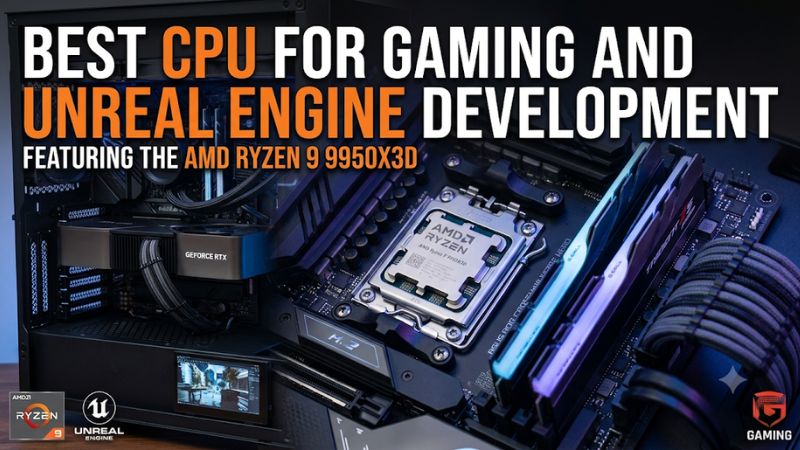
Choosing the best cpu for gaming and unreal engine development requires balancing gaming performance with the processing power needed for shader compilation, C++ builds, and editor workloads. AMD’s Ryzen X3D processors are particularly compelling, but developers should also consider core counts, memory capacity, motherboard costs, cooling, and the size of their Unreal Engine projects.
How to Choose a CPU for Gaming and Unreal Engine Development
The right processor depends on how frequently you switch between playing games and building projects in Unreal Engine. Gaming favors strong per-core performance, cache, and low latency, while development can benefit from additional cores and threads during shader compilation, C++ builds, and lighting calculations. A balanced workstation should handle both without overspending on either workload.
1. Core Count and Multithreaded Performance
Core count matters when compiling Unreal Engine from source, building C++ projects, or running several development tools simultaneously. A 16-core, 32-thread processor provides substantial parallel processing capacity for these workloads, particularly when large projects require repeated builds.
However, more cores do not automatically translate into shorter completion times. Some editor operations and individual tasks depend more heavily on single-thread performance, memory behavior, or GPU acceleration. Choose a processor based on the development operations you actually perform.
2. Gaming Performance and Cache
Gaming performance depends on more than core count or maximum clock speed. CPU cache can reduce the need to retrieve frequently accessed data from system memory, benefiting games that are particularly sensitive to memory latency.
AMD’s 3D V-Cache processors are attractive choices for gaming-focused systems. The Ryzen 7 9850X3D and Ryzen 9 9950X3D combine large L3 cache with Zen 5 architecture. The latter adds 16 cores, making it more appropriate for users who also compile projects regularly.
AMD+2
3. Memory, Motherboard, and Platform Compatibility
Unreal Engine development can consume substantial memory when large projects, source code, asset tools, browsers, and the editor run together. A 64GB DDR5 configuration is a sensible starting point for serious independent development, while larger projects may justify 96GB or 128GB if the motherboard supports the selected configuration.
Platform compatibility also affects the total upgrade cost. AMD’s AM5 processors use DDR5 and require an AM5 motherboard. Intel’s Core Ultra 200S desktop processors use LGA1851 and DDR5. Check the motherboard’s CPU support list and BIOS version before purchasing, especially when using an older board.
4. Cooling and Sustained Workloads
Shader compilation and source builds can keep multiple CPU cores busy for extended periods. A processor that reaches its thermal or power limits may reduce its operating frequency, making adequate cooling and case airflow important for consistent performance.
Check the manufacturer’s power specifications, cooler compatibility, and case radiator or heatsink clearance. AMD’s high-end processors do not include a boxed thermal solution, so budget for a suitable cooler. Intel’s 270K Plus and 285K also require cooling appropriate for their maximum turbo power specifications.
AMD+3
Top CPU Picks for Gaming and Unreal Engine Development
For a PC that handles both gaming and professional development, prioritize processors that perform well in real Unreal Engine workloads rather than relying exclusively on gaming rankings. The following four options cover different budgets and priorities, from a premium dual-cache flagship to a more affordable Intel alternative. Independent development benchmarks are particularly useful because shader compilation and engine builds reveal differences that gaming charts cannot show.
| Product | Best For | Key Spec | Compatibility | Watch Out For |
|---|---|---|---|---|
| AMD Ryzen 9 9950X3D2 | Best Overall | 16 cores, 32 threads, 208MB total cache | AM5, DDR5 | Premium price and 200W TDP |
| AMD Ryzen 9 9950X3D | Best High-End Value | 16 cores, 32 threads, 128MB L3 cache | AM5, DDR5 | More expensive than gaming-only CPUs |
| Intel Core Ultra 7 270K Plus | Best Intel Value | 24 cores (8P+16E), 24 threads | LGA1851, DDR5 | Not as strong as AMD’s leading options in some development benchmarks |
| AMD Ryzen 7 9850X3D | Best for Gaming Priority | 8 cores, 16 threads, 96MB L3 cache | AM5, DDR5 | Fewer cores for heavy compilation |
1. AMD Ryzen 9 9950X3D2 – Best Overall
The AMD Ryzen 9 9950X3D2 Dual Edition is the strongest premium option for developers who want one desktop to handle demanding Unreal Engine projects and high-end gaming. It combines 16 Zen 5 cores, 32 threads, a boost frequency of up to 5.6GHz, and 208MB of total cache.
Its dual 3D V-Cache design is especially interesting for memory-intensive development workloads. AMD introduced the processor in April 2026 with a $899 suggested end-user price in the US. That is a premium investment, so buyers should consider whether their compilation and gaming workloads justify the additional expense.
AMD Newsroom+1
The limitation is its cost and 200W default TDP. It also requires a capable cooling solution, a compatible AM5 motherboard, and DDR5 memory. Developers working on smaller projects may receive better overall value from the standard 9950X3D.
2. AMD Ryzen 9 9950X3D – Best High-End Value
The AMD Ryzen 9 9950X3D is a strong alternative when the 9950X3D2’s premium price is difficult to justify. It offers 16 cores, 32 threads, boost speeds up to 5.7GHz, and 128MB of L3 cache, combining substantial development capacity with gaming-oriented cache.
Independent results from Puget Systems show that this processor performs particularly well in Unreal Engine development workloads. Its testing covers shader compilation, Lightmass building, and compiling Unreal Engine through Visual Studio. The results make it more relevant to developers than a gaming-only ranking.
AMD+1
Its main disadvantage is that it remains an expensive enthusiast processor. Someone primarily playing games may not benefit enough from its additional cores to justify the cost. However, developers who regularly build projects while gaming on the same computer have a stronger reason to consider it.
3. Intel Core Ultra 7 270K Plus – Best Intel Value
The Intel Core Ultra 7 270K Plus offers an alternative for developers who prefer Intel’s LGA1851 platform. Its hybrid design includes eight Performance-cores and 16 Efficient-cores, providing 24 cores and 24 threads. Maximum turbo frequency reaches 5.5GHz, with 36MB of Intel Smart Cache.
Intel lists a recommended customer price of $339–$349, making it an interesting option for a more budget-conscious development build. It supports DDR5 memory and offers PCIe 5.0 and PCIe 4.0 connectivity, subject to motherboard implementation.
Intel
Puget Systems’ development benchmarks show that the 270K Plus is competitive in Unreal Engine workloads. It was 6% behind the 9950X3D in shader compilation and 9% behind it in Unreal Engine compilation through Visual Studio in the company’s reported testing. It is worth considering when the total platform price matters, although gaming performance should be evaluated separately.
Puget Systems
4. AMD Ryzen 7 9850X3D – Best for Gaming Priority
The AMD Ryzen 7 9850X3D is aimed at buyers who prioritize gaming but still need a capable processor for smaller Unreal Engine projects. Its Zen 5 architecture, eight cores, 16 threads, 96MB of L3 cache, and boost frequency of up to 5.6GHz make it a compelling gaming-focused option.
Its 120W default TDP and AM5 compatibility also make it suitable for a range of enthusiast desktop configurations. Like the other AMD processors in this comparison, it requires DDR5 memory and a compatible AM5 motherboard.
AMD
The important trade-off is its eight-core configuration. It can handle ordinary development tasks, but large C++ builds and frequent shader compilation can benefit from the additional cores available in Ryzen 9 processors. Choose it when gaming takes priority and development workloads are occasional rather than demanding.
What the Unreal Engine Benchmarks Actually Tell You
Gaming benchmarks and development benchmarks measure different things. A processor that performs exceptionally well in games is not automatically the fastest option for compiling the engine or building shaders.
Puget Systems’ Intel Core Ultra 200S Plus analysis is particularly relevant because it separates three development workloads:
-
Shader compilation: The 9950X3D outperformed the 270K Plus by 6%.
-
Lightmass building: The 9900X3D led the reported comparison, with the 270K Plus close behind.
-
Visual Studio engine compilation: The 9950X3D completed the task 9% faster than the 270K Plus.
These are results from Puget Systems’ particular test environment, not universal performance guarantees. They should not be interpreted as direct predictions for every Unreal Engine project, game, or workstation.
Puget Systems
For a broader understanding, Puget Bench for Unreal Engine also separates shader compilation, Chaos simulation, Niagara simulation, asset and scene initialization, movie rendering, and editor runtime. This distinction matters because different development tasks can shift the performance bottleneck between the CPU and GPU.
Puget Systems
FAQ
1. Is the Ryzen 9 9950X3D2 worth buying for Unreal Engine development?
Yes, the Ryzen 9 9950X3D2 is worth considering if you regularly compile large projects, work with demanding development tools, and play CPU-intensive games. Its 16 cores, 32 threads, and dual 3D V-Cache design make it a premium all-round option. However, smaller projects may not justify its $899 launch price.
2. Is an eight-core CPU enough for Unreal Engine development?
Yes, an eight-core CPU can handle Unreal Engine development, particularly for smaller projects, Blueprint scripting, and occasional C++ work. However, larger source builds and frequent shader compilation can benefit from 12 or 16 cores. The Ryzen 7 9850X3D is better suited to gaming-first users than developers prioritizing compilation throughput.
3. Is AMD or Intel better for gaming and Unreal Engine development?
AMD currently has compelling options for this combination, particularly the Ryzen 9 9950X3D and 9950X3D2. Intel’s Core Ultra 7 270K Plus is also worth considering for its core configuration and lower suggested price. Compare independent gaming and development benchmarks rather than choosing solely by brand or core count.
4. How much RAM should an Unreal Engine gaming PC have?
Start with 32GB for general Unreal Engine development, with 64GB being a more comfortable target for larger projects and multitasking. Consider 96GB or 128GB when project size and measured memory usage justify it. Check motherboard memory compatibility and supported capacities before purchasing.
Final Thoughts
The best cpu for gaming and unreal engine development depends on how demanding your projects are and how much gaming performance you expect. The Ryzen 9 9950X3D2 is the premium choice, while the 9950X3D offers an excellent balance. Compare motherboard, RAM, and cooling costs before choosing your upgrade.