🛒 Best Price Today on Amazon
Prime members get fast, free shipping on everything above, plus member-only deals. New members get a 30-day free trial — cancel anytime.
Choosing the best gpu for unreal engine 5 lumen depends on whether you prioritize real-time viewport performance, hardware ray tracing, large environments, or cinematic rendering. NVIDIA’s RTX 50 Series is particularly attractive for demanding Lumen workloads, but AMD remains worth considering. This guide compares four GPUs by capability, memory, compatibility, and practical limitations.
How to Choose a GPU for Unreal Engine 5 Lumen
Unreal Engine 5 uses Lumen for dynamic global illumination and reflections, so GPU selection involves more than conventional gaming performance. Hardware ray tracing, VRAM capacity, rendering resolution, and project complexity all affect the experience. The right card should handle your intended scenes without forcing unnecessary compromises elsewhere in the workstation.
1. Hardware Ray Tracing Performance
Lumen supports software and hardware ray tracing. Software ray tracing uses signed distance fields, while hardware ray tracing traces against triangles and can support more complex geometry. The latter is particularly useful for demanding reflections and detailed environments, but its additional scene-update and rendering costs can be substantial.
NVIDIA RTX and AMD Radeon RX 6000-series or newer cards support the relevant hardware ray-tracing path under supported configurations. However, compatibility does not mean equal performance. For projects that depend heavily on hardware ray tracing, prioritize stronger GPU processing capabilities rather than relying exclusively on conventional rasterization specifications.
2. VRAM Capacity and Project Complexity
VRAM matters when working with high-resolution textures, complex materials, large environments, and multiple assets. A project that performs comfortably in a small demonstration scene may consume considerably more memory when populated with detailed environments, high-resolution textures, and additional rendering features.
The RTX 5090’s 32GB capacity makes it particularly attractive for memory-intensive workflows. The RTX 5080 and RTX 5070 Ti each offer 16GB, while the Radeon RX 9070 XT also provides 16GB. These capacities provide different levels of flexibility, but actual requirements depend on asset quality, project organization, and rendering resolution.
3. Resolution and Real-Time Viewport Performance
A GPU that performs well at 1080p may struggle when rendering a complex Lumen scene at 4K. Higher output resolutions increase rendering demands, while hardware ray tracing and demanding reflection settings add further workload. Consider your actual viewport resolution rather than relying on generic gaming performance rankings.
Upscaling can help maintain a responsive viewport, but it does not eliminate the underlying cost of complicated scenes. If you regularly work at 4K, a stronger GPU with sufficient memory is generally a better long-term investment than choosing a card solely because it handles conventional 1440p gaming comfortably.
4. Power, Cooling, and Platform Compatibility
A high-performance GPU also needs an appropriate power supply, physical clearance, and adequate case airflow. Check the exact graphics card manufacturer’s specifications because board dimensions, connector requirements, and power recommendations can differ between models using the same GPU.
The rest of the workstation matters too. Epic recommends 32GB of system memory and at least 8GB of graphics memory for general Unreal Engine development. Larger projects can benefit from additional system RAM. A sufficiently capable CPU, fast storage, and suitable motherboard are important for shader compilation, asset loading, and editor responsiveness.
Top GPUs for Unreal Engine 5 Lumen
The following four graphics cards cover different workstation budgets and project demands. The RTX 5090 leads for maximum GPU capability, while the RTX 5080 and RTX 5070 Ti offer more practical alternatives. The RX 9070 XT deserves consideration for developers who prefer AMD. These recommendations distinguish general Unreal Engine results from dedicated ray-tracing performance.
| Product | Best For | Key Spec | Compatibility | Watch Out For |
| NVIDIA GeForce RTX 5090 | Best Overall | 32GB GDDR7, 21,760 CUDA cores | PCIe 5.0, 1,000W recommended PSU | High power and cost |
| NVIDIA GeForce RTX 5080 | Best High-End Value | 16GB GDDR7, 10,752 CUDA cores | PCIe 5.0, 850W recommended PSU | Less VRAM than RTX 5090 |
| NVIDIA GeForce RTX 5070 Ti | Best Value | 16GB GDDR7, 8,960 CUDA cores | PCIe 5.0, 750W recommended PSU | Less headroom for demanding scenes |
| AMD Radeon RX 9070 XT | Best AMD Alternative | 16GB GDDR6, 64 ray accelerators | PCIe-compatible desktop platform, 750W recommended PSU | Weaker RT results in independent GPU comparisons |
1. NVIDIA GeForce RTX 5090 – Best Overall
The GeForce RTX 5090 is the strongest choice for developers who prioritize maximum rendering capability and substantial graphics memory. Its 32GB of GDDR7, 512-bit memory interface, and 21,760 CUDA cores make it particularly attractive for large environments, detailed assets, and demanding real-time rendering workloads.
Puget Systems’ September 2025 Unreal Engine benchmark placed the RTX 5090 ahead of the other tested consumer GPUs. Its methodology included three scenes focused on features such as Nanite and ray tracing, evaluated at multiple resolutions. This is more relevant to development workloads than relying exclusively on conventional gaming benchmarks.
Puget Systems+1
The main limitation is its substantial power and financial requirements. NVIDIA specifies 575W total graphics power and a 1,000W recommended system power for its reference configuration. Board-partner models can differ in dimensions and power requirements. A smaller workstation or an existing midrange PSU may require additional upgrades before installation.
NVIDIA+1
Choose this card if you regularly work with complex environments, high-resolution assets, and demanding rendering settings. If your projects are smaller and your viewport resolution is 1440p, the RTX 5080 or RTX 5070 Ti may provide a more sensible allocation of your workstation budget.
2. NVIDIA GeForce RTX 5080 – Best High-End Value
The RTX 5080 is a compelling alternative when you want high-end Unreal Engine performance without moving to the RTX 5090. It uses NVIDIA’s Blackwell architecture, features 10,752 CUDA cores, and provides 16GB of GDDR7 memory across a 256-bit interface. These specifications suit demanding development environments that do not require 32GB of VRAM.
Puget Systems ranked the RTX 5080 behind the RTX 5090 in its Unreal Engine benchmark. The company’s results also show that GPU performance varies by workload, so the gap should not be interpreted as a fixed percentage for every Lumen project. The RTX 5080 remains a strong option for developers balancing real-time rendering with general workstation use.
Puget Systems+1
Its limitation is memory capacity. Sixteen gigabytes can accommodate many development projects, but particularly large environments and extensive high-resolution assets can increase memory pressure. NVIDIA specifies 360W total graphics power and an 850W recommended system PSU for its Founders Edition configuration.
NVIDIA
Choose the RTX 5080 if you need strong hardware ray tracing and want to keep the workstation more manageable than an RTX 5090 build. Consider the RTX 5090 instead when memory capacity and maximum performance matter more than power consumption and purchase cost.
3. NVIDIA GeForce RTX 5070 Ti – Best Value
The RTX 5070 Ti is a sensible starting point for developers who need capable hardware ray tracing without buying a flagship graphics card. Its 8,960 CUDA cores, 16GB GDDR7 memory, and 256-bit memory interface provide a useful combination for medium-to-large development projects.
The 16GB capacity is important because Lumen performance is not determined by ray-tracing capability alone. Texture resolution, scene complexity, render resolution, and other GPU workloads all affect available resources. The RTX 5070 Ti provides more memory headroom than entry-level 8GB graphics cards, although it cannot match the RTX 5090’s capacity.
Its limitation is lower overall processing capacity than the RTX 5080 and RTX 5090. Independent ray-tracing comparisons from Tom’s Hardware also place it below those flagship cards, particularly at 4K. It is better suited to developers working at 1080p or 1440p than those who consistently demand maximum-quality 4K viewport rendering.
Tom’s Hardware
NVIDIA specifies 300W total graphics power and a 750W recommended system PSU. The card is a good choice for developers building a balanced workstation, especially when the remaining budget needs to cover additional RAM, a capable CPU, and fast SSD storage.
NVIDIA
4. AMD Radeon RX 9070 XT – Best AMD Alternative
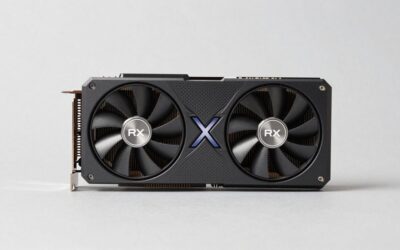
The Radeon RX 9070 XT is a credible alternative for developers who want 16GB of graphics memory and modern ray-tracing hardware without choosing NVIDIA. Its RDNA 4 architecture includes 64 compute units and 64 ray accelerators, with a maximum memory configuration of 16GB GDDR6.
Puget Systems found that the RX 9070 XT performed around the RTX 5070 Ti level in its overall Unreal Engine benchmark. However, that result should not be interpreted as identical performance in every rendering scenario. In particular, the company’s broader findings show that NVIDIA retains an advantage in several ray-tracing and professional rendering workloads.
Puget Systems+1
The RX 9070 XT’s main limitation for this particular buying decision is its ray-tracing performance relative to stronger NVIDIA alternatives. Tom’s Hardware’s 2026 ray-tracing hierarchy places it behind the RTX 5070 Ti and RTX 5080. That is a useful warning for developers who expect hardware ray tracing to be central to their everyday Lumen workflow.
Tom’s Hardware
The card uses 304W of typical board power, and AMD recommends a minimum 750W PSU. Its two 8-pin power connectors are also worth considering when planning an upgrade. Choose it if its local price is attractive and your projects do not consistently demand the highest hardware ray-tracing performance.
AMD
FAQ
1. Is NVIDIA better than AMD for Unreal Engine 5 Lumen?
NVIDIA is generally the safer choice when hardware ray tracing is a major priority in Unreal Engine 5. Its RTX 50 Series combines dedicated ray-tracing hardware with substantial processing capability, making cards such as the RTX 5080 and RTX 5090 attractive for demanding Lumen workflows.
AMD supports Lumen hardware ray tracing on compatible Radeon RX 6000-series and newer cards. The RX 9070 XT is a capable alternative, but independent comparisons indicate that NVIDIA has an advantage in demanding ray-tracing workloads. The best choice still depends on the actual project and rendering configuration.
2. How much VRAM do you need for Unreal Engine 5 Lumen?
At least 8GB is Epic’s general recommended graphics memory capacity, but 16GB is a more attractive target for demanding Lumen development. Large environments, high-resolution textures, complex materials, and additional rendering features can increase memory consumption.
For smaller projects, a 12GB or 16GB card may be sufficient. Developers working with extensive assets and complex scenes should consider 24GB or 32GB options where their budget allows. More VRAM does not automatically produce higher frame rates, but it provides additional capacity when project demands increase.
3. Is the RTX 5070 Ti good enough for Unreal Engine 5 Lumen?
Yes, the RTX 5070 Ti is a capable GPU for many Unreal Engine 5 Lumen projects. Its 16GB GDDR7 memory and Blackwell architecture make it a reasonable choice for developers who want modern hardware ray tracing without paying for flagship hardware.
Its limitations become more relevant with demanding 4K scenes, complex environments, and high-quality reflections. Developers regularly working with those conditions should consider the RTX 5080 or RTX 5090 instead.
4. Does Unreal Engine 5 Lumen require an RTX graphics card?
No, Lumen does not universally require an NVIDIA RTX graphics card. Epic supports software ray tracing on Shader Model 6-compatible hardware, while hardware ray tracing requires supported NVIDIA RTX 2000-series or newer and AMD RX 6000-series or newer graphics cards under supported configurations.
Software and hardware ray tracing have different capabilities and performance characteristics. Check the project’s rendering settings before purchasing a GPU solely for Lumen compatibility.
Final Thoughts
The best gpu for unreal engine 5 lumen depends on project complexity and rendering priorities. The RTX 5090 leads for maximum capability, the RTX 5080 balances high-end performance, and the RTX 5070 Ti offers a more accessible option. Compare actual GPU requirements, VRAM, and PSU compatibility before upgrading your workstation.