🛒 Best Price Today on Amazon
Prime members get fast, free shipping on everything above, plus member-only deals. New members get a 30-day free trial — cancel anytime.
Choosing the best lian li pc case depends on your graphics card, motherboard, cooling plan, and preferred design. Lian Li offers airflow-focused towers and panoramic glass cases for different budgets and builds. This guide compares four options and explains the clearances, included fans, and trade-offs to check before buying.
How to Choose the Best Lian Li PC Case
The right case should fit your components without forcing compromises in cooling, noise, or installation. Start with your motherboard and graphics card, then compare fan placement, radiator support, and the cost of any extra cooling hardware. A visually impressive case is not automatically the most practical choice for a high-power gaming PC.
1. Check motherboard and graphics card compatibility
Motherboard support determines which case formats you can install, but graphics card clearance can be just as important. Check the exact GPU’s length and thickness against the manufacturer’s case specifications, especially if you plan to use a large air cooler, a side-mounted radiator, or a vertical GPU bracket.
Also confirm CPU cooler height, PSU dimensions, and available expansion slots. Some Lian Li models support back-connect motherboards, which route many connections behind the motherboard tray. That feature is useful for cable management, but you must verify that your specific motherboard follows a supported layout.
2. Prioritize airflow for high-power hardware
For a gaming system with a power-hungry GPU, prioritize a ventilated intake path and enough room for exhaust fans. Mesh panels and strategically placed fans can help move heat away from the CPU and graphics card. Actual temperatures still depend on the components, fan curves, room temperature, and workload.
Panoramic glass cases can look cleaner because they expose the components, but their airflow depends heavily on the available intake positions. Before choosing one, determine where fresh air enters and where hot air exits. Do not assume a case with more glass will cool as well as a comparable mesh-front tower.
3. Decide how much cooling hardware to buy
Check whether the case includes fans before comparing its price with competing models. Some Lian Li airflow cases include several fans, while certain showcase-oriented O11 models require you to purchase them separately. The additional cost can change which case offers better value for your particular build.
If you plan to install an all-in-one liquid cooler, confirm the radiator size and mounting position in the official specifications. A case supporting a 360 mm radiator does not necessarily mean every 360 mm radiator will fit alongside your chosen motherboard, RAM, GPU, and other cooling hardware.
4. Balance size, appearance, and cable management
A dual-chamber case places the PSU and much of the cabling behind or beside the main component chamber. This can make a showcase build easier to organize, although the chassis may occupy more desk space than a conventional tower. Measure the case’s external dimensions against your desk and available clearance.
For a simpler build, consider an airflow-focused mid-tower with included fans and straightforward component access. For a display-oriented PC, look at the O11 range and its glass-panel options. Your preferred appearance matters, but it should not outweigh component clearance, cooling requirements, and the total build cost.
Top Lian Li PC Cases for Different Gaming Builds
These four cases suit different priorities rather than one universal definition of the best chassis. The LANCOOL 217 focuses on airflow and broad motherboard support, while the LANCOOL 207 offers a smaller footprint. The O11 Vision Compact emphasizes panoramic presentation, and the O11D MINI V2 combines a compact dual-chamber layout with flexible GPU positioning.
| Product | Best For | Key Spec | Compatibility | Watch Out For |
| LANCOOL 217 | Best overall | Five included fans; 380 mm GPU clearance | ATX, E-ATX, Micro-ATX, Mini-ITX | Large footprint |
| LANCOOL 207 | Best value | Four included fans; 375 mm GPU clearance | ATX, Micro-ATX, Mini-ITX | PSU limited to under 160 mm |
| O11 Vision Compact | Best showcase build | Up to 11 fans; 408 mm GPU clearance | ATX, Micro-ATX, Mini-ITX; supported E-ATX width under 280 mm | Fans generally sold separately |
| O11D MINI V2 Flow | Best compact showcase | Five included reverse-blade fans; 400 mm GPU clearance | ATX, Micro-ATX, Mini-ITX; supported back-connect ATX | Five expansion slots |
1. LANCOOL 217 — Best Overall for Airflow
The LANCOOL 217 is a strong all-round choice for gaming PCs that prioritize cooling, practical assembly, and broad component compatibility. Its five included fans consist of two 170 mm front fans, two 120 mm fans above the PSU shroud, and one 140 mm rear fan. This arrangement helps direct fresh air toward the main components.
It supports graphics cards up to 380 mm long, CPU coolers up to 180 mm tall, and top-mounted radiators up to 360 mm. The chassis also supports ATX, Micro-ATX, Mini-ITX, and specified E-ATX and SSI-EEB motherboards. Buyers should confirm board width and PSU clearance for their chosen mounting orientation.
The main limitation is its relatively large 482 × 238 × 503 mm footprint, alongside its distinctive wood accents that may not suit every setup. Choose this case if you want substantial airflow without purchasing a complete set of additional fans. A smaller LANCOOL model makes more sense when desk space is limited.
2. LANCOOL 207 — Best Value for a Compact Gaming PC
The LANCOOL 207 is worth considering when you want strong out-of-box cooling without a full-size traditional ATX tower. Although its footprint is compact, it supports standard ATX motherboards up to 244 mm wide, as well as Micro-ATX and Mini-ITX boards. Four included fans provide front intake and direct airflow toward the GPU.
Its maximum GPU clearance is 375 mm, CPU cooler height is limited to 180 mm, and the top supports radiators up to 360 mm. The case also accommodates an ATX power supply shorter than 160 mm. Its front-mounted PSU arrangement is unusual, so check cable routing and power-supply dimensions before purchasing.
The trade-off is that the layout requires more attention to PSU compatibility than a conventional tower. Storage expansion is also more limited, with room for two 3.5-inch hard drives or two 2.5-inch SSDs. For a gaming-focused build that does not need extensive drive capacity, it offers a practical combination of compact dimensions and included cooling.
3. O11 Vision Compact — Best for Panoramic Showcase Builds
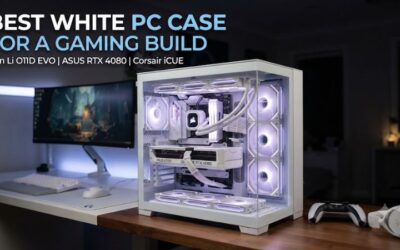
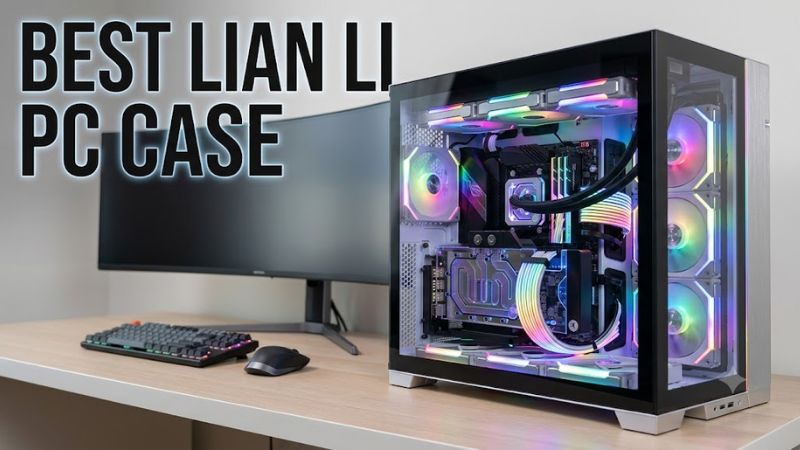
The O11 Vision Compact is designed for builders who want an unobstructed view of their components. Its dual-chamber construction separates much of the cable routing from the main display area, while interchangeable top-panel configurations let you choose between a glass-focused appearance and a mesh arrangement. This makes it especially appealing for RGB builds and custom liquid cooling.
The case supports GPUs up to 408 mm long, CPU coolers up to 167 mm tall, and radiators up to 360 mm in supported mounting positions. It accommodates ATX and Micro-ATX motherboards, Mini-ITX boards, and E-ATX boards under 280 mm wide. It also supports compatible back-connect ATX motherboards.
Its biggest drawback is the need to budget for fans separately when buying the standard case without pre-installed cooling. Glass-heavy configurations also require careful airflow planning rather than relying on appearance alone. Choose it if visual presentation and flexible radiator placement matter more than minimizing the total cost of the chassis and cooling hardware.
4. O11D MINI V2 Flow — Best Compact Showcase
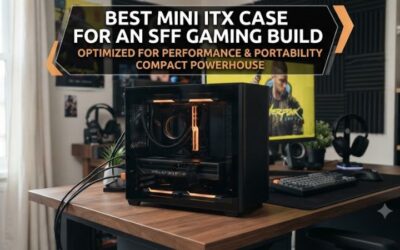
The O11D MINI V2 Flow combines a dual-chamber design with a more compact 45.38-liter chassis. Its angled bottom is intended to direct air toward the graphics card, while the included horizontal and vertical GPU support brackets help accommodate heavier cards. The Flow edition includes five reverse-blade fans, unlike the standard version, which is listed without included fans.
The case supports graphics cards up to 400 mm long, CPU coolers up to 160 mm tall, and ATX power supplies under 200 mm. Radiator support includes up to 360 mm at the top and 240 mm at the side, subject to the motherboard and mounting configuration. Standard ATX, Micro-ATX, Mini-ITX, and compatible back-connect ATX motherboards are supported.
The key compromise is its five expansion slots, which can affect motherboard and GPU installation options. Some ATX motherboard layouts require the included vertical GPU mount and a separately purchased riser cable. Check the motherboard’s PCIe slot position before ordering. This model suits builders who want a smaller showcase PC and are willing to verify layout details carefully.
FAQ
Which Lian Li PC case is best for a high-end gaming PC?
The LANCOOL 217 is a strong starting point for a high-end gaming PC focused on airflow. Its five included fans, 380 mm GPU clearance, and 360 mm top-radiator support accommodate many powerful builds, but verify your exact GPU, CPU cooler, and PSU dimensions before purchasing.
Are Lian Li cases compatible with all ATX motherboards?
No, compatibility depends on the individual case and motherboard dimensions. For example, the LANCOOL 207 supports standard ATX boards up to 244 mm wide, while the O11 Vision Compact supports E-ATX boards under 280 mm wide. Back-connect designs also require a compatible motherboard layout.
Is the O11 Vision Compact better than the LANCOOL 217?
The O11 Vision Compact is a better fit for a glass-focused showcase build, while the LANCOOL 217 is more convenient for builders who prioritize airflow and included fans. Compare total cooling costs, case dimensions, radiator placement, and the appearance you prefer before choosing.
Do Lian Li PC cases include fans?
Some do, and others do not. The LANCOOL 217 includes five fans, the LANCOOL 207 includes four, and the O11D MINI V2 Flow includes five reverse-blade fans. The O11 Vision Compact is generally sold without fans, so confirm the exact model and package contents.
Final Thoughts
The best Lian Li PC case is the one that fits your components and cooling priorities without unnecessary expense. Start with the LANCOOL 217 for an airflow-focused build, consider the LANCOOL 207 for a compact value option, and choose an O11 model for a showcase system. Verify the exact specifications before ordering.