🛒 Best Price Today on Amazon
Prime members get fast, free shipping on everything above, plus member-only deals. New members get a 30-day free trial — cancel anytime.
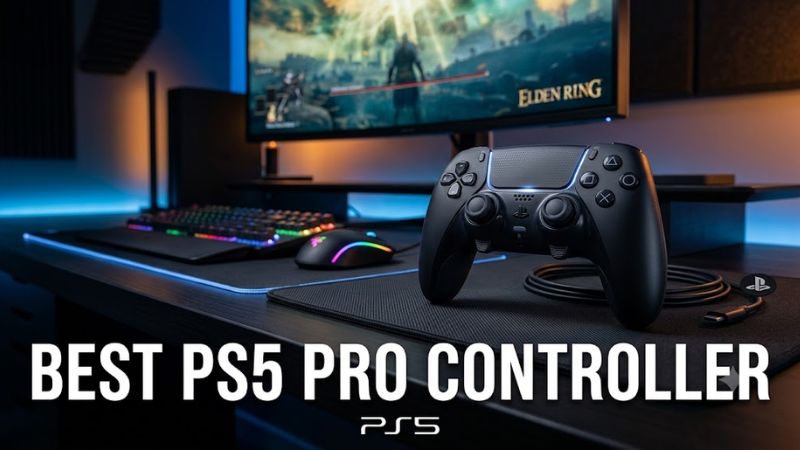
The best ps5 pro controller depends on whether you prioritize competitive controls, customizable layouts, fighting-game precision, or the standard PlayStation experience. These four premium options offer different strengths, from Sony’s native features to modular hardware, so you can choose the right controller without paying for features you will rarely use.
How to Choose a PS5 Pro Controller
A premium controller should solve a specific problem with your current setup. Extra rear buttons can keep your thumbs on the sticks, adjustable triggers can shorten input travel, and replaceable stick modules can simplify repairs. Before spending more, consider which features matter in your games and whether you need Sony’s signature adaptive triggers and haptic feedback.
1. Compatibility and DualSense Features
Check that a controller explicitly supports PS5 games, not merely PS5 Remote Play or PC gaming. Sony’s DualSense Edge retains compatible DualSense features, including adaptive triggers and haptic feedback. Some third-party pro controllers sacrifice these features to offer alternative stick layouts, mechanical buttons, or additional customization.
Compatibility also depends on the connection and game. A controller that works wirelessly on PS5 may offer different functions on Windows, and a model designed for Xbox cannot be assumed to work on PlayStation. Check the manufacturer’s current compatibility list before purchasing, particularly if you also play on PC.
2. Rear Buttons and Trigger Stops
Rear buttons are especially useful in competitive shooters, where jumping, sliding, crouching, or reloading without moving a thumb off the right stick can simplify your control scheme. Adjustable trigger stops can reduce trigger travel for games that use digital-style firing inputs, although they may be less suitable for games that depend on gradual trigger pressure.
Look for comfortable button placement rather than simply counting programmable inputs. A controller with several poorly positioned paddles can be less useful than one with two buttons you can reach consistently. Remapping features are most valuable when they can be saved to profiles for different games.
3. Stick Design and Long-Term Maintenance
Stick customization can improve comfort and control, but replaceable modules and drift-resistant stick technologies are not interchangeable features. A replaceable module allows you to change the stick assembly when necessary; Hall effect or TMR sensing uses a different method to detect movement. Neither feature alone establishes how durable an entire controller will be.
Also consider replacement-part availability and cost. Sony sells replacement stick modules for the DualSense Edge, while other models have different repair options. If you have already experienced stick drift, investigate the exact replacement policy before paying extra for a controller marketed around customization.
4. Price, Battery Life, and Comfort
Premium PS5 controllers cost substantially more than the standard DualSense, so additional controls should justify the difference. Compare the US retail price, included accessories, warranty, and replacement-part costs instead of choosing solely by the number of features advertised.
Wireless battery life and ergonomics deserve equal attention. A larger controller may suit some hands better but feel uncomfortable to others, while shorter battery life can be inconvenient during extended sessions. If you mostly play story-driven games, the standard DualSense may remain the more sensible purchase.
Top PS5 Pro Controller Picks Compared
The right choice depends on whether you want Sony’s complete controller experience or a more specialized layout. The comparison below prioritizes verified features and practical trade-offs rather than unsupported claims about response times or competitive performance. Prices can change, so confirm the current US listing before ordering.
| Product | Best For | Key Spec | Compatibility | Watch Out For |
| Sony DualSense Edge | Best overall | Two back buttons; replaceable stick modules | PS5, compatible PC games | Premium price; battery life |
| Victrix Pro BFG | Best modular design | Swappable control modules; programmable back buttons | PS5 and PC, model-dependent | DualSense features differ |
| Razer Wolverine V2 Pro | Best for competitive shooters | Six additional programmable buttons; adjustable triggers | PS5 and Windows PC | Bulky design; expensive |
| Nacon Revolution 5 Pro | Best for stick customization | Hall effect sticks; four rear shortcuts | PS5, PS4 and PC | No haptic feedback in PS5 games |
1. Sony DualSense Edge — Best Overall
The DualSense Edge is the strongest all-around recommendation for players who want advanced controls without giving up the core PlayStation experience. Sony includes two types of rear buttons, three interchangeable stick-cap styles, adjustable trigger travel, customizable stick sensitivity, and profiles that can be switched using the controller’s function buttons.
Its most important advantage is the integration of supported DualSense features, including adaptive triggers and haptic feedback. You can save different button mappings and sensitivity settings for different games, which is useful if you alternate between shooters, action adventures, and racing titles.
The main drawback is cost. Sony lists the controller at approximately $199 in the US, with current promotions potentially changing the checkout price. Its battery life is also a consideration for players who prioritize long wireless sessions, and replacement stick modules cost extra.
Buy it if: You want a premium PS5 controller with native PlayStation features, adjustable controls, and replaceable stick modules. Consider a standard DualSense if you rarely use rear buttons or custom profiles.
2. Victrix Pro BFG — Best Modular Design
The Victrix Pro BFG appeals to players who want to change their controller layout for different genres. Its modular design allows compatible control modules to be rearranged or replaced, while programmable rear buttons add shortcuts for competitive games. The alternative layouts are particularly relevant to players who switch between conventional shooters and fighting games.
This flexibility makes it more than a conventional controller with extra paddles. The modular components let you adapt the physical layout to your preferred stick arrangement and directional controls. It also supports PS5 and PC, although available features and setup options can vary by platform and configuration.
The trade-off is that modularity adds complexity, and the controller does not replicate every feature of Sony’s DualSense hardware. Check the exact model and included components before buying, especially if adaptive triggers or the standard DualSense haptic experience matter to you.
Buy it if: You play several genres and want configurable physical controls. Choose the DualSense Edge instead if native PlayStation immersion and Sony’s profile integration matter more than modular layouts.
3. Razer Wolverine V2 Pro — Best for Competitive Shooters
The Wolverine V2 Pro focuses on additional inputs and fast-access controls. Razer specifies six multifunction buttons beyond the standard control layout, HyperTrigger trigger controls, customizable thumbsticks, and a wireless connection using its HyperSpeed technology. Its mechanical-action buttons are designed for players who prefer a distinct tactile response.
For shooters, the extra inputs can help keep movement and utility commands accessible while your thumbs remain on the sticks. Adjustable trigger behavior also suits games where you want shorter actuation travel rather than the gradual pressure commonly used in racing games.
However, its larger shape may not suit every hand, and it is a costly alternative to Sony’s controller. It also lacks the complete DualSense feature set, so buyers should weigh its competitive-oriented controls against the immersive features available on the DualSense Edge.
Buy it if: You prioritize additional programmable inputs, tactile buttons, and trigger customization for competitive games. Choose another model if you prefer a compact shape or rely on adaptive triggers and haptic feedback.
4. Nacon Revolution 5 Pro — Best for Stick Customization
The Revolution 5 Pro is worth considering if adjustable hardware and stick maintenance are high priorities. Nacon specifies Hall effect technology for its sticks and triggers, four rear shortcut buttons, interchangeable stick sizes and heads, adjustable trigger travel, and configurable profiles. Its asymmetric stick arrangement also differs from Sony’s traditional layout.
The controller’s magnetic sensing technology offers an alternative to conventional potentiometer-based stick mechanisms. That design can reduce a common source of stick drift, although it cannot make every controller component immune to wear or guarantee that drift will never occur.
There is one substantial compromise: Nacon confirms that the controller’s vibration motors do not operate in dedicated PS5 games, and it does not provide DualSense haptic feedback. Its standard wireless connection also relies on the supplied USB receiver rather than direct Bluetooth pairing to the console.
Buy it if: You want adjustable sticks, magnetic sensing, and extensive customization. Skip it if you expect the full vibration and adaptive-trigger experience of a standard DualSense controller.
FAQ
Is the DualSense Edge compatible with PS5 Pro?
Yes, the DualSense Edge works with PS5 consoles, including the PS5 Pro. It retains supported DualSense features and offers customizable profiles, adjustable triggers, and replaceable stick modules. You do not need a different controller simply because you upgraded to the PS5 Pro.
Which PS5 pro controller is best for Call of Duty?
The DualSense Edge is a strong choice for Call of Duty because it combines remappable rear buttons, adjustable triggers, and configurable stick sensitivity. The Razer Wolverine V2 Pro is another option if you prefer more programmable inputs. Neither controller guarantees better aim; your settings, comfort, and practice still matter.
Do PS5 pro controllers have Hall effect sticks?
Some do, including the Nacon Revolution 5 Pro, which uses Hall effect technology for its sticks and triggers. The DualSense Edge instead offers replaceable stick modules. Magnetic sensing can reduce a common source of stick drift, but it does not guarantee that a controller will never develop input problems.
Is a premium PS5 controller worth the price?
A premium controller is worth considering if you regularly use rear buttons, adjustable triggers, custom profiles, or replaceable stick hardware. If you mainly play single-player games, the standard DualSense already provides haptic feedback and adaptive triggers in supported titles, making it a sensible lower-cost option.
Final Thoughts
The best ps5 pro controller for most players is the Sony DualSense Edge because it combines customizable controls with native PlayStation features. Choose the Victrix Pro BFG for modular layouts, the Razer Wolverine V2 Pro for extra inputs, or the Nacon Revolution 5 Pro for magnetic sticks. Compare current US prices before deciding.