🛒 Best Price Today on Amazon
Prime members get fast, free shipping on everything above, plus member-only deals. New members get a 30-day free trial — cancel anytime.
Yes, moving from a GTX 1660 to an RTX 5050 is a worthwhile upgrade for 1080p gamers: expect very roughly 1.6–1.9x the frame rate, 2 GB more VRAM, and access to DLSS 4, Multi Frame Generation and ray tracing, all at almost the same 120–130 W power level and usually on your existing power supply. It is a weaker deal if you play only esports titles your 1660 already handles, or if you plan to move to 1440p, where the RTX 5050’s 8 GB and 128-bit bus start to limit it.
Quick answer: Our top pick in 2026 is the Architecture — our #1 rated choice. See the full ranked comparison, alternatives and buying advice below.
What Six Years of GPU Progress Changes
The GTX 1660 launched in March 2019 at $219. It used Nvidia’s Turing architecture without RT or Tensor cores, with 1408 CUDA cores and 6 GB of GDDR5. For years it was one of the most popular cards on Steam. The RTX 5050 arrived in July 2025 at $249 as the entry point to Blackwell, with 2560 CUDA cores, 8 GB of GDDR6, a 24 MB L2 cache and the full RTX feature set.

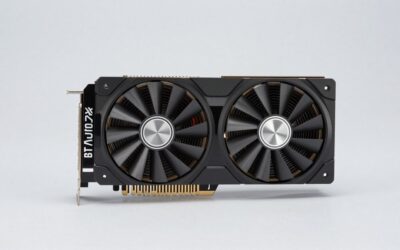
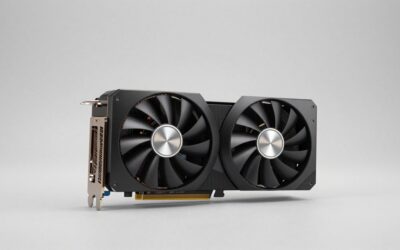
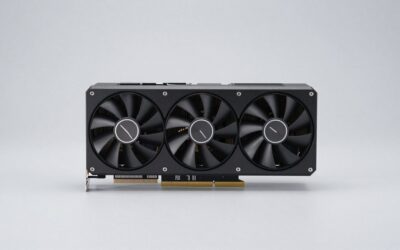
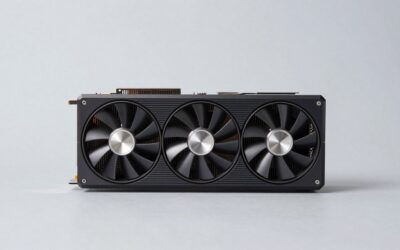
Gigabyte GeForce GTX 1660 OC 6G Graphics Card, 2X Windforce Fans, 6GB 192-bit GDDR5, Gv-N1660OC-6GD Video Card (Renewed)
Included for 'GTX 1660 vs RTX 5050: Should You Upgrade?' because the listing specifies 2X Windforce Fans and 6GB 192-bit GDDR5, details this guide uses to compare options.
View on Amazon
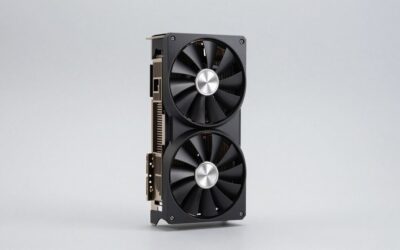
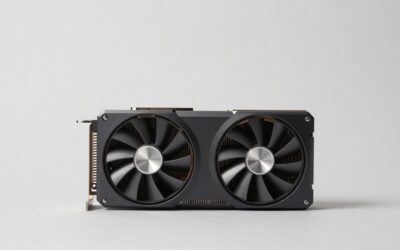
ASUS Dual GeForce RTX 5050 8GB GDDR6 OC Edition Gaming Graphics Card | PCIe 5.0, HDMI 2.1b, DisplayPort 2.1b, 2-slot, Axial-tech Fans, 0dB Technology, Dual BIOS
Included for 'GTX 1660 vs RTX 5050: Should You Upgrade?' because the listing specifies PCIe 5.0 and HDMI 2.1b, details this guide uses to compare options.
View on Amazon
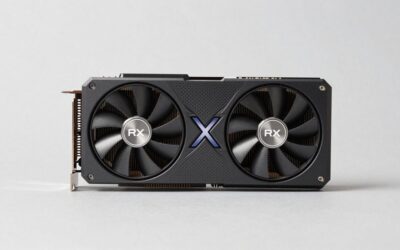
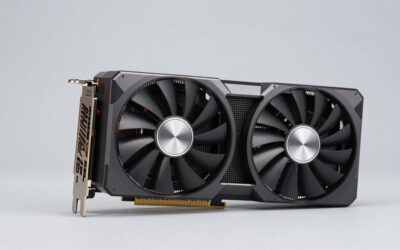
msi Gaming RTX 5050 8G Shadow 2X OC Graphics Card (8GB GDDR6,128-bit, Extreme Performance: 2617 MHz, DisplayPort x3 2.1a, HDMI 2.1b, NVIDIA Blackwell Architecture)
Included for 'GTX 1660 vs RTX 5050: Should You Upgrade?' because the listing specifies 128-bit and Extreme Performance: 2617 MHz, details this guide uses to compare options.
View on AmazonThe most important difference is not raw speed alone. The 1660 cannot use DLSS at all, so it depends on FSR or XeSS for upscaling. The 5050 gets Nvidia’s newest upscaling and frame generation, which changes what is playable on a budget card.
GTX 1660 vs RTX 5050 Specifications
| Specification | GTX 1660 | RTX 5050 |
|---|---|---|
| Architecture | Turing | Blackwell 2.0 |
| Release date | 14 March 2019 | 1 July 2025 |
| Launch MSRP | $219 | $249 |
| CUDA cores | 1408 | 2560 |
| Boost clock | 1785 MHz | 2572 MHz |
| Process | 12 nm | 5 nm |
| VRAM | 6 GB GDDR5 | 8 GB GDDR6 |
| Bus / bandwidth | 192-bit / 192.1 GB/s | 128-bit / 320.0 GB/s |
| L2 cache | 1536 KB | 24 MB |
| Interface | PCIe 3.0 x16 | PCIe 5.0 x8 |
| TDP | 120 W | 130 W |
| Power connector | 1x 8-pin | 1x 8-pin |
| Size | 229 mm, 2-slot | 2-slot |
| Outputs | 1x DVI, 1x HDMI, 1x DisplayPort | 1x HDMI 2.1b, 3x DisplayPort 2.1b |
| RT cores / Tensor cores | No / No | Yes / Yes |
How Much Faster Is the RTX 5050?
Few reviewers put a GTX 1660 in their RTX 5050 charts, so the estimate has to be built from linked results. In TechPowerUp’s RTX 5050 review, the card was about 56% faster than the RTX 3050 at 1080p and just behind the RTX 4060. The RTX 3050 itself landed near the GTX 1660 Super class in launch reviews, and the plain GTX 1660 sits a further step below the Super. Aggregated benchmark databases that compare the 5050 with the 1660 Super report gaps from around 20% to over 70%, depending on method. The game-based numbers, which put the 1660 Super around 40 FPS and the 5050 around 67 FPS at 1440p, sit at the upper end.
Taking those together, the RTX 5050 should be roughly 60–90% faster than a GTX 1660 in modern games, with the biggest gains in newer, compute-heavy titles and anything that needs more than 6 GB of VRAM. In practical terms, a demanding new game that runs around 30–40 FPS on low-to-medium settings on your 1660 could run at roughly 55–70 FPS on the 5050 at similar or higher settings. Those ranges depend on game, settings and especially your CPU.
Games the 1660 cannot run properly
Some recent releases, such as Indiana Jones and the Great Circle and Doom: The Dark Ages, require ray tracing hardware, and the GTX 16 series has none. In those games the upgrade is the difference between being able to play and not being able to start the game. Check the minimum requirements of the specific titles you care about, because this alone can justify the upgrade.
Feature Upgrades You Actually Feel
- DLSS 4 Super Resolution: the transformer-based upscaler gives a sharp image from a lower internal resolution and is supported in a very large number of games. The 1660 cannot use DLSS.
- Multi Frame Generation: up to 4x generated frames in supported games. It works best when the base frame rate is already around 50–60 FPS, and it adds some latency, which Reflex helps offset.
- Ray tracing: light RT effects at 1080p become possible, usually with DLSS on.
- Video: a newer NVENC encoder with AV1 support, which is useful for streaming and recording.
- Outputs: HDMI 2.1b and DisplayPort 2.1b, but no DVI. If your monitor only has DVI, you will need an adapter or a new monitor.
What 2 GB of extra VRAM means
Going from 6 GB to 8 GB sounds small, but it makes a real difference at 1080p. Many current games already need more than 6 GB at medium textures, which on a GTX 1660 leads to stutter, blurry textures or games that refuse to apply high presets. With 8 GB, most titles run at medium-to-high textures at 1080p without problems. It is still not a lot of memory by 2026 standards. The newest and heaviest releases at ultra textures can go beyond 8 GB, so the RTX 5050 is best treated as a high-settings 1080p card rather than an ultra card.
PSU, Slot and Platform Check
Power is nearly unchanged: 120 W before, 130 W after, with a single 8-pin connector on both. Using the GPU TDP + CPU + ~150 W headroom rule with a typical 65 W-class CPU that boosts to around 90 W in games: 130 + 90 + 150 = 370 W. A quality 450–550 W PSU is plenty. Many systems built around a GTX 1660 already have one. If yours is an unbranded 400 W unit from a prebuilt, replacing it is a sensible part of the upgrade.
The detail many 1660 owners overlook is the PCIe link. The RTX 5050 uses eight PCIe lanes. On a PCIe 4.0 or 5.0 board that is fine. On a PCIe 3.0 board, which many 1660-era systems with B450, B365 or older chipsets have, it runs at PCIe 3.0 x8. That works, but games that exceed 8 GB of VRAM lose more performance than they would on a newer platform. If you are on PCIe 3.0, keep texture settings sensible.
Turn on Resizable BAR if your board supports it, and check the CPU too. An older 4-core/4-thread CPU will hold back a card this fast in CPU-heavy games.
The 1660 figure in the table is 229 mm and 2 slots. Most RTX 5050 models are similar dual-fan 2-slot cards, so case fit is rarely a problem, but compare the specific model’s length with your case.
The Upgrade Math
| GTX 1660 | RTX 5050 | |
|---|---|---|
| Launch MSRP | $219 | $249 |
| Relative performance (1660 = 100) | 100 | ~175 (midpoint of range) |
| Cost per performance point at launch | $2.19 | ~$1.42 |
| Performance per watt (relative) | 100 | ~160 |
Selling your old card helps further. Used GTX 1660 cards usually go for around $60–$90, so the net cost of the jump at launch pricing works out to roughly $160–$190 for about 75% more performance plus the whole RTX feature set.
Should You Upgrade? Quick Guide
| Your situation | Verdict |
|---|---|
| 1080p AAA games at low settings on the 1660 | Upgrade, big improvement |
| New games that require RT hardware | Upgrade, required |
| Only CS2, Valorant, League, Fortnite performance mode | Optional, 1660 is still adequate |
| Planning to move to 1440p | Consider a 12–16 GB card instead (RX 9060 XT 16GB, Arc B580, RTX 5060 Ti 16GB) |
| Old quad-core CPU and PCIe 3.0 board | Budget for a platform upgrade too |
Frequently Asked Questions
How much faster is the RTX 5050 than the GTX 1660?
Very roughly 60–90% faster in modern games at 1080p, based on TechPowerUp’s RTX 5050 data and aggregated comparisons with the GTX 16 series. The gap is larger in new titles and anything that needs more than 6 GB of VRAM.
Do I need a new power supply for the RTX 5050?
Usually not. The RTX 5050 is rated at 130 W against 120 W for the GTX 1660, and both use one 8-pin connector. A decent 450–550 W unit handles it with mainstream CPUs.
Will the RTX 5050 work in my older PCIe 3.0 motherboard?
Yes, it is backward compatible. It runs at PCIe 3.0 x8 on those boards, which costs little in most games but more in games that run out of 8 GB of VRAM.
Can the GTX 1660 use DLSS?
No. DLSS needs Tensor cores, which GTX 16-series cards do not have. The 1660 can use FSR or XeSS upscaling in games that support them.
Is the RTX 5050 good enough for 1440p?
For lighter games and with DLSS enabled, it can work at 1440p. TechPowerUp considers 1080p its proper target, because the 128-bit bus and 8 GB buffer limit it in demanding games at higher resolutions.
Ready to decide? Our #1 pick for 2026 is the Architecture.
Live price & availability on Amazon.