🛒 Best Price Today on Amazon
Prime members get fast, free shipping on everything above, plus member-only deals. New members get a 30-day free trial — cancel anytime.
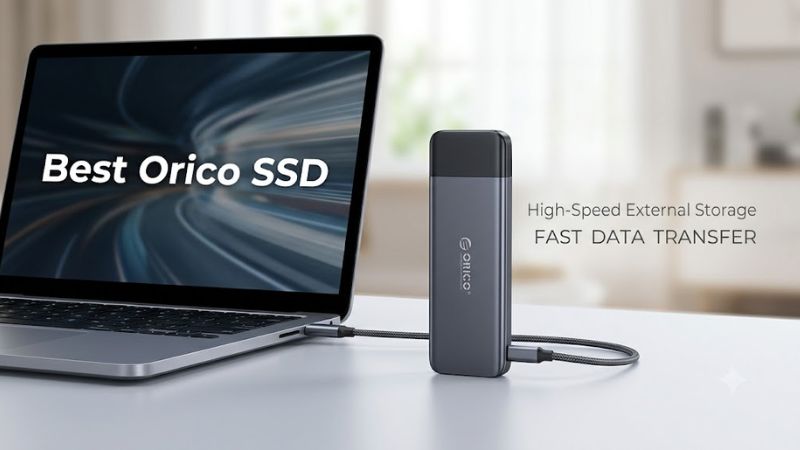
Choosing the best orico ssd starts with identifying whether you need a complete portable drive or an enclosure for an SSD you already own. ORICO sells USB and high-bandwidth NVMe enclosures, dual-drive accessories, and internal storage products. The right choice depends on your existing drive, computer ports, workload, and total upgrade cost.
How to Choose an ORICO SSD
Start by identifying the product category. An ORICO enclosure is not necessarily a complete SSD: many models require you to supply a compatible drive. A portable enclosure can reuse spare storage from an older PC, provide room for game libraries, or make large files easier to carry between computers. Before purchasing, confirm exactly what the package contains.
Match the SSD Interface
NVMe and SATA describe different storage protocols, even when both drives use the M.2 form factor. An NVMe-only enclosure will not automatically support an M.2 SATA drive, and a matching connector shape does not establish protocol compatibility. Check the model’s official specifications against the label or documentation for your existing SSD before ordering.
For a flexible option, the ORICO PWDM2-G2 supports both NVMe and M.2 SATA drives, according to its manufacturer. Its listed drive lengths include 2230, 2242, 2260, and 2280. This makes it useful for people reusing different compatible M.2 drives, although its published capacity limit and connector restrictions still matter.
Choose a Connection That Your Computer Supports
USB connection speed affects how quickly an external drive can transfer data, but the enclosure is only one part of the connection. The computer’s port, cable, SSD, controller, and workload can all limit throughput. A high-bandwidth enclosure connected to a slower USB port will not deliver the full performance associated with its advertised interface.
For mainstream external storage, a 10Gbps USB enclosure is a sensible starting point. The ORICO PWDM2-G2 advertises USB 3.2 Gen 2 at 10Gbps, while the ORICO X50 belongs to a substantially faster Thunderbolt 5-compatible category. The latter makes more sense for users with compatible host hardware and demanding transfer workloads than for routine document storage.
Consider Cooling and Sustained Workloads
Moving large game installations, video projects, or backup archives can keep an SSD busy for extended periods. During sustained transfers, heat can affect drive performance, so enclosure construction and thermal contact deserve attention. Aluminum housings and thermal pads can help transfer heat away from a drive, although actual temperatures depend on the SSD and operating conditions.
The PWDM2-G2 includes a thermal fin and thermal pad in its listed accessories. Higher-bandwidth models may justify closer attention to cooling because the SSD and enclosure controller can both generate heat. For ordinary documents and occasional game transfers, however, paying extra for an actively cooled enclosure may offer less practical value than choosing the correct drive protocol and a suitable USB connection.
Check Compatibility Before Spending More
Compatibility includes more than whether a USB plug fits. Verify the supported M.2 lengths, NVMe or SATA protocol, capacity limit, cable type, and operating-system support. If you intend to use the drive with a gaming console, television, or another device, confirm that device’s external-storage requirements as well; enclosure compatibility alone does not establish that every use case will work.
For Windows gaming PCs, a USB-connected storage enclosure is generally easier to add than an internal drive, because it does not require an unused M.2 motherboard slot. Nevertheless, the SSD itself must fit the enclosure, and the host must support its connection. Windows, macOS, and Linux support listed by ORICO applies to particular products, so verify the exact model rather than assuming every enclosure supports every platform.
Top ORICO SSD Picks
The following shortlist focuses on distinct enclosure types rather than treating every ORICO product as interchangeable. The recommendations are based on manufacturer specifications and published product information, not independent performance measurements by PC Gaming Universe. Advertised interface bandwidth is not a substitute for measured file-transfer results, and current prices can vary by retailer.
| Product | Best For | Key Spec | Compatibility | Watch Out For |
| ORICO PWDM2-G2 | Best Overall | USB 3.2 Gen 2, 10Gbps; NVMe and SATA | M.2 2230/2242/2260/2280 | Confirm protocol and capacity |
| ORICO PWM2 | Best Value | USB 3.2 Gen 1, 5Gbps; SATA | M.2 SATA, 2230/2242/2260/2280 | Not for NVMe-only drives |
| ORICO TCM2-U4 | Best for High-Speed Transfers | USB4, 40Gbps product category | Check exact NVMe model and host support | Requires compatible hardware |
| ORICO X50 | Best for Advanced Workstations | Thunderbolt 5-compatible, up to 80Gbps class | Compatible M.2 NVMe drive and suitable host | Higher cost; check physical fit |
Best Overall: ORICO PWDM2-G2
The PWDM2-G2 is a strong general-purpose choice if you want to reuse an existing M.2 SSD without committing to NVMe-only storage. ORICO lists a USB 3.2 Gen 2 Type-C interface, support for NVMe and SATA protocols, and compatibility with four common M.2 drive lengths. Its combination of protocol flexibility and a 10Gbps connection makes it suitable for general file transfers and external game storage.
Its main advantage is flexibility, not a guaranteed transfer rate. The manufacturer lists support for capacities up to 8TB, along with a thermal fin and thermal pad. Buyers should still confirm that their particular drive fits and that their computer supports the expected connection. The enclosure does not include an SSD by default, so the total purchase cost includes the drive if you do not already own one.
Best Value: ORICO PWM2
The PWM2 is a straightforward option for people who already have a compatible M.2 SATA SSD. ORICO lists a USB 3.2 Gen 1 Type-C interface with a 5Gbps transfer-rate ceiling, tool-free installation, and support for M.2 SATA drives in 2230, 2242, 2260, and 2280 lengths. It can suit everyday documents, photos, backups, and older SATA drives repurposed for external use.
Its key limitation is protocol support: this model is for M.2 SATA storage, not NVMe drives. That distinction is especially important when upgrading a gaming PC, because many modern M.2 drives use NVMe. Choose the PWM2 when the existing drive is confirmed to be SATA and the lower-bandwidth interface meets your needs; otherwise, a compatible NVMe enclosure is a more appropriate purchase.
Best for High-Speed Transfers: ORICO TCM2-U4
The TCM2-U4 is worth considering for users who move large files regularly and want an enclosure in the USB4 40Gbps category. ORICO’s current product listings include transparent USB4 enclosures with cooling fans, positioning this class of product above standard 10Gbps USB enclosures. It may suit content creators and enthusiasts with a compatible computer and an appropriate NVMe drive.
The trade-off is the cost of the complete setup. USB4 support on the enclosure does not mean every USB-C port can use its full interface bandwidth, and the SSD may become the limiting factor. Check the exact TCM2-U4 listing for supported drive lengths, capacity, cable, and host requirements before purchasing. If your main workload consists of smaller game updates or everyday documents, a 10Gbps enclosure may be sufficient.
Best for Advanced Workstations: ORICO X50
The ORICO X50 targets users who want a portable enclosure built around the Thunderbolt 5-compatible, 80Gbps connection class. It is a more specialized option than a basic USB enclosure and can make sense for a workstation moving large creative projects or other data-heavy files between compatible systems. Its appeal depends on having a fast host interface and an SSD capable of benefiting from the connection.
Before choosing it, check the physical dimensions of the SSD and the enclosure’s drive requirements. An independent review published by It’s FOSS in October 2026 describes the X50 as supporting 2280 NVMe drives and notes that SSDs with attached heatsinks may not fit. That is a meaningful restriction for owners planning to reuse a high-performance internal drive. The enclosure’s higher interface bandwidth alone is not a reason to buy it for an ordinary gaming PC.
Frequently Asked Questions
Does an ORICO SSD enclosure include an SSD?
No, many ORICO SSD enclosures are sold without a storage drive. Check the package contents before buying, because the final cost depends on whether you already own a compatible SSD. If you need a complete portable drive, compare the price of a suitable enclosure plus SSD against ready-made external storage.
Is an ORICO 10Gbps enclosure fast enough for PC gaming?
Yes, a 10Gbps enclosure can be suitable for many PC gaming storage tasks. Actual performance depends on the SSD, USB port, cable, and game workload. It can work well for storing game installers and less frequently played titles, but moving games to external storage does not guarantee the same loading experience as an internal NVMe drive.
Can I use an ORICO NVMe enclosure with an M.2 SATA SSD?
Only if the specific enclosure supports SATA as well as NVMe. The PWDM2-G2 is listed as a dual-protocol model, while the PWM2 is designed for M.2 SATA storage. Check the exact model number and the drive’s protocol before purchasing, because M.2 describes a form factor rather than a universal storage interface.
Will an ORICO USB4 or Thunderbolt enclosure work with my gaming PC?
It depends on your PC’s available ports and the enclosure’s requirements. A USB-C connector does not automatically indicate USB4 or Thunderbolt support, and a faster enclosure may operate at a lower speed when connected to a compatible but slower interface. Check the motherboard or laptop specifications, cable requirements, and supported SSD dimensions first.
Final Thoughts
The best orico ssd choice depends on the storage you already own and the connection your computer supports. The PWDM2-G2 offers useful protocol flexibility, the PWM2 suits compatible SATA drives, and faster USB4 or Thunderbolt options target demanding workflows. Verify compatibility and compare the complete cost before committing to an enclosure.