🛒 Best Price Today on Amazon
Prime members get fast, free shipping on everything above, plus member-only deals. New members get a 30-day free trial — cancel anytime.
Choosing the best ssd enclosure starts with matching the case to your existing drive and computer. A fast enclosure can turn a spare SSD into portable storage for PC game libraries, backups, and large files, but connector shape alone does not determine speed. Interface support, cooling, drive dimensions, and price all matter before you buy.
How to Choose an SSD Enclosure
The right enclosure depends on four factors: SSD protocol, connection bandwidth, thermal management, and physical fit. A premium USB4 model is useful for frequent large transfers, while an affordable 10Gbps enclosure can make more sense for everyday backups. Check the manufacturer’s compatibility information before choosing a product based on its advertised transfer rate.
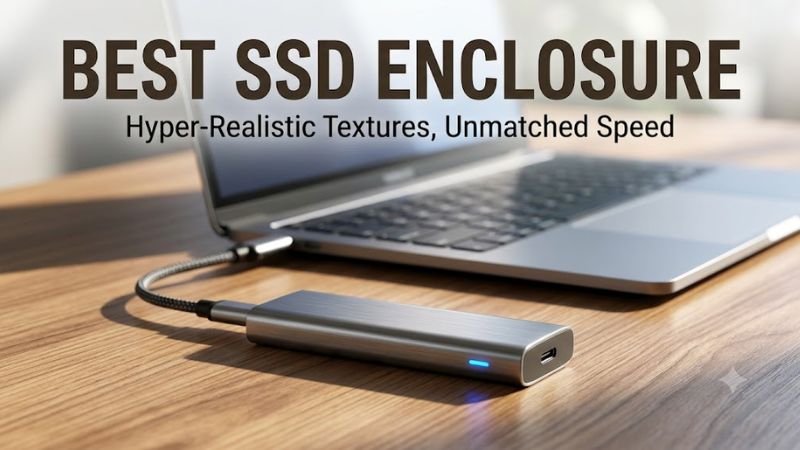
Match the Enclosure to Your SSD
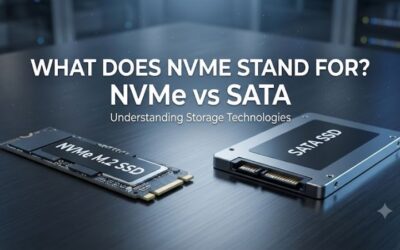
M.2 describes a physical form factor, not a guarantee that two drives use the same protocol. M.2 NVMe drives communicate over PCIe, while M.2 SATA drives use SATA. An NVMe-only enclosure will not work with an M.2 SATA SSD, even when the drive fits inside the case. Confirm the interface in the drive’s specification sheet first.
For an existing NVMe drive, the Sabrent EC-U4TN is a candidate for high-speed portable storage, while the Plugable USBC-NVME suits more modest USB connections. If you own a SATA M.2 drive, choose a compatible SATA enclosure instead. This distinction matters more than buying a case with an impressive-looking USB-C connector.
Choose a Speed Class Your Computer Supports
USB 10Gbps is generally adequate for backups, documents, and many game-storage tasks. USB4 at 40Gbps provides substantially more bandwidth for large media projects and frequent transfers, provided the computer, enclosure, cable, and SSD can all support the intended connection. A USB-C port does not automatically support USB4 or Thunderbolt.
The Sabrent EC-U4TN is worth considering for compatible high-bandwidth hosts, whereas the Plugable USBC-NVME is a practical match for computers with conventional USB connectivity. Remember that advertised interface bandwidth is not the same as file-copy speed. Protocol overhead, the SSD itself, and the workload all affect the final result.
Consider Cooling and Build Quality
An aluminum enclosure can help conduct heat away from an SSD, especially during long transfers. Some high-performance models also use an active fan. Fanless designs avoid motor noise and moving parts, but sustained workloads can cause thermal throttling when the drive or bridge controller becomes too hot.
The Sabrent EC-U4TN is an option for users who prioritize active cooling, while the Sabrent EC-SNVE offers a simpler aluminum enclosure with a thermal pad. Neither design makes every SSD run at its maximum rated speed in every workload. Choose based on transfer duration, noise tolerance, and portability.
Check Drive Length and Physical Clearance
M.2 SSDs come in different lengths, and an enclosure must support the specific size of your drive. Some cases accommodate several lengths, while others are designed for a narrower selection. Also check whether the enclosure accepts a double-sided SSD or requires a bare drive without a factory-installed heatsink.
For a versatile everyday option, the Sabrent EC-SNVE supports M.2 sizes 2230, 2242, 2260, and 2280 and accommodates both NVMe and SATA M.2 drives. Its USB connection is rated at 10Gbps. Verify the exact model specification before purchasing, particularly if you intend to reuse an SSD removed from a laptop.
Top Picks: Best SSD Enclosure Options
The following comparison separates everyday USB storage from faster USB4 options. The recommendations are based on published product specifications and independent editorial coverage, not PC Gaming Universe detailed research. Performance figures are manufacturer claims or published benchmark results where identified, and results from different interfaces should not be treated as directly interchangeable.
| Product | Best For | Key Spec | Compatibility | Watch Out For |
| Sabrent EC-U4TN | Best Overall for high-speed storage | USB4 up to 40Gbps; active cooling | Compatible M.2 NVMe drives; verify host support | Costs more than basic USB enclosures |
| Sabrent EC-SNVE | Best Value | USB 10Gbps; tool-free design | M.2 NVMe and SATA, sizes 2230–2280 | No USB-A cable included |
| Plugable USBC-NVME | Best for straightforward USB storage | USB 10Gbps class | NVMe M.2 SSDs; check the host port and drive fit | Does not offer USB4 bandwidth |
| OWC Express 1M2 | Best for USB4 desk setups | USB4 40Gbps class | Compatible M.2 NVMe drives and suitable USB4 or Thunderbolt hosts | Higher-speed capability may be wasted on slower ports |
Best Overall: Sabrent EC-U4TN
The Sabrent EC-U4TN is a strong candidate for people who regularly move large files and have a compatible USB4 computer. Its active cooling and high-bandwidth interface make it more suitable for demanding transfer workloads than a basic USB enclosure. It is worth considering for portable project files and frequently accessed game libraries.
Its main drawback is that the computer must support the relevant high-speed connection to benefit from the enclosure’s capabilities. It is not the right purchase for someone who only has a conventional USB 10Gbps port and primarily stores documents or backups. Check the official specifications for the precise drive sizes and supported host protocols before ordering.
Best Value: Sabrent EC-SNVE
The Sabrent EC-SNVE is a sensible choice for people who want to reuse an existing M.2 drive without paying for USB4. Tom’s Hardware lists USB-C connectivity at 10Gbps and support for both SATA and NVMe M.2 drives in sizes 2230, 2242, 2260, and 2280. Its tool-free opening and thermal pad make installation and heat transfer straightforward.
The compromise is its lower connection bandwidth compared with USB4 enclosures. Tom’s Hardware reports DiskBench sequential read and write results of 811MB/s and 538MB/s, respectively, and CrystalDiskMark 4K Q32 results of 247MB/s read and 249MB/s write. These figures come from that publication’s review, not PC Gaming Universe; the test conditions should be consulted before comparing them with other products.
Best for Basic USB Storage: Plugable USBC-NVME
The Plugable USBC-NVME is worth considering when your priority is a simple external NVMe drive rather than maximum transfer bandwidth. A USB 10Gbps-class enclosure is useful for backups, moving files between computers, and carrying a game collection. For many everyday uses, paying extra for a faster interface will not materially improve the experience.
Its main limitation is the interface ceiling, which makes it a poor match for buyers specifically seeking USB4-class performance. Confirm the exact model’s drive-size requirements and included cable before purchasing. If the computer has only USB-A ports, check whether the necessary cable or adapter is supplied rather than assuming that a USB-C enclosure will connect directly.
Best for USB4 Desktops: OWC Express 1M2
The OWC Express 1M2 is a useful option for a desktop or laptop with USB4 or a compatible Thunderbolt connection. Its 40Gbps interface class is designed for higher-throughput external storage, making it relevant for large project folders, media files, and extensive game installations. It also lets owners supply their own M.2 NVMe SSD.
The main disadvantage is that its extra bandwidth may provide little value on a slower host connection. Check OWC’s compatibility documentation for the particular computer and drive you plan to use. A fast enclosure cannot make a USB 10Gbps port operate at USB4 speeds, and the SSD’s own performance and thermal behavior still influence transfer results.
FAQ
Is a USB4 enclosure worth buying for gaming?
A USB4 enclosure can be worthwhile for gaming if your computer supports USB4 and you frequently move large game installations or other files. The benefit depends on the host connection, SSD, and game workload. For ordinary game storage, a less expensive USB 10Gbps enclosure may be sufficient.
Can an SSD enclosure work with both SATA and NVMe drives?
Some enclosures support both SATA and NVMe M.2 drives, but many accept only one protocol. The Sabrent EC-SNVE is listed as supporting both, whereas NVMe-only models require an NVMe drive. Confirm the exact model and SSD interface before buying, because physical fit does not establish protocol compatibility.
Does an SSD enclosure improve game loading times?
An enclosure can provide useful external storage, but it does not automatically make games load faster than they would from an internal SSD. Loading times depend on the game, drive performance, connection, and system configuration. Compare the complete setup rather than relying on the enclosure’s advertised maximum bandwidth alone.
Should I choose a fanless or fan-cooled enclosure?
Choose a fan-cooled enclosure if you regularly transfer large amounts of data and want additional cooling during sustained workloads. A fanless model is often preferable for quiet everyday use and portability. The best choice depends on the SSD’s heat output, enclosure design, workload duration, and your tolerance for fan noise.
Final Thoughts
The best ssd enclosure is the one that matches your drive, computer, and workload without charging for bandwidth you cannot use. Choose the Sabrent EC-U4TN for compatible high-speed setups, the EC-SNVE for flexible everyday storage, or the OWC Express 1M2 for a USB4 desktop. Verify drive compatibility and host support before buying.