🛒 Best Price Today on Amazon
Prime members get fast, free shipping on everything above, plus member-only deals. New members get a 30-day free trial — cancel anytime.
Choosing the best kingston ssd depends on your motherboard, budget, workload, and available storage space. Kingston offers PCIe 5.0 and PCIe 4.0 NVMe drives alongside portable SSDs, so the right choice is not necessarily its fastest model. Understanding the differences helps you spend on capacity and performance that your system can actually use.
How to Choose a Kingston SSD
Start with the connection your computer supports. A fast drive cannot deliver its advertised interface performance if your system uses a slower connection, and a portable model serves a different purpose from an internal gaming drive. Check the motherboard manual, laptop specifications, or console requirements before choosing a model.
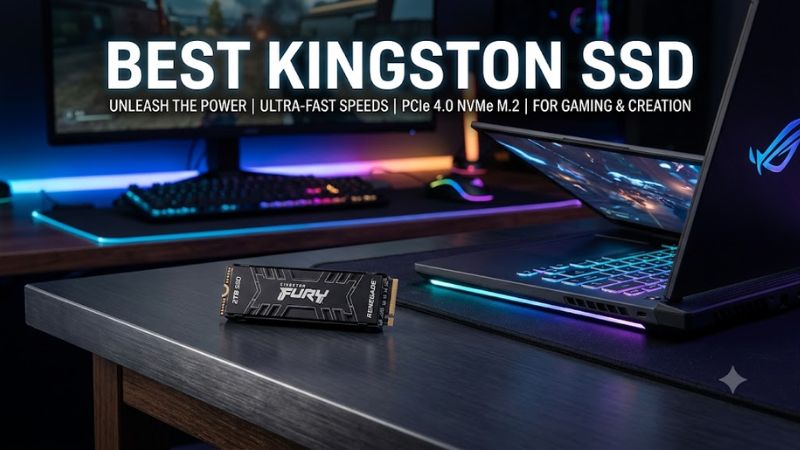
Interface and platform compatibility
PCIe generation is a key selection criterion. Kingston’s FURY Renegade G5 uses PCIe 5.0 x4, while the original FURY Renegade and KC3000 use PCIe 4.0 x4. An NVMe drive can operate at a lower supported PCIe generation, but its maximum transfer rate will depend on the host connection and platform configuration.
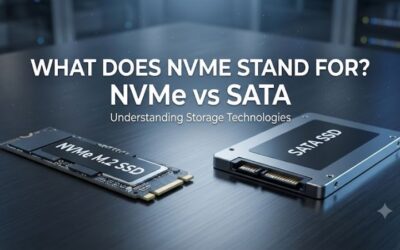
For a modern desktop, confirm that the motherboard has a compatible M.2 M-key socket with the required PCIe lanes. For a laptop, check physical clearance and manufacturer restrictions before buying. SATA M.2 and NVMe M.2 are not interchangeable in every slot, even when their modules look similar.
Capacity for games and applications
Choose capacity around the size of your game library and the space needed for Windows, applications, recordings, and updates. A 1TB drive can suit a moderate collection, while 2TB or 4TB provides more room for large installations and media files. The Kingston KC3000 is available in capacities from 512GB through 4TB, while the FURY Renegade G5 lineup includes higher-capacity options.
Capacity also affects the purchase price and the amount of data you can keep locally. Compare prices for the exact capacity rather than assuming that a higher-capacity model is always better value. Leave sufficient free space for normal operating-system updates and routine file management.
Sustained workloads and endurance
Sequential read speed is useful when moving large files, but it does not fully describe everyday responsiveness. Game loading, application launches, and operating-system activity also involve smaller requests and other system components. A drive’s controller, NAND type, cache behavior, and thermal conditions can influence performance during extended transfers.
If you frequently write large video files or work with substantial project folders, review the manufacturer’s endurance rating and warranty for the exact capacity. Kingston’s FURY Renegade PCIe 4.0 uses 3D TLC NAND and a DRAM cache, making it a more performance-oriented option than a budget drive with a simpler design.
Cooling and installation
An internal M.2 drive needs appropriate clearance and thermal management. Some motherboards include M.2 heatsinks; other installations may need a compatible cooler, particularly when a high-performance drive is under sustained load. Avoid stacking heatsinks or leaving protective films in place where they interfere with thermal-pad contact.
For a PlayStation 5 upgrade, verify the console’s supported interface, dimensions, and cooling requirements before purchasing. For external storage, check the USB connection and cable requirements instead. A portable SSD’s advertised speed depends on the host port, so a slower USB connection can limit transfers even when the drive supports a faster interface.
Top Kingston SSD Picks
The right model depends on whether you need maximum bandwidth, affordable internal storage, a high-performance PCIe 4.0 upgrade, or portable file transfers. The comparison below uses published manufacturer specifications and independent review coverage, not claims of first-hand evaluation. The advertised sequential speeds are maximum manufacturer figures, not guaranteed gaming performance.
| Product | Best For | Key Spec | Compatibility | Watch Out For |
| Kingston FURY Renegade G5 | Best Overall | PCIe 5.0; up to 14,800MB/s read and 14,000MB/s write | Compatible PCIe 5.0 x4 M.2 slot; backward operation depends on host support | Requires suitable hardware to reach peak speeds |
| Kingston NV3 | Best Value | PCIe 4.0 NVMe; up to 6,000MB/s read and 5,000MB/s write on higher-capacity versions | M.2 2280 NVMe slot supporting PCIe | Hardware components may vary |
| Kingston KC3000 | Best for PCIe 4.0 Performance | Up to 7,000MB/s read and 7,000MB/s write | PCIe 4.0 x4 M.2 NVMe slot; compatible systems may run it at lower speeds | Older product; compare current pricing |
| Kingston XS2000 | Best for Portable Storage | USB 3.2 Gen 2×2; up to 2,000MB/s read and write | Compatible USB host and cable; backward compatibility may reduce speed | External USB performance depends on the host |
Specifications: Kingston’s official product information. Maximum speeds vary by model, capacity, and system configuration.
Best Overall: Kingston FURY Renegade G5
The FURY Renegade G5 is the strongest choice for a compatible high-end PC that needs substantial storage bandwidth. Kingston lists PCIe 5.0 NVMe connectivity, an M.2 2280 form factor, capacities up to 8TB, and sequential transfer rates of up to 14,800MB/s read and 14,000MB/s write. Those figures make it suitable for large project files and demanding storage workloads as well as gaming.
Buy this model if your motherboard supports PCIe 5.0 storage and your workload benefits from high transfer rates. Do not pay the premium simply to improve frame rates: storage speed does not directly replace GPU or CPU performance. A PCIe 4.0 system will not deliver the drive’s advertised PCIe 5.0 peak throughput, so check the platform before spending extra.
Best Value: Kingston NV3
The NV3 targets buyers who want an internal NVMe drive without paying for a flagship design. Its published specifications include PCIe 4.0 connectivity and sequential speeds that vary by capacity. The drive suits everyday computing, game libraries, and general upgrades when the priority is affordable solid-state storage rather than maximum sustained-write performance.
Choose it when the price and available capacity compare favorably with other drives in your market. Its main caveat is that the controller and flash components may vary between production versions, as noted in independent coverage. Buyers with frequent, prolonged heavy writes should compare sustained-workload results for the specific model and capacity instead of relying only on the headline speed.
Best for PCIe 4.0 Performance: Kingston KC3000
The KC3000 remains a compelling option for a desktop or laptop with a suitable PCIe 4.0 x4 M.2 slot. Kingston lists sequential speeds of up to 7,000MB/s read and 7,000MB/s write, with capacities spanning 512GB to 4TB. Its TLC NAND and DRAM cache make it a performance-focused alternative to entry-level NVMe storage.
Buy it if you want a capable PCIe 4.0 drive and find it at a competitive price. Its weakness is the age of the product relative to newer models, so current pricing matters more than its original launch position. If a newer drive offers similar capacity, a stronger warranty, or better sustained performance for a comparable price, assess those differences before choosing.
Best for Portable Storage: Kingston XS2000
The XS2000 is the practical choice when you need to move games, recordings, creative projects, or backups between compatible computers. It connects through USB 3.2 Gen 2×2 and is rated for sequential read and write speeds of up to 2,000MB/s. Available capacities include 500GB, 1TB, 2TB, and 4TB, according to Kingston’s gaming-storage lineup.
Choose it for portability rather than as a direct substitute for an internal boot drive. Your computer must support the relevant USB mode to approach the rated transfer speed; a slower port will limit throughput. External storage is also easier to disconnect or misplace, so maintain a separate backup of important files instead of treating the portable SSD as the only copy.
Kingston SSD FAQ
Is Kingston a good SSD brand for gaming?
Yes, Kingston offers SSDs suited to gaming, from affordable NVMe storage to high-bandwidth enthusiast models. Its lineup includes PCIe 4.0 and PCIe 5.0 internal drives as well as external USB SSDs, allowing buyers to match the product to their system and workload.
The better purchase depends on the exact model, capacity, price, and warranty. Independent reviews can help compare sustained writes, thermal behavior, and real-world application performance, while manufacturer specifications establish the supported interface and rated maximum speeds.
Is the Kingston FURY Renegade G5 worth buying for gaming?
The FURY Renegade G5 is worth considering if you have a compatible PCIe 5.0 platform and also perform storage-intensive work. Its rated sequential speeds reach 14,800MB/s read and 14,000MB/s write, but those numbers describe peak transfers rather than a guaranteed reduction in game loading times.
For a gaming-focused PC with PCIe 4.0 storage, a less expensive Gen 4 model may offer better value. Compare the cost of the drive, motherboard support, cooling provisions, and capacity before deciding whether the additional bandwidth justifies the upgrade.
Should I buy a Kingston NV3 or KC3000?
Choose the NV3 when affordability and everyday storage are your main priorities; consider the KC3000 when its TLC NAND, DRAM cache, and higher published peak speeds better suit your workload. Kingston rates the KC3000 at up to 7,000MB/s for both sequential reads and writes, while the NV3’s ratings depend on capacity.
Compare the exact capacities and prices available before buying, since discounts can change which model represents better value. For sustained transfers, consult independent results for the particular capacity and hardware revision rather than assuming that the highest sequential specification always wins.
What capacity Kingston SSD should I buy for a gaming PC?
A 1TB Kingston SSD can suit a moderate game collection, while 2TB or more is a sensible consideration for users who maintain a large library or capture substantial video files. The right amount depends on installed games, applications, recordings, and how often you want to remove older files.
Before upgrading, check your available M.2 slots, the supported PCIe interface, and any laptop or console size restrictions. If you already have a working SSD, adding another compatible drive may provide more useful capacity than replacing the existing one, provided your system has an available slot.
Final Thoughts
The best kingston ssd depends on your hardware and how you use your storage. The FURY Renegade G5 suits compatible high-end systems, the NV3 targets value-conscious buyers, the KC3000 remains a strong PCIe 4.0 option, and the XS2000 serves portable workflows. Compare current prices and compatibility before choosing.