🛒 Best Price Today on Amazon
Prime members get fast, free shipping on everything above, plus member-only deals. New members get a 30-day free trial — cancel anytime.
Choosing the best crucial ssd depends on your budget, motherboard, storage needs, and workload. Crucial offers PCIe 5.0 and PCIe 4.0 NVMe drives, with different trade-offs in transfer speed, sustained writes, and cost. For PC gamers, the right choice balances game-library capacity with practical performance rather than headline speeds alone.
How to Choose a Crucial SSD
Start by identifying what your PC can support. A faster SSD cannot reach its advertised interface performance in a slower slot, and not every computer has an M.2 connector for NVMe storage. Check your motherboard manual or laptop specifications before choosing a drive, especially when upgrading an older gaming system.
Match PCIe Generation to Your System
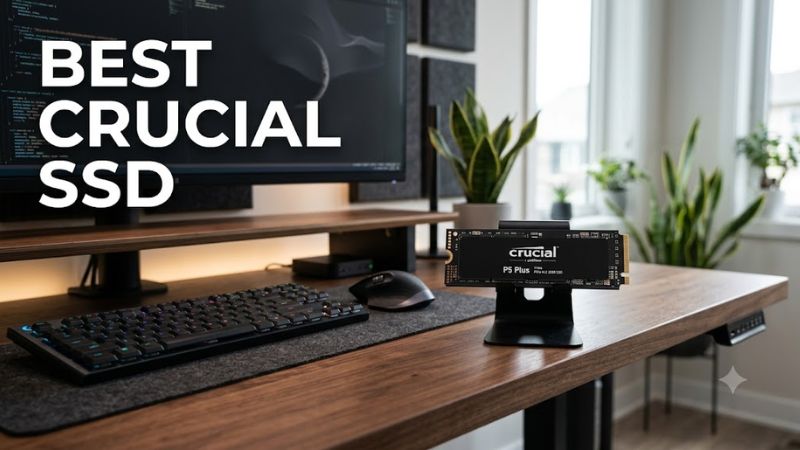
PCIe 5.0 drives such as the Crucial T705 target compatible newer platforms, while PCIe 4.0 models such as the T500 and P3 Plus suit a broad range of modern gaming PCs. A Gen5 SSD can operate in many backward-compatible PCIe slots, but performance depends on the host interface and system configuration.
For most gamers, a good PCIe 4.0 drive already offers fast game launches, level loading, and file transfers. Consider the best crucial ssd for your workload instead of paying extra for bandwidth your motherboard cannot use. Check the M.2 slot’s supported PCIe generation and NVMe support before purchasing.
Choose NAND and Performance for Your Workload
The Crucial T500 uses TLC NAND and onboard DRAM, making it a strong option for mixed gaming, productivity, and file-transfer workloads. The P3 Plus uses QLC NAND and host-memory buffering, which helps control cost but can make sustained writes less consistent when its dynamic cache fills during large transfers.
Peak sequential read and write figures are useful for comparing specifications, but they do not predict every gaming result. Random access, workload size, available cache, temperature, and the rest of the PC affect performance. A sensible choice depends on whether you mostly launch games or regularly move large project files.
Buy Enough Capacity for Your Library
Capacity matters when modern games, downloadable content, recordings, and creative applications share one drive. A 1TB model provides more room than a 500GB drive, although usable space is lower than the advertised capacity and the operating system also requires storage. Check your current library before deciding how much to buy.
A larger SSD can also reduce the need to uninstall games frequently. The best crucial ssd for a large collection may therefore be a higher-capacity midrange model rather than a premium drive with a smaller capacity. Compare the actual prices of equivalent capacities before deciding which offers better value.
Confirm Physical and Operating-System Compatibility
Most Crucial internal NVMe drives in this comparison use the M.2 2280 form factor, measuring 22mm wide and 80mm long. Your motherboard or laptop must provide a compatible M.2 NVMe slot and enough physical clearance. Some laptops have restrictions on drive thickness, capacity, or available cooling space.
Check whether your motherboard already includes an SSD heatsink before choosing a version with a factory-installed heatsink. For a new boot drive, also confirm that your operating system and firmware support NVMe booting. Back up important files before installation, and follow the manufacturer’s installation instructions.
Top Picks: Best Crucial SSDs for Different Needs
The best choice depends on whether you prioritize maximum transfer speed, everyday gaming performance, affordable capacity, or portable storage. The following comparison uses manufacturer specifications and independent review findings rather than claims of first-hand testing. Prices vary by retailer, capacity, and heatsink configuration.
| Product | Best For | Key Spec | Compatibility | Watch Out For |
| Crucial T710 | Best Overall | PCIe 5.0; high-end NVMe performance | Compatible M.2 NVMe PCIe systems | Premium pricing |
| Crucial T500 | Best Value for Performance | Up to 7,400/7,000 MB/s read/write on 2TB | M.2 2280, PCIe 4.0 x4 | Older interface than Gen5 |
| Crucial P3 Plus | Best Budget SSD | Up to 5,000 MB/s read on supported capacities | M.2 2280, PCIe 4.0 x4 | QLC sustained-write trade-offs |
| Crucial X10 Pro | Best Portable Storage | External USB SSD | Compatible USB host and cable | Requires an external connection |
Best Overall: Crucial T710
The Crucial T710 is the performance-focused choice for enthusiasts building a compatible gaming PC. It uses PCIe 5.0 NVMe technology and offers substantially more sequential bandwidth than mainstream Gen4 drives. Its appeal extends to large file transfers and demanding creative workloads, not just game installations.
Choose the T710 if your motherboard supports PCIe 5.0 storage and you can provide adequate cooling. It is also backward-compatible with supported earlier PCIe generations, although that limits throughput. Buyers using a Gen4-only system should compare its price against the T500 before paying for bandwidth their system cannot fully use.
Best Value for Performance: Crucial T500
The Crucial T500 is a compelling choice for gaming PCs that support PCIe 4.0. Its 2TB version is rated for sequential reads up to 7,400 MB/s and writes up to 7,000 MB/s. TLC NAND and onboard DRAM make it a more attractive option for mixed workloads than a budget drive focused primarily on low cost.
Buy the T500 for a primary gaming drive, Windows installation, or a workstation that regularly handles large files. Its main limitation is that it does not offer Gen5 bandwidth. Independent reviews, including Tom’s Hardware’s T500 coverage, provide useful workload-specific comparisons, but results should not be treated as universal figures for every computer.
Best Budget SSD: Crucial P3 Plus
The Crucial P3 Plus suits buyers who want additional NVMe storage without paying for flagship performance. Its rated sequential read speed reaches 5,000 MB/s on selected capacities, while the 500GB version has lower published write performance. This makes capacity-specific specifications important when comparing models.
Its QLC NAND and DRAMless design help keep the drive affordable, but large sustained writes can slow after the dynamic cache fills. It is a sensible choice for a secondary game library or everyday storage when the price is right. Buyers who regularly transfer huge files should consider the T500 instead.
Best Portable Storage: Crucial X10 Pro
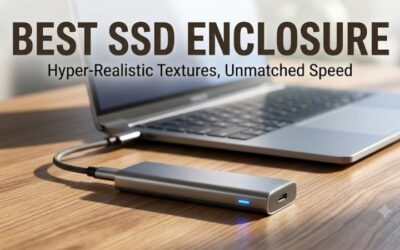
The Crucial X10 Pro is designed for users who need storage that moves between compatible computers. Unlike the internal NVMe models, it connects externally over USB, making it useful for transporting game files, media projects, backups, and other large folders without opening a PC.
Check the host computer’s USB capabilities, cable compatibility, and the drive’s published performance requirements before purchasing. A slower USB port can limit transfer speeds, and external storage is not a substitute for a suitable internal boot drive in every setup. Portable convenience is its main advantage over an installed M.2 SSD.
FAQ
Is a Crucial SSD good for PC gaming?
Yes, a Crucial SSD can be a good choice for PC gaming when its interface, capacity, and performance suit your system. NVMe models can reduce loading times compared with hard drives, but an SSD upgrade does not automatically increase average FPS. Game performance still depends heavily on the CPU, GPU, memory, and game engine.
Is PCIe 5.0 worth it over PCIe 4.0?
PCIe 5.0 is worthwhile when your workload benefits from its higher storage bandwidth and your system supports it. For ordinary gaming, the difference between a fast Gen4 SSD and a Gen5 SSD may be much smaller than their headline sequential-speed figures suggest. Compare independent game-loading and application benchmarks before spending more.
Should I choose TLC or QLC NAND?
TLC is generally preferable for demanding write workloads, while QLC can offer economical capacity for everyday storage and game libraries. The Crucial T500 uses TLC, whereas the P3 Plus uses QLC. Cache size, drive capacity, temperature, and workload also influence sustained performance, so NAND type alone does not determine the best purchase.
How much SSD capacity should a gaming PC have?
A 1TB SSD is a practical starting point for many gaming PCs, while 2TB provides more room for a larger game library and additional applications. Your ideal capacity depends on the size of your installed games, recording files, and other software. Check free space and current retail pricing before choosing between capacities.
Final Thoughts
The best crucial ssd depends on your system and how you use storage. Choose the T710 for compatible Gen5 builds, the T500 for strong Gen4 performance, the P3 Plus for budget-conscious capacity, or the X10 Pro for portability. Confirm interface support, cooling, and capacity before buying, and compare current retailer prices.