🛒 Best Price Today on Amazon
Prime members get fast, free shipping on everything above, plus member-only deals. New members get a 30-day free trial — cancel anytime.
Choosing the best Steam Deck controller depends on how you play, whether you use a dock, and which features matter most. Bluetooth gamepads are convenient for couch gaming, while wired and 2.4GHz options offer alternatives for different setups. Compatibility, button layout, battery life, and price deserve attention before you choose an external controller.
How to Choose a Steam Deck Controller
The right controller should work with SteamOS, feel comfortable during longer sessions, and support the games you play. Steam Input can customize many controls, but not every controller exposes every feature in the same way. Check the manufacturer’s compatibility information, connection method, and firmware requirements before purchasing.
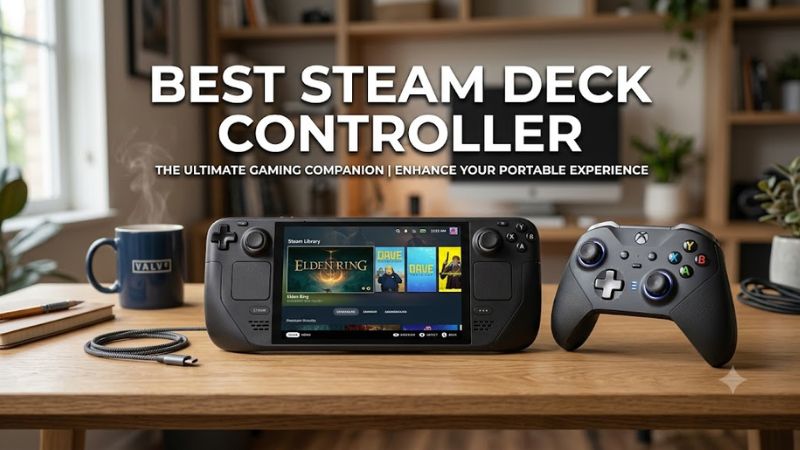
Choose Compatibility Before Extra Features
A controller that connects successfully is not necessarily one that supports every advertised feature. Look for explicit Steam Deck or SteamOS compatibility, or reliable Bluetooth or USB gamepad support with the intended connection mode. The 8BitDo Ultimate C 2.4G and Ultimate C Wired are specifically listed as compatible with Steam Deck by their manufacturer.
For the best Steam Deck controller experience, update SteamOS and the controller firmware before troubleshooting a pairing problem. Valve notes that some Xbox controllers require firmware updates to work as expected with the Deck. If you plan to use a wireless receiver, also confirm that its USB connection and operating mode are supported.
Pick Bluetooth or a Dedicated Receiver
Bluetooth avoids a separate receiver and keeps the USB-C port available for charging or a dock. It is a practical choice for a controller that moves between the Steam Deck, a compatible PC, and other devices. However, nearby 2.4GHz equipment can interfere with Bluetooth, so placement matters when playing on a television.
A dedicated 2.4GHz receiver can be useful when the controller explicitly supports the Deck in that mode. The 8BitDo Ultimate C 2.4G includes a USB receiver and wired USB connectivity, providing two ways to connect. A receiver may need a USB-C adapter or dock, so include that accessory in the total cost if your setup requires it.
Match the Layout to Your Games
Symmetrical sticks and a familiar button layout are useful for action games, platformers, and emulation. An Xbox-style layout is comfortable for players who use that arrangement on PC, while a PlayStation-style pad may suit those who prefer symmetrical sticks and its button shapes. Check in-game prompts because the symbols shown may not match the controller in your hands.
For the best Steam Deck controller for games that benefit from precise movement, pay particular attention to stick feel, D-pad accuracy, trigger travel, and bumper placement. Extra rear buttons can help in supported games, but they are not essential for every player. Steam Input lets you remap many controls, although the available options depend on the controller and game.
Consider Comfort and Desk or TV Use
A controller should fit your hands without forcing your fingers to stretch for the bumpers or triggers. Weight, grip shape, stick height, and button resistance affect comfort more than a long feature list. If possible, compare the shape with a controller you already use, especially if you play for several hours at a time.
For docked gaming, also consider battery charging, cable reach, and whether the controller can pair with other devices. A wired model avoids charging and wireless pairing, but the cable can become inconvenient from a couch. Wireless models are tidier, though rechargeable batteries eventually need attention and Bluetooth can be affected by interference.
Top Picks: Controllers Worth Considering
The best Steam Deck controller for most docked players should offer straightforward pairing, familiar controls, and dependable compatibility. These four options address different budgets and preferences, from a simple wired pad to controllers with extra features. Prices vary by retailer and sales, so compare current listings rather than relying on an outdated launch price.
| Product | Best For | Key Spec | Compatibility | Watch Out For |
| 8BitDo Ultimate 2.4G Controller | Best Overall | Hall Effect sticks; charging dock | SteamOS Holo 3.4+; X-input mode | Receiver occupies a USB port |
| 8BitDo Ultimate C Wired Controller | Best Value | Wired USB; vibration | Steam Deck; SteamOS Holo 3.4+ | Cable limits couch placement |
| Xbox Wireless Controller | Best for Xbox-style controls | Bluetooth; USB-C | Bluetooth or wired connection; check pairing | AA batteries sold separately |
| DualSense Wireless Controller | Best for PlayStation features | Adaptive triggers; haptic feedback | Bluetooth or USB; game-dependent features | Some advanced features need supported games |
The 8BitDo compatibility details come from its product pages; Microsoft documents Xbox controller connectivity, while PlayStation documents DualSense connection options and feature limitations.
Best Overall: 8BitDo Ultimate 2.4G Controller
The 8BitDo Ultimate 2.4G is a strong choice for players who want a dedicated receiver, a charging dock, and configurable controls. Its manufacturer lists Hall Effect joysticks, two rear buttons, three custom profiles, and a rechargeable battery rated for approximately 15 hours. Steam Deck compatibility requires the appropriate connection mode.
Buy it if you mainly play docked and want a controller that can stay charged between sessions. Its dock also gives the receiver a convenient storage location. Do not choose it solely for wireless convenience if you have no spare USB port or do not want to manage a receiver; Bluetooth may be simpler for your setup.
Best Value: 8BitDo Ultimate C Wired Controller
The Ultimate C Wired is a straightforward option for players who want to avoid charging and wireless pairing. It uses a USB cable, supports vibration, and is explicitly listed for Steam Deck with SteamOS Holo 3.4 or later. The manufacturer recommends connecting in X-input mode, making the intended setup clear.
Buy this controller for a desk setup, a nearby dock, or a player who prefers a simple connection. It is less suitable for gaming from a distant sofa because the cable limits placement and can get in the way. Before buying, check the cable’s reach and whether your dock has a free USB port.
Best for Xbox-Style Controls: Xbox Wireless Controller
The Xbox Wireless Controller is a sensible pick for players who prefer its asymmetrical sticks, familiar ABXY layout, and compatibility with supported Windows devices. Microsoft lists Bluetooth connectivity and USB-C on the controller, with AA batteries providing up to 40 hours under its stated conditions. That battery figure varies with use and accessories.
Choose it if you already use Xbox-style controls or want a controller that can serve a compatible PC as well as the Deck. The main drawback is that the Steam Deck is not an Xbox console: pairing, firmware, and individual game support still matter. Check Bluetooth operation before buying a separate adapter, and budget for batteries or a rechargeable battery solution.
Best for PlayStation Features: DualSense Wireless Controller
The DualSense is worth considering if you prefer PlayStation ergonomics or want adaptive triggers and detailed haptic feedback in games that support those features. It connects to supported devices over Bluetooth or USB, but feature availability depends on the platform and title. PlayStation notes that haptic feedback on PC requires a USB connection in supported games.
Buy it if you already own a DualSense or regularly switch between PlayStation and other compatible devices. However, do not assume every Steam Deck game will expose its advanced features, and expect some games to display Xbox-style button prompts. If your priority is basic, reliable gamepad input rather than specialized feedback, a simpler controller may be better value.
FAQ
Can you use any Bluetooth controller with a Steam Deck?
No, not every Bluetooth controller is guaranteed to work fully with a Steam Deck. Many standard gamepads can connect, but input mapping, vibration, special buttons, and firmware support vary. Check SteamOS compatibility and the controller’s instructions, then confirm the game’s controller support before purchasing.
Is a wired controller better than a wireless controller for Steam Deck?
A wired controller is better if you want to avoid charging and wireless pairing, while a wireless controller offers more freedom when the Deck is docked across the room. Both can be practical options. Your preferred seating distance, available USB ports, and tolerance for charging should guide the decision.
Does the 8BitDo Ultimate 2.4G work with Steam Deck?
Yes, the 8BitDo Ultimate 2.4G is listed as compatible with Steam Deck on SteamOS Holo 3.4 or later. The manufacturer instructs users to update the Deck and connect the controller in X-input mode. Confirm the mode and firmware if the controller does not respond as expected.
Do DualSense adaptive triggers work in every Steam Deck game?
No, DualSense adaptive triggers are not supported in every Steam Deck game. Advanced features depend on the game and its controller implementation, so standard button input may work even when adaptive triggers or specialized haptics do not. Check support for your specific games before paying extra for these features.
Final Thoughts
The best Steam Deck controller depends on your setup: choose the 8BitDo Ultimate 2.4G for its dock and receiver, the Ultimate C Wired for a simple wired connection, the Xbox Wireless Controller for familiar controls, or the DualSense for supported PlayStation features. Check compatibility and connection requirements before ordering.