🛒 Best Price Today on Amazon
Prime members get fast, free shipping on everything above, plus member-only deals. New members get a 30-day free trial — cancel anytime.
The best handheld gaming console depends on the games, storefront and screen you want rather than one universal performance winner. Nintendo Switch 2 targets first-party console gaming, while Steam Deck OLED and current Windows handhelds suit PC libraries. The right pick starts with software compatibility, then display, controls and price.
How to Choose a Handheld Gaming Console
The strongest buying decision comes from matching the handheld to your existing library, display priorities, controls and operating system. A console that fits your games can be more useful than one with a faster processor, while a Windows handheld offers broader launcher support and a SteamOS model favors a simpler Steam-focused interface.
Start With Your Game Library
For many buyers, the best handheld gaming console is simply the one that runs the games they already own. Nintendo Switch 2 is designed around Nintendo software and also supports selected third-party releases, while Steam Deck OLED centers on SteamOS and a Steam library. Windows models provide access to multiple PC storefronts and Xbox services.
This distinction also affects setup. Steam Deck OLED uses Valve’s SteamOS interface, while the ROG Xbox Ally X20 and Legion Go 2 use Windows 11 configurations. Nintendo’s system is a separate console ecosystem, so PC game ownership does not transfer automatically. Check individual game compatibility before buying rather than assuming every PC title will work.
Match the Screen to Your Games
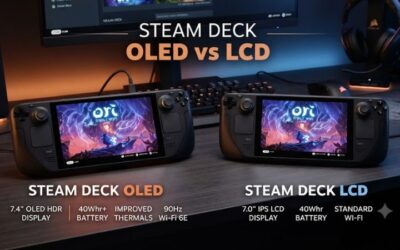
Screen size and panel type matter because handhelds are viewed at close range. Steam Deck OLED uses a 7.4-inch 1280×800 OLED panel with a refresh rate up to 90Hz, while Switch 2 has a 7.9-inch 1920×1080 LCD supporting HDR10 and VRR up to 120Hz. The ROG Xbox Ally X20 has a 7.4-inch 1080p OLED panel at 120Hz.
Higher resolution does not automatically produce higher game performance, especially on integrated graphics. A 1080p or 1200p screen can also encourage settings that demand more rendering power. If image quality is your priority, OLED models offer a different display experience; if portability matters most, screen size and chassis weight deserve equal attention.
Check Controls and Portability
Controls can change which games feel comfortable. Steam Deck OLED includes dual trackpads and gyro controls, Nintendo Switch 2 has detachable Joy-Con 2 controllers, and Legion Go 2 uses detachable controllers with a built-in kickstand. Windows handhelds generally resemble compact gamepads while retaining PC input options.
Portability also depends on more than the quoted weight. A larger display can make games easier to read, but a larger chassis occupies more bag space. Legion Go 2 starts at about 0.92kg, while the ROG Xbox Ally X20 is listed at 756g. Buyers who travel frequently should compare size, battery capacity and charger requirements together.
Confirm Software and Hardware Compatibility
Compatibility is the final filter because these devices belong to different platforms. Steam Deck OLED runs SteamOS on AMD hardware, ROG Xbox Ally X20 runs Windows 11 Home, Legion Go 2 is offered with Windows 11 or SteamOS configurations, and Switch 2 uses Nintendo’s dedicated software ecosystem. There is no DDR4/DDR5, socket or desktop PSU requirement to match.
For PC handhelds, storage is another practical consideration. The ROG Xbox Ally X20 uses a 1TB PCIe 4.0 NVMe M.2 2280 SSD, while Legion Go 2 configurations reach up to 2TB PCIe Gen4 storage. These are device-specific components rather than interchangeable desktop parts, so check the exact model before planning an upgrade.
Top Picks for Handheld Gaming
These four picks cover the main buying paths without pretending that one machine fits every player. Nintendo Switch 2 is the strongest dedicated-console choice, the ROG Xbox Ally offers the lower-cost Windows route, Steam Deck OLED suits Steam-focused players, and the ROG Xbox Ally X20 targets buyers willing to pay for newer Windows hardware.
| Product | Best For | Key Spec | Compatibility | Watch Out For |
| Nintendo Switch 2 | Best Overall | 7.9-inch 1080p LCD, up to 120Hz VRR | Nintendo Switch 2 software | $499.99 U.S. MSRP |
| ROG Xbox Ally | Best Value | Ryzen Z2 A, 16GB LPDDR5, 512GB SSD | Windows 11 | Lower-tier hardware |
| Steam Deck OLED | Best For Steam | 7.4-inch 1280×800 OLED, up to 90Hz | SteamOS/Steam library | Some games need compatibility checks |
| ROG Xbox Ally X20 | Best For Windows PC | Ryzen AI Z2 Extreme, 24GB LPDDR5X, 1TB SSD | Windows 11 | $1,299.99 U.S. ASUS price |
Nintendo Switch 2 — Best Overall
Nintendo Switch 2 is the best handheld gaming console for buyers who want Nintendo exclusives, local multiplayer and straightforward handheld-to-TV use. Its 7.9-inch 1920×1080 LCD supports HDR10 and VRR up to 120Hz, while internal storage is 256GB. Nintendo raised the U.S. MSRP to $499.99 on September 1, 2026.
Its main weakness is ecosystem lock-in rather than a missing hardware feature. A PC gamer with a large Steam, Epic or Xbox library cannot treat Switch 2 as a replacement for a Windows handheld. It also uses an LCD panel rather than OLED, so buyers specifically seeking OLED contrast should consider another pick.
ROG Xbox Ally — Best Value
The ROG Xbox Ally is a practical best handheld gaming console choice for buyers who want Windows 11 at a lower price than ASUS’s premium model. It uses AMD’s Ryzen Z2 A processor, 16GB of LPDDR5 memory and a 512GB PCIe 4.0 NVMe SSD, alongside a 7-inch 1080p 120Hz display with FreeSync Premium.
The compromise is performance headroom. Its four-core Ryzen Z2 A processor and 16GB memory place it below the ROG Xbox Ally X20 in ASUS’s lineup, making it less attractive for buyers chasing demanding AAA workloads. It is better suited to buyers who value Windows storefront access while keeping the purchase cost lower.
Steam Deck OLED — Best For Steam
Steam Deck OLED remains a strong best handheld gaming console option for players whose priority is a Steam library and a console-like PC interface. Valve lists a 7.4-inch 1280×800 HDR OLED display running at up to 90Hz, 16GB LPDDR5 memory and a 50Wh battery rated for three to 12 hours depending on content.
Its real weakness is game compatibility rather than the display or controls. Valve’s SteamOS environment does not make every Windows game equally straightforward, and individual titles can require compatibility checks. Buyers who depend on several PC launchers, anti-cheat systems or Windows-only software should favor a Windows model instead.
ROG Xbox Ally X20 — Best For Windows PC
The ROG Xbox Ally X20 is the best handheld gaming console here for buyers who want current high-end Windows hardware. ASUS lists an AMD Ryzen AI Z2 Extreme with eight cores and 16 threads, 24GB LPDDR5X memory, a 1TB PCIe 4.0 NVMe SSD and a 7.4-inch 1080p 120Hz OLED display.
The drawback is its $1,299.99 ASUS U.S. price, which puts it far above the dedicated-console alternatives. It also weighs 756g and runs Windows 11, so buyers wanting the lowest-cost or simplest console-style experience should look elsewhere. Its hardware makes more sense for PC libraries than for casual console-only gaming.
Frequently Asked Questions
Is Nintendo Switch 2 worth buying for PC gamers?
Nintendo Switch 2 is worth buying for PC gamers who specifically want Nintendo’s software library or a dedicated hybrid console. Its 7.9-inch 1080p display, 256GB internal storage and docked play make it distinct from PC handhelds, but it does not replace access to a Steam or Windows library.
PC gamers should therefore treat Switch 2 as a second gaming platform rather than a portable PC replacement. The $499.99 U.S. MSRP also puts it close to some PC handheld configurations, so the decision should depend on the games you intend to play rather than processor specifications alone.
Is Steam Deck OLED still a good buy?
Steam Deck OLED is still a good buy for Steam-focused players who value SteamOS, an OLED display and Valve’s integrated handheld interface. Its 7.4-inch 1280×800 OLED panel reaches 90Hz, while its 16GB LPDDR5 memory and 50Wh battery remain clearly documented by Valve.
It is less suitable when your library depends heavily on Windows-only launchers or games with compatibility restrictions. In those cases, a Windows handheld such as the ROG Xbox Ally or ROG Xbox Ally X20 can reduce platform friction, although the interface and hardware priorities differ.
Should you buy a Windows handheld instead?
You should buy a Windows handheld instead when access to multiple PC storefronts, Xbox services or Windows-specific games is more important than a console-style operating system. The ROG Xbox Ally X20 runs Windows 11 Home and combines its PC environment with ASUS’s Xbox-oriented handheld interface.
Windows also brings ordinary PC software flexibility, but that flexibility can mean more desktop-style interaction on a small touchscreen. Buyers who mainly use Steam and prefer a simpler handheld interface may find SteamOS easier to live with, while broader PC compatibility favors Windows.
Which handheld has the best screen?
The ROG Xbox Ally X20 has the strongest display specification among these four picks, with a 7.4-inch 1920×1080 OLED panel, 120Hz refresh rate, HDR support and FreeSync Premium Pro. Nintendo Switch 2 instead uses a larger 7.9-inch 1080p LCD with HDR10 and VRR up to 120Hz.
Steam Deck OLED remains attractive for buyers who prefer its 7.4-inch 1280×800 OLED panel and 90Hz refresh rate. Legion Go 2 is another screen-focused option, offering an 8.8-inch 1920×1200 OLED panel at 144Hz in its current configuration, but its larger chassis changes the portability equation.
Final Thoughts
The best handheld gaming console depends on your library first and hardware preferences second. Choose Switch 2 for Nintendo games, Steam Deck OLED for SteamOS, ROG Xbox Ally for lower-cost Windows gaming, or ROG Xbox Ally X20 for premium Windows hardware and its OLED display.