🛒 Best Price Today on Amazon
Prime members get fast, free shipping on everything above, plus member-only deals. New members get a 30-day free trial — cancel anytime.
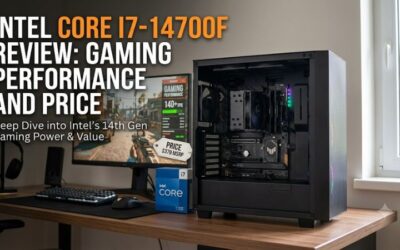
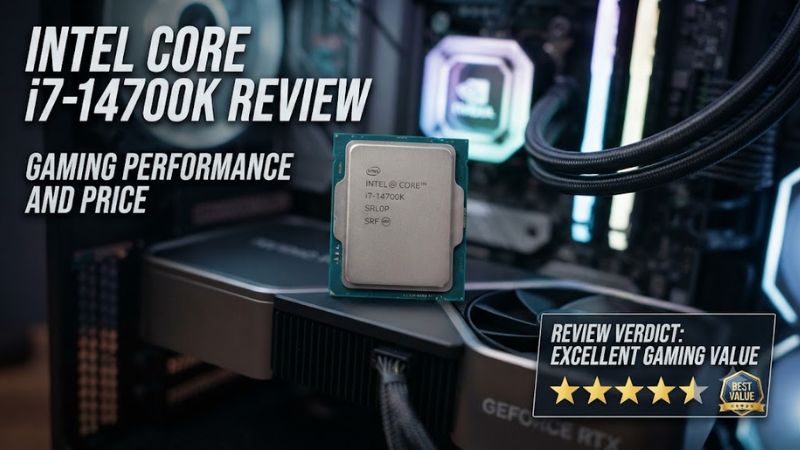
The intel core i7-14700k review: gaming performance and price question comes down to more than frame rates. Intel’s 20-core desktop processor combines strong gaming capability with substantial multitasking performance, but its power consumption, cooling requirements, and older motherboard platform affect overall value. It remains worth considering when discounted, particularly for mixed gaming and productivity workloads.
Quick answer: Our top pick in 2026 is the Specification — our #1 rated choice. See the full ranked comparison, alternatives and buying advice below.
What the Core i7-14700K Offers for Gaming and Work
The Core i7-14700K is a 14th-generation Raptor Lake Refresh desktop CPU launched in 2023. Its 8 Performance-cores and 12 Efficient-cores provide 20 cores and 28 threads, with a maximum turbo frequency of 5.6 GHz. That combination suits demanding games, streaming, compiling, and video production, although newer platforms can offer better upgrade prospects.
Gaming Performance Depends on the Game
The 14700K delivers high frame rates in CPU-intensive games, especially when paired with a powerful graphics card at 1080p. However, additional cores do not automatically translate into better gaming performance. Cache design, memory latency, game-engine behavior, and CPU scheduling can matter more than core count, particularly when comparing it with AMD’s gaming-focused Ryzen X3D processors.
Independent results illustrate those differences. Gamers Nexus reported 407 FPS for the 14700K in its F1 2023 1080p CPU benchmark, compared with 511 FPS for the Ryzen 7 7800X3D. These figures reflect that outlet’s particular test setup and settings, not a universal prediction for every gaming PC or graphics card.
Multitasking Is a Major Strength
The additional Efficient-cores help the processor manage background work while Performance-cores handle demanding applications. That can benefit users who game while streaming, record footage, run development tools, or keep other CPU-heavy applications open. Actual gains depend on the software and GPU encoding method, so not every streaming setup will benefit equally from a more expensive processor.
For creative workloads, the 14700K is more versatile than a gaming-only upgrade might suggest. Its 28 threads can help with heavily threaded rendering, encoding, and compilation. Buyers focused mainly on games should still compare complete application and gaming benchmarks rather than assuming that higher thread counts necessarily mean higher frame rates.
Integrated Graphics Provide a Useful Backup
Unlike Intel’s 14700KF variant, the 14700K includes Intel UHD Graphics 770. The integrated GPU can provide display output and support Intel Quick Sync Video in compatible applications, making it useful for troubleshooting a discrete graphics card or handling supported media tasks. It is not a substitute for a modern gaming GPU in demanding 3D titles.
This distinction can matter when choosing between similarly priced processors. The 14700K offers a fallback display adapter, whereas the 14700KF does not include integrated graphics. Buyers who already own a graphics card may rarely use this feature, but it can simplify fault diagnosis and provide additional media-encoding options when supported by their software.
Gaming Results Need Context
Benchmarks are meaningful only when their test conditions are clear. Gamers Nexus measured the 14700K at 407 FPS in F1 2023 at 1080p, and its Baldur’s Gate 3 result was 106 FPS at 1080p, Medium settings, using DirectX 11. Those are results from a published review, not measurements produced by PC Gaming Universe.
The review also found only a modest improvement over the previous-generation Core i7-13700K in several games, with larger differences in selected titles. At higher resolutions or with more demanding graphics settings, the GPU can become the limiting component, narrowing CPU differences. Treat benchmark numbers as comparisons within each test suite, not guaranteed performance for a different PC.
Intel Core i7-14700K Price, Specs, and Value
Intel lists the Core i7-14700K at a recommended customer price of 409–419, depending on the listed retail packaging. That is a manufacturer reference price, not a verified current store price. Its real value depends on local availability, discounts, motherboard cost, and whether a competing processor delivers better gaming performance for the total system budget.
| Specification | Intel Core i7-14700K |
| Architecture | Raptor Lake Refresh |
| CPU cores / threads | 20 / 28 |
| Core configuration | 8 P-cores + 12 E-cores |
| Maximum turbo frequency | 5.6 GHz |
| Intel Smart Cache | 33 MB |
| Processor base power | 125 W |
| Maximum turbo power | 253 W |
| Integrated graphics | Intel UHD Graphics 770 |
| Socket | LGA1700 |
| Memory support | DDR5-5600 or DDR4-3200 |
| PCI Express | PCIe 5.0 and 4.0 |
| Launch period | Q4 2023 |
| Recommended customer price | 409–419 |
The Launch Price Is Not Today’s Street Price
The original recommended price provides a useful reference, but it cannot establish whether the processor is a good purchase in October 2026. Retail prices change with stock, promotions, and regional taxes. Compare current listings for the CPU itself and include the cost of a compatible motherboard, memory, and adequate cooling before judging its value.
A substantial discount can make the 14700K attractive for a gaming and productivity PC, particularly if you already own an LGA1700 motherboard and compatible RAM. For a completely new build, compare the complete platform cost with newer alternatives. A cheaper processor is not automatically the better deal if it requires other expensive components, and an older high-end chip is not automatically a bargain.
Power Consumption Raises the Total Cost
The processor’s 125 W base power rating does not describe every workload. Intel specifies a maximum turbo power of 253 W, so sustained demanding applications can place considerable demands on the cooler, motherboard power delivery, and case airflow. Actual consumption depends on workload, firmware settings, and the power limits configured by the motherboard manufacturer.
That power envelope affects more than electricity use. A suitable cooler and well-ventilated case may add to the purchase cost, while inadequate cooling can lead to higher temperatures and reduced operating frequencies. Buyers should budget for the complete cooling solution instead of choosing a cooler based only on the processor’s base power rating.
Cooling and Motherboard Quality Matter
A capable dual-tower air cooler or a suitable liquid cooler may be appropriate, depending on noise preferences, case dimensions, ambient temperature, and sustained workload. No single cooler guarantees a particular temperature. Check the cooler manufacturer’s compatibility list, mounting hardware, RAM clearance, radiator support, and case dimensions before ordering components.
Motherboard quality also deserves attention because the CPU can draw substantial power under sustained loads. A compatible board should have suitable voltage-regulator cooling and firmware support for the processor. Follow the board manufacturer’s recommended power settings and install current stable BIOS updates; avoid assuming that every motherboard will manage high-load behavior identically.
Value Depends on Your Existing PC
For an existing LGA1700 owner, the 14700K may offer a straightforward upgrade if the motherboard supports it and the current CPU is limiting performance. Check the exact motherboard CPU-support list, BIOS version, cooler capacity, and memory configuration first. An upgrade can be more economical than replacing the motherboard, RAM, and processor together.
For a new gaming build, the calculation is different. A newer platform may offer a better long-term upgrade path, depending on its price and available CPUs. If gaming is the primary workload, compare game-specific results and total platform cost against processors such as the Ryzen 7 7800X3D and newer gaming-focused options rather than choosing solely by Intel’s core count.
Compatibility, Alternatives, and Buying Advice
The Core i7-14700K is an unlocked desktop processor for Intel’s LGA1700 socket. It supports compatible DDR4 or DDR5 motherboards, but the memory types cannot be mixed on a single board. Confirm the motherboard model, BIOS support, memory type, and cooler mounting before buying. Its gaming performance remains strong, but platform age and power requirements should influence the decision.
Check the LGA1700 Platform Before Upgrading
The processor uses the LGA1700 socket, shared by supported Intel 600-series and 700-series motherboards. Socket compatibility alone is not sufficient: some boards need a BIOS update before recognizing a 14th-generation CPU. Consult the exact board’s CPU-support page and follow the manufacturer’s update instructions before replacing the processor.
The platform also supports both DDR4 and DDR5, depending on the motherboard design. A DDR4 board cannot accept DDR5 memory, and a DDR5 board cannot accept DDR4 modules. PCIe support includes generations 5.0 and 4.0, but the lanes and device configuration available to a graphics card or SSD depend on the motherboard and its layout.
Compare It With Gaming-Focused Alternatives
The Ryzen 7 7800X3D is an important comparison for buyers prioritizing gaming. Its 3D V-Cache design can deliver higher frame rates in CPU-sensitive titles, as the Gamers Nexus F1 2023 result illustrates. Performance varies by game, though, and the cost of switching platforms matters if you already own compatible Intel hardware.
The 14700K is more compelling when a PC must handle both games and heavily threaded work. Its 20 cores and 28 threads can serve mixed workloads well, but the buyer should compare the actual applications they use. Also consider the newer Intel Core Ultra desktop platform: its performance, motherboard costs, power behavior, and upgrade options may make it more suitable for a fresh build.
Understand Stability and Firmware Updates
Intel’s 13th- and 14th-generation desktop processors received public attention over instability reports and subsequent microcode and BIOS updates. For a new 14700K system, install a current stable BIOS that includes the motherboard maker’s relevant Intel microcode and power-profile updates. Do not assume that every board ships with the same firmware version or defaults.
If you already own this CPU and experience crashes or application errors, first restore manufacturer-recommended BIOS settings and check for updates. Avoid aggressive voltage or overclocking settings while diagnosing stability. Firmware updates cannot repair every possible hardware fault, but using supported settings is a sensible baseline before attributing problems to another component.
Decide Whether the Discount Justifies the Platform
The 14700K makes the most sense when its price is competitive, the workload benefits from its additional cores, and the buyer can reuse compatible LGA1700 components. A current owner may spend less upgrading this way than replacing an entire platform. New-build buyers should compare the combined cost of the CPU, motherboard, memory, and cooling.
For a gaming-only PC, paying a premium for extra cores may be less useful than selecting a CPU with stronger game-specific results or investing more of the budget in the graphics card. At 1440p and 4K, GPU performance often becomes increasingly important. Choose based on the games, resolution, frame-rate target, and other applications you actually run.
Frequently Asked Questions
Is the Intel Core i7-14700K good for gaming?
Yes, the Intel Core i7-14700K is a capable gaming CPU that delivers high frame rates in many modern titles. Its 8 Performance-cores, 12 Efficient-cores, and boost frequency up to 5.6 GHz suit demanding games and multitasking. However, gaming-focused AMD processors can outperform it in selected titles, so compare benchmarks for your preferred games.
How much does the Intel Core i7-14700K cost?
Intel’s recommended customer price is 409–419, depending on packaging. This is the manufacturer’s reference price, not a confirmed current retail offer. Check current US retailer listings and factor in motherboard, cooling, and memory expenses before deciding whether the processor offers good value for your build.
Does the Core i7-14700K support DDR4 and DDR5?
Yes, the Core i7-14700K supports DDR4-3200 and DDR5-5600, subject to motherboard compatibility. Individual motherboards are designed for one memory type, so you cannot install DDR4 and DDR5 together. Check the board specifications and memory compatibility list before purchasing RAM.
Is the Intel Core i7-14700K worth buying in 2026?
It can be worth buying in 2026 if its price is competitive, you need strong multicore performance, or you already own a compatible LGA1700 motherboard. For a new gaming-only build, compare it with newer gaming-focused CPUs and account for power consumption, cooling costs, and the platform’s upgrade limitations.
Final Thoughts
The intel core i7-14700k review: gaming performance and price verdict is that this processor remains a capable option for mixed gaming and productivity, especially at a competitive discount. Its high power ceiling, cooling demands, and aging LGA1700 platform make the total build cost important. Compare current prices and game-specific benchmarks before committing to a new system.
Ready to decide? Our #1 pick for 2026 is the Specification.
Live price & availability on Amazon.