🛒 Best Price Today on Amazon
Prime members get fast, free shipping on everything above, plus member-only deals. New members get a 30-day free trial — cancel anytime.
Choosing the best laptop ram ddr5 starts with compatibility, not the highest advertised speed. Laptop memory must match the system’s supported memory type, physical format, capacity limits, and upgrade design. This guide compares practical upgrade options and explains which specifications matter before you spend money on a gaming or productivity laptop.
How to Choose Laptop DDR5 Memory
The right upgrade depends on four factors: physical compatibility, supported speed, total capacity, and module configuration. The best laptop ram ddr5 for a gaming notebook is not automatically the fastest kit available. Check the laptop manufacturer’s service manual and memory specifications first, because some thin laptops use soldered memory and cannot accept replacement modules.
Match the SODIMM Form Factor
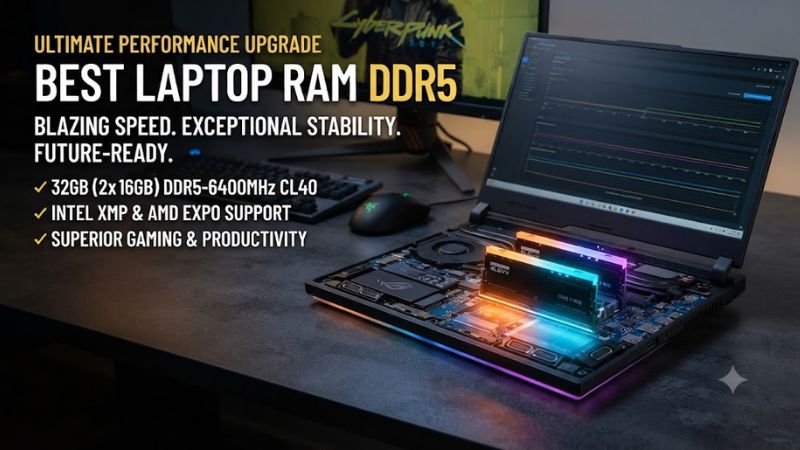
Most upgradeable laptops that use conventional DDR5 memory require 262-pin DDR5 SODIMM modules, which are shorter than desktop DIMMs. Kingston FURY Impact DDR5 is one option in this format, with listed module dimensions of 69.6 × 30 mm. Do not buy desktop UDIMM memory for a laptop, even if both products advertise DDR5.
Choose a Supported Memory Speed
DDR5 memory is sold at several data rates, but the laptop’s processor and motherboard determine which speeds it can use. Kingston FURY Impact offers configurations from 4800 to 6400 MT/s, depending on the model. A module rated for a higher speed may operate at a lower supported rate, so check the manufacturer’s specifications before paying extra.
Select Enough Capacity for Your Workload
Capacity often matters more than a small speed difference when a laptop runs several applications or modern games. A 16GB upgrade can suit everyday work and moderate gaming, while 32GB provides more room for demanding games, browser tabs, content creation, and background applications. Larger capacities make sense when the workload needs them and the laptop supports them.
Verify Compatibility Before Ordering
Confirm the exact laptop model, maximum supported capacity, available memory slots, and whether any existing memory is soldered. A DDR5 system cannot use DDR4 SODIMMs, because the electrical and physical specifications differ. For dual-module upgrades, a matched kit can simplify configuration, but the laptop must support the combined capacity and module density.
Top Picks for Laptop DDR5 RAM
The following recommendations focus on identifiable product families and their published specifications, rather than unsupported gaming-performance claims. The best laptop ram ddr5 choice depends on your notebook’s compatibility limits and the price of the specific capacity and speed you need. Retail availability and prices vary by region and module configuration.
| Product | Best For | Key Spec | Compatibility | Watch Out For |
| Kingston FURY Impact DDR5 | Best Overall | Up to 6400 MT/s; kits up to 64GB | DDR5 SODIMM laptops supporting the selected configuration | Maximum speed may require compatible firmware or settings |
| Crucial DDR5 SODIMM | Best Value | Multiple capacities and standard DDR5 speeds, depending on model | Upgradeable laptops supporting the exact module | Verify the current model’s speed and capacity |
| CORSAIR Vengeance DDR5 SODIMM | Best for Performance-Focused Upgrades | High-speed DDR5 options vary by kit | Compatible DDR5 SODIMM systems | Faster profiles may not run at their advertised rate |
| Kingston ValueRAM DDR5 SODIMM | Best for Basic Upgrades | Standard-compliant memory options vary by part number | Laptops supporting the specific module | Fewer performance-focused features than gaming lines |
Kingston FURY Impact DDR5: Best Overall
Kingston FURY Impact DDR5 is a strong starting point for gaming laptop owners who want a clearly documented memory family. Its published specifications include 4800, 5600, 6000, and 6400 MT/s options, with single modules and kits ranging up to 64GB. Specific models vary in latency, voltage, and supported profiles, so select the exact part number carefully.
Buy it if your laptop supports DDR5 SODIMMs and you want a gaming-oriented module family with documented configuration choices. Its main limitation is that the fastest listed speed is not guaranteed on every notebook. Owners of soldered-memory laptops, DDR4 systems, or machines with restrictive memory limits should choose another upgrade path or keep their existing memory.
Crucial DDR5 SODIMM: Best Value
Crucial DDR5 SODIMM memory is worth comparing when the priority is a straightforward capacity upgrade rather than enthusiast-oriented memory profiles. Crucial sells laptop memory in different capacities and speed classes, but specifications depend on the exact product generation and part number. Match the selected module against the laptop manufacturer’s supported memory configuration instead of relying on the brand name alone.
Consider it if you need extra capacity for gaming, school, office work, or everyday multitasking and find a competitively priced compatible module. The weakness is that the exact speed, availability, and capacity must be checked for the particular listing. Buyers who need a specific high-speed profile should confirm that the laptop can use it before choosing this option.
CORSAIR Vengeance DDR5 SODIMM: Best for Performance-Focused Upgrades
CORSAIR Vengeance DDR5 SODIMM is another product family to consider when a laptop supports higher-speed DDR5 memory. Different kits can have different capacities, data rates, and timings, so the product name alone is not enough to establish compatibility. A high advertised data rate does not guarantee a corresponding improvement in every game or application.
It may suit owners who have verified their notebook’s supported memory speed and want to compare performance-focused modules with standard alternatives. The key drawback is that a premium kit can cost more without delivering a noticeable benefit if the system runs it at a lower rate. Check the precise specification and return policy before purchasing.
Kingston ValueRAM DDR5 SODIMM: Best for Basic Upgrades
Kingston ValueRAM DDR5 SODIMM is a practical category to investigate when the objective is capacity and standard memory compatibility rather than gaming-oriented styling or overclocking profiles. Its suitability depends on the exact module specification, including capacity, speed, and rank configuration. Confirm the part number against your laptop documentation before ordering.
Choose a compatible ValueRAM module if you want to expand memory for general computing without paying for features you will not use. Its limitation is that the family is not aimed primarily at performance tuning, and the cheapest listing may not match the system’s ideal configuration. If your laptop has soldered memory or no spare slot, a replacement SODIMM will not solve the capacity limit.
Frequently Asked Questions
Laptop DDR5 upgrades are straightforward when the memory type, capacity, and speed match the system. These answers cover the most common purchasing questions, including gaming capacity, compatibility, speed selection, and whether replacing existing memory is worthwhile.
Is 32GB of DDR5 RAM enough for gaming?
Yes, 32GB is a practical capacity for many modern gaming laptops, especially when you play demanding games while running voice chat, browsers, and launchers. However, actual memory use varies by game and workload. If your laptop already has enough RAM, upgrading capacity alone may not substantially increase average frame rates.
Can I install DDR5 RAM in a DDR4 laptop?
No, DDR5 SODIMMs are not interchangeable with DDR4 SODIMMs because they use different physical and electrical specifications. Check the exact laptop model before ordering. If your laptop uses DDR4, you need compatible DDR4 memory instead; if its memory is soldered, the system may not support a conventional RAM upgrade.
Does faster laptop DDR5 RAM improve FPS?
Sometimes, but the result depends on the processor, integrated or discrete graphics, game, memory configuration, and speed supported by the laptop. No universal FPS increase applies to every upgrade. Compare benchmarks that use the same game, resolution, graphics settings, and hardware before paying extra for a higher-rated memory kit.
Should I replace both laptop RAM modules together?
Replacing both modules with a matched kit can be useful when you need a larger capacity or want consistent specifications. However, replacement is not always necessary if one compatible module can be added to an existing module. Check the laptop’s slot layout, supported capacity, and memory configuration before deciding.
Final Thoughts
The best laptop ram ddr5 is the compatible kit that provides enough capacity at a speed your notebook supports. Kingston FURY Impact is a useful starting point for performance-focused upgrades, while standard Crucial and Kingston modules are worth comparing for value. Confirm the exact model specifications before buying, particularly if your laptop has soldered memory.