🛒 Best Price Today on Amazon
Prime members get fast, free shipping on everything above, plus member-only deals. New members get a 30-day free trial — cancel anytime.
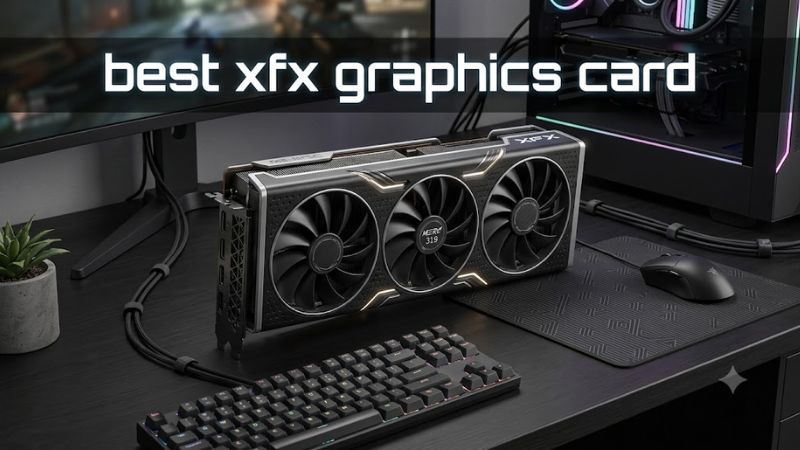
Choosing the best XFX graphics card depends on your resolution, budget, case clearance, and power supply. XFX focuses on AMD Radeon GPUs, with its Mercury, Quicksilver, and Swift product families offering different cooling designs and features. For most demanding gaming builds, the Radeon RX 9070 XT is the leading option to consider, while less expensive GPUs may offer better value for mainstream systems.
How to Choose an XFX Graphics Card
Start with the GPU itself, rather than paying extra for a premium cooler. XFX’s RX 9070 XT models use AMD’s RDNA 4 architecture and include 16GB of GDDR6 memory, making them suitable candidates for demanding 1440p gaming and selected 4K workloads. Your actual frame rate depends on the game, graphics settings, ray tracing, upscaling, and CPU performance, so compare independent reviews using matching test conditions.
Choose Performance for Your Resolution
For demanding 1440p gaming or 4K with adjusted settings, the RX 9070 XT is the most straightforward high-performance option among the XFX models considered here. Its 64 compute units, 256-bit memory interface, and 16GB of GDDR6 provide substantial graphics resources. However, native 4K with maximum ray tracing can remain demanding, so check game-specific benchmarks before choosing it over a less expensive card.
For a more affordable build, consider whether an RX 9060 XT or another lower-tier Radeon model meets your frame-rate target. The best XFX graphics card is not necessarily the fastest one; it is the card that delivers the performance you need without consuming money better spent on a monitor, processor, or larger SSD. Compare average frame rates and one-percent lows at your intended resolution instead of relying on a single headline result.
Compare the Cooler and Product Tier
XFX organizes its RX 9070 family into Mercury, Quicksilver, and Swift tiers. Mercury targets enthusiasts and includes feature-rich designs, Quicksilver occupies the mainstream position, and Swift offers a simpler alternative. These labels describe product positioning and cooler features rather than a universal performance ranking. Compare each card’s published clock speeds, physical dimensions, power connections, and warranty terms before paying a premium.
Higher advertised boost clocks do not automatically translate into a large gaming advantage. Actual frequencies depend on workload, temperature, power limits, and the individual card. For example, XFX lists an RX 9070 XT Mercury OC model with a boost clock up to 3,100MHz, while the Swift RX 9070 XT lists up to 2,970MHz. Independent testing is needed to establish how much that difference changes performance, noise, or temperature in real games.
Check Power, Case Space, and Connections
Compatibility is essential when selecting a graphics card. XFX’s RX 9070 XT Quicksilver Gaming Edition measures approximately 13.98 × 5.51 × 2.64 inches, occupies a 3.5-slot profile, and calls for an 800W minimum power supply. It uses two PCIe 8-pin power connections, so confirm that your PSU has the required native cables and that the case has enough room for the card and its power leads.
These desktop cards use a PCIe interface and can operate in compatible motherboard slots, although the system’s available bandwidth depends on the platform. Check case length, expansion-slot clearance, airflow, and motherboard layout before ordering. Also confirm that your PSU recommendation applies to the specific model rather than assuming every XFX card requires the same wattage. A smaller GPU may suit compact cases or existing power supplies better than a large triple-fan design.
Consider Memory, Features, and Total Cost
VRAM capacity matters when choosing a card for high-resolution textures, demanding games, and longer ownership periods. The RX 9070 XT models listed here provide 16GB of GDDR6, along with DisplayPort 2.1 and HDMI 2.1 connectivity. AMD’s supported software features include FidelityFX Super Resolution, but individual features and performance benefits depend on the GPU, driver, and game implementation. Check the exact model page before assuming every feature behaves identically.
Set a total budget that includes the graphics card, possible PSU replacement, and any case changes. XFX board designs differ in cooling hardware, lighting, physical size, and factory clock specifications, while retail prices fluctuate by region and stock. The best XFX graphics card for your budget may be a lower-priced model with adequate performance rather than an enthusiast edition whose additional features have little impact on your games.
Top Picks: XFX Radeon Graphics Cards
The following shortlist prioritizes published specifications, product positioning, and compatibility rather than claiming original performance measurements. The best XFX graphics card for a particular buyer depends on local pricing and the specific model available. Because the same GPU can appear in several XFX designs, treat factory clock differences as a reason to compare reviews, not as proof that a more expensive version is faster enough to justify its price.
| Product | Best For | Key Spec | Compatibility | Watch Out For |
| XFX Mercury RX 9070 XT OC | Best Overall | 16GB GDDR6; boost up to 3,100MHz | PCIe 5.0; three 8-pin power connections; 800W PSU recommendation | Large 3.5-slot card; premium features may cost more |
| XFX Quicksilver RX 9070 XT | Best Value candidate | 16GB GDDR6; boost up to 2,970MHz | PCIe 5.0; two 8-pin power connections; 800W PSU recommendation | Still physically large; value depends on street price |
| XFX Swift RX 9070 XT | Best for a simpler design | 16GB GDDR6; boost up to 2,970MHz | PCIe 5.0; two 8-pin power connections; verify exact model dimensions and PSU needs | Fewer premium design features than some Mercury versions |
| XFX Mercury RX 9070 XT White | Best for white-themed builds | 16GB GDDR6; boost up to 2,970MHz | PCIe 5.0; check the exact SKU’s power connectors and clearance | Aesthetic premium may not improve frame rates |
XFX Mercury RX 9070 XT OC: Best Overall
The Mercury RX 9070 XT OC suits buyers who want a high-end Radeon card with an enthusiast-oriented cooling design and factory overclock. XFX specifies 16GB of GDDR6, a 256-bit memory interface, and a boost clock of up to 3,100MHz for its Mercury OC model with RGB. Its three-fan, 3.5-slot format makes a spacious case and adequate ventilation important considerations.
Buy this version if its cooler, appearance, and published specifications justify the price over other RX 9070 XT designs. Do not choose it solely for the higher advertised clock: real gaming differences require comparable benchmarks. Buyers with compact cases, limited PSU capacity, or strict budgets should compare a smaller or less expensive GPU before committing to this model.
XFX Quicksilver RX 9070 XT: Best Value Candidate
The Quicksilver RX 9070 XT is worth comparing when you want the same core GPU configuration without automatically paying for the most feature-rich design. XFX lists 16GB of GDDR6, a boost clock up to 2,970MHz, three fans, and a 3.5-slot card profile. Its published specifications include two PCIe 8-pin power connections and an 800W minimum PSU recommendation.
It is the value choice only when its retail price makes sense relative to the Mercury and Swift alternatives. Check the full model number, dimensions, warranty, and seller return policy before purchasing. If the price is close to a premium version, compare independent noise and temperature measurements; if the Quicksilver is still expensive, a lower-tier GPU may deliver better value for 1080p or moderate 1440p gaming.
XFX Swift RX 9070 XT: Best for a Simpler Design
The Swift RX 9070 XT is aimed at buyers who prefer a more straightforward triple-fan design. XFX lists 16GB of GDDR6, a boost clock up to 2,970MHz, and a 256-bit memory interface. Its specifications also include three DisplayPort 2.1 outputs and one HDMI 2.1 output, making it suitable for a range of modern gaming monitors.
Choose this model when it is priced competitively and its physical design fits your system. Its main weakness is that it still uses a large 3.5-slot format, so it is not automatically a compact alternative to the Mercury. Buyers who need a smaller enclosure should verify the precise SKU dimensions, while anyone considering an upgrade should compare the new card’s performance with their current GPU first.
XFX Mercury RX 9070 XT White: Best for White-Themed Builds
The white Mercury RX 9070 XT is an option for builders who want their graphics card to match a white case, motherboard accents, and other components. XFX lists 16GB of GDDR6, a 256-bit memory bus, a boost clock up to 2,970MHz, and a triple-fan cooling solution for this version. Display outputs include three DisplayPort connections and one HDMI connection.
Its principal drawback is that color and styling can increase the price without changing the underlying GPU’s core capabilities. Consider this version if appearance is important and the premium remains reasonable. Buyers focused on maximum performance per dollar should compare its actual selling price with the standard Mercury, Quicksilver, and Swift models before choosing the white design.
FAQ
Is XFX a good brand for graphics cards?
XFX is a relevant option for AMD Radeon graphics cards, with multiple cooler designs and product tiers. Compare the exact model’s warranty, cooling performance, dimensions, and price with competing cards. Retailer support and warranty conditions can vary by market, so review the terms applicable to your purchase before deciding.
Which XFX graphics card is best for 1440p gaming?
The XFX Radeon RX 9070 XT is a strong candidate for demanding 1440p gaming because it combines 16GB of GDDR6 with AMD’s RDNA 4 architecture. Your results will vary by game, CPU, and graphics settings. Check independent benchmarks at 1440p before choosing a model or paying extra for a factory overclock.
What power supply does an XFX RX 9070 XT need?
The XFX Quicksilver RX 9070 XT Gaming Edition specifies an 800W minimum power supply and two PCIe 8-pin connections. Other versions may use different power connectors, so confirm the exact SKU’s requirements. Also check PSU quality, available cables, case airflow, and clearance before installing the card.
Should I buy an XFX Mercury or Swift graphics card?
Choose Mercury when its additional cooling or design features justify the price, and consider Swift when it offers better value for your needs. Both product tiers include RX 9070 XT variants, so compare specifications and independent noise and temperature results. A lower-priced model may be the smarter purchase if gaming performance is similar.
Final Thoughts
The best XFX graphics card depends on the balance between performance, price, and system compatibility. The RX 9070 XT Mercury OC is worth considering for premium builds, while Quicksilver and Swift alternatives deserve attention when their prices are lower. Compare the exact model, PSU requirements, case clearance, and independent gaming results before spending extra on cosmetic features or factory clock increases.