🛒 Best Price Today on Amazon
Prime members get fast, free shipping on everything above, plus member-only deals. New members get a 30-day free trial — cancel anytime.
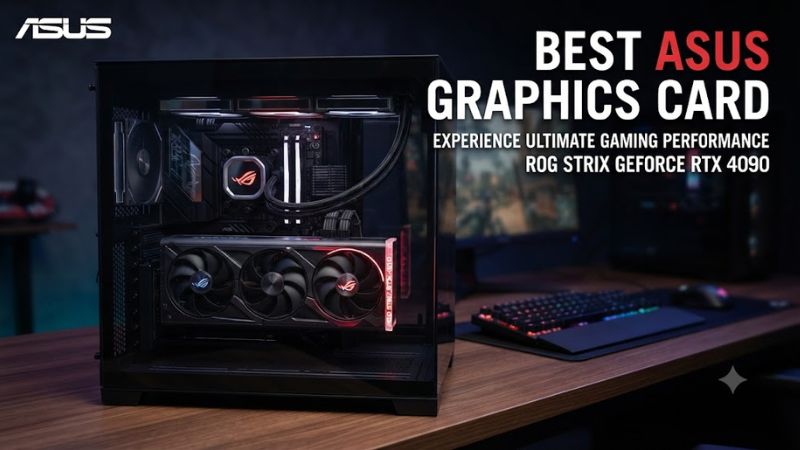
Choosing the best asus graphics card means matching GPU performance, video memory, cooling, and case clearance to your gaming setup. ASUS offers ROG, TUF Gaming, Prime, and Dual models across NVIDIA’s GeForce RTX 50 Series. The right choice depends on your resolution, budget, power supply, and the games you play.
How to Choose an ASUS Graphics Card
Match the GPU to Your Resolution
For high-refresh-rate 1080p gaming, a mainstream GPU such as the GeForce RTX 5060 can make more sense than an expensive flagship. For 1440p, consider the RTX 5070 or RTX 5070 Ti, depending on your performance target and memory needs. At 4K, the RTX 5080 or RTX 5090 offers a higher performance tier, but the rest of your PC must support the investment.
Compare Video Memory and Features
Video memory matters when games use detailed textures, ray tracing, or large assets. NVIDIA lists the RTX 5070 with 12GB of GDDR7, while the RTX 5070 Ti and RTX 5080 each have 16GB. The RTX 5090 has 32GB. DLSS support can improve performance in compatible games, but results depend on the title, settings, and rendering mode.
Choose the Right ASUS Product Family
ROG generally targets enthusiasts seeking premium cooling designs and additional features. TUF Gaming emphasizes robust construction and cooling, while Prime models include options designed around more compact compatibility requirements. Dual cards use two fans on selected models, making them worth considering for builds with less room. Compare the exact model rather than assuming every card with the same GPU has identical dimensions or power requirements.
Check Power and Case Compatibility
Before buying, verify the exact card’s length, thickness, power connectors, and manufacturer-recommended power supply. These requirements vary between ASUS models even when they share the same GPU. The cards use a PCIe expansion interface, but the motherboard slot, case clearance, and PSU still need checking. Confirm connector requirements and available cable space before installation.
Top Picks: The Best ASUS Graphics Cards
The best ASUS GPU is not necessarily the most expensive one. The table compares four current-generation choices by intended workload, memory, and physical design. These recommendations use manufacturer specifications and independent GPU comparisons, not PC Gaming Universe hardware testing. Retail prices and stock can change, so check the exact SKU before purchasing.
| Product | Best For | Key Spec | Compatibility | Watch Out For |
| ASUS TUF Gaming RTX 5070 Ti 16GB | Best Overall | 16GB GDDR7 | PCIe motherboard; verify PSU and case | Premium pricing |
| ASUS Prime RTX 5060 Ti 16GB | Best Value | 16GB GDDR7 | Verify exact card dimensions and PSU | Lower GPU performance tier |
| ASUS ROG Astral RTX 5090 | Best For 4K Enthusiasts | 32GB GDDR7 | High-capacity PSU and spacious case | High cost and power demand |
| ASUS Dual RTX 5060 | Best For Compact Builds | 8GB GDDR7 | Compact 2.5-slot design; check length | Limited VRAM for demanding games |
Best Overall: ASUS TUF Gaming GeForce RTX 5070 Ti
The ASUS TUF Gaming GeForce RTX 5070 Ti 16GB is a strong choice for gamers targeting high-quality 1440p graphics or exploring 4K with adjusted settings and supported upscaling. NVIDIA’s GPU provides 16GB of GDDR7 memory, while ASUS’s TUF design emphasizes cooling and reinforced construction. This combination suits demanding games without stepping up to flagship hardware.
Its main drawback is the price, which can rise substantially above launch pricing when supply is limited. Before buying, compare the TUF model with ASUS Prime versions using the same GPU, as cooling and physical design differences may matter more than small factory clock variations. It is less suitable for budget-focused 1080p systems where a lower-tier card can meet the target.
Best Value: ASUS Prime GeForce RTX 5060 Ti 16GB
The ASUS Prime GeForce RTX 5060 Ti 16GB is worth considering for players who want generous video memory without paying for a high-end GPU. Its 16GB GDDR7 configuration can provide more room for demanding textures and certain creative workloads than lower-memory alternatives. The Prime range also includes designs aimed at versatile PC builds, making exact dimensions an important comparison point.
However, additional VRAM does not make this GPU as fast as an RTX 5070 Ti or RTX 5080. Its value depends on the price difference between models and the games you play. Buyers focused on high-refresh-rate 1440p or demanding 4K ray tracing should compare actual game benchmarks before choosing it over a faster GPU with a similar street price.
Best For 4K Enthusiasts: ASUS ROG Astral GeForce RTX 5090
The ASUS ROG Astral GeForce RTX 5090 is designed for enthusiasts who want top-tier gaming performance, extensive memory capacity, and premium cooling hardware. Its 32GB of GDDR7 supports demanding graphics workloads and can also benefit compatible creator applications. ASUS’s air-cooled Astral design features four fans and a vapor chamber, distinguishing it from more conventional graphics cards.
Its disadvantages are the substantial purchase cost, power requirements, and physical size. A buyer should verify the exact card’s PSU recommendations, power connector arrangement, and clearance before ordering. For ordinary 1440p gaming, this flagship can be an unnecessary expense; it makes more sense for high-end 4K gaming or workloads that can use its additional GPU resources.
Best For Compact Builds: ASUS Dual GeForce RTX 5060
The ASUS Dual GeForce RTX 5060 is a practical option for mainstream gaming PCs where card size and overall budget matter. Its 8GB GDDR7 configuration targets a different performance class from the 16GB RTX 5060 Ti and higher-tier cards. ASUS lists Dual designs with two Axial-tech fans and a compact 2.5-slot form factor, helping builders compare options for smaller cases.
The main limitation is its 8GB memory capacity, which can restrict texture choices in some demanding modern games. It is better suited to 1080p gaming than uncompromising 4K settings. Check the specific model’s length, PSU requirements, and available airflow, because a compact graphics card still needs adequate cooling and a compatible power connection.
FAQ
Which ASUS graphics card is best for gaming?
The ASUS TUF Gaming RTX 5070 Ti 16GB is a balanced option for demanding 1440p gaming and selected 4K workloads. The best choice still depends on current pricing, game requirements, and your target frame rate. Compare it with the Prime RTX 5060 Ti 16GB if memory capacity matters more than maximum GPU performance.
Is ASUS ROG better than TUF Gaming?
ASUS ROG generally targets premium enthusiast builds, while TUF Gaming emphasizes durable construction and cooling. Neither product family automatically delivers better gaming performance when two cards use the same GPU. Compare the exact model’s cooling design, noise measurements from independent reviews, dimensions, warranty, and price before paying extra for a premium variant.
How much VRAM should a gaming graphics card have?
For a new gaming PC, 12GB to 16GB is a useful range to consider for demanding 1440p gaming, while 16GB or more can provide additional headroom for some 4K games and creative workloads. Actual requirements depend on the game, texture settings, and rendering features. More VRAM alone does not guarantee higher frame rates.
Will an ASUS graphics card work with my motherboard?
Most modern ASUS desktop graphics cards use a PCIe expansion interface and can work with compatible motherboards that provide a suitable slot. Check the exact card’s dimensions, PSU connectors, power recommendations, and case clearance before installation. Older systems may support the interface but deliver different performance, and a compatible slot alone does not ensure adequate power or physical fit.
Final Thoughts
The best asus graphics card depends on your resolution, budget, and PC dimensions. The TUF RTX 5070 Ti suits many enthusiast builds, the Prime RTX 5060 Ti 16GB offers a lower performance tier with substantial memory, and the ROG Astral RTX 5090 targets flagship systems. Compare current prices and exact compatibility details before buying.