🛒 Best Price Today on Amazon
Prime members get fast, free shipping on everything above, plus member-only deals. New members get a 30-day free trial — cancel anytime.
The best Steam Deck dock comes down to display output, charging, ports, and stand design. Pick by need: Ethernet, card readers, HDMI 2.1, or an included charger. These four options cover the main buying cases without paying for unused ports. Valve, JSAUX, UGREEN, and Anker differ by use case.
How to Choose a Steam Deck Dock
A good dock should match the Deck, display, and peripherals you plan to connect. Valve confirms LCD and OLED support for its Docking Station, while third-party USB-C docks are supported too. Compare four criteria: display output, ports, power delivery, and physical compatibility. Focus on fit before price.
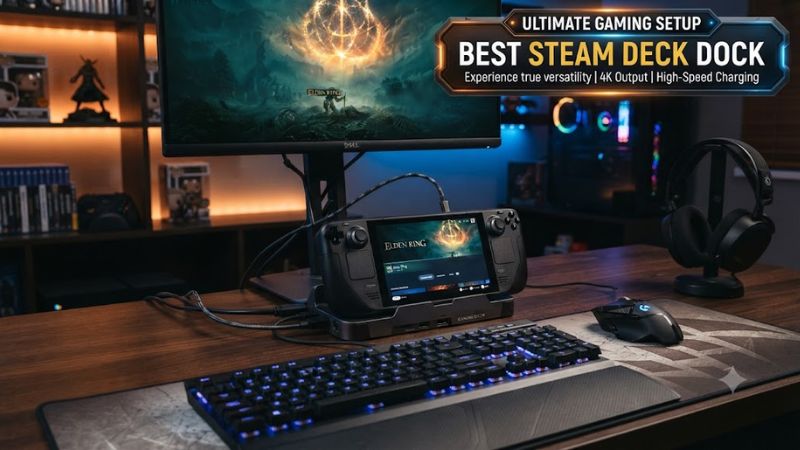
Display Output
For the best Steam Deck dock, display output should match the monitor or TV, not the headline maximum. Valve’s dock provides HDMI 2.0 and DisplayPort 1.4, up to 4K 60Hz or 1440p 120Hz, plus FreeSync. For one screen, that covers common TV and monitor setups. HDMI2.0/DP1.4/4K60/1440p120.
HDMI 2.1 matters when the dock will serve a high-refresh display or another handheld. JSAUX’s HB0609B lists HDMI 2.1 with 4K at 120Hz, plus Gigabit Ethernet and 100W USB-C PD input. The Deck’s own limits still apply. That makes it the more flexible choice for newer displays and compatible handhelds. HDMI 2.1, 4K120, 1080p240, Gigabit Ethernet, 100W PD.
Ports and Storage
For the best Steam Deck dock, port selection matters when keyboard, mouse, storage, and wired networking connect together. UGREEN’s 9-in-1 combines HDMI, Gigabit Ethernet, SD/TF readers, USB-C/A data, and 100W PD in one adjustable stand. The card readers add file-transfer flexibility. 10Gbps USB. HDMI 2.0, 4K60, Gigabit Ethernet, 100W PD.
Charging should be judged by dock input and the charger you connect, not the largest PD number. The official dock includes a PSU, while UGREEN and JSAUX accept up to 100W but do not make the Deck draw 100W. USB-C PD, 45W PSU, 100W input. The charger remains part of the compatibility decision. Spec:HDMI2.0/HDMI2.1/4K60/4K120/100W.
Power Delivery
Power delivery matters because the dock passes USB-C power while the Steam Deck controls charging behavior. Valve includes a 45W PSU; JSAUX and UGREEN accept up to 100W PD input. The dock rating is headroom, not a 100W charging requirement. 45W PSU, 100W PD, USB-C power. 45W-PSU/100W-PD.
For a simple Steam Deck setup, a suitable 45W-or-higher adapter is more important than chasing the highest dock rating. Anker recommends 45W or above for stable video and operation with A83S1, while JSAUX offers a dock-plus-65W package. Check the bundle before checkout. 45W+, 65W bundle, USB-C PD input. Spec:HDMI2.0/HDMI2.1/4K60/4K120/100W.
Physical Compatibility
Physical fit matters when a case stays on the Deck. Valve’s dock uses a molded rubber seat for LCD and OLED; third-party stands may be adjustable or detachable. Check cradle width and cable position before buying. Case fit, USB-C angle, stand clearance, and thicker cases can affect placement. USB-C-angle/stand-clearance.
A dock is also a compatibility choice when reused with another handheld. JSAUX lists Steam Deck LCD/OLED, ROG Ally, Legion Go, and other devices. Anker’s A83S1 is more restrictive, so its list deserves attention. This matters when one dock moves between handheld PCs. Steam Deck, ROG Ally, Legion Go.
Top Steam Deck Dock Picks
The four picks cover the main buying cases: Valve for integrated support, JSAUX for high-refresh HDMI, UGREEN for storage and desktop expansion, and Anker for a compact lower-cost setup. This guide uses current manufacturer specifications and independent buying coverage. No hands-on claims are used.
| Product | Best For | Key Spec | Compatibility | Watch Out For |
| Valve Dock | Best Overall | HDMI2.0/DP1.4 | LCD/OLED | No HDMI2.1 |
| JSAUX HB0609B | Best HDMI2.1 | 4K120 | Deck/Ally/Legion | No SD/TF |
| UGREEN 9-in-1 | Best Value | 4K60/10Gbps | Deck/Ally/Legion | 417g |
| Anker A83S1 | Best Compact | 4K60/5Gbps | Steam Deck | Narrower compatibility |
Valve Steam Deck Docking Station
For the best Steam Deck dock overall, Valve’s Docking Station fits a Deck-specific setup. It supports LCD/OLED, includes its PSU, and provides HDMI 2.0, DisplayPort 1.4, Gigabit Ethernet, and three USB-A 3.1 ports. Valve lists $79. HDMI2.0/DP1.4/FreeSync/MST.
Its weakness is value if you own a USB-C charger and need only HDMI plus peripherals. The official dock lacks HDMI 2.1. Do not buy it for 4K 120Hz; choose it for included power, DisplayPort, and Valve-specific fit. No SD/TF. DisplayPort 1.4, HDMI 2.0, Gigabit Ethernet, USB-A 3.1. Spec:HDMI2.0/HDMI2.1/4K60/4K120/100W.
JSAUX HB0609B
For the best Steam Deck dock with high-refresh HDMI, JSAUX HB0609B fits. HDMI 2.1 is rated for 4K 120Hz, with Gigabit Ethernet, two USB-A 3.0 ports, one USB-C 3.0 port, and 100W PD. JSAUX lists $39.99; 125 x 85 x 49 mm. It is aimed at newer TVs and high-refresh monitors. Spec:HDMI2.0/HDMI2.1/4K60/4K120/100W.
The weakness is that 100W input does not turn the Steam Deck into a 100W handheld; the Deck follows its own charging limits. The dock lacks SD/TF readers found on UGREEN’s 9-in-1. Do not choose it if card storage is central. 179g, detachable stand. HDMI 2.1, Gigabit Ethernet, 100W PD, USB-C/A 3.0. Spec:HDMI2.0/HDMI2.1/4K60/4K120/100W.
UGREEN 9-in-1 Steam Deck Dock
For the best Steam Deck dock with expansion, UGREEN’s 9-in-1 offers HDMI 2.0 up to 4K 60Hz, Gigabit Ethernet, SD/TF slots, 10Gbps USB-C/A data, two USB-A 2.0 ports, and 100W PD. UGREEN lists $59.99; 160 x 115 x 40 mm, 417g. HDMI 2.0, 4K60, 10Gbps USB, SD/TF, Gigabit Ethernet.
Its weakness is bulk: the adjustable stand is larger than a simple hub. HDMI tops out at 4K 60Hz, so it is not right for a 4K 120Hz display. Those extras are less useful in a minimal living-room setup. 417g, HDMI 2.0, SD/TF, 10Gbps USB. The 417g chassis favors desk use.
Anker USB-C Hub A83S1
Anker’s A83S1 is the best compact pick for a simple TV or monitor. It provides 4K 60Hz HDMI, 100W PD, Gigabit Ethernet, two 5Gbps USB-A ports, and one 5Gbps USB-C port. Anker lists a 90-degree connector and $35.99 price. No DisplayPort or SD/TF. It is intended for Steam Deck-focused use and travel.
Its weakness is compatibility: Anker says A83S1 is not compatible with ROG Ally X, AYANEO, or Nintendo Switch devices, and kickstand cases can also be a problem. Buy it for Steam Deck-focused use, not as a universal dock. Anker recommends a 45W-or-higher adapter for stable output. 100W PD, 4K60 HDMI, 1GbE, 5Gbps USB-A/C.
Steam Deck Dock FAQ
These questions cover buying decisions that matter after the port list is narrowed down. The answers separate dock capabilities from what Steam Deck itself can output, charge, or support. This keeps maximum HDMI and PD ratings in context. 4K60, 4K120, 100W PD. Prices can change, but interface capabilities remain the key comparison.
Does Steam Deck Work With Any Dock?
Yes, the best Steam Deck dock can be Valve’s official Docking Station for LCD and OLED. It provides HDMI 2.0, DisplayPort 1.4, Gigabit Ethernet, three USB-A 3.1 ports, and an included PSU. Valve lists 117 x 29 x 50.5 mm, about 120g, 45W PSU. HDMI 2.0, DP 1.4, 1GbE, USB-A 3.1, 45W. included. OK.
Third-party docks also work because Steam Deck’s USB-C port supports display, power, and peripherals. Valve explicitly says owners can use other USB-C hubs and docks, so an alternative does not require a special connector or proprietary interface. The official dock is optional. Valve also supports third-party hubs.
Does a 4K 120Hz Dock Make Steam Deck Run at 120 FPS?
No, a 4K 120Hz dock does not mean every Steam Deck game runs at 4K 120Hz. JSAUX lists HDMI 2.1 and 4K 120Hz output, but final resolution and frame rate depend on the Deck, game, settings, and display. Valve’s dock is HDMI 2.0 and 4K 60Hz. The interface rating is not a game-performance target. Spec:HDMI2.0/HDMI2.1/4K60/4K120/100W.
A high-refresh dock is mainly useful when the display or another compatible handheld benefits from extra bandwidth. Steam Deck owners should treat the dock’s maximum output as an interface capability, not a promised game frame rate. A 1080p high-refresh display may still be useful. Spec:HDMI2.0/HDMI2.1/4K60/4K120/100W.
Which Steam Deck Dock Includes a Charger?
The official Valve dock is strongest when you want an included charger and Valve-specific fit. JSAUX, UGREEN, and Anker use USB-C PD input and may require a separate charger. Valve’s package includes a 45W PSU with a 1.5m cable. Included PSU, 45W, 1.5m. A separate charger can still serve other USB-C devices.
A separate charger can still be useful because one USB-C adapter can serve several devices. Check the exact bundle before ordering, especially with JSAUX, where HB0609B is sold both as a dock and as a dock-plus-65W-charger package. JSAUX lists both dock-only and dock-plus-65W options. Spec:HDMI2.0/HDMI2.1/4K60/4K120/100W.
Which Dock Has SD and TF Card Readers?
UGREEN’s 9-in-1 is the strongest pick when SD and TF card readers matter. Its specifications list both card slots, Gigabit Ethernet, 10Gbps USB-C and USB-A data, two USB-A 2.0 ports, HDMI 2.0, and 100W PD. It also uses a two-stage adjustable stand. Its HDMI output is 4K60; the card readers target desktop expansion.
Choose Valve if you need DisplayPort or official dual-display support, or JSAUX if HDMI 2.1 is the priority. UGREEN suits a desk using storage cards and wired accessories. That makes UGREEN the expansion-focused choice, while Valve and JSAUX target display priorities. UGREEN: 4K60, 10Gbps USB, SD/TF, 100W PD.
Final Thoughts
The best Steam Deck dock depends on matching the display, charger, case, and peripherals. Valve is integrated, JSAUX suits HDMI 2.1, UGREEN adds storage expansion, and Anker keeps simple setups compact. Check display input and charger before ordering; 4K60, 4K120, PD compatibility varies by dock before purchase.