🛒 Best Price Today on Amazon
Prime members get fast, free shipping on everything above, plus member-only deals. New members get a 30-day free trial — cancel anytime.
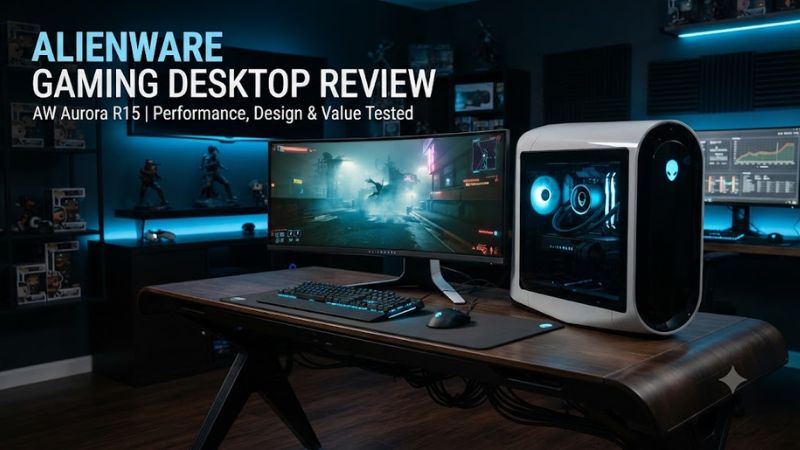
Alienware gaming desktop review buyers now have two current desktop families to consider: the Aurora ACT1250 for mainstream and high-end gaming, and the Area-51 for flagship performance. Dell offers RTX 50-series graphics across both lines, but chassis design, upgrade freedom, power delivery, and pricing make them suited to different buyers.
How to Choose an Alienware Gaming Desktop
The right Alienware desktop depends mainly on GPU class, memory, upgrade expectations, and power requirements. Aurora is the more compact option and currently ranges from RTX 5060 Ti through RTX 5080, while Area-51 reaches RTX 5090 configurations. Current Dell pricing changes by configuration and promotion, so the listed prices below are snapshots from October 5, 2026.
Match the GPU to Your Resolution
For an alienware gaming desktop review, GPU selection should come before premium CPU upgrades because gaming performance is usually more sensitive to graphics hardware at higher resolutions. The Aurora RTX 5060 Ti targets 1080p and some 1440p workloads, while RTX 5070 is a stronger 1440p choice and RTX 5080 moves into demanding 4K territory.
WIRED’s Aurora RTX 5070 configuration produced 163 fps in Cyberpunk 2077 at 1080p and 108 fps at 1440p, using maximum settings without ray tracing, frame generation, or upscaling. Black Myth: Wukong reached 58 fps at 1080p under the same general test conditions.
Check Memory Before Buying
Memory capacity matters because current Aurora configurations can start with 16GB DDR5, while other configurations use 32GB. Dell’s current entry ACT1250 configuration pairs 16GB DDR5-5200 with an RTX 5060 Ti, while a current RTX 5070 configuration uses 32GB DDR5-5200. That makes the latter a more balanced choice for newer games and multitasking.
Area-51 offers considerably more headroom, with current Dell configurations using 32GB DDR5-6400 and higher configurations reaching 64GB. The platform also uses an ATX12VO power design and supports substantially larger power supplies, making it more appropriate when the goal is a high-end workstation and gaming system rather than a compact prebuilt.
Consider Upgrade Compatibility
An alienware gaming desktop review should separate upgradeable components from proprietary platform limits. Aurora allows practical upgrades to graphics, RAM, storage, and wireless hardware, but WIRED notes that its proprietary motherboard connectors make motherboard replacement difficult. CPU upgrade options are therefore more restricted than on a conventional DIY system.
Area-51 takes a different approach with a standard ATX motherboard and a much roomier 80-liter chassis. GamesRadar reports support for 240mm, 280mm, and 420mm cooling options, while motherboard replacement remains possible. However, changing away from ATX12VO can require a different PSU, and retaining AlienFX functionality may require a separate adapter kit.
Match the Power Supply to the GPU
Power delivery becomes important as graphics cards move from RTX 5060 Ti toward RTX 5080 and RTX 5090. Dell lists the Aurora RTX 5060 Ti configuration with a 500W Platinum PSU, while selected RTX 5070 and RTX 5080 configurations use 1000W Platinum power supplies. Buyers should therefore verify the exact configuration rather than assuming every Aurora has the same PSU.
The Area-51 offers substantially higher power capacity, with Dell listing a 1500W Platinum-rated ATX12VO PSU on RTX 5090 configurations. That capacity is part of the reason the larger chassis can accommodate flagship hardware, but it also contributes to the system’s higher cost and much larger physical footprint.
Top Alienware Gaming Desktop Picks
These four configurations cover the current buying range most relevant to the keyword, from an Aurora designed around 1080p and entry-level 1440p gaming to an Area-51 built around the RTX 5090. Prices are the Dell US prices visible during research on October 5, 2026, and can change with promotions or configuration changes.
| Product | Best For | Key Spec | Compatibility | Watch Out For |
| Aurora ACT1250 RTX 5060 Ti | Best Value | Core Ultra 7 265F, RTX 5060 Ti 16GB | Windows 11, DDR5 | 16GB RAM, 500W PSU |
| Aurora ACT1250 RTX 5070 | Best Overall | Core Ultra 7 265F, RTX 5070 12GB | Windows 11, DDR5 | Proprietary motherboard |
| Aurora ACT1250 RTX 5080 | Best For 4K | Core Ultra 9 285K, RTX 5080 16GB | Windows 11, DDR5 | High price |
| Area-51 RTX 5090 | Best For Enthusiasts | Ryzen 9 9950X3D, RTX 5090 32GB | Windows 11, DDR5, ATX12VO | Very large and expensive |
Aurora RTX 5060 Ti: Best Value
The current Aurora ACT1250 with RTX 5060 Ti is the practical entry point, with Dell listing a Core Ultra 7 265F, RTX 5060 Ti 16GB, 16GB DDR5-5200, 1TB PCIe NVMe SSD, and 500W Platinum PSU at $1,849.99 on one current configuration. The platform runs Windows 11 Home and includes Wi-Fi 7.
This model suits buyers who want a ready-made gaming PC without paying for flagship graphics. Its main weakness is the 16GB memory configuration, while the 500W PSU leaves less room for ambitious graphics upgrades than higher Aurora trims. Buyers planning heavy multitasking, extensive modding, or major future upgrades should consider the 32GB RTX 5070 model instead.
Aurora RTX 5070: Best Overall
The Aurora RTX 5070 is the strongest balance for many buyers because Dell currently lists a Core Ultra 7 265F, RTX 5070 12GB, 32GB DDR5-5200, and 1TB NVMe SSD in a $2,229.99 configuration. A 1000W Platinum PSU is included in that specific configuration, giving it considerably more power capacity than the entry model.
For an alienware gaming desktop review, this is also the easiest configuration to support with independent performance data. WIRED’s Aurora RTX 5070 system reached 163 fps in Cyberpunk 2077 at 1080p and 108 fps at 1440p, with maximum settings and no ray tracing, frame generation, or upscaling. Its weakness is the proprietary motherboard design, which limits platform-level upgrades.
Aurora RTX 5080: Best For 4K
The high-end Aurora ACT1250 reaches the RTX 5080, and Dell currently lists a configuration with a Core Ultra 9 285K, RTX 5080 16GB, 32GB DDR5-5200, 2TB NVMe SSD, 1000W Platinum PSU, and 240mm liquid cooling. A current Dell price snapshot puts this configuration at $5,279.99.
This version makes sense for buyers who want a powerful 4K-oriented Aurora without moving to the much larger Area-51. The real weakness is price: once the Aurora reaches this tier, the premium over the RTX 5070 configuration becomes substantial. Buyers who prioritize maximum upgrade freedom should instead look toward Area-51’s more conventional internal layout.
Area-51 RTX 5090: Best For Enthusiasts
The Area-51 is Alienware’s flagship desktop and currently reaches the Ryzen 9 9950X3D and RTX 5090 combination. Dell lists a configuration with 32GB DDR5-6400, 2TB PCIe Gen5 SSD storage, a 1500W Platinum ATX12VO PSU, and 360mm liquid cooling at $7,999.99, while other configurations alter memory and storage.
Its performance ceiling is substantially higher than Aurora. Tom’s Guide recorded 120 fps in Cyberpunk 2077 at 1080p and 56 fps at 4K, while GamesRadar recorded about 56 fps at 4K Ultra with ray tracing enabled and no DLSS 4. The weakness is obvious: the enormous chassis and high price make it unsuitable for buyers seeking compact size or value.
Alienware Gaming Desktop Ownership Considerations
An alienware gaming desktop review is incomplete without considering the case and upgrade experience because these systems differ substantially from ordinary retail components. Aurora uses a compact proprietary platform that simplifies ownership but restricts motherboard replacement, whereas Area-51 uses a larger ATX-based design that provides more conventional access to major components.
Aurora Cooling and Airflow
The current Aurora chassis is designed around front intake and top or rear exhaust, with liquid cooling available on higher configurations. WIRED’s Aurora review found the system reached 82°C under load, while also noting that the chassis provides more airflow potential than Dell’s Tower Plus. Cooling hardware therefore depends directly on the configuration selected.
The practical limitation is that a compact chassis cannot offer the same expansion space as Area-51. That does not make Aurora unsuitable for gaming, but it means buyers should choose the desired GPU, memory, storage, and cooling configuration carefully at purchase instead of assuming every major component will be easy to replace later.
Area-51 Expansion Space
Area-51 is substantially larger, using an 80-liter case with considerably more internal room. GamesRadar reports that the chassis supports several radiator sizes and provides space for additional storage devices, while the standard ATX motherboard makes component replacement more conventional than on older Alienware desktops.
That flexibility comes with a physical cost. The Area-51 occupies far more desk or floor space than Aurora, and the flagship configurations are also expensive enough that component replacement can be difficult to justify economically. It is better suited to buyers who specifically need flagship performance and expansion capacity.
Gaming Benchmark Context
The most useful Aurora benchmark reference comes from WIRED’s RTX 5070 configuration: 163 fps in Cyberpunk 2077 at 1080p and 108 fps at 1440p, with maximum settings and no ray tracing, frame generation, or upscaling. Black Myth: Wukong reached 58 fps at 1080p in the same broader test methodology.
Area-51 benchmarks are from a different configuration and should not be compared as if they were the same test platform. GamesRadar’s RTX 5090 system reached 56 fps in Cyberpunk 2077 at 4K Ultra with ray tracing enabled and DLSS 4 disabled, while Tom’s Guide recorded 56 fps at 4K in its own Cyberpunk test. The settings and review platforms differ, so these figures are directional rather than directly interchangeable.
What Buyers Should Avoid
A sensible alienware gaming desktop review should not treat every expensive configuration as a better purchase. Paying for a Core Ultra 9 or additional storage can make less sense than putting the same budget toward a stronger GPU, while 16GB RAM can become a constraint sooner than 32GB in a premium gaming system.
The biggest mistake is choosing by the Alienware name alone. Aurora makes more sense when its compact design and lower entry price fit the buyer, while Area-51 is aimed at users who actually need flagship graphics and broader component access. Buyers who want maximum value from every dollar may find a conventional custom-built PC more attractive.
FAQ
Is Alienware Aurora good for gaming?
Yes, the Alienware Aurora is a capable gaming desktop, particularly in RTX 5070 and RTX 5080 configurations. The RTX 5070 Aurora reached 163 fps in Cyberpunk 2077 at 1080p and 108 fps at 1440p in WIRED’s maximum-settings test without ray tracing, frame generation, or upscaling.
Is Alienware Area-51 worth the price?
The Area-51 is worth considering when flagship RTX 5090 performance and a spacious, more conventional chassis matter more than minimizing cost. Dell’s current RTX 5090 configurations combine high-end Ryzen or Intel processors, DDR5 memory, large power supplies, and liquid cooling, but the system remains a premium purchase.
Can you upgrade an Alienware gaming desktop?
Yes, but upgrade freedom varies by model, with Aurora offering easier graphics, RAM, storage, and wireless upgrades while its proprietary motherboard limits deeper platform changes. Area-51 is more flexible because it uses a standard ATX motherboard and a larger chassis, although its ATX12VO power design can affect motherboard and PSU replacement choices.
Which Alienware desktop should you buy?
The Aurora RTX 5070 is the clearest choice for most buyers seeking a balance of gaming performance, memory capacity, and price, while the RTX 5060 Ti version suits tighter budgets and the RTX 5080 targets higher-resolution gaming. Area-51 is the specialist choice for buyers who specifically want RTX 5090-class performance and greater expansion space.
Final Thoughts
An alienware gaming desktop review points to Aurora as the sensible mainstream choice and Area-51 as the enthusiast option. The RTX 5070 Aurora offers the strongest overall balance, while RTX 5080 and RTX 5090 systems target demanding 4K gaming. Check the exact PSU, RAM, cooling, storage, and motherboard configuration before ordering.