🛒 Best Price Today on Amazon
Prime members get fast, free shipping on everything above, plus member-only deals. New members get a 30-day free trial — cancel anytime.
A good best case fans for airflow choice balances fan size, usable airflow, noise, mounting space, and the restrictions created by mesh or filters. Current 2026 comparisons favor several different designs rather than one universal model, so the right pick depends on your case layout and how much acoustic compromise you accept.
How to Choose Case Fans for Airflow
Airflow ratings alone do not describe how a fan behaves inside a PC. Tom’s Hardware measures unrestricted airflow plus acoustics with a radiator and mesh intake, while PC Gamer uses an anemometer and wind-tunnel setup. That makes fan speed, pressure, noise, and resistance to restrictions useful criteria alongside the advertised CFM figure.
Match the Fan Size to Your Case
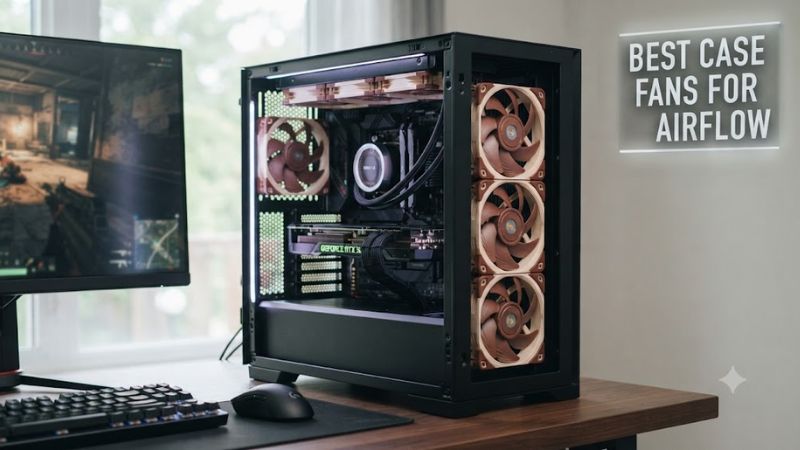
For the best case fans for airflow, start with the mounting positions your chassis actually provides. A 120mm mount accepts conventional 120mm fans, while a 140mm position can allow a larger frame and potentially more airflow at a lower rotational speed. The Noctua NF-A14x25 G2 is a current 140mm option with a 0–1500 RPM range and 91.58 CFM rating.
A 120mm layout gives you broader compatibility, especially in compact ATX, Micro-ATX, and Mini-ITX cases. The Noctua NF-A12x25 G2 uses the standard 120 x 120 x 25mm format, while the Phanteks T30 uses a deeper 30mm frame. Check the case specification before choosing either, with the T30 needing extra depth beyond a conventional 25mm fan.
Consider Airflow and Static Pressure Together
The best case fans for airflow should not be selected from CFM alone because front filters, mesh panels, radiators, and heatsinks restrict the air path. Arctic’s P12 Pro is rated at 77 CFM and 6.9 mmH₂O, giving it both substantial advertised airflow and pressure capability for restrictive locations.
Independent measurements show why the distinction matters. PC Gamer recorded 2.9 m/s from the P12 Pro at maximum speed in its anemometer setup, while Tom’s Hardware found its behavior remained competitive but changed when placed behind mesh. These figures come from different methods, so they should not be treated as directly interchangeable.
Check PWM and Motherboard Compatibility
A 4-pin PWM connection is useful when you want motherboard-controlled fan curves instead of running every fan at a fixed speed. The Noctua NF-A12x25 G2, Arctic P12 Pro, Arctic P14 Pro, and Phanteks T30 all use 4-pin PWM connections, although their electrical loads and connector arrangements differ.
The motherboard header still matters when several fans are connected together. Arctic specifically advises checking header capacity when using multiple PST fans and provides limits based on header current ratings. A powered fan hub can be appropriate for larger groups, while a single fan normally connects directly to a compatible 4-pin motherboard header.
Choose the Pick Around Your Build
For a quiet 120mm build, the Noctua NF-A12x25 G2 combines a 63.15 CFM manufacturer rating with a 22.5 dB(A) maximum rating and a 6-year warranty. For inexpensive multi-fan builds, the Arctic P12 Pro provides 77 CFM and 3000 RPM. The two target different priorities despite both using a standard 120mm frame.
For unrestricted high-output cooling, the Phanteks T30 reaches 100.9 CFM at 3000 RPM, while the Arctic P14 Pro reaches 110 CFM at 2500 RPM in a 140mm frame. These are manufacturer ratings rather than directly comparable independent measurements, so they are useful for specification matching rather than a single performance ranking.
Top Picks for Case Airflow
The following picks cover four common buying situations without treating one fan as suitable for every chassis. Independent 2026 comparisons from PC Gamer and Tom’s Hardware both highlight the Noctua NF-A12x25 G2, Arctic P12 Pro, and Phanteks T30, while the Arctic P14 Pro adds a current 140mm option with a high advertised airflow figure.
| Product | Best For | Key Spec | Compatibility | Watch Out For |
| Noctua NF-A12x25 G2 PWM chromax.black | Best Overall | 63.15 CFM, 1800 RPM | 120mm, 4-pin PWM | Premium price |
| Arctic P12 Pro PST | Best Value | 77 CFM, 3000 RPM | 120mm, 4-pin PWM/PST | Loud at maximum speed |
| Arctic P14 Pro PST | Best For 140mm | 110 CFM, 2500 RPM | 140mm, 4-pin PWM/PST | 27mm frame depth |
| Phanteks T30-120 | Best For High Restriction | 100.9 CFM, 7.37 mmH₂O | 120mm, 30mm thick, 4-pin PWM | Extra-thick frame |
Noctua NF-A12x25 G2 PWM chromax.black
The Noctua NF-A12x25 G2 is the strongest fit for builders who prioritize airflow at moderate speeds and lower acoustic output. It uses a 120 x 120 x 25mm frame, reaches 1800 RPM, and is rated for 63.15 CFM, 3.14 mmH₂O, and 22.5 dB(A). PC Gamer also measured 2.2 m/s at 1800 RPM in its 2026 airflow setup.
Its real weakness is cost rather than basic capability. PC Gamer lists the fan around $35, while Tom’s Hardware likewise identifies price as a drawback. Do not buy it simply because a case has empty fan mounts; a multi-fan build can make more sense with a lower-cost model when acoustic refinement is not important.
Arctic P12 Pro PST
The Arctic P12 Pro is the value choice for builders filling several 120mm positions without spending premium-fan money. Its current specification lists 600–3000 RPM, 77 CFM, 6.9 mmH₂O, a fluid dynamic bearing, and a 4-pin PWM connector with PST daisy chaining. PC Gamer recorded 2.9 m/s at maximum speed in its airflow setup.
Its weakness is acoustic behavior at full speed. PC Gamer and Tom’s Hardware both note that the fan becomes loud when pushed toward its 3000 RPM ceiling, while Tom’s Hardware found it somewhat less refined behind mesh than the Noctua. It is therefore a poor match for buyers who expect maximum speed to remain unobtrusive.
Arctic P14 Pro PST
The Arctic P14 Pro suits a case with genuine 140mm mounting positions and enough clearance for its 27mm depth. It reaches 2500 RPM and is rated for 110 CFM and 5.2 mmH₂O, with a fluid dynamic bearing and 4-pin PWM/PST connection. Arctic also provides a 6-year warranty, making it practical for multi-fan configurations.
Its main limitation is compatibility rather than airflow capability. A 140mm mount is required, and the 27mm thickness should be checked against nearby brackets, filters, radiators, and other components. Do not choose it for a chassis designed only around 120mm mounting positions, even if the larger fan’s advertised airflow looks attractive.
Phanteks T30-120
The Phanteks T30 is aimed at builders who have room for a thicker 120mm fan and want substantial airflow through restrictive areas. Its 30mm frame, 3000 RPM maximum, 100.9 CFM rating, and 7.37 mmH₂O maximum pressure give it unusually high specification figures for this format. Tom’s Hardware also places it in its high-performance category.
The real weakness is the 30mm frame, which is deeper than the conventional 25mm format and therefore less universally compatible. Phanteks also rates the maximum noise at 39.7 dBA in Advanced mode. Builders with tight rear, front, or radiator clearances should choose a conventional 25mm model instead.
FAQ: Case Fan Airflow Questions
The right case fan depends on mounting size, airflow restrictions, desired noise level, and motherboard control rather than a single advertised CFM number. Current independent comparisons also show that unrestricted airflow and performance behind mesh can differ, so the fan’s intended position should influence the purchase.
Are 140mm Fans Better for Airflow Than 120mm Fans?
140mm fans can move substantial air at lower rotational speeds, but they are not automatically better because case compatibility and fan design also affect usable airflow. The Arctic P14 Pro is rated at 110 CFM and 2500 RPM, while the Noctua NF-A12x25 G2 reaches 63.15 CFM at 1800 RPM. Those manufacturer figures use different fan sizes and should not be treated as a direct benchmark.
For a case that supports both sizes, 140mm is worth considering when its mounting positions provide unobstructed intake or exhaust space. For compact cases, radiator layouts, or locations designed specifically around 120mm mounting, a 120mm model avoids clearance problems. The practical advantage comes from the complete airflow path, not fan diameter alone.
Does Higher CFM Always Mean Better Case Cooling?
Higher CFM does not always translate directly into better case cooling because filters, mesh, radiators, and other restrictions change how a fan moves air. Tom’s Hardware specifically measures fan behavior with mesh and radiators after its unrestricted measurements because those conditions can alter both acoustics and required fan speed.
This is why static pressure is useful alongside airflow rather than as a replacement for it. The P12 Pro’s 77 CFM and 6.9 mmH₂O ratings make it flexible on paper, while the T30’s 100.9 CFM and 7.37 mmH₂O target higher output. Neither specification alone describes the complete result inside a particular case.
How Many Case Fans Do You Need?
Most gaming PCs do not need every available fan mount populated because airflow depends on case layout, component heat output, and restrictions. A sensible starting arrangement is intake through the front or bottom where supported and exhaust through the rear or top, then adjust the fan curve according to temperatures and noise.
Adding more fans can increase airflow capacity, but additional motors also add noise, power draw, cable complexity, and cost. PST or other daisy-chain designs can simplify wiring, while a fan hub becomes useful when the motherboard header cannot safely supply the combined current of the connected fans.
Which Fan Is Better for a Quiet Gaming PC?
The Noctua NF-A12x25 G2 is the clearest fit when low acoustic output and moderate-speed airflow are central priorities. Its manufacturer rating is 22.5 dB(A) at maximum speed, and PC Gamer’s 2026 measurements recorded 2.2 m/s at 1800 RPM while placing it among the quieter performers in its comparison.
The Arctic P12 Pro can also work well in a quiet system when its fan curve keeps it below maximum speed, but its 3000 RPM ceiling gives it a much higher noise potential. The Phanteks T30 offers another route when high airflow through restrictions matters more than compactness, provided its 30mm thickness fits the case.
Final Thoughts
The best case fans for airflow are the ones whose size, pressure capability, noise profile, connector, and physical clearance match the actual case. The Noctua NF-A12x25 G2 targets refined 120mm cooling, Arctic offers strong value and a 140mm option, while Phanteks provides high-output 30mm performance. Choose by airflow path, not CFM alone.