🛒 Best Price Today on Amazon
Prime members get fast, free shipping on everything above, plus member-only deals. New members get a 30-day free trial — cancel anytime.
If you want the best microphone for clear discord voice chat, focus first on pickup pattern, placement, room noise, and connection type rather than sample-rate numbers. The current PC gaming market includes compact USB condensers, dynamic desktop models, and USB/XLR options, so the right choice depends heavily on your desk and room.
How to Choose a Discord Microphone
A clear Discord microphone needs to keep speech prominent while limiting keyboard clicks, fan hum, desk vibration, and room reflections. Four factors matter most: pickup pattern, connection and monitoring, placement, and software compatibility. These criteria also map directly to the four picks below, from a simple desktop USB mic to a hybrid USB/XLR model.
1. Room noise and pickup pattern
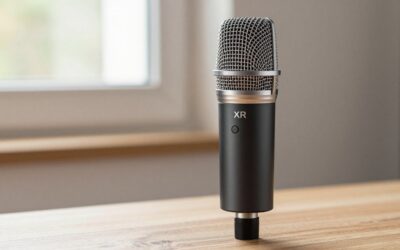
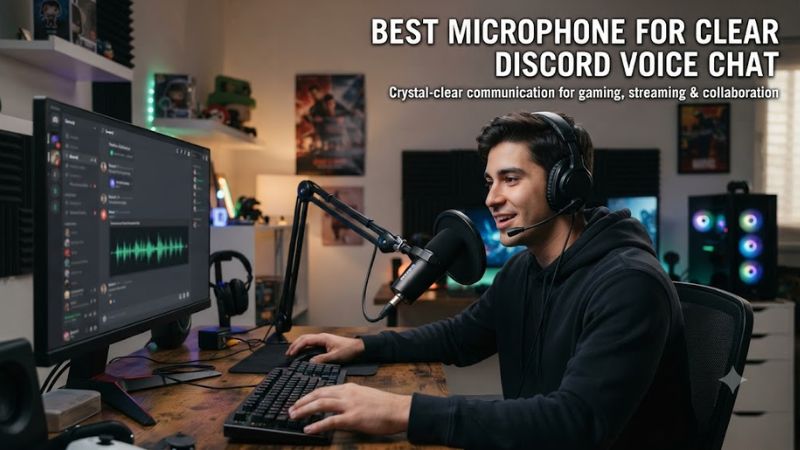
A dynamic cardioid microphone can suit a gaming desk where keyboards, fans, or nearby conversations create noise. The Shure MV6 combines a dynamic capsule with a cardioid pattern and rear rejection, while MOTIV Mix adds real-time denoising and automatic level control for voice-focused use.
A condenser can capture detailed speech, but room sound becomes more important when the microphone is distant. The Elgato Wave:3 MK.2 uses a 16 mm condenser capsule with a supercardioid pattern, making careful positioning especially useful when you want Discord speech to stay focused.
2. USB simplicity and monitoring
USB is the simplest connection for a gaming PC because the microphone can feed Discord directly without an external interface. The MV6, SoloCast 2, and Wave:3 MK.2 use USB, while the MV7+ adds XLR alongside USB-C for users who may later add an audio interface.
Headphone monitoring helps you catch excessive gain, clipping, or background noise before a Discord call. The MV6 and Wave:3 MK.2 provide 3.5 mm monitoring, while the SoloCast 2 and Seiren V3 Mini rely more heavily on PC software and Discord for adjustment and monitoring.
3. Placement matters more than sample rate
For Discord, a higher sample rate does not automatically make speech clearer because voice chat compresses audio and intelligibility depends heavily on distance, angle, room noise, and gain. A correctly positioned 48 kHz microphone can therefore be more useful for communication than a poorly positioned model advertising 96 kHz.
Keep the capsule close enough to produce a strong voice signal without speaking directly into the grille. PC Gamer describes the MV6 as suitable for practical desktop placement, while independent Wave:3 MK.2 coverage emphasizes closer positioning and accurate alignment because its tighter pickup pattern is less forgiving off-axis.
4. Software and platform compatibility
Software can matter as much as the capsule when you want consistent Discord levels. Shure uses MOTIV Mix, Elgato uses Wave Link, and HyperX uses NGENUITY; these applications can provide gain, filters, routing, or effects that are not all available through physical controls.
For PC-only use, the SoloCast 2 is explicitly listed for PC, while Wave Link for the Wave:3 MK.2 requires Windows 11 or newer and a USB-C port. The MV6 supports PC and Mac over USB-C, while the MV7+ supports both USB-C and XLR.
Top Picks
The four microphones below cover different Discord setups rather than one universal configuration. Product specifications come from current manufacturer documentation, while sound-quality and usability observations come from independent reviews. No PC gaming FPS benchmark is appropriate for microphones, so the comparisons use published audio-review evidence instead of unrelated frame-rate results.
| Product | Best For | Key Spec | Compatibility | Watch Out For |
| Shure MV6 | Best Overall | Dynamic cardioid, USB-C, 24-bit/48 kHz | PC, Mac | Denoiser can sound aggressive |
| HyperX SoloCast 2 | Best Value | 14 mm condenser, 24-bit/96 kHz | PC | Picks up desk and room noise |
| Elgato Wave:3 MK.2 | Best For Streamers | 16 mm condenser, 24-bit/48 kHz | Windows 11+, macOS 14.2+ | Sensitive mute control |
| Shure MV7+ | Best For Noisy Rooms and XLR | Dynamic cardioid, USB-C/XLR | PC/Mac via USB; XLR interface | Higher cost and stand sold separately |
Shure MV6: Best Overall
The Shure MV6 is the most straightforward fit for gamers who want a desktop microphone without an interface. Its dynamic cardioid design, USB-C connection, 3.5 mm monitoring, auto level mode, and denoiser target the practical problems that often affect Discord calls. PC Gamer currently lists it as its overall gaming microphone pick.
The main weakness is its processing flexibility: PC Gamer found the noise reduction quite aggressive, while MusicRadar also noted that it can remove subtler details. Do not buy the MV6 specifically for 96 kHz recording, because its current specification tops out at 24-bit/48 kHz.
HyperX SoloCast 2: Best Value
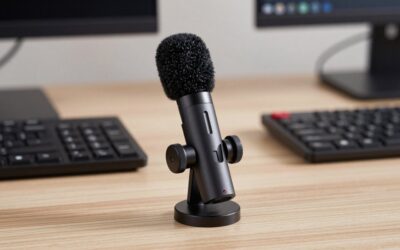
The HyperX SoloCast 2 is a compact PC-only USB condenser aimed directly at gaming communication. It offers a 14 mm capsule, cardioid pickup, USB-C, 24-bit recording up to 96 kHz, tap-to-mute, and NGENUITY software. Tom’s Hardware lists a $59.99 MSRP in its review and describes it as a budget-oriented gaming microphone.
Its real weakness is background pickup: Tom’s Hardware reports that fans remained audible, while desk movement can also reach the microphone through its low built-in stand. Do not buy it expecting a noisy-room dynamic microphone; a boom arm and sensible placement become more important with this condenser design.
Elgato Wave:3 MK.2: Best For Streamers
The Wave:3 MK.2 is aimed at users who want Discord communication plus streaming and software-based audio routing. It has a 16 mm condenser capsule, supercardioid pickup, 24-bit/48 kHz audio, USB-C, headphone monitoring, Clipguard 2.0, onboard DSP, and Wave Link integration. Elgato lists Windows 11 and macOS 14.2 requirements.
The main weakness is its condenser nature and sensitive touch control. GamesRadar notes that Voice Focus can over-filter some softer sounds, while the capacitive mute control can be triggered accidentally. Do not buy it solely for basic Discord calls if you will never use Wave Link, routing, or its processing features.
Shure MV7+: Best For Noisy Rooms and XLR
The Shure MV7+ suits users who want a dynamic microphone now but also want an XLR connection for a future audio interface. It supports USB-C and XLR, offers a cardioid pattern, 16- or 24-bit operation at 48 kHz, and includes auto level, denoising, plosive reduction, compression, limiting, and other DSP controls.
Its main drawback is cost and setup size: Shure launched the MV7+ at $279, and PC Gamer notes that a stand is not included by default. Do not buy it for a basic plug-in Discord setup if you only need simple desktop operation; the less expensive MV6 covers that use case with a supplied stand.
FAQ: Clear Discord Voice Chat
The key Discord microphone questions are usually about room noise, USB versus XLR, microphone type, and whether sample rate changes voice-chat quality. The four answers below focus on those practical differences and keep the recommendation tied to documented specifications and independent review observations.
Is a dynamic microphone better for Discord?
A dynamic microphone can be better for Discord when your gaming space is noisy because it generally works well with close speech and can reduce unwanted room pickup. The MV6 and MV7+ both use dynamic cardioid designs, giving them a useful starting point for desks with fans, keyboards, or nearby activity.
That does not make every condenser unsuitable for voice chat. The Wave:3 MK.2 and SoloCast 2 can produce clear speech, but their condenser capsules make placement and room conditions more significant. Independent reviews of both models note background-noise considerations, especially when the microphone sits away from the speaker.
Is USB enough for clear Discord audio?
USB is enough for clear Discord audio because these microphones can send their digital signal directly to the PC without requiring a separate interface. The MV6, SoloCast 2, and Wave:3 MK.2 all provide USB connectivity, while the MV7+ offers USB-C plus XLR for a more expandable setup.
XLR becomes relevant when you want an external interface, more traditional gain control, or a broader recording setup. For Discord alone, adding an interface also adds another device and cable path, so the practical advantage depends on the rest of your equipment rather than voice chat requiring XLR.
Does 96 kHz make Discord voice clearer?
96 kHz does not by itself make Discord voice clearer because the service processes voice chat separately from the microphone’s maximum recording rate. The SoloCast 2 supports up to 96 kHz, while the MV6 and Wave:3 MK.2 use up to 48 kHz, yet all three can target ordinary PC communication use.
For gaming calls, placement, gain, pickup pattern, and unwanted noise are more practical variables. If the microphone is too far away, pointed incorrectly, or surrounded by keyboard and fan noise, changing a recording-rate setting will not address the underlying problem.
Can these microphones work with Discord on a gaming PC?
These microphones can work with Discord on a gaming PC when the operating system recognizes the USB device and the relevant software requirements are satisfied. HyperX lists SoloCast 2 compatibility with PC, while Elgato specifies Windows 11 or newer for Wave Link and Shure documents PC support for its USB microphones.
The main compatibility differences are software and connection type rather than gaming performance. The SoloCast 2 is PC-focused, the Wave:3 MK.2 requires newer Windows for its software, and the MV7+ can also use XLR through a suitable interface. Check the manufacturer’s current software requirements before purchase.
Final Thoughts
The best microphone for clear discord voice chat depends on whether your priority is desktop simplicity, low cost, streaming controls, or an XLR upgrade path. The Shure MV6, HyperX SoloCast 2, Elgato Wave:3 MK.2, and Shure MV7+ each address those needs differently, with room noise and placement remaining central to clear voice communication.