🛒 Best Price Today on Amazon
Prime members get fast, free shipping on everything above, plus member-only deals. New members get a 30-day free trial — cancel anytime.
For 1440p gaming, the Ryzen 7 9850X3D targets maximum gaming speed, the Ryzen 7 9800X3D offers similar performance at a lower tier, the Core Ultra 7 270K Plus targets value, and the Ryzen 9 9950X3D fits gaming plus heavy workloads. Which CPU fits your GPU, budget, and platform depends on those differences.
How to Choose a CPU for 1440p Gaming
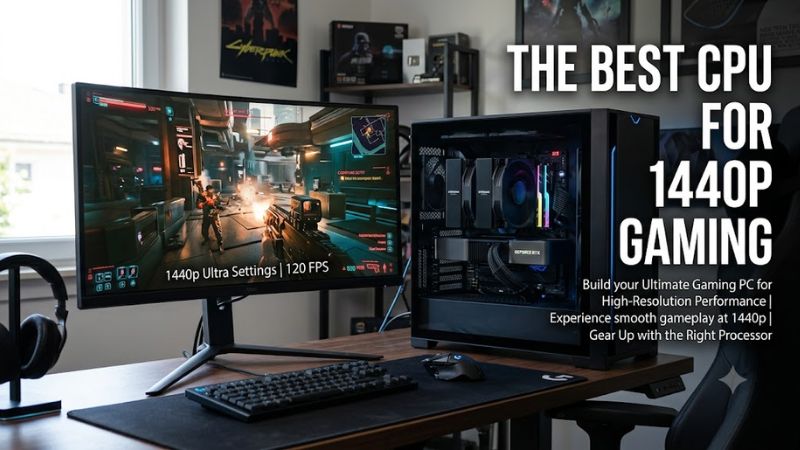
At 1440p, the GPU usually has more influence than the CPU once graphics settings become demanding, but a fast processor still matters for high-refresh gaming, CPU-heavy titles, and frame-time consistency. For the best cpu for 1440p gaming, compare gaming performance, price tier, platform compatibility, and whether the PC also handles productivity workloads.
Gaming Performance Matters Most
For the best cpu for 1440p gaming, prioritize processors with strong gaming performance rather than simply counting cores. GamersNexus found the Ryzen 7 9850X3D only modestly ahead of the 9800X3D overall, showing why cache, architecture, and clock behavior matter more than core count alone.
The same review shows how resolution changes CPU scaling. In Kingdom Come: Deliverance II at 1440p, using an RTX 5090, the 9850X3D averaged 303 FPS while the 9800X3D was around 300–301 FPS, as the GPU began limiting the top-end results.
Price Should Match the GPU
A high-end CPU makes more sense when the graphics card can expose its performance advantage. If a system uses a midrange GPU or targets 60–100 FPS, spending heavily on the processor can leave less budget for graphics hardware, where 1440p workloads commonly place the larger rendering burden.
The Core Ultra 7 270K Plus illustrates the lower-cost alternative. Intel lists a $339–$349 recommended price, while TechSpot reviewed it at roughly the $300 launch level and found its gaming performance competitive with several higher-priced CPUs in its test suite.
Platform Compatibility Comes First
The Ryzen 7 9850X3D, 9800X3D, and Ryzen 9 9950X3D use AMD’s AM5 socket and DDR5 memory, with PCIe 5.0 support. AMD lists A620, B650/B650E, B840/B850, X670/X670E, and X870/X870E chipsets among the supported platforms, subject to motherboard support.
The Core Ultra 7 270K Plus uses Intel’s LGA1851 socket and supports DDR5, with official memory support up to DDR5-7200 and PCIe 5.0/4.0 connectivity. Compatible Intel 800-series chipsets include B860 and Z890, so it cannot be dropped into an AM5 motherboard.
Consider Workloads Beyond Games
The best cpu for 1440p gaming changes when the computer also handles rendering, encoding, compiling, or other heavily threaded workloads. The Ryzen 9 9950X3D combines 16 cores and 32 threads with 128MB of L3 cache, while the 9850X3D and 9800X3D use eight cores and 16 threads.
TechSpot’s 9950X3D review found gaming results broadly comparable with the 9800X3D while providing substantially more multi-core resources. That makes it relevant for users who want one AM5 processor for gaming and demanding applications, although its 170W default TDP and cooler requirement add to system cost.
Top Picks for 1440p Gaming
The following picks cover different buying priorities rather than assuming every 1440p PC needs the same processor. Benchmark figures are from independent published testing and should not be treated as direct predictions for every GPU, game, memory kit, or graphics preset.
| Product | Best For | Key Spec | Compatibility | Watch Out For |
| Ryzen 7 9850X3D | Best Overall | 8C/16T, 5.6 GHz boost, 96MB L3 | AM5, DDR5, PCIe 5.0 | Small gain over 9800X3D |
| Ryzen 7 9800X3D | Best Value Gaming | 8C/16T, 5.2 GHz boost, 96MB L3 | AM5, DDR5, PCIe 5.0 | Older than 9850X3D |
| Core Ultra 7 270K Plus | Best Value Platform Alternative | 24C/24T, 5.5 GHz turbo, 36MB L3 | LGA1851, DDR5, PCIe 5.0/4.0 | High platform power and limited upgrade path |
| Ryzen 9 9950X3D | Best Gaming + Workstation | 16C/32T, 5.7 GHz boost, 128MB L3 | AM5, DDR5, PCIe 5.0 | Costs more than gaming-focused CPUs |
Ryzen 7 9850X3D
The Ryzen 7 9850X3D is the highest-clocked eight-core X3D option listed here, with a 5.6 GHz maximum boost, 96MB of L3 cache, 120W default TDP, and AM5 support. AMD launched it in January 2026, making it a current-generation option rather than an older Zen 4 model.
For the best cpu for 1440p gaming, its main weakness is the small separation from the 9800X3D. GamersNexus found the 9850X3D at best about 4% faster in its gaming comparisons, while some games were effectively tied. It is therefore most relevant when current pricing makes the newer chip reasonably close in cost.
Ryzen 7 9800X3D
The Ryzen 7 9800X3D uses Zen 5, eight cores, 16 threads, a 5.2 GHz maximum boost, and 96MB of L3 cache. It remains compatible with the same broad AM5 chipset family as the 9850X3D and requires DDR5 memory, so existing AM5 builders have a straightforward upgrade path if their motherboard BIOS supports the processor.
Its real weakness is that the 9850X3D now exists. Published comparisons show only a small gaming gap, including near-identical 1440p results in CPU-limited tests. Buyers should therefore compare actual retail pricing rather than assuming the newer model automatically provides a meaningful frame-rate improvement.
Core Ultra 7 270K Plus
The Core Ultra 7 270K Plus provides eight performance cores and 16 efficiency cores for 24 total cores and 24 threads, with a 5.5 GHz maximum turbo frequency. Intel specifies 125W processor base power and 250W maximum turbo power, while the chip uses the LGA1851 socket and DDR5 memory.
It should not be chosen simply because it has more cores than AMD’s eight-core gaming CPUs. TechSpot’s gaming suite used an RTX 5090 and found the 270K Plus about 3% ahead of the 9700X on average at medium settings, with 1% lows 11% higher, but CPU-limited X3D processors remained stronger in several comparisons.
Ryzen 9 9950X3D
The Ryzen 9 9950X3D adds 16 Zen 5 cores, 32 threads, 128MB of L3 cache, and a 5.7 GHz maximum boost. AMD specifies a 170W default TDP, AM5 compatibility, DDR5 memory, and PCIe 5.0, while recommending liquid cooling for optimal performance.
For the best cpu for 1440p gaming, its advantage is broader system capability rather than simply higher gaming FPS. TechSpot found it could match the 9800X3D in games such as Star Wars Jedi: Survivor and sit only about 1% behind it in Cyberpunk 2077: Phantom Liberty, while its additional cores improve heavily threaded workloads.
FAQ: Choosing a 1440p Gaming CPU
The right answer depends on whether your priority is maximum gaming performance, lower platform cost, or mixed gaming and productivity. Benchmark results also vary with GPU, settings, memory, and game engine, so a CPU comparison should be read as a range of behavior rather than a universal FPS guarantee.
Is the Ryzen 7 9850X3D Worth It?
The Ryzen 7 9850X3D makes the most sense when you are building a high-end AM5 gaming system and the price difference from the 9800X3D is modest. AMD gives it the same eight-core, 96MB-cache structure but raises maximum boost from 5.2 GHz to 5.6 GHz.
For the best cpu for 1440p gaming, the upgrade is less significant than the model number suggests. GamersNexus measured the 9850X3D at no more than about 4% ahead of the 9800X3D in its comparisons, while WIRED found only a roughly 2% difference in Cyberpunk 2077 at 1440p Ultra with ray tracing enabled and path tracing disabled.
Does 1440p Need a High-End CPU?
No. At 1440p, higher graphics workloads often move the limiting factor toward the GPU, particularly with demanding presets and ray tracing. GamersNexus demonstrated this in Kingdom Come: Deliverance II at 1440p, where the RTX 5090 began limiting the fastest CPUs and reduced the visible difference between the 9850X3D and 9800X3D.
A high-end CPU becomes more useful when the target is a high-refresh display, competitive games, simulation-heavy titles, or a particularly fast graphics card. For a conventional 1440p build, the processor should be selected alongside the GPU rather than treated as an isolated component.
Is Intel Still Suitable for 1440p Gaming?
Yes. The Core Ultra 7 270K Plus is a current-generation Intel option with 24 cores, DDR5 support, PCIe 5.0/4.0 connectivity, and a 5.5 GHz maximum turbo frequency. TechSpot’s 14-game results show competitive gaming performance, including strong results in Battlefield 6, Marvel Rivals, Counter-Strike 2, and The Last of Us Part II Remastered.
Its platform trade-off matters, however. The processor requires LGA1851 and an Intel 800-series motherboard, while TechSpot describes the socket as a limited upgrade path compared with AM5. Buyers should therefore include the motherboard and DDR5 cost when comparing complete platforms rather than comparing CPU prices alone.
Should You Buy More Than Eight Cores for Gaming?
Eight cores are enough for many gaming systems, and the Ryzen 7 9850X3D and 9800X3D both use eight cores with 16 threads. Moving to the 16-core Ryzen 9 9950X3D is more compelling when the same PC also performs rendering, encoding, compiling, or other workloads that can use many threads.
The Ryzen 9 9950X3D can therefore serve as a mixed-use option rather than a pure gaming purchase. TechSpot’s gaming results show performance close to the 9800X3D in several titles, while the larger core count expands its usefulness outside games. That distinction is more important than chasing small differences in 1440p FPS.
Final Thoughts
The best cpu for 1440p gaming depends on the GPU, refresh target, platform, and workload mix. The Ryzen 7 9850X3D and 9800X3D focus on X3D gaming performance, the Core Ultra 7 270K Plus offers a different value path, and the Ryzen 9 9950X3D adds substantial multi-core capacity for demanding applications.