🛒 Best Price Today on Amazon
Prime members get fast, free shipping on everything above, plus member-only deals. New members get a 30-day free trial — cancel anytime.
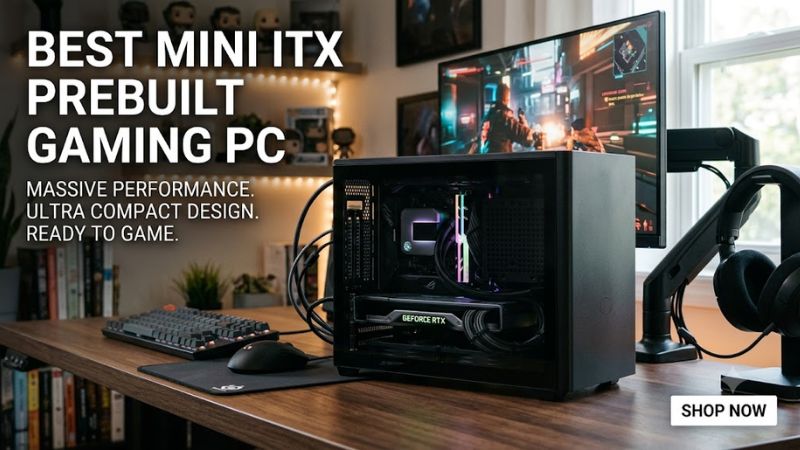
A best mini itx prebuilt gaming pc should balance GPU performance, chassis volume, cooling, power delivery, and upgrade limits rather than simply packing the fastest parts into the smallest case. For 2026, current options range from compact RTX 5060 Ti systems to high-end RTX 5080 configurations, with very different price and compatibility trade-offs.
How to Choose a Mini ITX Prebuilt Gaming PC
The key is matching the graphics card to your monitor, then checking whether the case, power supply, motherboard and cooling support that configuration. For 1440p gaming, RTX 5060 Ti and RTX 5070 systems are practical targets, while RTX 5070 Ti and RTX 5080 configurations are aimed at higher settings and 4K workloads. Independent GPU benchmarks below use 1440p or 4K gaming tests rather than manufacturer claims.
Match the GPU to Your Resolution
For a best mini itx prebuilt gaming pc, start with the display rather than the CPU. RTX 5060 Ti 16GB systems are positioned for mainstream 1440p gaming, while RTX 5070 and RTX 5070 Ti configurations provide more graphics headroom. TechSpot’s RTX 5060 Ti testing used game benchmarks at 1440p and found substantial gains over the RTX 4060 Ti.
The benchmark source matters because FPS figures from different games and settings cannot be combined into one guaranteed result. TechPowerUp’s RTX 5070 testing covers 1920×1080, 2560×1440 and 3840×2160, while TechSpot’s RTX 5070 Ti review also separates 1440p and 4K results. These tests describe GPU capability, not performance of the complete prebuilt system.
Check Mini ITX Compatibility
Mini ITX systems have less room for component variation, so compatibility needs to be checked before purchase. A suitable configuration must match the motherboard socket, memory generation, GPU dimensions, cooler clearance and power-supply format. For example, Ryzen 7 7800X3D uses AM5 and DDR5, while NVIDIA specifies system-power requirements separately for its RTX generations.
GPU clearance is particularly important because NVIDIA lists RTX card dimensions as varying by manufacturer. That means an RTX 5070 or RTX 5080 name alone does not establish that every card will fit a particular Mini ITX chassis. A prebuilt avoids some assembly uncertainty, but buyers should still verify the exact graphics-card model and case configuration before ordering.
Consider Power and Cooling
A compact gaming PC needs enough power capacity without assuming that a smaller PSU is automatically preferable. NVIDIA lists 600W required system power for the RTX 5060 Ti, 650W for the RTX 5070, and 850W for the RTX 5080 class. These figures are reference requirements and can vary with the complete system configuration and specific card.
Cooling also becomes more constrained as component power rises. A 9-liter enclosure with an RTX 5070 Ti is a fundamentally different thermal design problem from an 18-liter system with the same GPU. For a prebuilt, check the cooler type, radiator placement and chassis volume rather than assuming two machines with identical CPU and GPU names will behave identically.
Leave Room for Your Use Case
A best mini itx prebuilt gaming pc should also match what you actually run. Competitive games at 1080p may benefit from a faster CPU and high-refresh monitor, while visually demanding single-player games place more pressure on the GPU. For streaming, creation or heavy multitasking, 32GB DDR5 is a more useful starting point than choosing a CPU solely by its model number.
Storage deserves similar attention because compact systems are not necessarily difficult to upgrade, but internal space and accessible M.2 slots vary by motherboard. A 1TB SSD can be sufficient for a focused game library, while 2TB is more convenient for several large modern games. The exact expansion options should be checked against the listed motherboard and chassis configuration.
Top Mini ITX Prebuilt Gaming PC Picks
The table compares four current configurations using manufacturer or seller specifications, with prices treated as current listings rather than fixed MSRP. Independent GPU testing is used only to establish the graphics-class context: TechSpot’s RTX 5060 Ti and RTX 5070 Ti reviews use 1440p game testing, while its RTX 5080 review covers 1440p and 4K across multiple games.
| Product | Best For | Key Spec | Compatibility | Watch Out For |
| Monsoon A4-H2O 7600X3D + RTX 5060 Ti 16GB | Best Value | 32GB DDR5, 1TB SSD | AM5, DDR5, Mini ITX | 1TB storage |
| Thermaltake LCGS Traveler 9700X + RTX 5070 | Best Overall | 32GB DDR5, 1TB SSD | AM5, DDR5, 850W SFX | Higher price than mainstream prebuilts |
| Monsoon SF3 9850X3D + RTX 5070 Ti | Best 1440p High-End | 32GB DDR5, 2TB SSD | AM5, DDR5, 9.14L chassis | $3,610 starting price |
| Monsoon S300 9850X3D + RTX 5080 | Best 4K Class | 64GB DDR5, 4TB SSD | AM5, DDR5, 12V-2×6/PSU configuration | $4,730 starting price |
Monsoon A4-H2O: Best Value
The Monsoon A4-H2O configuration combines a Ryzen 5 7600X3D with an RTX 5060 Ti 16GB, 32GB DDR5-6000 and a 1TB SSD. The listed chassis volume is 11.1 liters, making it substantially smaller than many conventional compact desktops. Its $2,590 starting price places it below the higher-end configurations in this comparison.
This is a sensible choice for someone prioritizing compact 1440p gaming without moving into RTX 5070 Ti pricing. TechSpot’s independent RTX 5060 Ti testing used 1440p game benchmarks, including demanding modern titles, and the 16GB version provides more VRAM than the 8GB variant. The main weakness is the 1TB SSD, especially for large game libraries.
Thermaltake LCGS Traveler: Best Overall
The Thermaltake LCGS Traveler configuration with Ryzen 7 9700X and RTX 5070 lists 32GB DDR5, a 1TB NVMe SSD, Wi-Fi 6E and an 850W 80+ Platinum SFX power supply. The system uses a Mini ITX form factor and is sold with Windows 11. Current listings show pricing around the low-$2,000 range, depending on configuration and sale.
Its main advantage is the combination of a current AM5 platform, RTX 5070 graphics and a high-capacity SFX PSU. NVIDIA lists 650W as the RTX 5070 reference system requirement, so the listed 850W PSU provides substantial system-level capacity. The weakness is again storage: 1TB is adequate for a focused library but less comfortable for many large games.
Monsoon SF3: Best 1440p High-End
The Monsoon SF3 pairs a Ryzen 7 9850X3D with an RTX 5070 Ti 16GB, 32GB DDR5-6000 and a 2TB SSD. Its COOJ SF3 chassis measures 320 × 136 × 210 mm and has a listed volume of 9.14 liters. The manufacturer-configured system starts at $3,610, placing it firmly in the premium compact category.
The RTX 5070 Ti has substantially more graphics headroom than the RTX 5060 Ti, and independent TechSpot testing places it near RTX 4080 Super-class performance in several 1440p workloads, although results vary by game. That makes this configuration appropriate for high-refresh 1440p or demanding visual settings. The real weakness is cost, not missing core hardware.
Monsoon S300: Best 4K Class
The Monsoon S300 configuration uses a Ryzen 7 9850X3D, RTX 5080 16GB, 64GB DDR5-6000 and a 4TB SSD in a 12.28 × 5.31 × 7.60-inch chassis. Its listed volume is 7.91 liters, while the starting price is $4,730. The configuration therefore prioritizes high-end graphics performance and unusually large memory and storage capacity.
TechSpot’s RTX 5080 review tested 17 games at 1440p and 4K, with separate ray-tracing tests and game-specific settings. The RTX 5080 is consequently more appropriate for a 4K-oriented system than the RTX 5060 Ti, but the S300’s price is its clearest limitation. Buyers focused on 1440p may not need this level of hardware.
Frequently Asked Questions
The right compact prebuilt depends mainly on resolution, GPU class, physical constraints and budget; the questions below address the practical differences between the configurations without treating benchmark results as guarantees. Component specifications and prices can change, so the exact configuration should be checked at purchase.
Is a Mini ITX Prebuilt Good for 1440p Gaming?
Yes, Mini ITX prebuilts can support 1440p gaming when the configuration uses an appropriate discrete GPU. The RTX 5060 Ti 16GB, RTX 5070 and RTX 5070 Ti are all current options represented in compact systems, although their performance differs substantially between games and graphics settings. Independent benchmarks should therefore be treated as reference data rather than guaranteed FPS.
For a best mini itx prebuilt gaming pc, 1440p is a useful target because it balances image quality and GPU demand without requiring every system to use an RTX 5080. TechSpot’s RTX 5060 Ti and RTX 5070 Ti reviews both include 1440p gaming results across multiple titles, providing a consistent resolution for comparing GPU classes.
Does Mini ITX Mean Less Upgradeability?
No, but Mini ITX systems generally provide less physical expansion room than larger desktop formats. The exact limitation depends on the motherboard and chassis, including the number of M.2 slots, memory slots, GPU clearance and PSU format. A prebuilt using an AM5 Mini ITX motherboard can still provide a useful upgrade path when those components are documented.
For example, AMD’s Ryzen 7 7800X3D uses the AM5 socket and DDR5 memory, illustrating why platform details matter when considering CPU or memory upgrades. The motherboard model remains the deciding factor for actual compatibility, so a generic statement that every Mini ITX PC supports the same upgrades would be inaccurate.
Is an RTX 5080 Too Much for a Mini ITX PC?
No, an RTX 5080 can be used in a Mini ITX configuration when the specific chassis, GPU dimensions, cooling system and PSU are designed for it. The Monsoon S300 configuration demonstrates one current approach, pairing the RTX 5080 with a Ryzen 7 9850X3D, 64GB DDR5 and a compact chassis.
The important issue is not the Mini ITX label itself but the complete component combination. NVIDIA lists 850W required system power for the RTX 5080 reference configuration, while add-in-card dimensions vary by manufacturer. That makes exact GPU model and PSU specifications more important than simply checking whether a case is described as Mini ITX.
Should You Buy a Mini ITX Prebuilt Instead of Building One?
A prebuilt can make sense when you want a complete assembled configuration and do not want to resolve component-clearance, cooling and power compatibility yourself. The four systems above show how manufacturers can pair modern GPUs with compact cases, but their pricing includes assembly and configuration choices that may differ from the cost of individual components.
Building your own system can provide greater control over the case, motherboard, cooler, storage and GPU dimensions, but it also puts compatibility decisions on the buyer. For someone specifically seeking a best mini itx prebuilt gaming pc, the main benefit is having those compact-platform decisions packaged into one purchasable configuration.
Final Thoughts
The best mini itx prebuilt gaming pc depends on the display and workload rather than a single universal specification. RTX 5060 Ti systems suit mainstream 1440p targets, RTX 5070 and 5070 Ti configurations add graphics headroom, and RTX 5080 systems target demanding 4K use. Always verify the exact GPU, PSU, chassis and current price before purchase.