🛒 Best Price Today on Amazon
Prime members get fast, free shipping on everything above, plus member-only deals. New members get a 30-day free trial — cancel anytime.
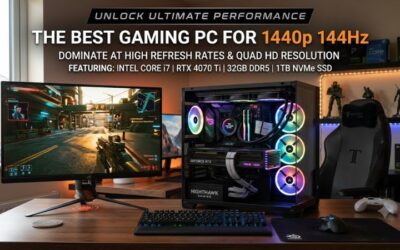
As of September 22, 2026, the best gaming PC for 1440p ultrawide should pair a strong GPU with enough CPU headroom to keep 3440×1440 smooth at high refresh rates. RTX 5070 Ti systems are the practical floor for demanding AAA play, while RTX 5080 towers add more room for ray tracing, heavier presets, and 165Hz-class monitors.
How to Choose a Gaming PC for 1440p Ultrawide
For 3440×1440, GPU choice matters more than chasing the fastest desktop CPU, because ultrawide pushes roughly five million pixels per frame. A balanced system should combine a current 16GB-class GPU, 32GB DDR5, fast NVMe storage, and a PSU sized for the installed card. The picks below meet that baseline without forcing 4K-tier spending.
Choose the GPU Around 3440×1440, Not Standard 1440p
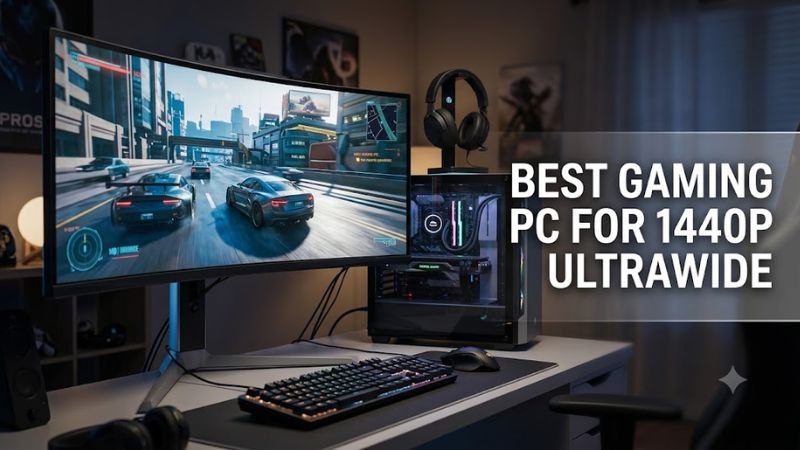
Prioritize the graphics card first. The RTX 5070 Ti is a strong match for 3440×1440 because it carries 16GB of GDDR7 and independent ultrawide testing shows solid frame rates at Ultra settings. The Corsair Vengeance a7500 fits that target with a Ryzen 7 9800X3D and RTX 5070 Ti, making it the broadest fit here.
Independent 3440×1440 testing of an RTX 5070 Ti showed Cyberpunk 2077 at 102 FPS on Ultra without ray tracing and 80 FPS with ray tracing plus DLSS Quality. Those figures are GPU-level context rather than a promise for every prebuilt, but they show why this class is well suited to high-refresh ultrawide gaming.
Match CPU Spending to the Games You Actually Play
CPU choice still matters for frame-time consistency, simulation titles, and competitive games. A Ryzen 7 9800X3D gives the Corsair Vengeance a7500 and HP Omen 35L strong gaming headroom, while an Intel Core Ultra 9 285K pairs well with RTX 5080 systems that also handle streaming, creation, and heavy multitasking.
Do not overpay for core count if the system steps down on graphics. At 3440×1440, a better GPU usually has more impact than moving from a strong eight-core gaming CPU to a higher-core workstation-oriented chip. The HP Omen 35L is a sensible value example because it keeps the 9800X3D while pairing it with an RTX 5070 Ti.
Get Enough Memory, Storage, and Cooling
Memory, storage, and cooling should support the GPU rather than become bottlenecks. For a best gaming PC for 1440p ultrawide, 32GB of DDR5 is a comfortable current target, and 1TB is workable if you manage a smaller library. The Lenovo Legion Tower 7i Gen 10 raises storage to 2TB while keeping 32GB of DDR5.
Cooling also matters because sustained GPU and CPU clocks depend on thermals. Lenovo lists a 360mm liquid cooler on its RTX 5080 Tower 7i configuration, while HP uses a 240mm liquid cooler in the Omen 35L RTX 5070 Ti model. Those designs suit long sessions better than compact cases with little airflow reserve.
Check DDR5, PSU, Expansion, and Upgrade Compatibility
Compatibility is mostly handled in a prebuilt, but future upgrades still deserve attention. Check motherboard platform, DDR generation, PSU capacity, GPU clearance, and power connectors before replacing parts. The HP Omen 35L uses AMD B850, DDR5, an 850W ATX 3.1 PSU, and standard expansion slots, making later upgrades easier to plan.
The Lenovo Legion Tower 7i Gen 10 uses Intel’s current desktop platform, DDR5, an 850W supply, and RTX 5070 Ti through RTX 5090 options. Its RTX 5080 model is a better pick for buyers who want extra 3440×1440 headroom now, while the Corsair a7500 is simpler for buyers who prefer AMD’s AM5 gaming platform.
Top Picks for 1440p Ultrawide Gaming
The four systems below cover the main 3440×1440 ultrawide use cases: balanced performance, value, higher-refresh play, and premium capacity. None requires a special monitor beyond a standard DisplayPort or HDMI connection, but exact refresh-rate support depends on the monitor, cable, port version, and selected resolution settings.
| Product | Best For | Key Spec | Compatibility | Watch Out For |
| Corsair Vengeance a7500 | Best Overall | Ryzen 7 9800X3D, RTX 5070 Ti | AM5, DDR5, PCIe NVMe | Premium pricing |
| HP Omen 35L GT17-0050m | Best Value | Ryzen 7 9800X3D, RTX 5070 Ti | B850, DDR5, ATX 3.1 PSU | 1TB storage |
| Lenovo Legion Tower 7i Gen 10 | Best For High Refresh | Core Ultra 9 285K, RTX 5080 | DDR5, 850W PSU | Higher system cost |
| Acer Predator Orion 7000 | Best For Heavy Multitasking | Core Ultra 9 285K, RTX 5080 | Z890, DDR5, Wi-Fi 7 | 64GB is excessive for gaming alone |
Corsair Vengeance a7500 — Best Overall
The Corsair Vengeance a7500 is the best overall fit for buyers who want high-end 3440×1440 performance without moving straight to an RTX 5080 tower. Tom’s Hardware lists a Ryzen 7 9800X3D, RTX 5070 Ti, 32GB DDR5-6400, and a 1TB PCIe 5.0 SSD, a combination that keeps gaming performance and platform quality well balanced.
Its real weakness is price: Tom’s Hardware specifically flags the a7500 as expensive compared with big-box systems. It is still attractive if you value standardized parts and a two-year warranty, but shoppers who mainly want maximum frames per dollar should compare it with the HP Omen 35L before paying the premium.
HP Omen 35L — Best Value
The HP Omen 35L is the value pick for a best gaming PC for 1440p ultrawide because it combines a Ryzen 7 9800X3D with an RTX 5070 Ti, 32GB DDR5-5600, and a 1TB PCIe 4.0 SSD. HP also specifies an 850W 80 Plus Gold ATX 3.1 PSU, four DIMM slots, support for 128GB of memory, and tool-less access today.
PC Gamer measured 74 FPS average and 54 FPS 1% low in Cyberpunk 2077 at 2560×1440 with RT Medium, plus 99 FPS average in Avatar: Frontiers of Pandora at 1440p Ultra. Those are standard 1440p results, not 3440×1440, so expect lower ultrawide frame rates. The main drawback is the relatively small 1TB drive.
Lenovo Legion Tower 7i Gen 10 — Best for High Refresh
The Lenovo Legion Tower 7i Gen 10 suits high-refresh ultrawide buyers who want more GPU margin. Lenovo’s RTX 5080 configuration pairs a Core Ultra 9 285K with 32GB DDR5-5600 and two 1TB PCIe 4.0 SSDs, while the 360mm liquid cooler and 850W PSU support sustained high-load gaming without shrinking into a compact chassis.
The tradeoff is value. At 3440×1440, an RTX 5080 can be more than you need for lighter esports or older games, and the Core Ultra 9 adds cost that does not always translate into proportionally higher gaming FPS. Buy this configuration for demanding ray tracing, high-refresh AAA play, or broader mixed workloads.
Acer Predator Orion 7000 — Best for Heavy Multitasking
The Acer Predator Orion 7000 is a premium option for buyers seeking the best gaming PC for 1440p ultrawide with RTX 5080-class graphics and extra capacity. Acer’s current configuration combines a Core Ultra 9 285K, RTX 5080 16GB, 64GB DDR5, a 2TB PCIe 4.0 SSD, Wi-Fi 7, Bluetooth 5.4, and Intel Z890.
Its weakness is straightforward: the system is expensive, and 64GB of RAM is unnecessary for gaming alone. It makes more sense if your PC also handles video work, large creative projects, virtual machines, or heavy multitasking. Pure gaming buyers can spend less on the Corsair or HP and still target 3440×1440 effectively.
Frequently Asked Questions
The best gaming PC for 1440p ultrawide does not need an RTX 5090 for most players. An RTX 5070 Ti is already a strong fit for high or Ultra settings at 3440×1440, especially when DLSS is available, while an RTX 5080 makes more sense for ray tracing, very high refresh rates, demanding simulators, or heavier future games.
What GPU Do I Need for 3440×1440 Ultrawide Gaming?
An RTX 5070 Ti is a sensible starting point for demanding 3440×1440 gaming in 2026. Current ultrawide benchmark data shows that this GPU class can deliver strong performance at high settings, while RTX 5080 systems offer extra overhead when ray tracing, demanding presets, or high-refresh targets put substantially more load on the GPU.
That recommendation assumes modern AAA titles rather than one fixed FPS target. Competitive games can run far faster than demanding single-player releases, and ray tracing can change the load dramatically. Use independent game benchmarks at 3440×1440 whenever possible instead of treating a generic “1440p” label as identical.
Is 32GB of RAM Enough for Ultrawide Gaming?
Yes, 32GB of DDR5 is enough for current 1440p ultrawide gaming. It leaves room for modern games, launchers, voice chat, browsers, and background utilities without pushing typical gaming workloads into a 64GB requirement. Both the Corsair a7500 and Lenovo Tower 7i configurations in this guide start at 32GB.
Move to 64GB when the same PC also handles heavy content creation, large mod packs, virtual machines, or professional workloads that can use the extra capacity. The Acer Predator Orion 7000 includes 64GB out of the box, but that capacity is a workload advantage rather than a frame-rate requirement for ordinary gaming.
Is an RTX 5070 Ti Good Enough for 3440×1440?
Yes, an RTX 5070 Ti is a strong choice for 3440×1440 and a practical core for the best gaming PC for 1440p ultrawide. Independent ultrawide testing at 3440×1440 and Ultra settings recorded triple-digit performance in several rasterized games, while Cyberpunk 2077 reached 102 FPS without ray tracing.
Results still vary by game, CPU, driver, patch, and graphics options, so those numbers should not be copied onto every prebuilt. For buyers who want more margin for path tracing or a 165Hz-plus display in demanding titles, an RTX 5080 system such as the Lenovo Tower 7i is the safer step up.
How Should I Connect a 3440×1440 Ultrawide Monitor?
Use DisplayPort or HDMI from the dedicated GPU, not the motherboard video output. The monitor must support its target 3440×1440 refresh rate over the selected input, and the cable must meet the required link bandwidth. HP lists three DisplayPort outputs and one HDMI output on its RTX 5070 Ti Omen 35L configuration.
Windows 11 is the standard OS on all four systems here, and no special software is required just because the panel is ultrawide. After connecting it, select 3440×1440 and the highest supported refresh rate in Windows Settings, then confirm the same resolution in each game before judging performance.
Final Thoughts
For most buyers, the best gaming PC for 1440p ultrawide pairs an RTX 5070 Ti with a strong gaming CPU, 32GB DDR5, and enough NVMe storage for the games you keep installed. Move to RTX 5080 when ray tracing or high-refresh headroom matters more, and verify PSU capacity, DDR5 support, display outputs, and upgrade space before checkout.