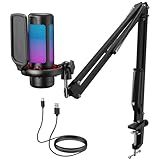
🛒 Best Price Today on Amazon
Prime members get fast, free shipping on everything above, plus member-only deals. New members get a 30-day free trial — cancel anytime.
Selecting the best streaming microphone requires balancing capsule physics, room acoustics, and connectivity options. A proper voice capture setup prevents keyboard noise and room echo from degrading your live broadcast quality. Modern options offer built-in digital signal processing and dual output modes for Windows 11 PCs.
How to Choose Streaming Microphones
Selecting a best streaming microphone starts with identifying your environment and technical workflow requirements. Dynamic models reject ambient background sound, whereas condenser units capture intricate detail at the expense of picking up room reverb. Choosing the correct connection type keeps your platform upgrades simple.
Dynamic Transducer Capsules
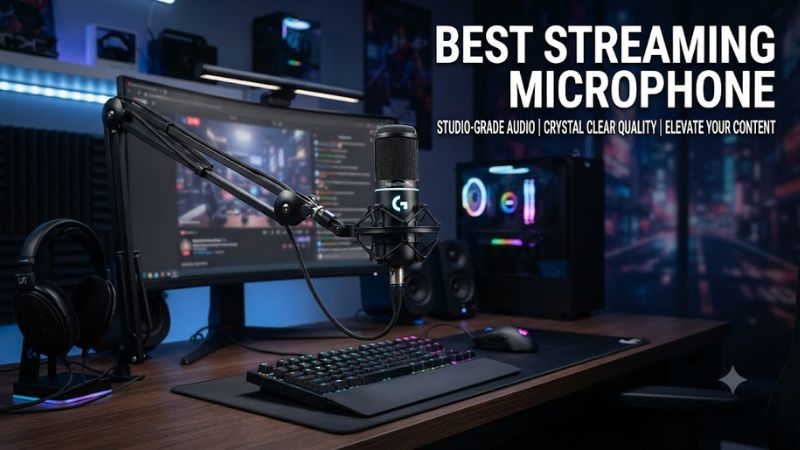
Dynamic capsule construction uses a heavy diaphragm connected to a moving coil that responds primarily to loud, near-field sound pressure. This design helps a best streaming microphone suppress mechanical keyboard switches and cooling fan noise in untreated rooms. The Shure MV7+ utilizes this dynamic capsule to isolate spoken voice.
Condenser capsules use light electret membranes that capture fast transients and higher frequencies with wider dynamic range. However, condensers require acoustic wall treatment to prevent echo from reflecting into the recording. Broadcasters working in standard office spaces benefit more from dynamic capsules to maintain vocal clarity.
Dual USB and XLR Interfaces
USB connections supply direct digital audio conversion over standard USB-C cables, allowing instant setup on Windows 11 platforms. Dual-mode hardware adds analog XLR outputs alongside USB ports so creators can connect directly to PCs today and external mixing desks later. The FIFINE K688 provides this dual path at an entry price point.
Operating in USB mode utilizes internal analog-to-digital converters powered directly through the motherboard port without extra gear. Switching to XLR bypasses internal processing and routes raw balanced signals to an audio interface or mixer. This dual capability allows incremental upgrades without replacing the main capture unit.
Digital Signal Mixing Control
Software integration provides virtual routing channels and submixes directly within the desktop operating system. Managing game audio, voice chat, and music separately allows fine balance control for a best streaming microphone setup. The Elgato Wave:3 MK.2 pairs with Wave Link software to manage multi-track desktop audio channels.
Hardware-based digital signal processing offloads equalization, noise suppression, and gain limiting from the main CPU. Internal gain protection prevents digital clipping when vocal volume spikes unexpectedly during competitive gameplay. Processing signals directly on hardware ensures stable audio transmission without increasing system latency.
Hardware Preamp Integration
Low-output dynamic capsules require high gain levels to produce usable signal levels for desktop broadcasting. Traditional low-sensitivity mics require external inline boosters or expensive preamps to reach nominal levels without adding background hiss. The Shure SM7dB resolves this by building an active preamp directly into the chassis.
Built-in active preamps require +48V phantom power delivered through standard XLR cables from audio interfaces. This active circuitry provides up to +28 dB of clean gain boost before the signal reaches your recording software. Verifying interface phantom power compatibility ensures stable operation when deploying high-end broadcast hardware.
Top Picks for Streaming Microphones
Selecting a best streaming microphone depends on budget limits, room acoustics, and software preferences. The options below cover USB simplicity, budget dual-connectivity, dedicated digital mixing, and professional XLR broadcast configurations. Each selection details hardware specifications alongside actual desktop operational tradeoffs.
| Product | Best For | Key Spec | Compatibility | Watch Out For |
| Shure MV7+ | Best Overall | Dynamic hybrid, 24-bit/48kHz | Windows 10/11, macOS, USB-C/XLR | Premium price point |
| FIFINE K688 | Best Value | Dynamic hybrid, 16-bit/48kHz | Windows 10/11, macOS, USB-C/XLR | No companion software |
| Elgato Wave:3 MK.2 | Best Software Control | Electret condenser, 24-bit/96kHz | Windows 11, macOS, USB-C | Picks up untreated room echo |
| Shure SM7dB | Best Broadcast Quality | Dynamic XLR, Built-in Preamp | XLR Interface with +48V Phantom | Requires dedicated interface |
Shure MV7+
The Shure MV7+ suits creators seeking broadcast vocal presence in standard untreated rooms without extra hardware. Featuring a dynamic capsule, 24-bit/48kHz audio resolution, and customizable LED touch panel, it connects via USB-C or XLR. This model is a best streaming microphone choice for users wanting hybrid flexibility.
Its internal digital signal processor delivers real-time noise suppression, auto-level gain adjustments, and digital popping filters over USB. The primary drawback is its $279 retail price, making it an expensive option for entry-level setups. Gamers who already own high-end XLR interfaces can choose cheaper pure XLR alternatives instead.
FIFINE K688
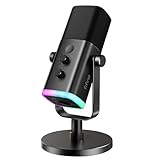
The FIFINE K688 targets budget-conscious broadcasters wanting off-axis noise rejection without buying separate audio interfaces. It features a dynamic cardiod capsule, 16-bit/48kHz sampling rate, and dual USB-C alongside XLR physical connections. Physical gain and headphone volume knobs on the chassis allow quick hardware adjustments.
The main limitation is the absence of dedicated desktop companion software, requiring all equalization to be handled via OBS Studio filters. Build quality utilizes lightweight metal mounts that transmit desk vibrations if used without a boom arm. Streamers seeking RGB lighting or advanced digital mixing should consider higher price tiers.
Elgato Wave:3 MK.2
The Elgato Wave:3 MK.2 matches content creators prioritizing software audio routing and multi-channel mix control for live broadcasts. It features a 17mm electret condenser capsule recording at 24-bit/96kHz, supported by a capacitive tap-to-mute sensor. Using a best streaming microphone with Wave Link simplifies managing game and voice tracks.
Hardware Clipguard technology automatically reroutes overloaded audio signals through a secondary signal path to prevent harsh distortion. However, its condenser design naturally captures mechanical keyboard clicks and room reverberation in hard-surfaced rooms. Buyers operating in noisy spaces without acoustic foam should avoid condensers.
Shure SM7dB
The Shure SM7dB serves professional content creators seeking industry-standard vocal tone without relying on external inline signal boosters. It combines a classic dynamic capsule with an integrated active preamp supplying up to +28 dB of clean gain boost. Dual switches on the back panel adjust low-frequency roll-off and mid-range boost.
Operating this microphone requires a dedicated audio interface capable of supplying +48V phantom power over XLR cabling. The principal limitation is the $499 equipment cost plus the required interface, placing it beyond standard consumer budgets. Solo USB users seeking plug-and-play setup without external mixers should look elsewhere.
Frequently Asked Questions
Navigating audio hardware selection involves understanding technical specifications, physical connections, and software routing setups. Addressing common voice capture questions clarifies how dynamic capsules, XLR interfaces, and USB ports impact broadcast audio. The following details help optimize voice clarity on desktop systems.
Should You Choose a USB or XLR Microphone for Streaming?
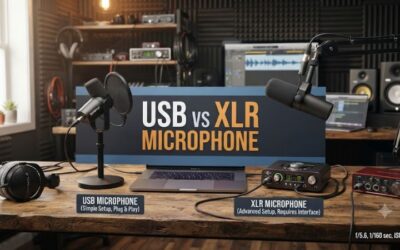
USB microphones offer direct plug-and-play setup for solo creators, whereas XLR microphones provide superior upgrade paths and mixing control through external audio interfaces. USB connections process digital signals internally, making them convenient for single-PC streaming. XLR connections output raw analog signals into mixers.
Choosing a best streaming microphone depends on whether you plan to expand your hardware setup with multi-channel audio gear. Hybrid models featuring both connectors let you start with USB convenience and migrate to XLR interfaces later. Pure XLR builds require additional budget for interfaces offering clean gain preamps.
Do Dynamic Microphones Block Background Noise Better Than Condensers?
Dynamic microphones reject background noise more effectively than condenser microphones due to their heavier diaphragm construction and lower sensitivity levels. A dynamic capsule requires strong sound pressure near the grille, ignoring distant room reverb. Condensers pick up subtle room reflections and keyboard switches easily.
Broadcasters operating in untreated rooms with hard walls benefit significantly from dynamic capsule directionality. Positioning a dynamic mic 2 to 4 inches from your mouth maximizes vocal presence while suppressing ambient desktop fan noise. Adding acoustic treatment panels helps condenser mics perform better in residential spaces.
Is an External Audio Interface Necessary for High-End Microphones?
External audio interfaces are necessary for standard XLR microphones to supply phantom power and convert analog signals into digital desktop streams. Analog XLR microphones cannot connect directly to motherboard 3.5mm jacks without sacrificing signal quality. Preamps inside audio interfaces provide clean gain without hiss.
Modern USB-C microphones incorporate onboard preamps and analog-to-digital converters, eliminating the need for standalone audio hardware. Devices like the Elgato Wave XLR combine phantom power with digital mixing software on Windows 11. Upgrading to discrete interfaces is only required when adopting non-USB broadcast mics.
How Does Sample Rate Impact Streaming Voice Quality?
A sample rate of 48kHz at 24-bit depth provides optimal audio fidelity for live streaming platforms like Twitch and YouTube Live. Higher sample rates like 96kHz increase processing overhead without delivering audible vocal improvements on standard stream bitrates. Streaming software downsamples audio tracks to 48kHz by default.
Selecting 24-bit depth ensures high dynamic headroom, preventing clipping when screaming or speaking softly during games. Matching Windows audio sound settings to 24-bit, 48000 Hz prevents unwanted operating system resampler artifacts. Audio performance remains consistent across broadcast software when rates are unified.
Final Thoughts
Choosing the best streaming microphone requires matching your room acoustics and hardware budget to the right capsule technology. USB models deliver plug-and-play simplicity for solo streamers, while XLR options support advanced mixing hardware. Selecting a model with dynamic rejection creates clear vocal broadcasts on any PC.