🛒 Best Price Today on Amazon
Prime members get fast, free shipping on everything above, plus member-only deals. New members get a 30-day free trial — cancel anytime.
Unexpected computer shutdowns and sudden black screen resets during heavy gaming sessions often indicate underlying power supply issues in your rig. High-end modern graphics cards like the NVIDIA GeForce RTX 4080 Super can pull brief power spikes that overload aging units. Isolating power delivery faults protects components.
Quick answer: Our top pick in 2026 is the Step — our #1 rated choice. See the full ranked comparison, alternatives and buying advice below.
Why Power Supply Issues Happen
Power supply issues develop when internal electrical components fail to maintain steady DC output voltages under fluctuating graphics card loads. Rapid transient spikes trigger internal hardware protection mechanisms like Over Current Protection and Over Power Protection. Understanding these failure modes prevents system damage.
Transient Power Spikes Overload Older Units
Modern high-performance graphics cards like the NVIDIA GeForce RTX 4090 can demand momentary wattage bursts up to two times their continuous rating. Legacy power supply designs that follow older ATX specifications lack the fast response time needed to absorb these quick electrical surges without dropping output voltage levels.
When a legacy unit experiences a rapid 12V rail voltage drop during high peak loads, the motherboard triggers an immediate hard reboot. Installing an ATX 3.0 or ATX 3.1 power supply unit helps your desktop handle transient excursions up to 200 percent of its rated capacity safely without unexpected system crashes.
Loose Cable Connections and Melted Pin Contacts
Improperly seated power connectors create high electrical resistance at the metal pin terminals inside high-wattage power lines. Modern 12V-2×6 and 12VHPWR connectors require full insertion depth to ensure sideband sense pins register solid contact. Partial connections cause severe thermal buildup under sustained heavy loads.
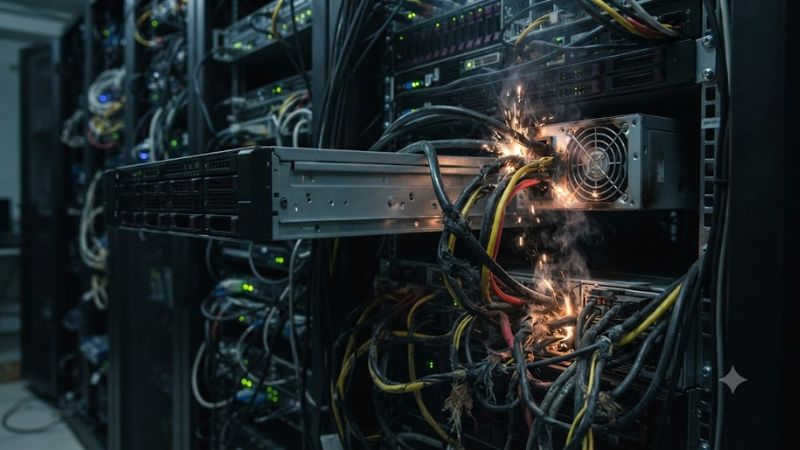
Excessive heat generation at terminal contacts can melt plastic connector housings and cause severe power supply issues across your system. Inspecting the latching mechanism on modular cables ensures that individual 12V pins make continuous contact. Solid physical alignment stops localized overheating before damage occurs.
Degrading Electrolytic Capacitors Under Sustained Load
Capacitors inside desktop power supplies store electrical energy to smooth out ripple voltage before sending direct current to components. Over years of thermal cycling, the liquid electrolyte inside cheaper capacitors gradually dries out, reducing filtering capacity and increasing electrical noise on 12V power rails.
Elevated voltage ripple forces VRM power stages on motherboards and graphics cards to work harder, leading to instability in demanding titles. Replacing an older unit that exhibits voltage drift under synthetic load tests restores clean current. Quality Japanese 105C capacitors extend operational life significantly.
What Does Not Cause Power Delivery Failures
Many users mistake software driver crashes or background Windows updates for actual power hardware failures in their desktop setups. Altering background telemetry settings or clearing temporary cache files never fixes underlying voltage stability problems caused by weak or failing power delivery hardware in a gaming PC.
Running third-party registry cleaner utilities or disabling core operating system services will not prevent power supply issues under load. These software tweaks cannot fix sagging 12V rails, melted power connectors, or tripped internal safety switches. Hardware stability requires physical checks and correct cable routing.
How to Fix Power Supply Issues: Step by Step
Troubleshooting power supply issues requires a systematic approach starting with physical cable verification and moving to software monitoring tools. Checking event logs in Windows 11 helps identify hardware shutdown codes before replacing any components. Following structured steps isolates faults while keeping costs minimal.
| Step | Where | How to Verify | Cost |
| 1. Reseat modular cables | CPU, GPU, and motherboard sockets | Check full latch engagement and 0mm gap | Free |
| 2. Lower GPU power limit | MSI Afterburner in Windows 11 | Monitor wattage and stability in HWiNFO64 | Free |
| 3. Replace power cable | Native modular PSU output port | Inspect voltage logs in Windows Event Viewer | $15–$25 |
| 4. Install ATX 3.0 PSU | Desktop PC chassis interior | Run OCCT Power stress test for 30 minutes | $110–$180 |
Reseat Internal Power Cable Connections
Shut down your PC completely, flip the rear power switch to the off position, and disconnect the main wall cable from the socket. Open the side panel to access the 24-pin motherboard connector, EPS CPU lines, and 12V-2×6 GPU power cables. Press firmly on each connector plug until the plastic locking latch clicks into place.
Ensure modular power cables on the power supply unit side are also pushed completely into their matching terminal ports. Recheck that no sharp bends occur within 35 millimeters of the connector plug. To undo this step, simply release the plastic locking tabs and unplug individual cables during routine maintenance.
Adjust Graphics Card Power Limits in Windows
Reducing peak power demand on your graphics card helps prevent total power supply issues while you evaluate hardware stability. Open MSI Afterburner in Windows 11 and drag the Power Limit slider down from 100 percent to 80 percent. Click the apply checkmark to enforce lower wattage limits during demanding gameplay.
Launch HWiNFO64 in sensors-only mode to monitor real-time GPU power draw and 12V rail voltage readings under load. If lower power targets stop black screen resets, your unit is operating near its thermal or wattage limit. Revert this adjustment anytime by clicking the reset button inside the MSI Afterburner utility.
Swap Degraded Modular Cables and Adapters
If visual inspection reveals discoloration or heat stress on cable terminals, purchase a replacement modular cable from your unit manufacturer. Never use cables from a different power supply brand because modular pinouts are not standardized across manufacturers. Using mismatched pin configurations risks permanent component damage.
Install native 12V-2×6 PCIe 5.1 cables rather than using multi-8-pin adapter dongles to reduce mechanical points of failure. Verify stable 12V voltage regulation by checking system logs in Windows Event Viewer after running heavy 3D rendering tasks. Disconnect the new cable to return to standard diagnostic testing.
Upgrade to an ATX 3.0 Compliant Power Unit
When existing hardware cannot maintain voltage stability during load spikes, replace the unit with a modern ATX 3.0 model. Select a power unit rated for at least 850 watts with 80 PLUS Gold efficiency to handle current PCIe 5.0 graphics cards. Mount the new unit inside your chassis and connect all dedicated power lines.
Verify total system stability by launching OCCT and executing a combined CPU and GPU power stress test for 30 minutes. Stable 12V, 5V, and 3.3V rail outputs confirm the new hardware resolves previous power delivery failures. To revert, remove the mounting screws and disconnect all power harnesses from the motherboard.
Frequently Asked Questions
Addressing common questions regarding desktop power hardware helps clarify symptoms like sudden reboots and noisy cooling fans. Understanding system requirements and diagnostic error codes simplifies component evaluation for gamers. Clear answers empower you to fix instability without spending money on unneeded parts.
Can a faulty power supply cause game stuttering?
A failing power supply rarely causes localized frame rate stuttering because voltage drops trigger immediate system reboots or hard shutdowns. When 12V rail voltage falls below operating thresholds, protective circuits cut power to prevent hardware damage. Stuttering usually stems from driver issues, thermal throttling, or RAM capacity.
If power supply issues affect your graphics card, the system will crash directly to a black screen rather than drop frames. Monitoring 12V voltage drops in HWiNFO64 during gameplay confirms whether power delivery is stable. Addressing software background processes or cooling performance resolves actual frame pacing drops.
How do I identify Kernel-Power Event 41 errors?
You can identify Kernel-Power Event 41 by opening Windows Event Viewer and navigating to System logs under the Windows Logs folder. Look for critical level entries with Event ID 41 from the Kernel-Power source. Check the BugcheckCode value in the details tab; a value of zero points directly to ungraceful hardware power loss.
A BugcheckCode of zero confirms the operating system lost main power before it could record a standard crash dump file. This specific log pattern strongly points to power unit overload, tripped internal thermal protection, or loose wall cables. Reviewing these logs regularly helps catch hardware failures before total unit failure.
Does a surge protector prevent unit failure?
A surge protector prevents external AC voltage spikes from reaching internal components but cannot prevent unit degradation from age or internal heat. High-quality surge strips absorb excessive electrical energy from lightning or grid fluctuations. However, they do not boost wattage or correct internal DC output voltage drop.
Using a surge protector maintains steady incoming power quality to protect sensitive capacitor banks inside desktop power supplies. Combining AC protection with a properly sized unit ensures long-term operational stability. Replace old surge protectors every three to five years to maintain active clamping protection levels.
Will undervolting the graphics card stop shutdowns?
Undervolting a graphics card can stop sudden shutdowns by lowering peak wattage consumption and reducing transient power spike magnitude. Decreasing core voltage in MSI Afterburner lowers overall 12V current draw on your power supply unit. This reduction keeps power spikes below internal Over Current Protection trip points.
While undervolting offers a temporary software solution for power supply issues under load, it does not fix aging unit hardware. Testing undervolted profiles in synthetic benchmarks confirms if reduced power draw restores gaming stability. Purchasing a higher wattage power supply remains the long-term fix for heavy loads.
Final Thoughts
Systematic diagnosis helps you resolve power supply issues before hardware components suffer permanent electrical damage. Inspecting modular cables, monitoring 12V rails in HWiNFO64, and analyzing Event Viewer logs isolates system instability accurately. Modernizing your power unit ensures consistent performance during peak loads.
Ready to decide? Our #1 pick for 2026 is the Step.
Live price & availability on Amazon.